


Avtobus turi
eSim activity
Mavjud variantlar
Umumiy internet · 1 kun · 500MB · Faqat internet
-
If you encounter any service disruption such as unable to connect to internet, slow speed, APN settings or any other service disruption after inserting the card, please contact the operator's customer service at: eSIM Description
- test
test step1

- test
test step2

- 700

- 500

Additional Information
-
show on APP
-
The connection speed depends on your reception coverage and the local tele company. No refund will be issued for any speed drop
Data in total · 11 days · 5GB · Data only
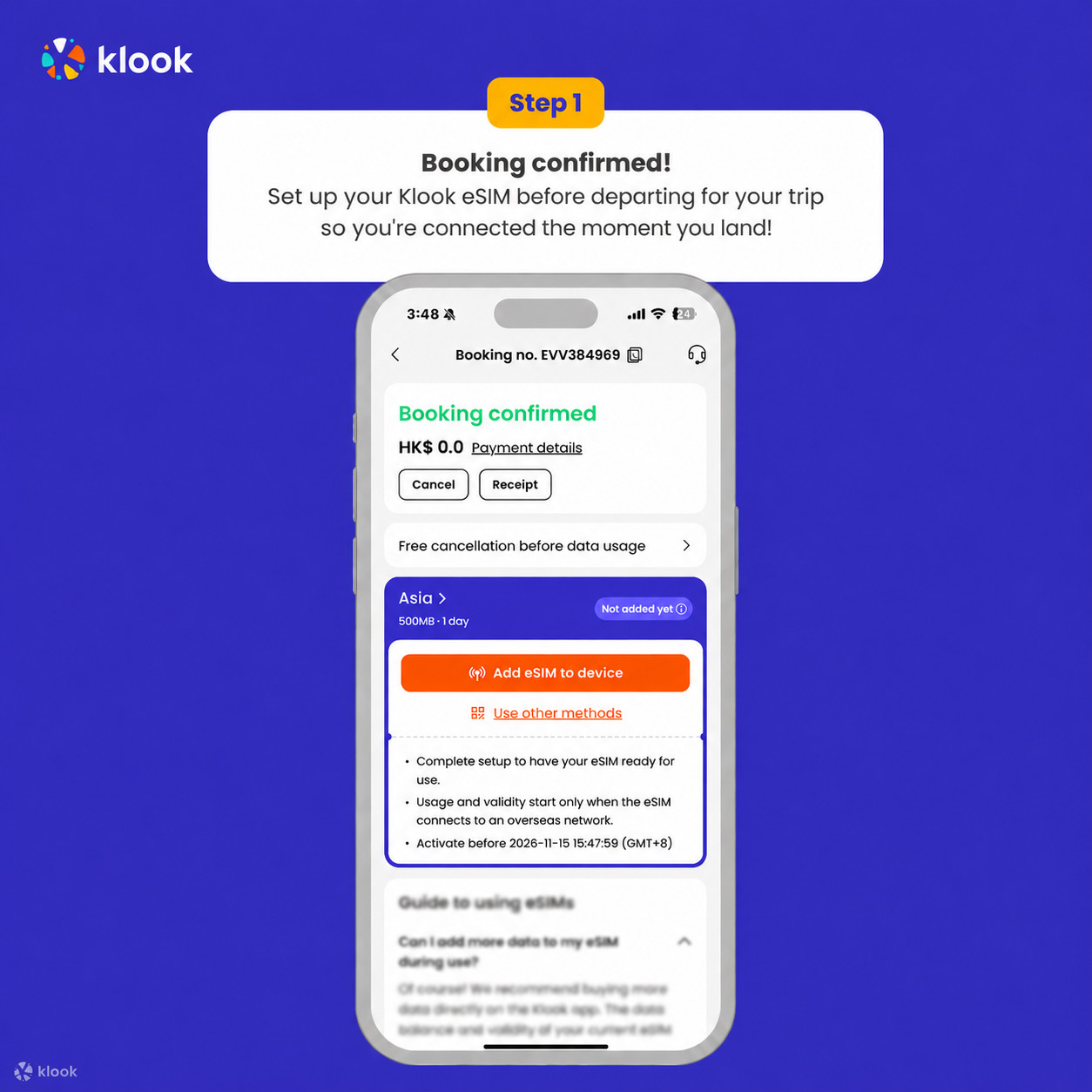
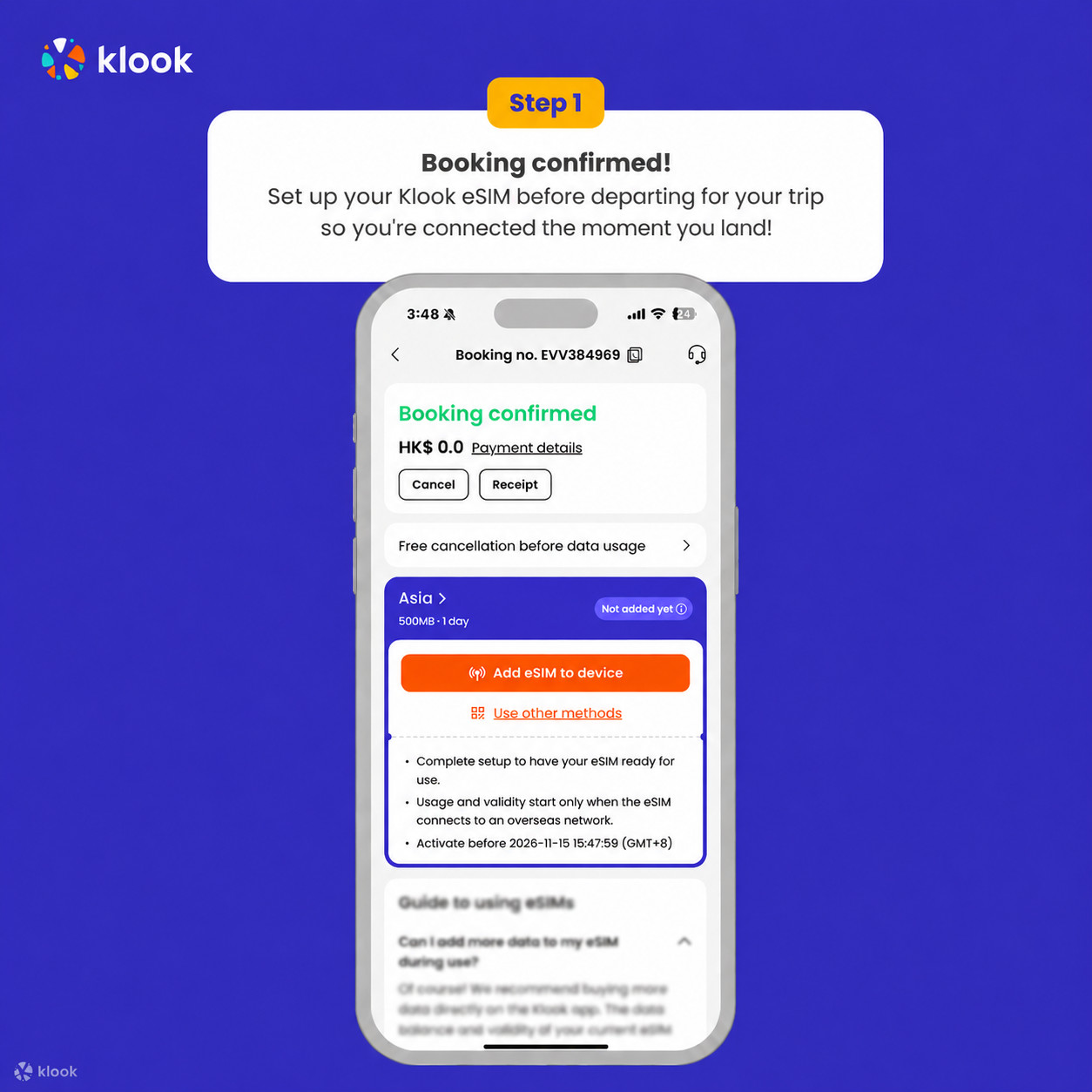
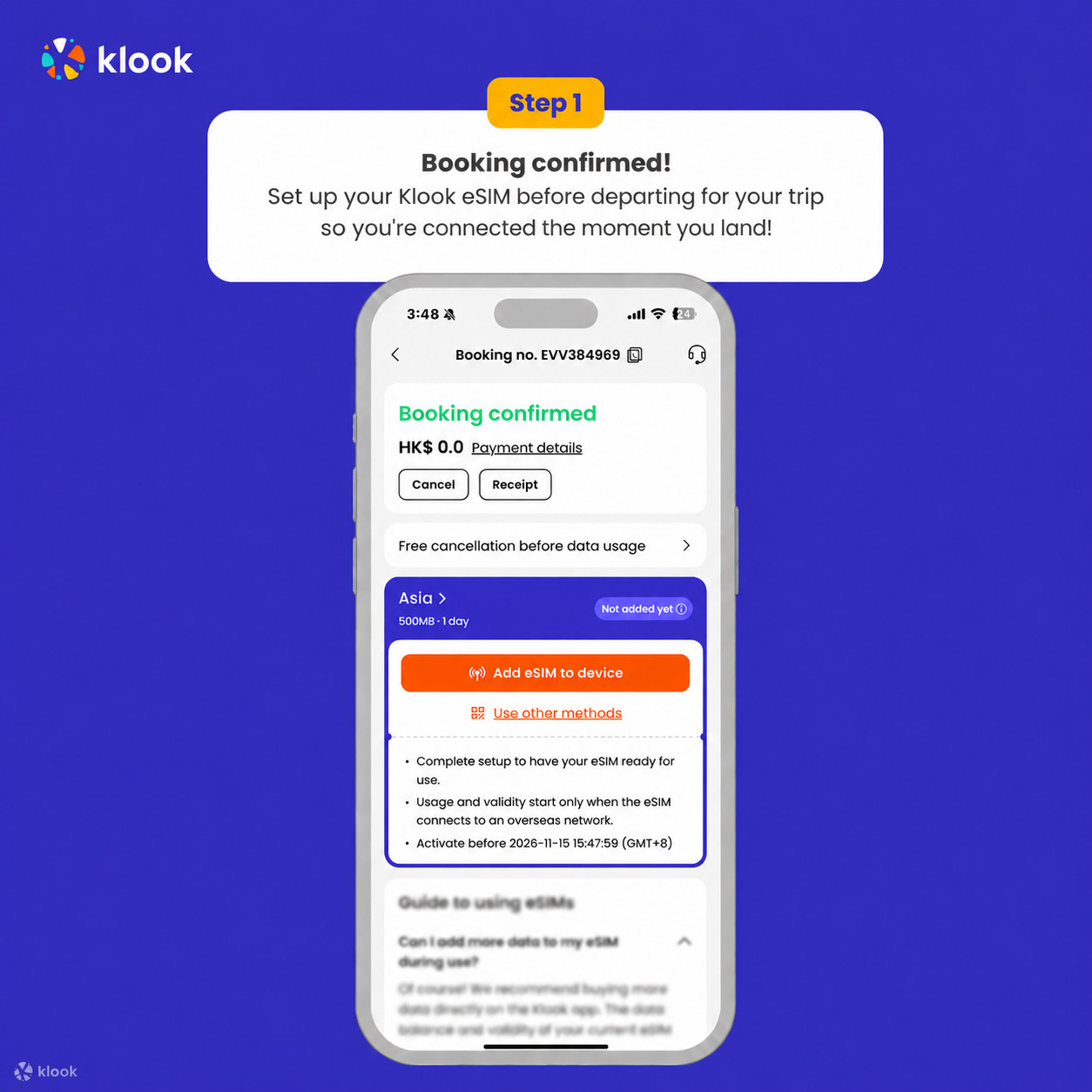
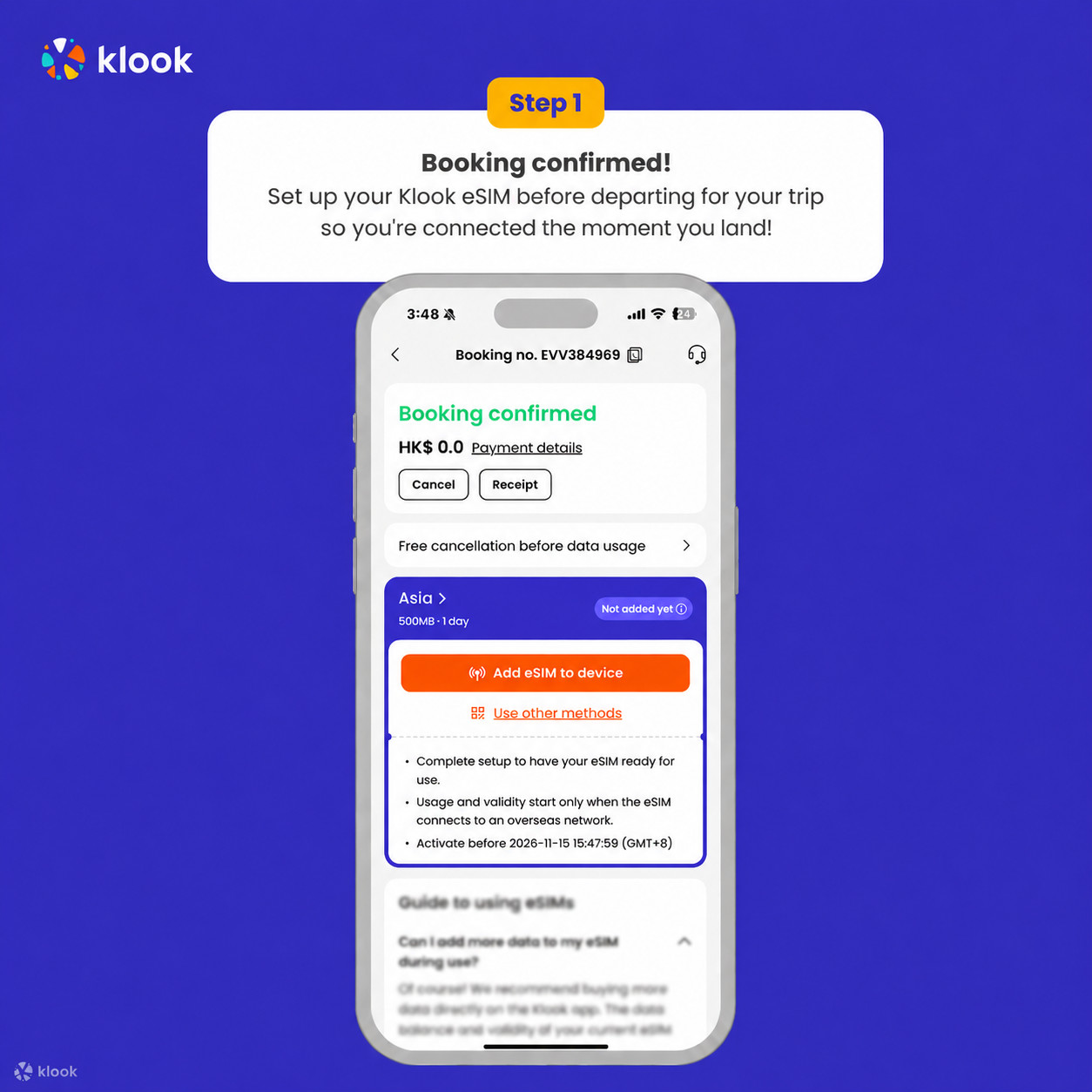
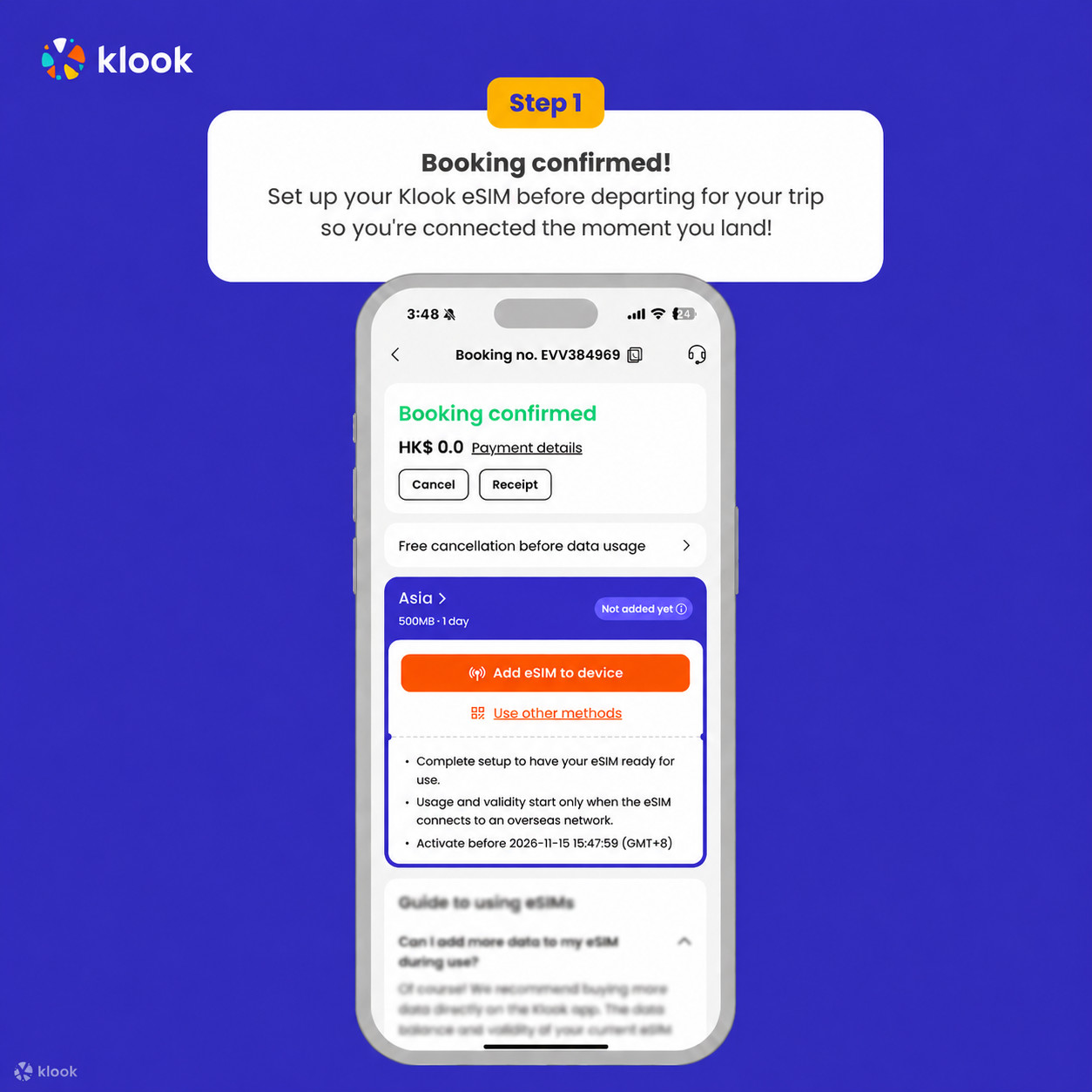
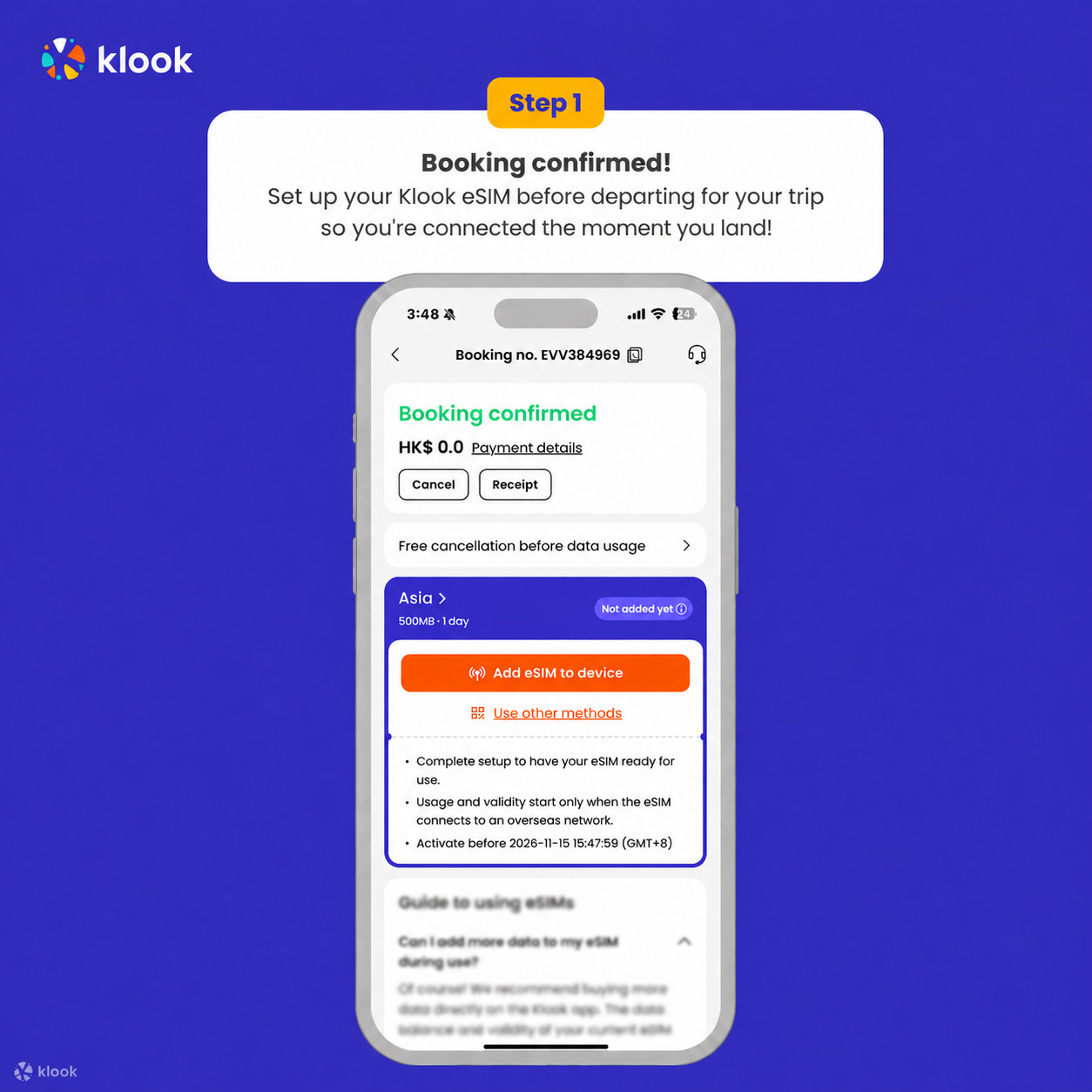
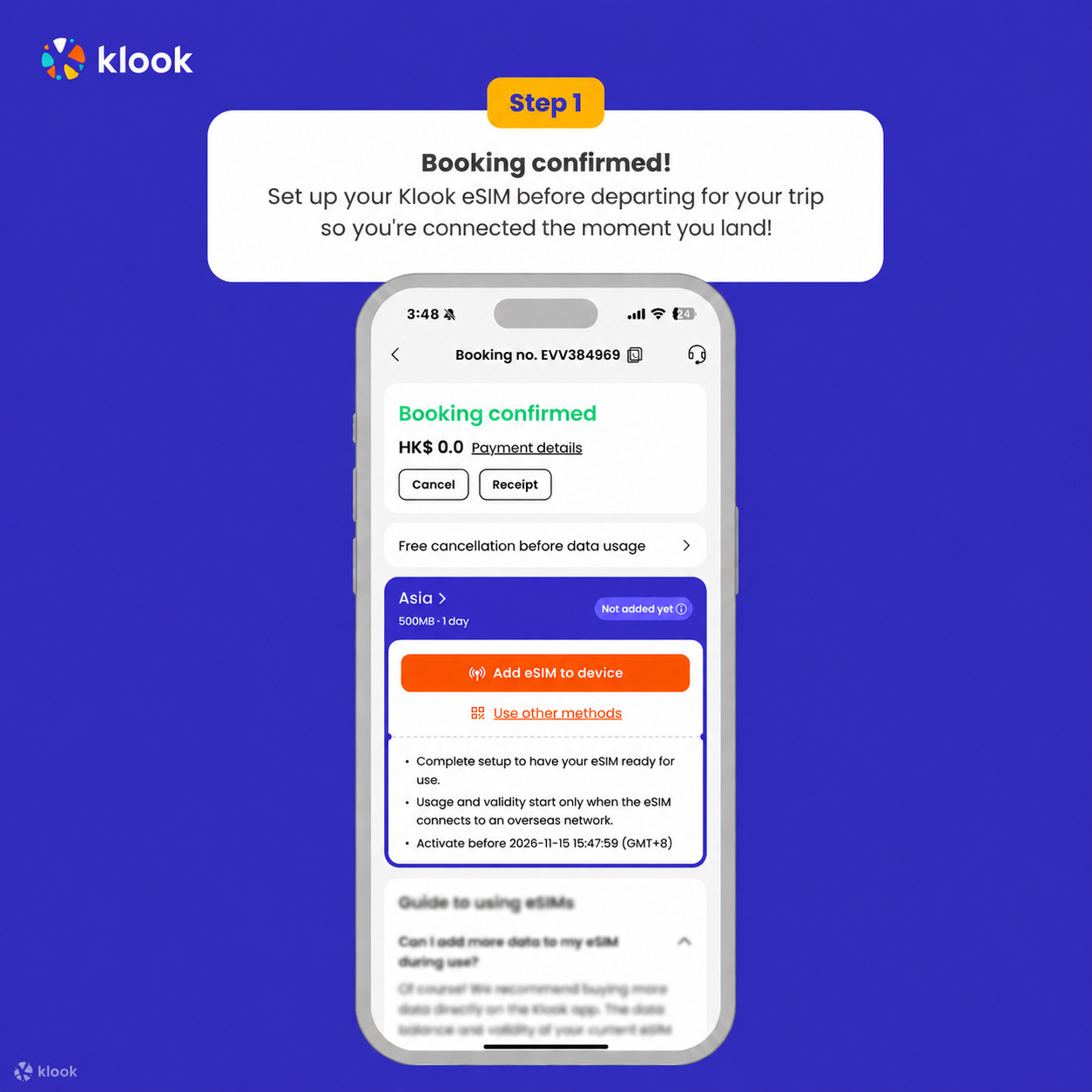
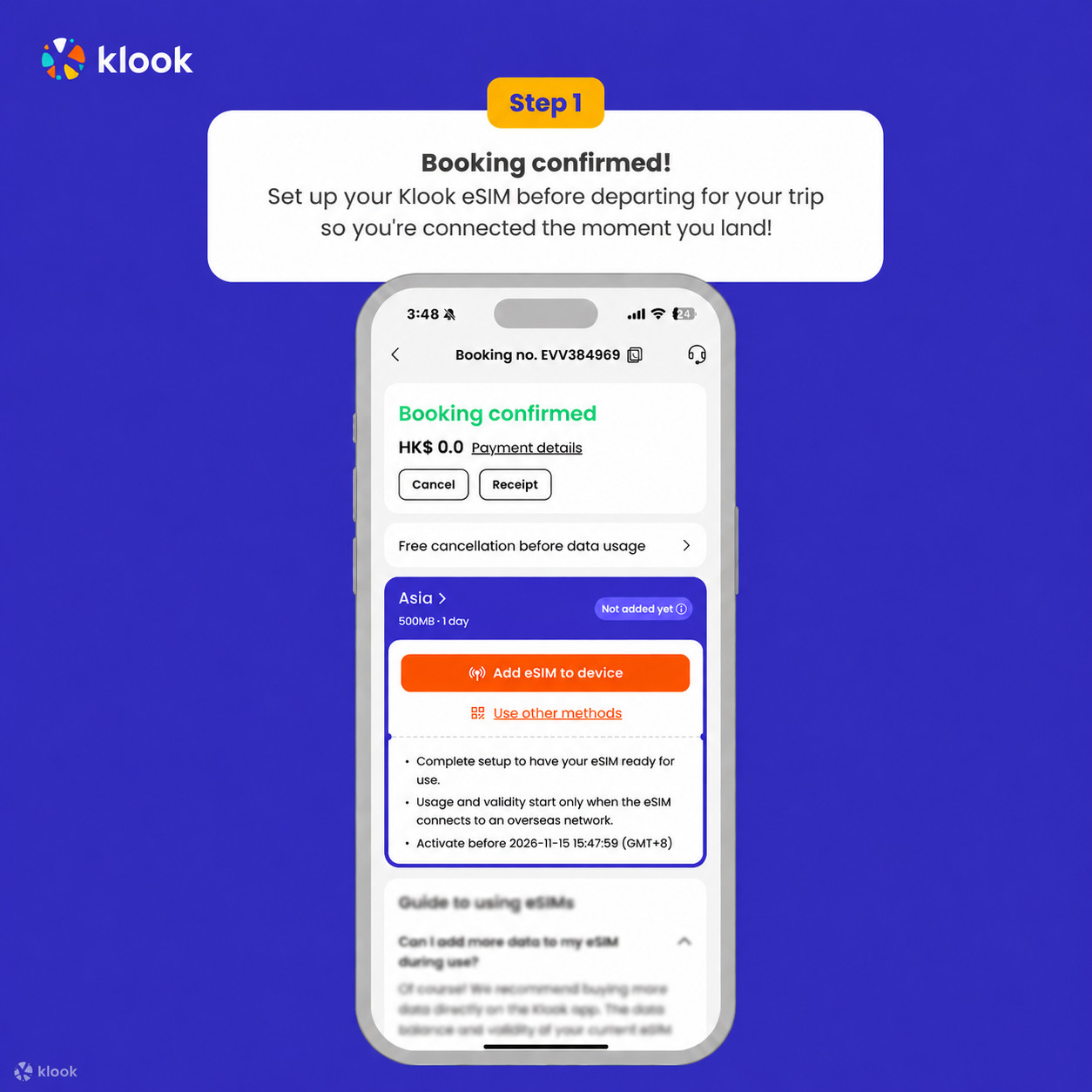
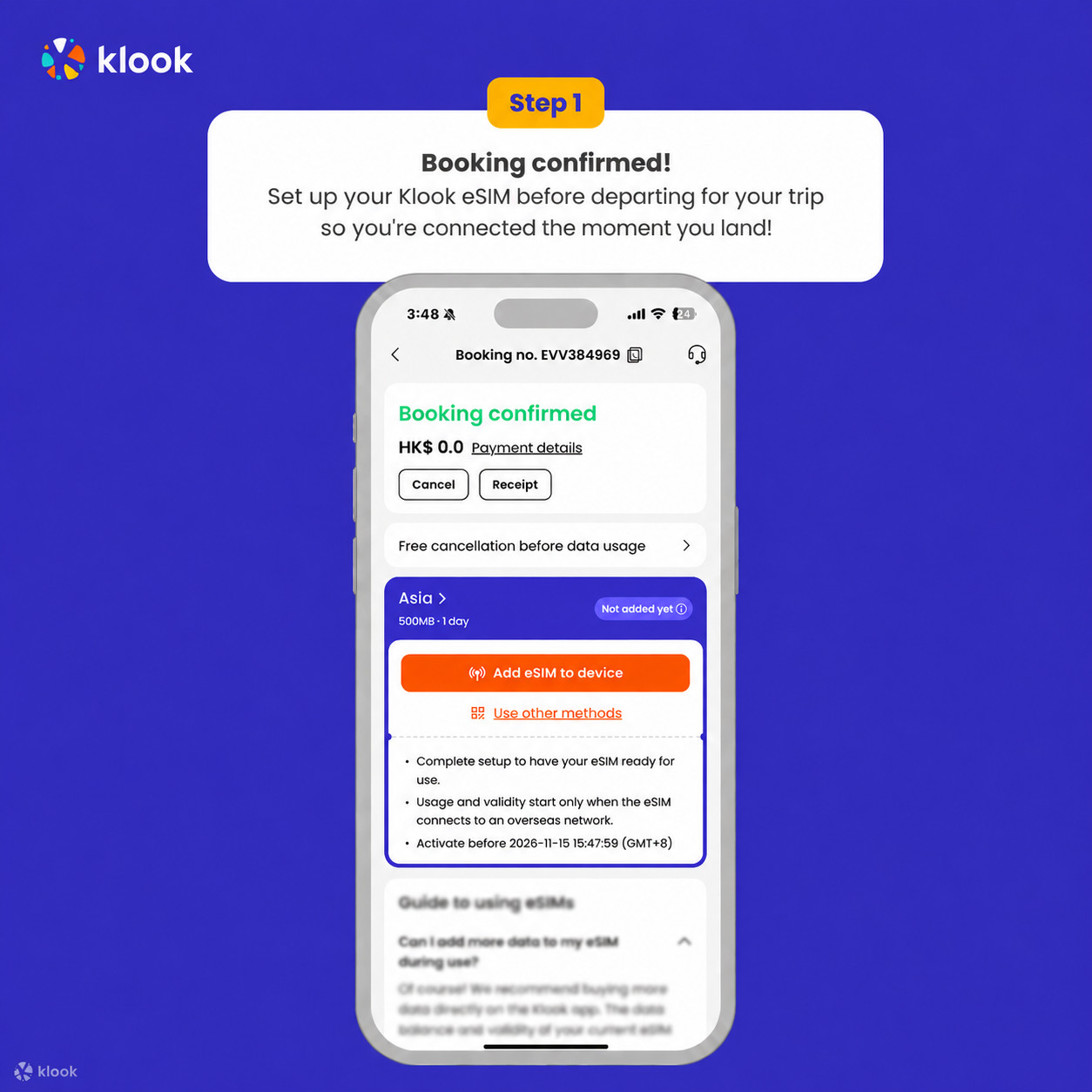
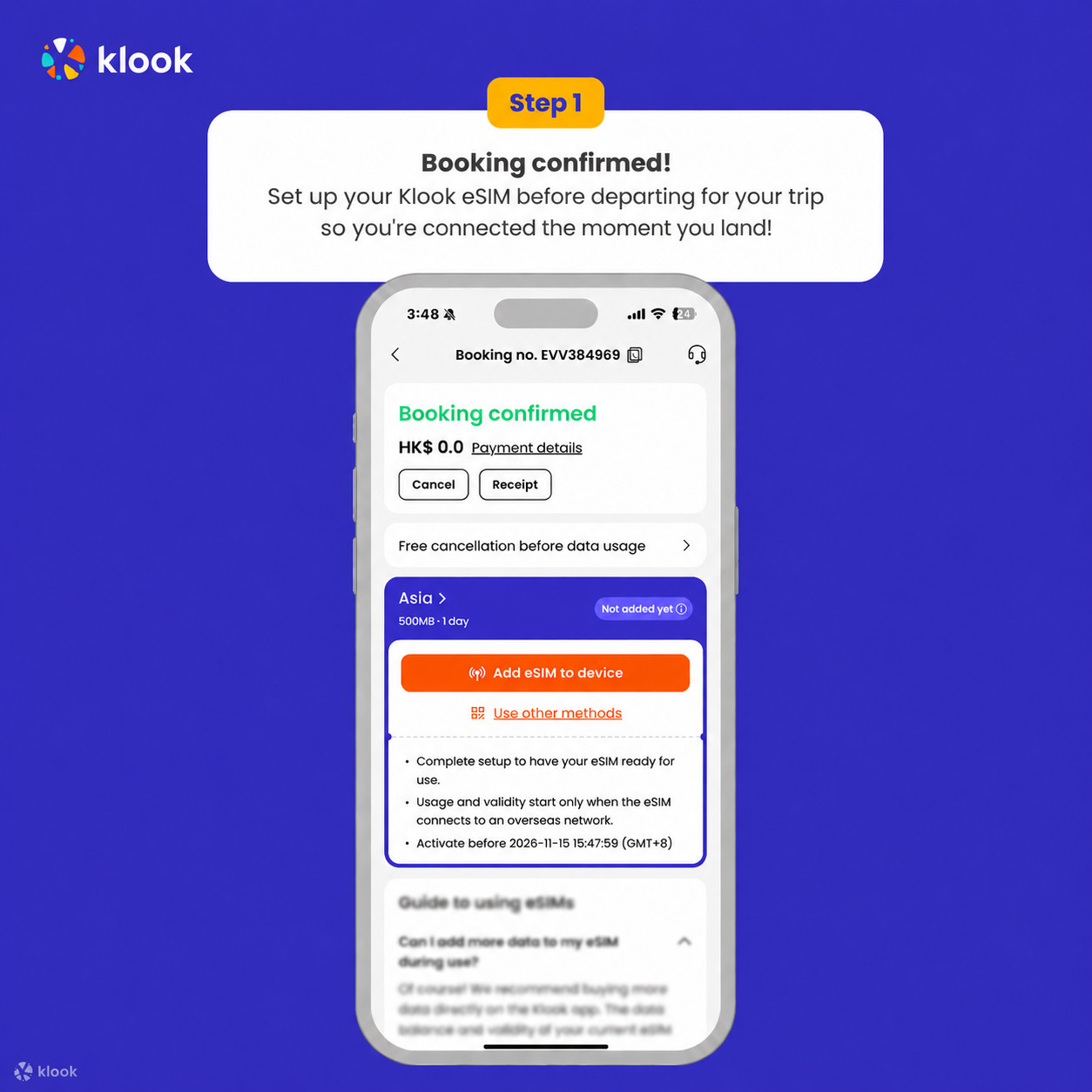
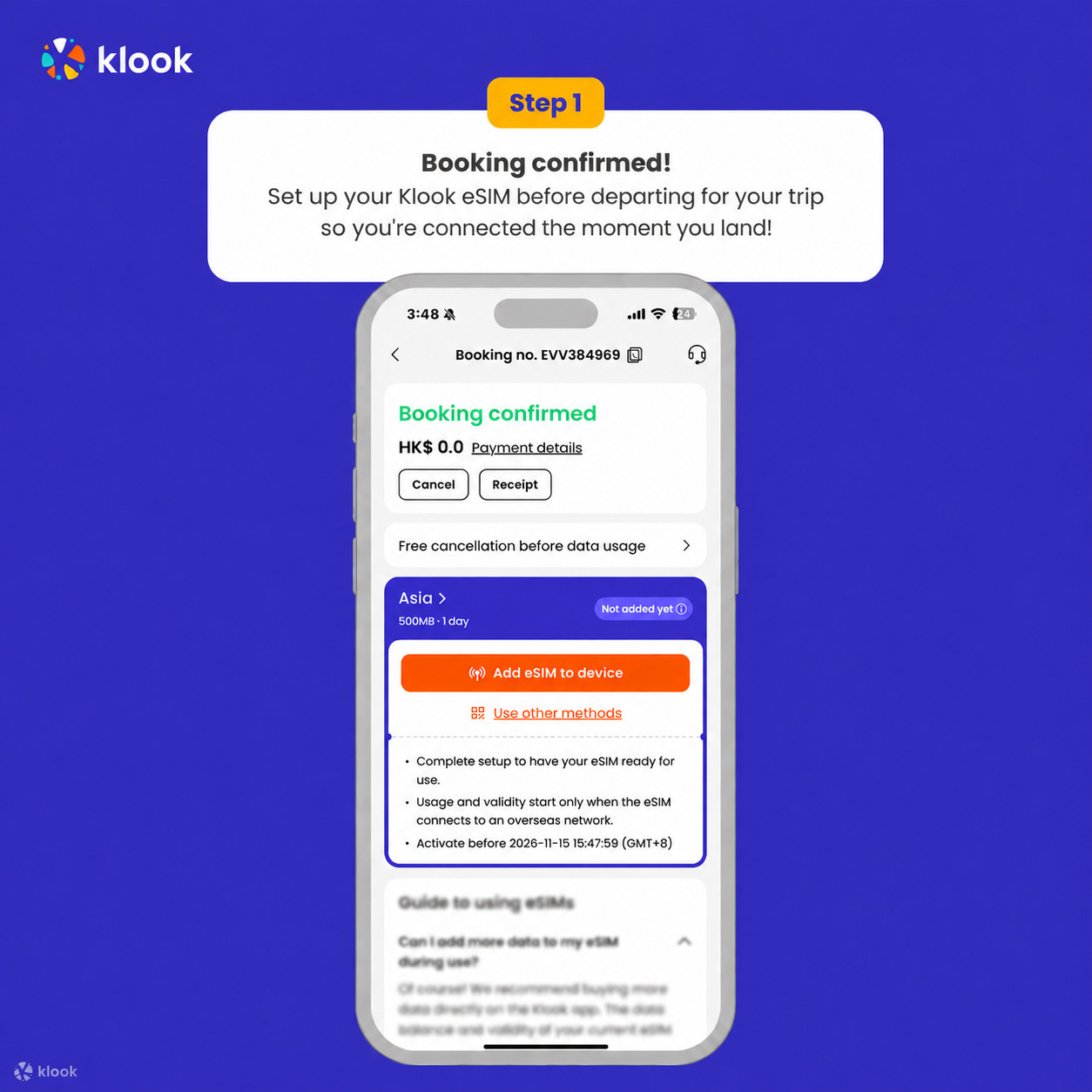
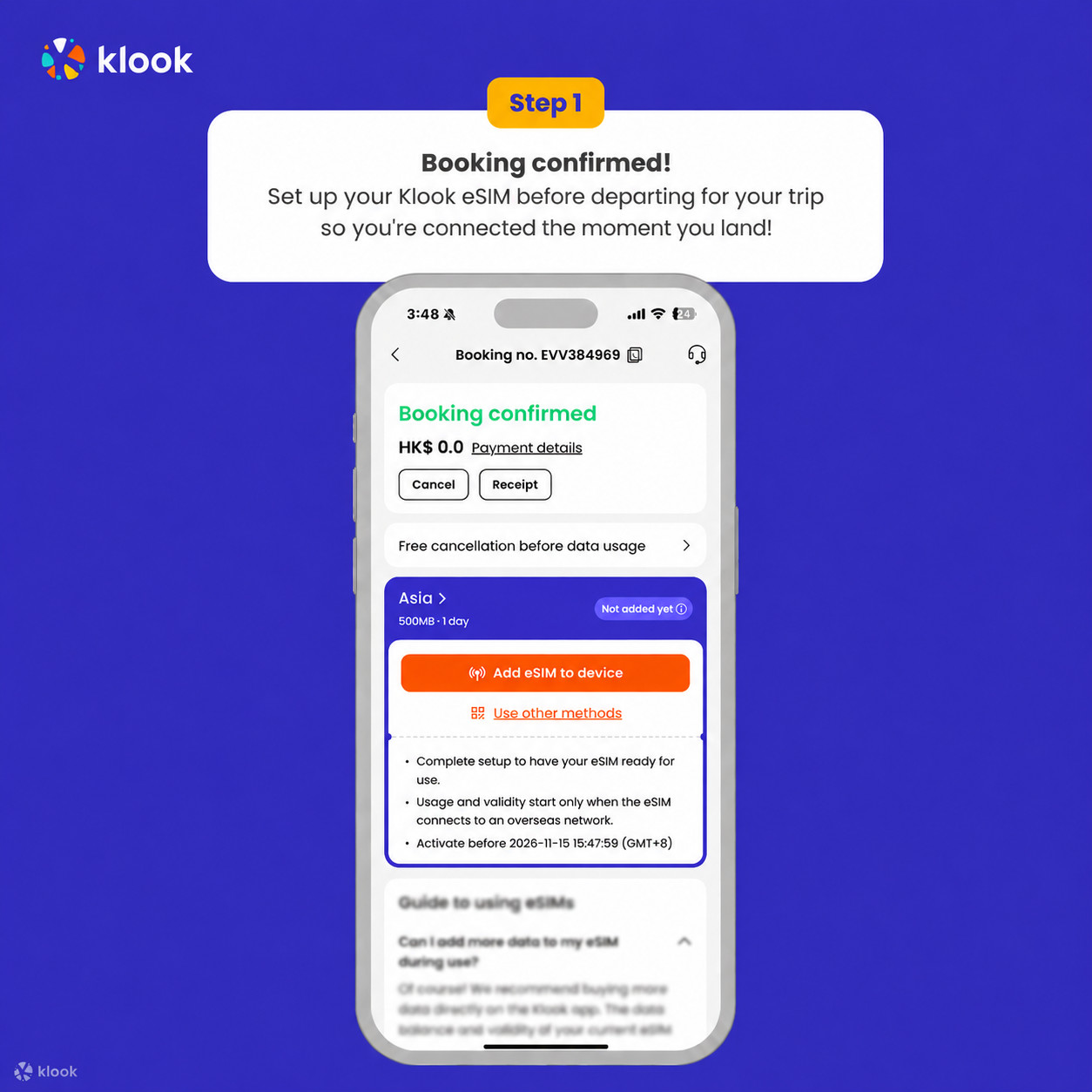
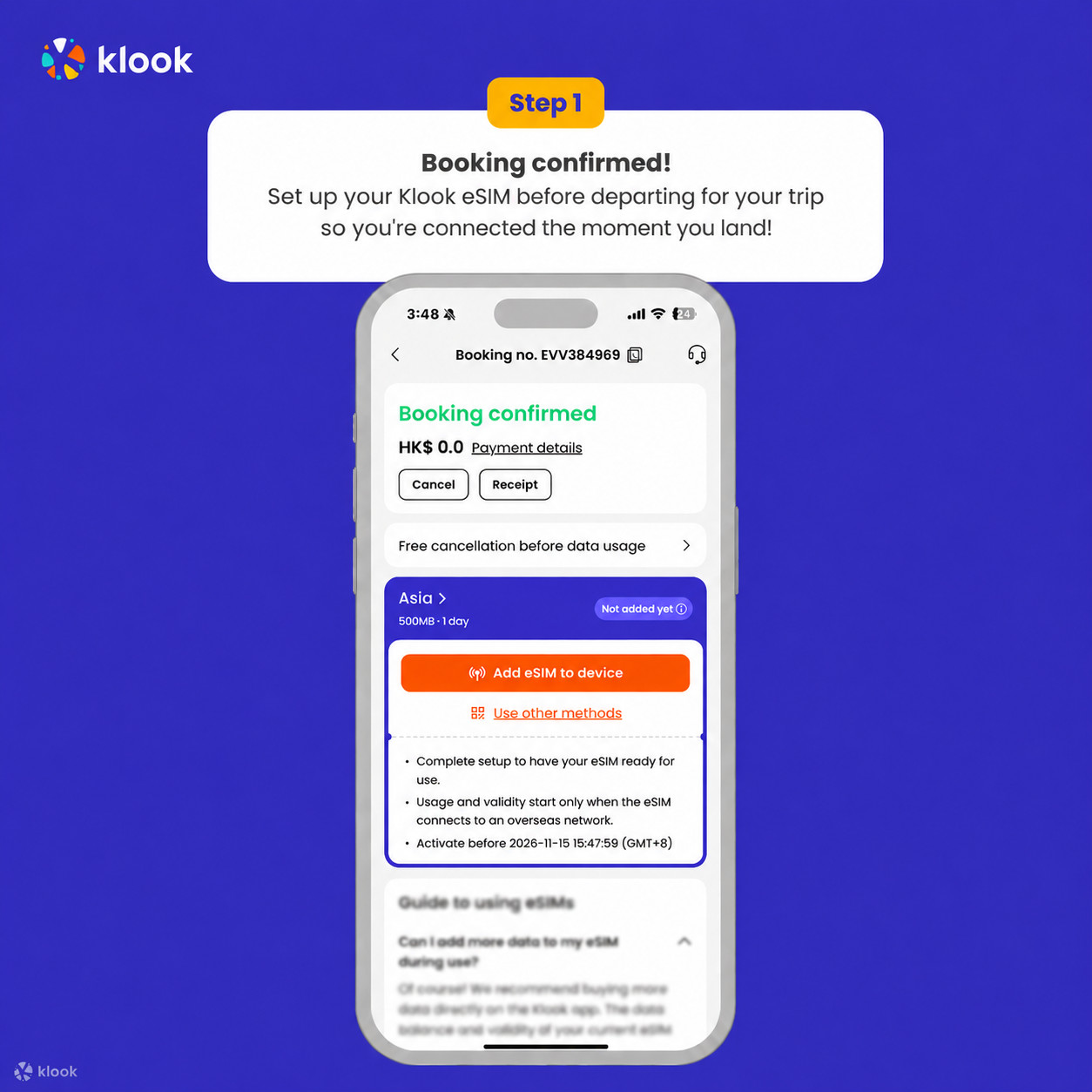
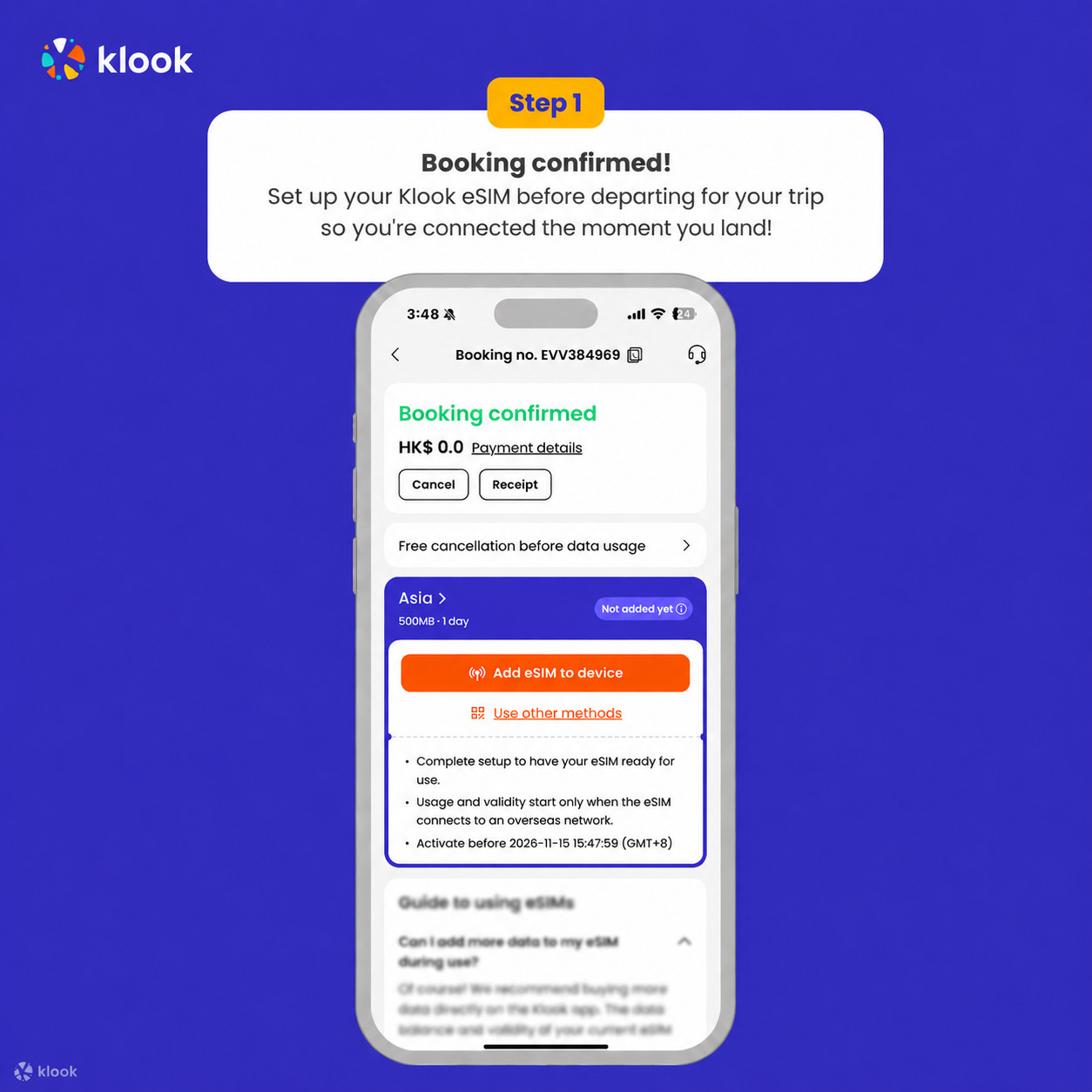
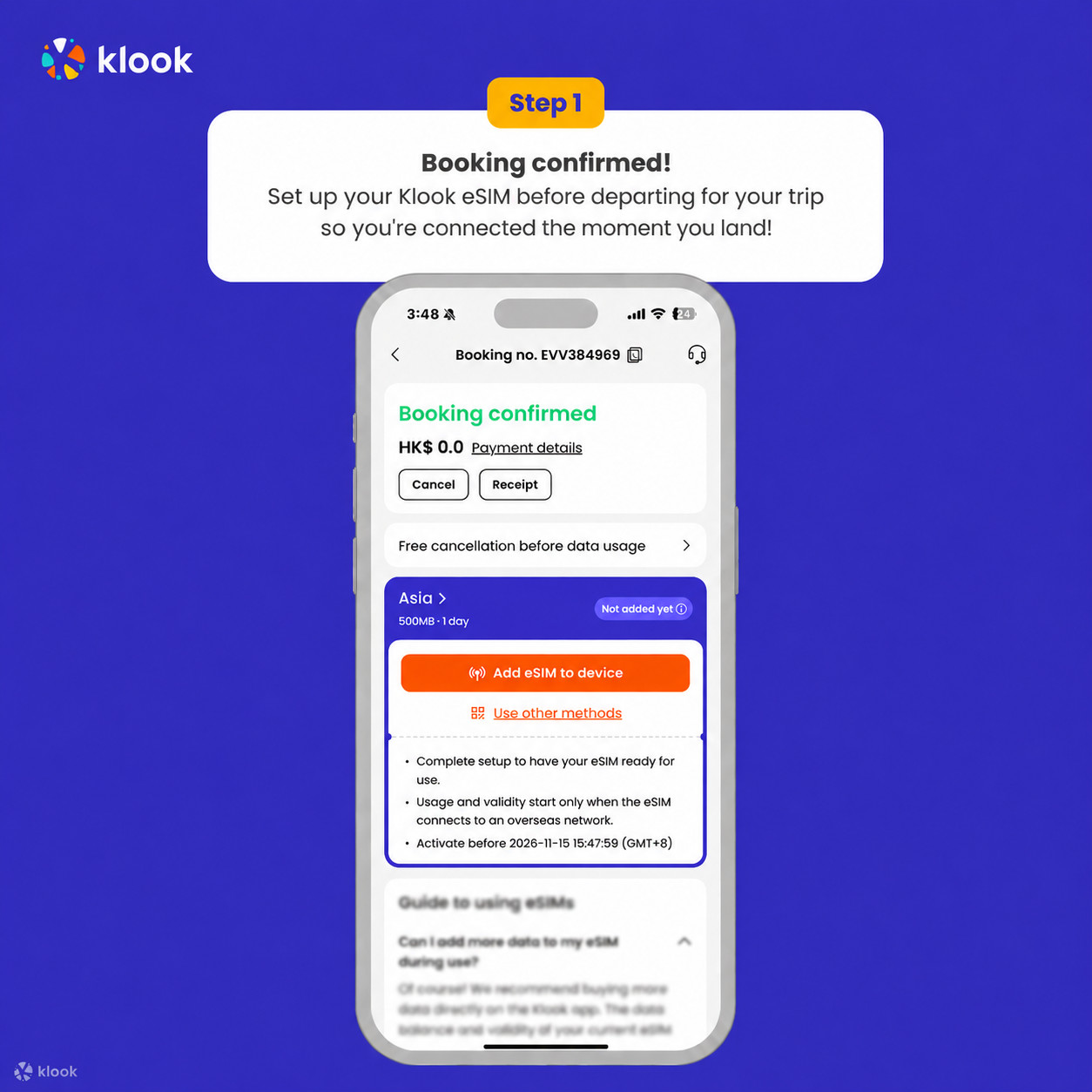
- Activate your Klook eSIM before travel
Activate your eSIM before travel

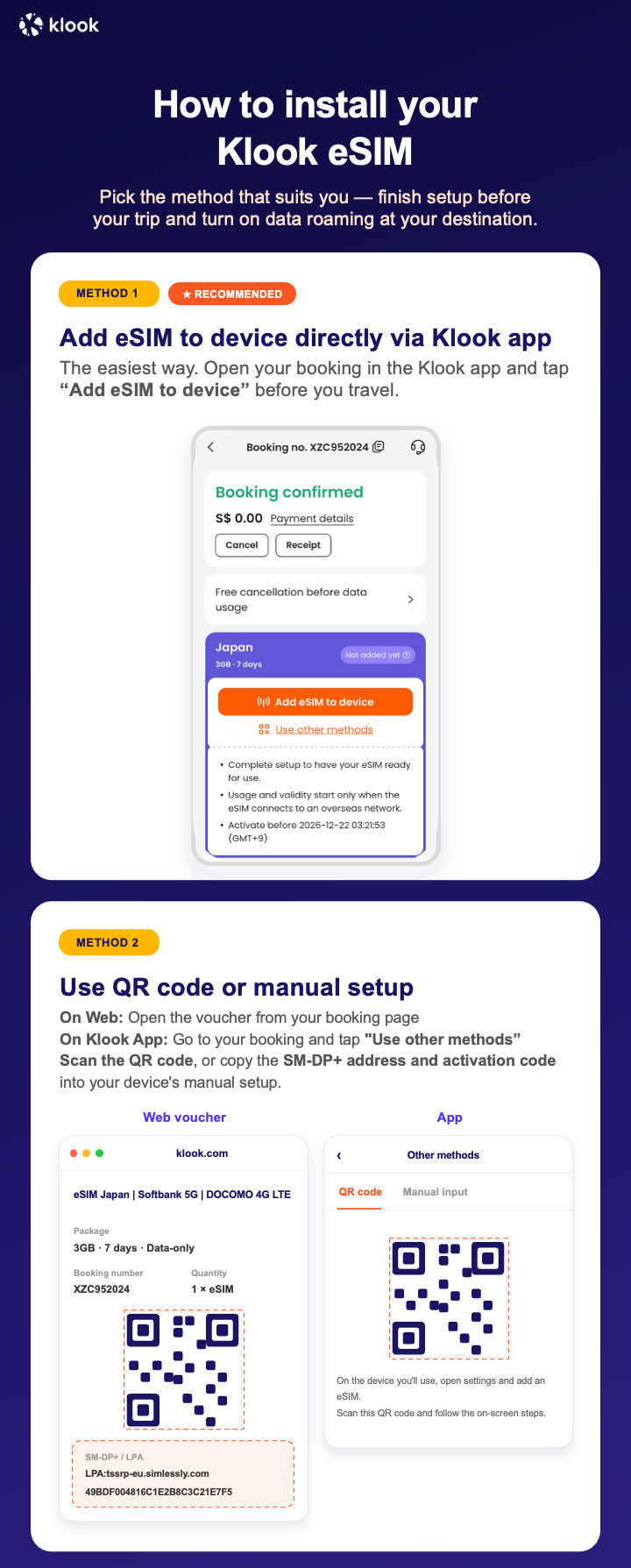
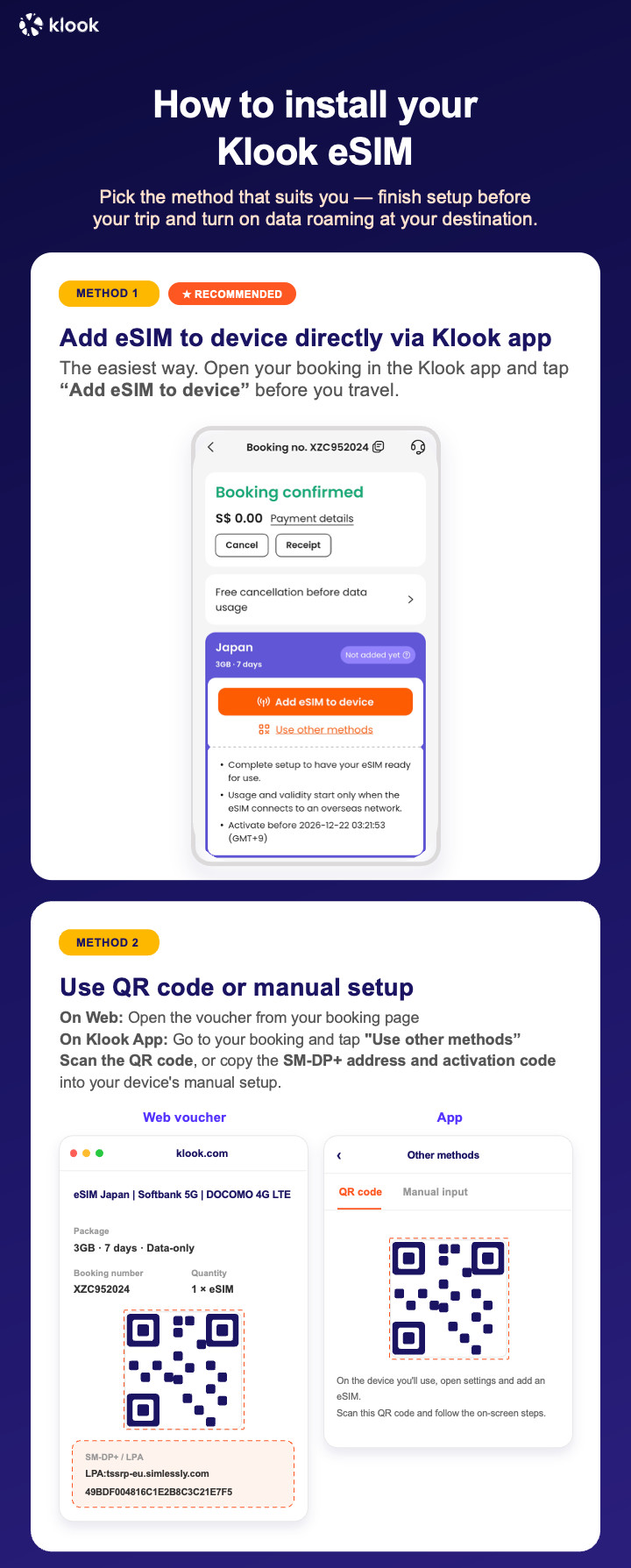
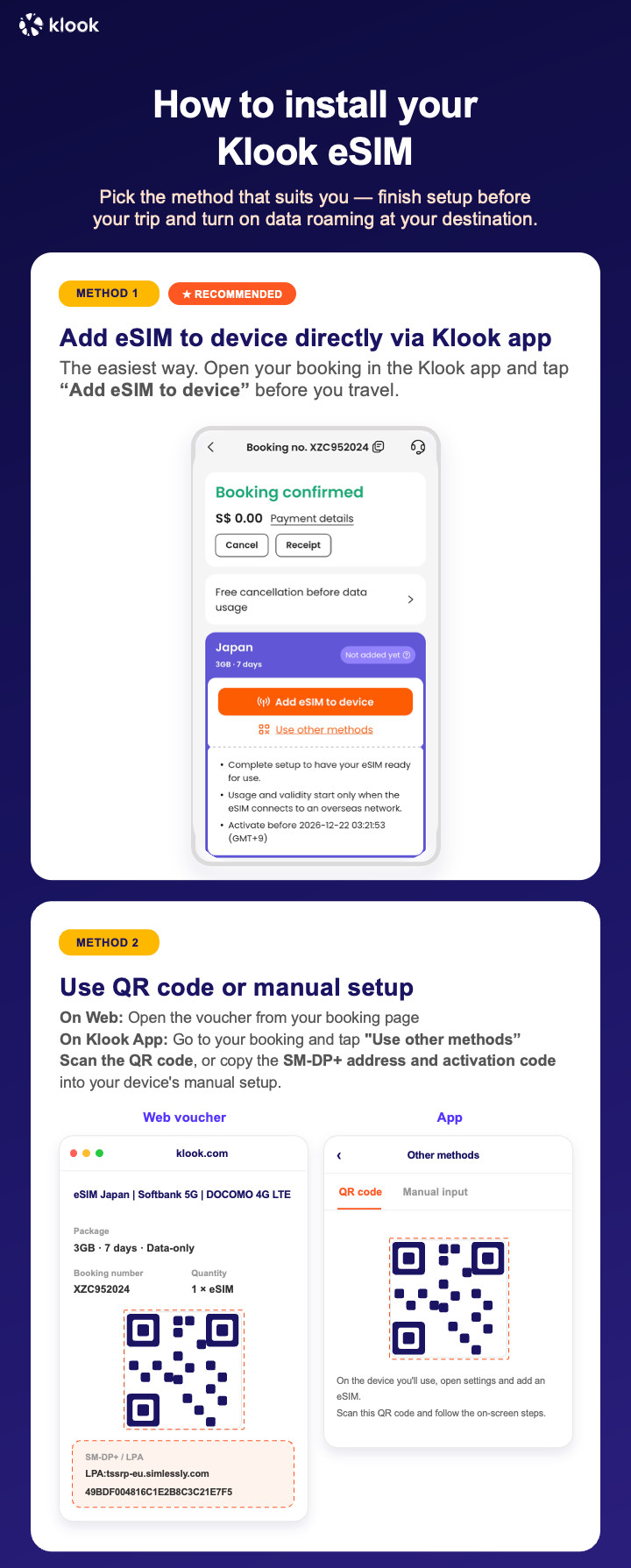
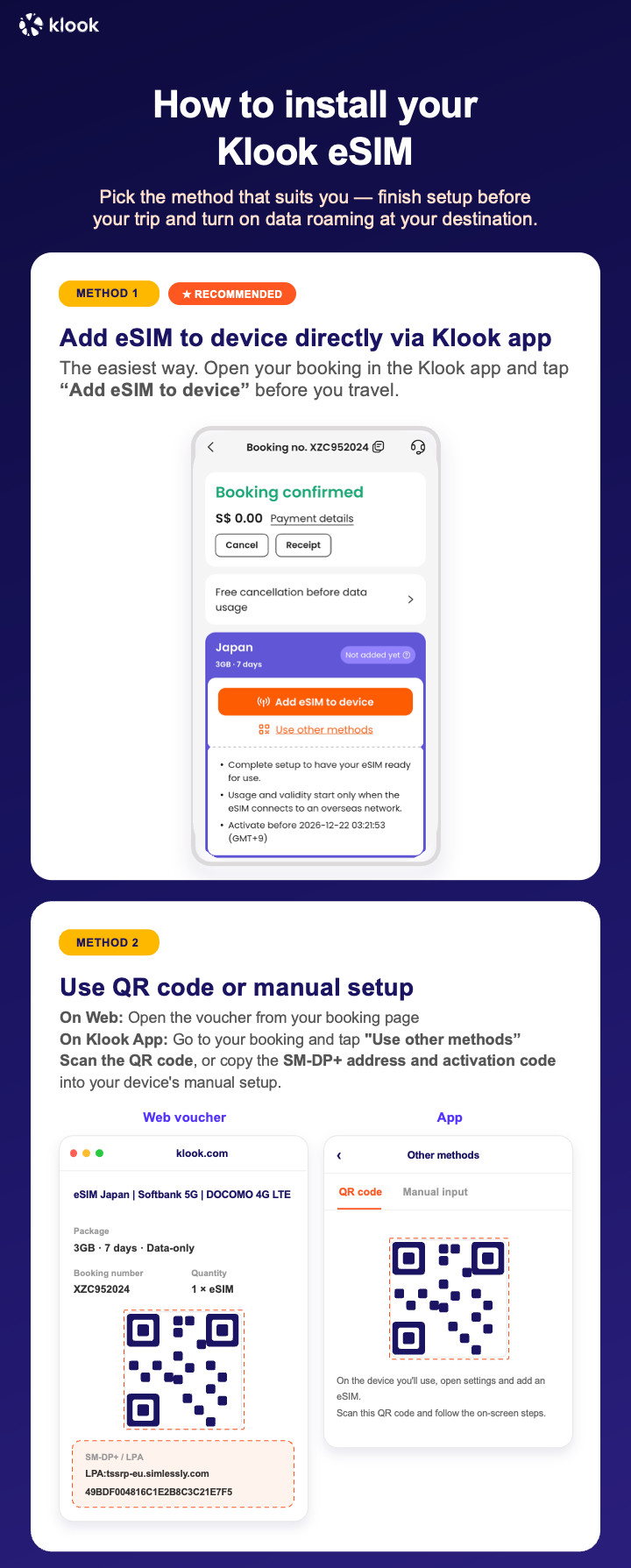
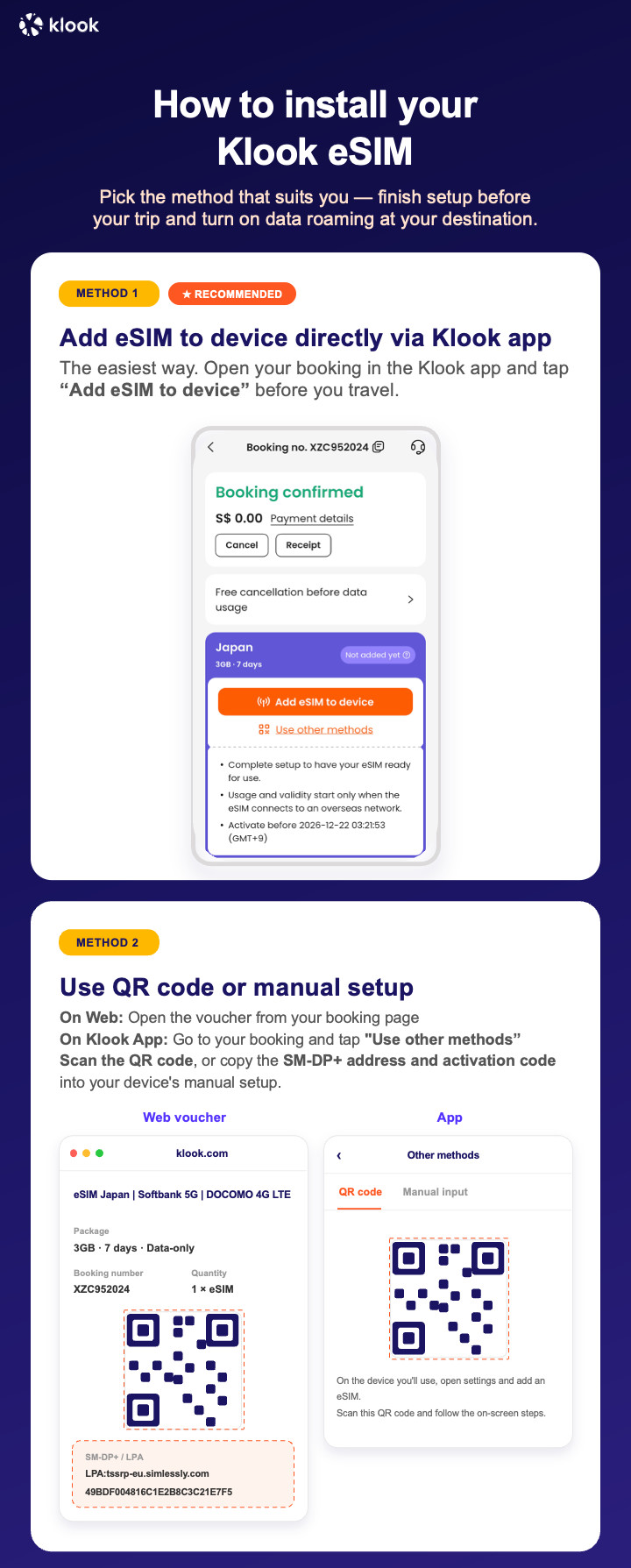
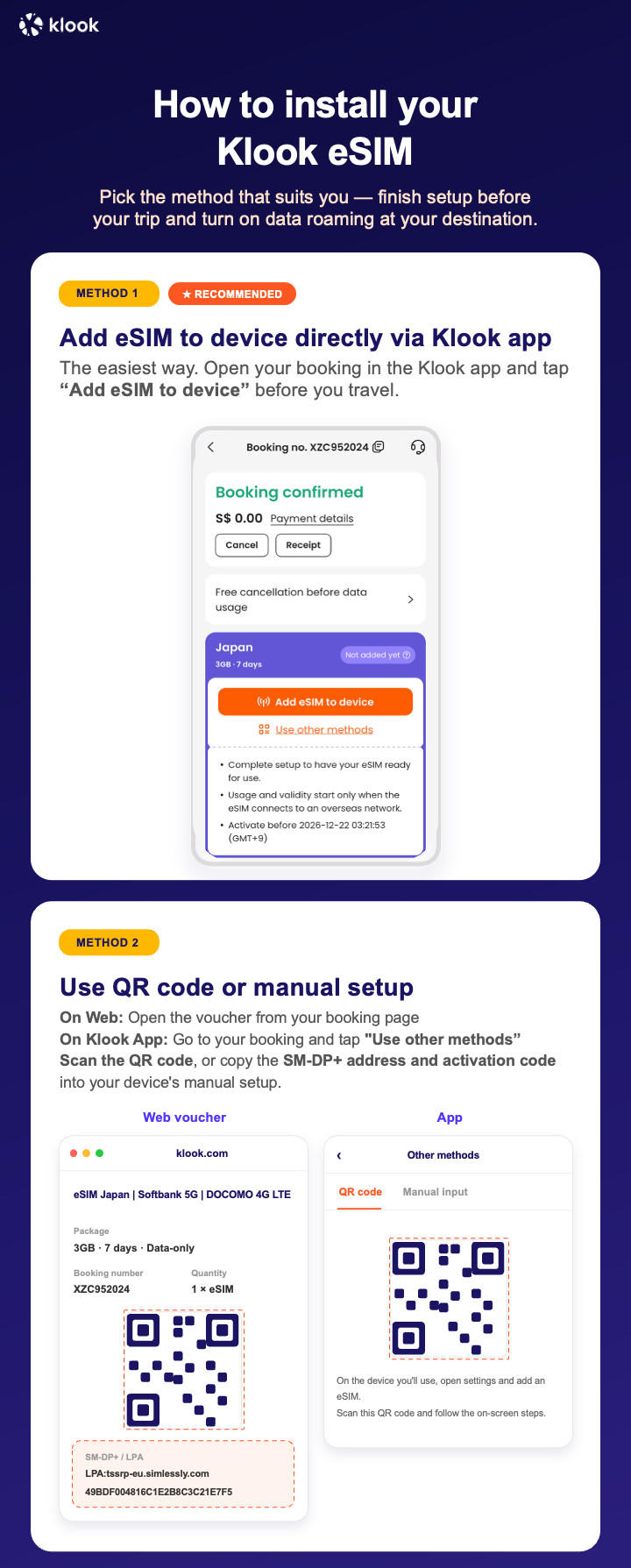
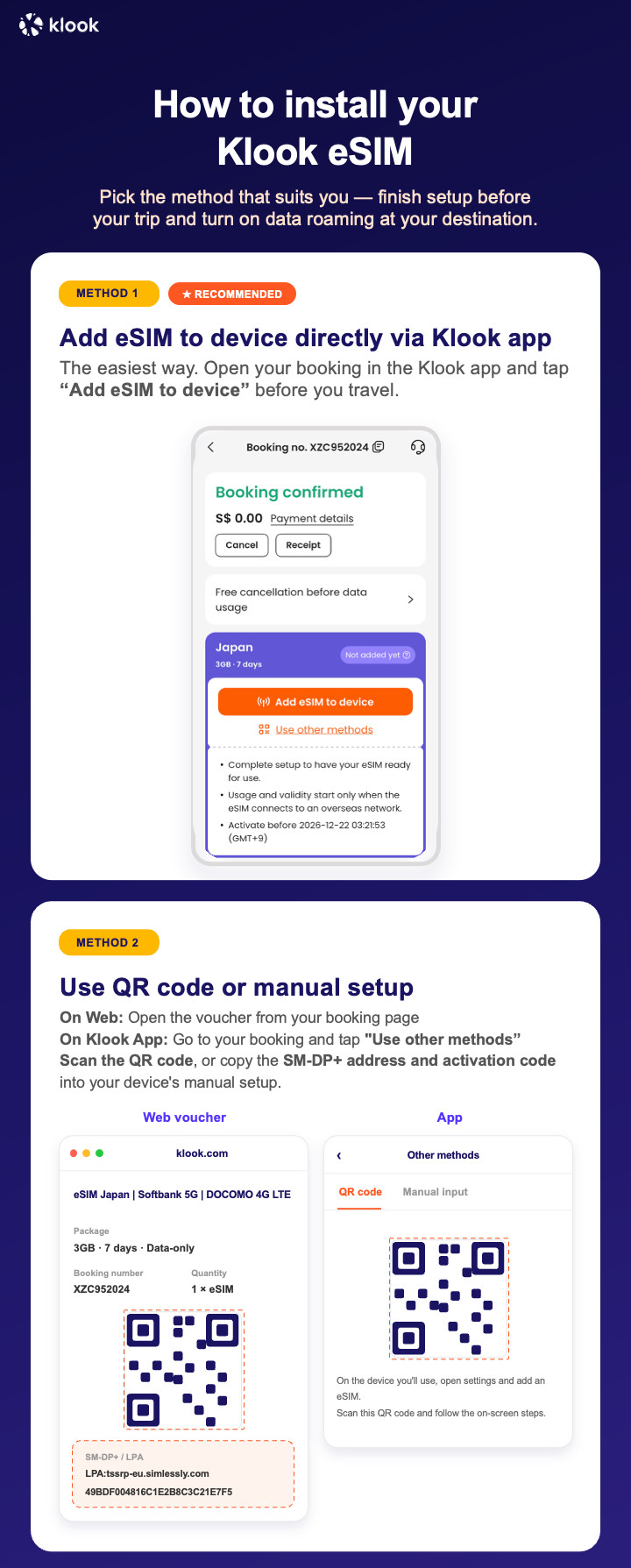
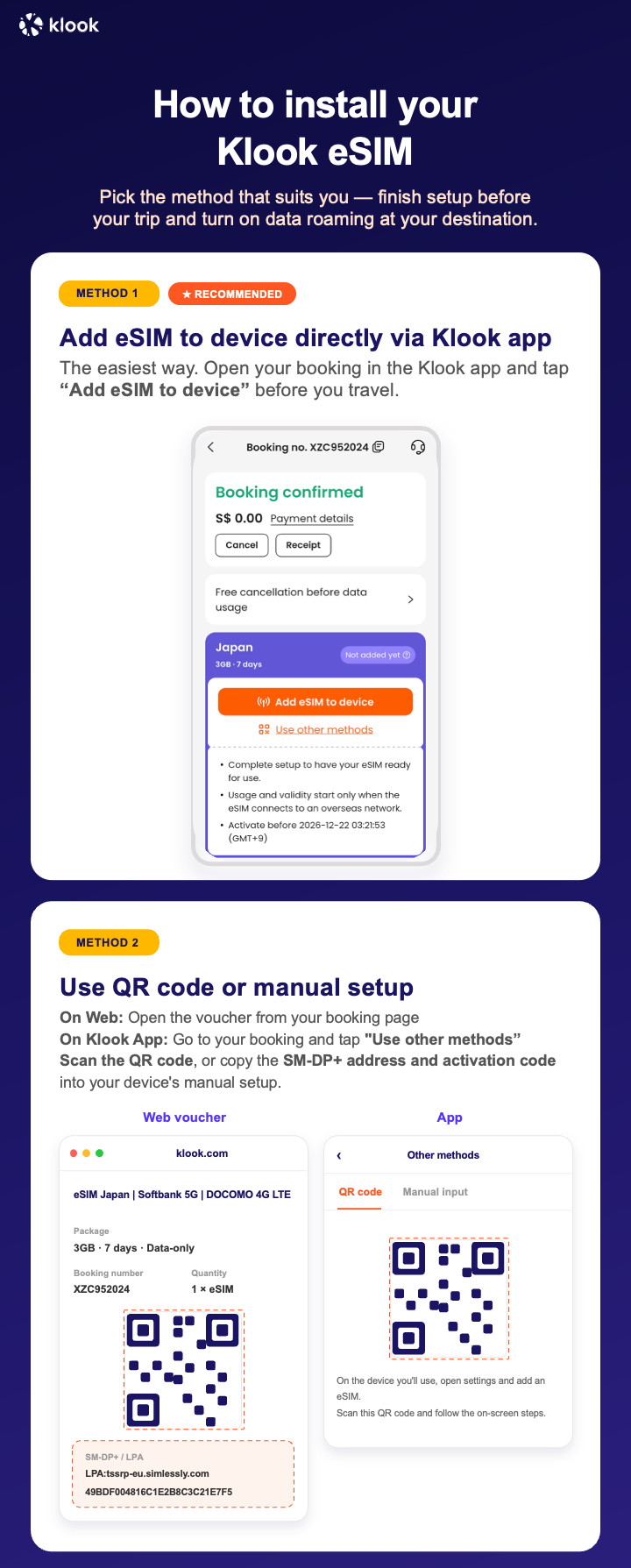
- Klook eSIM installation methods
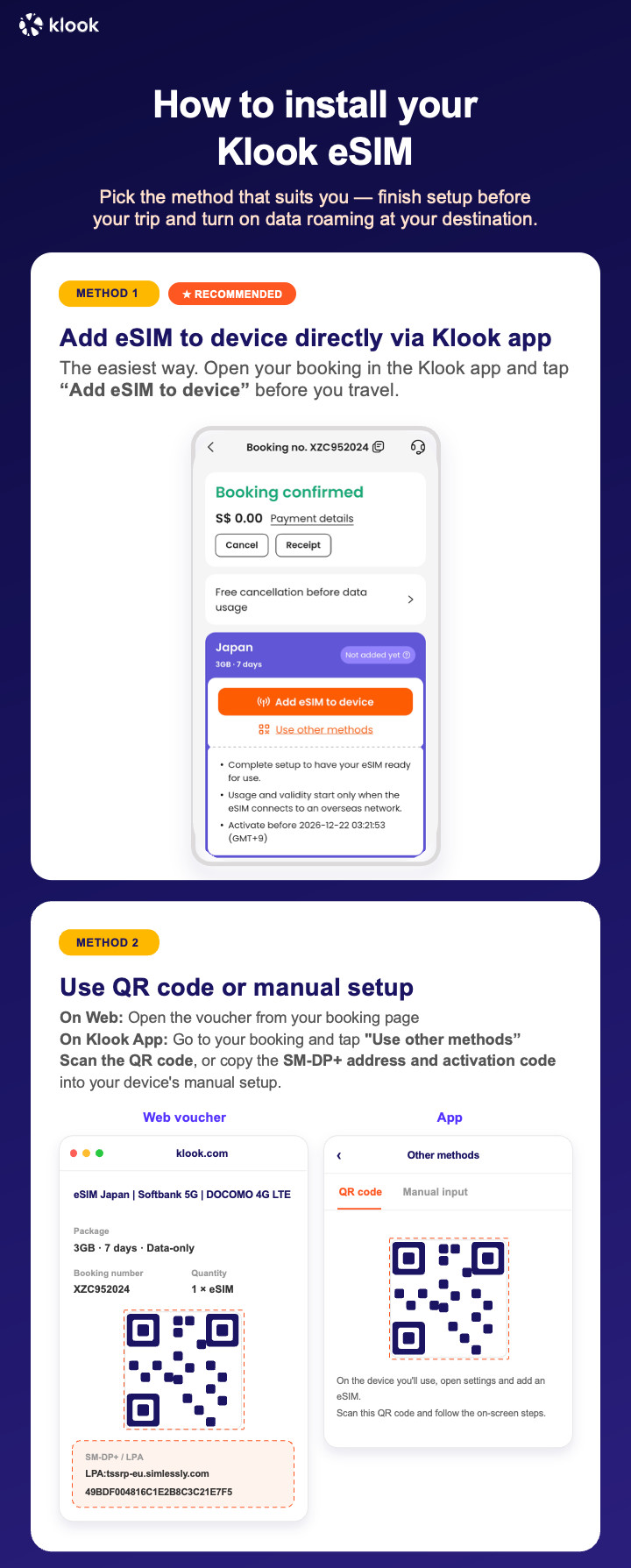
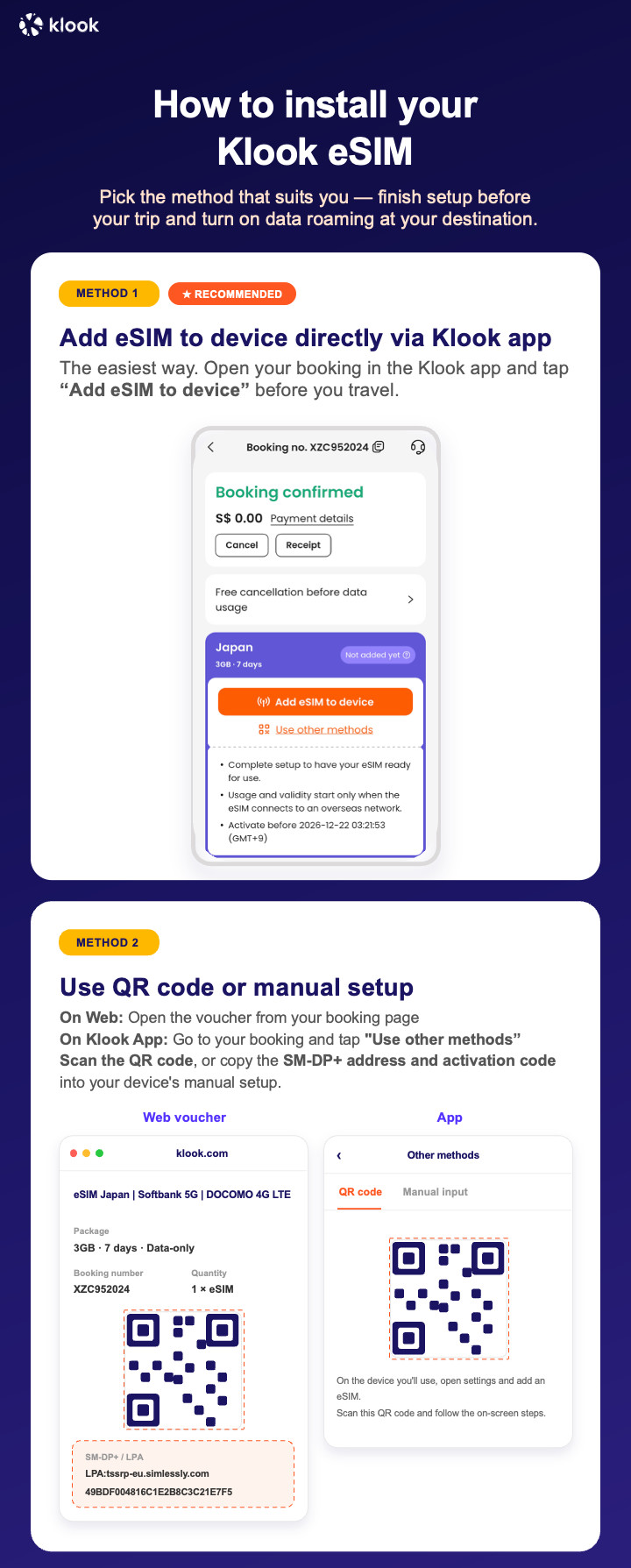
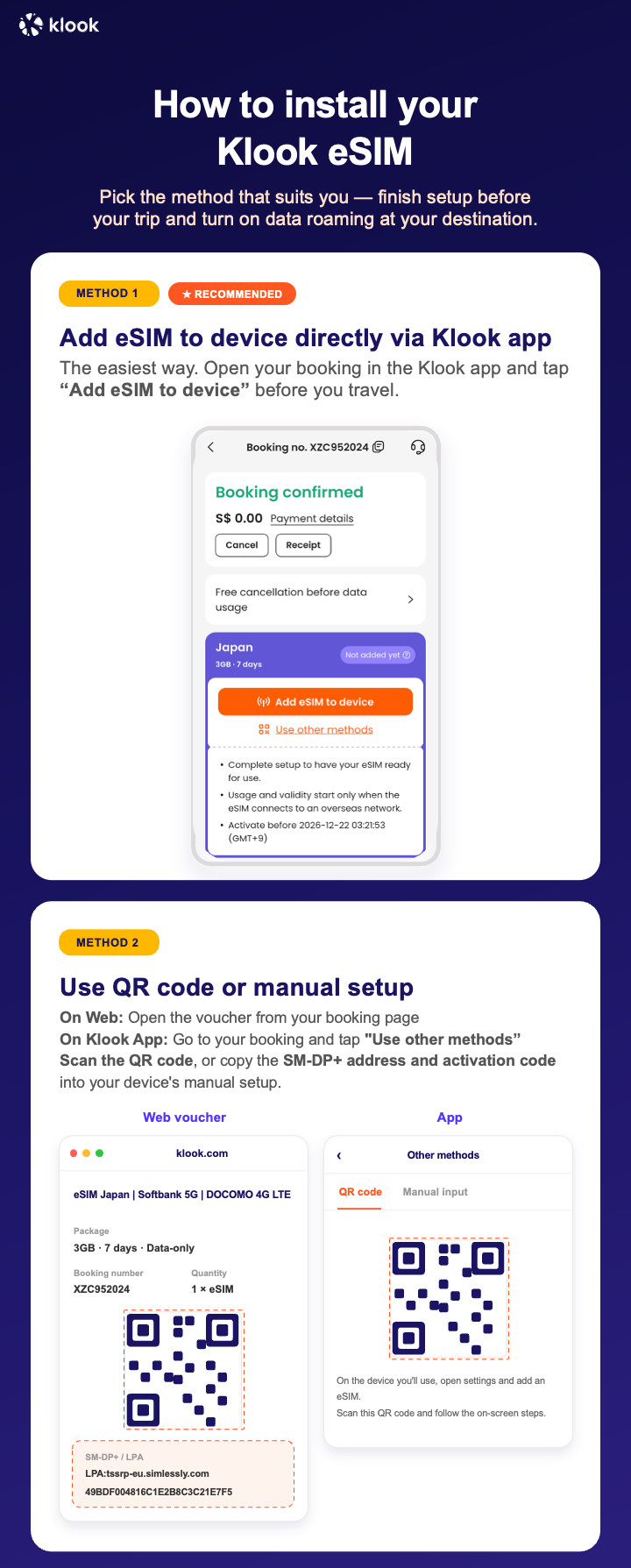
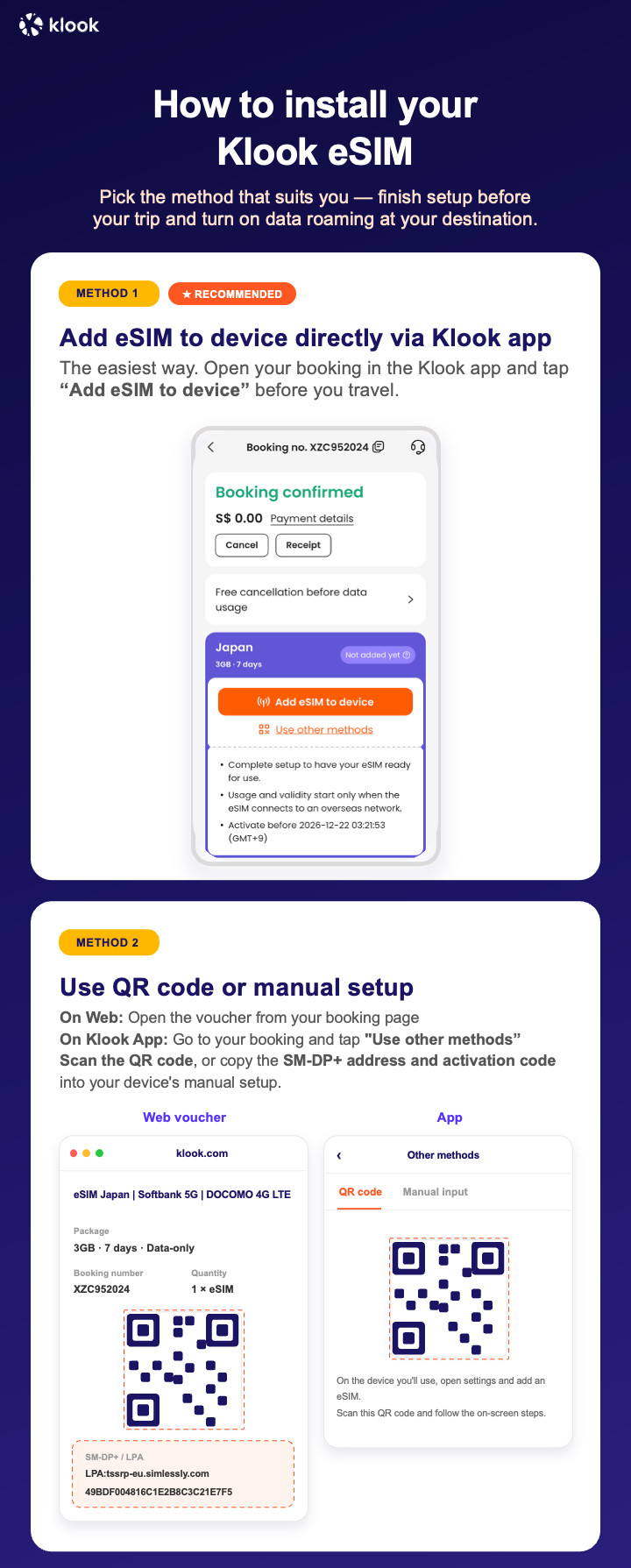
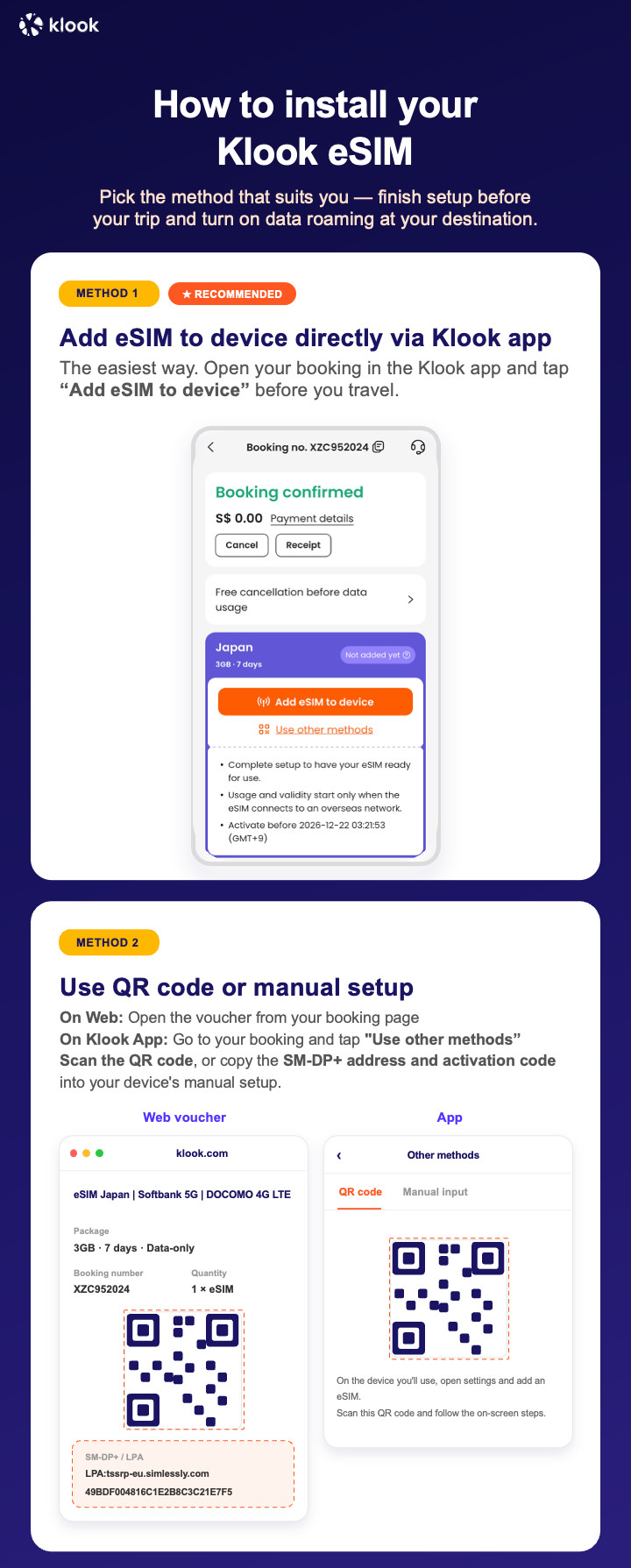
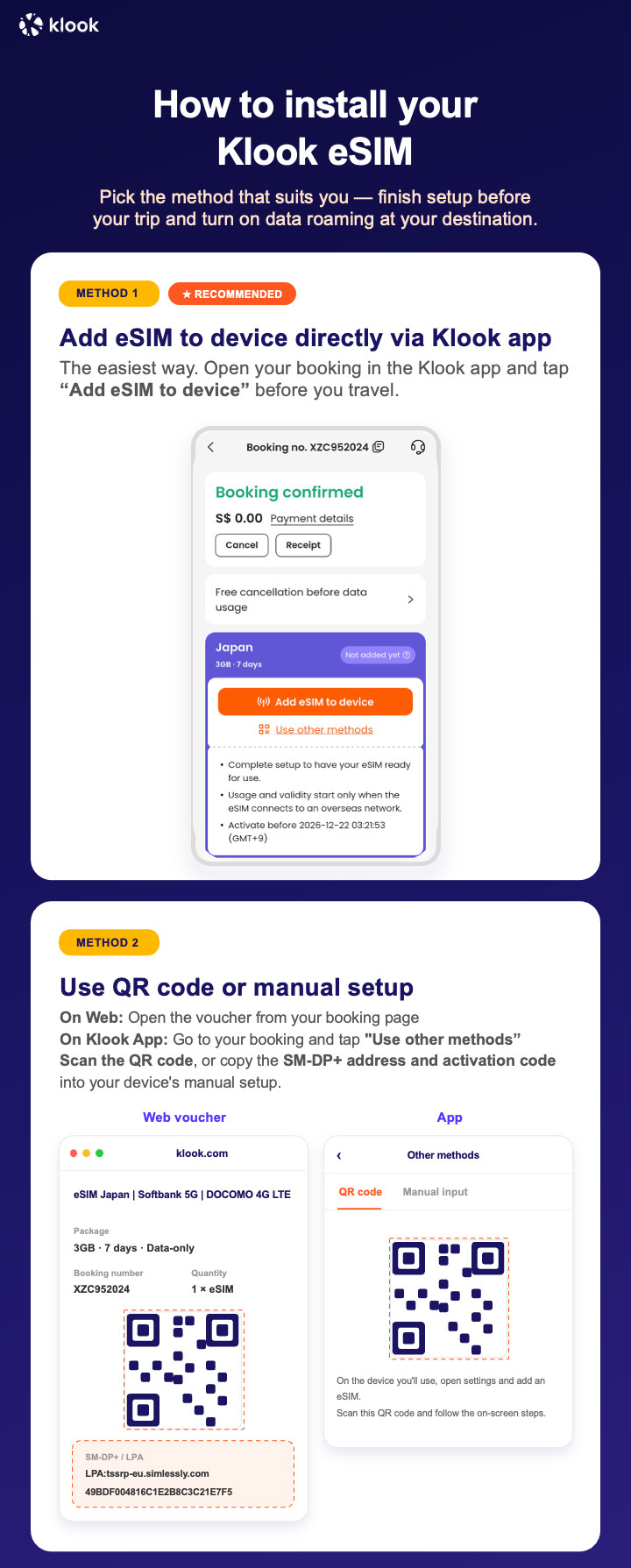
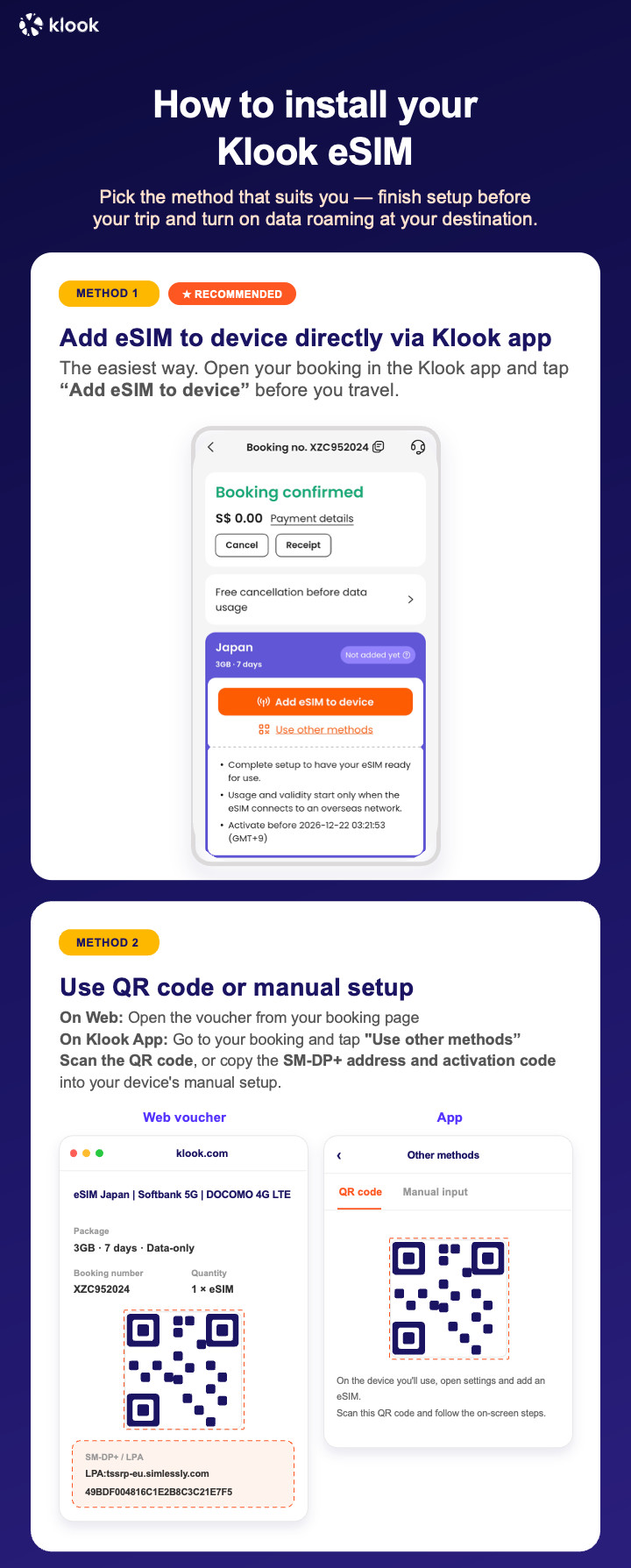
Activate your eSIM via Klook in-app activation, scanning the QR code, or entering the SMDP+ details manually

- Klook eSIM In-app activation
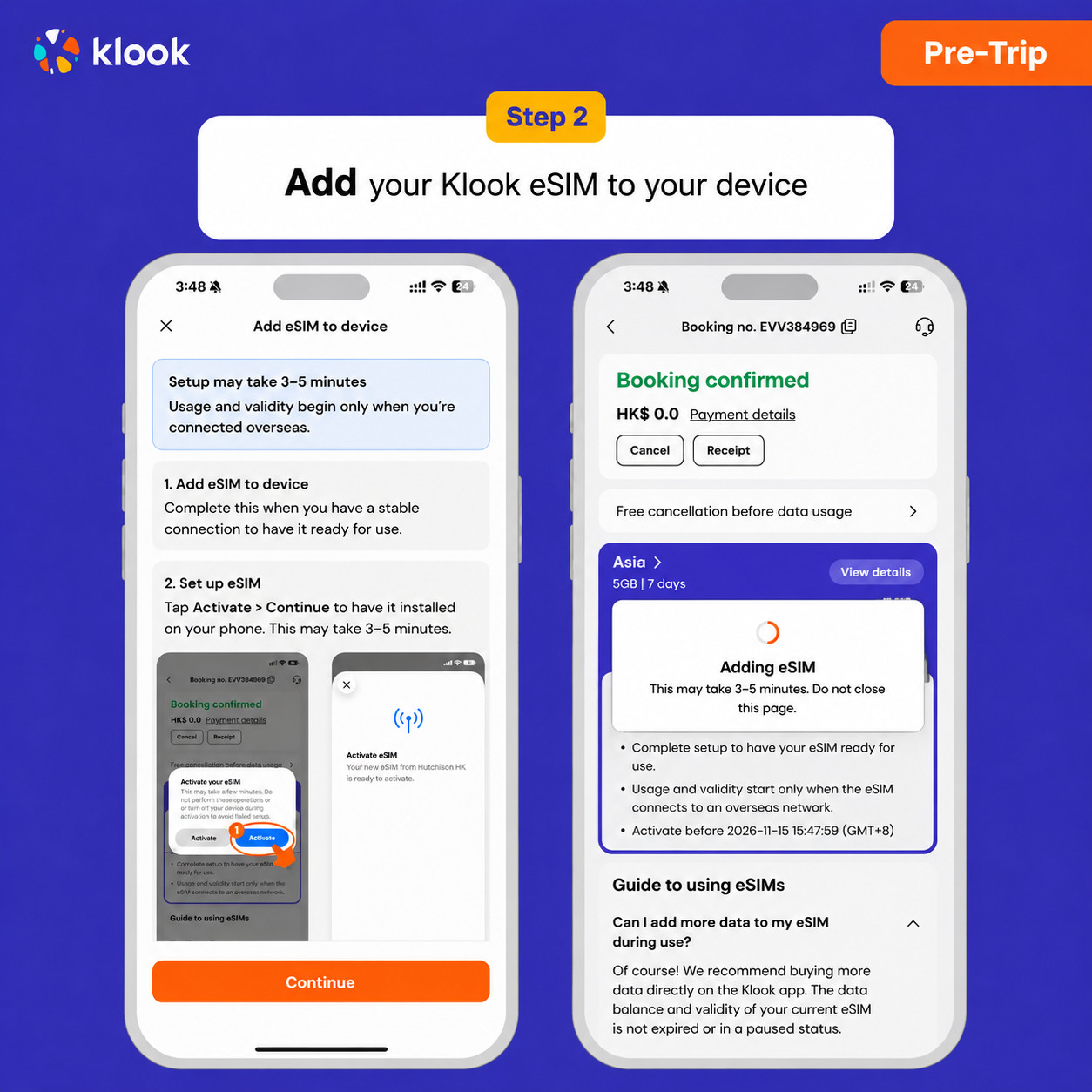
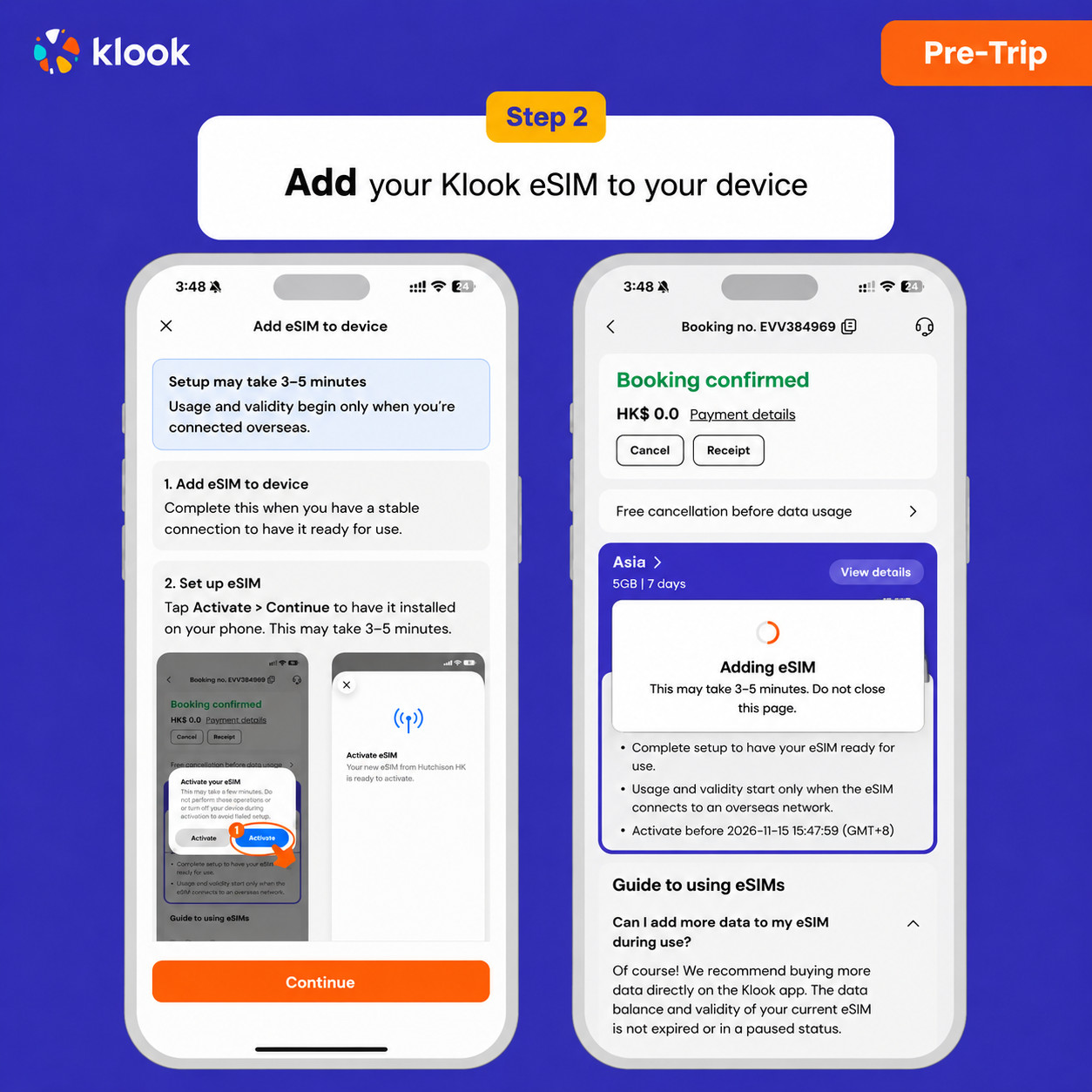
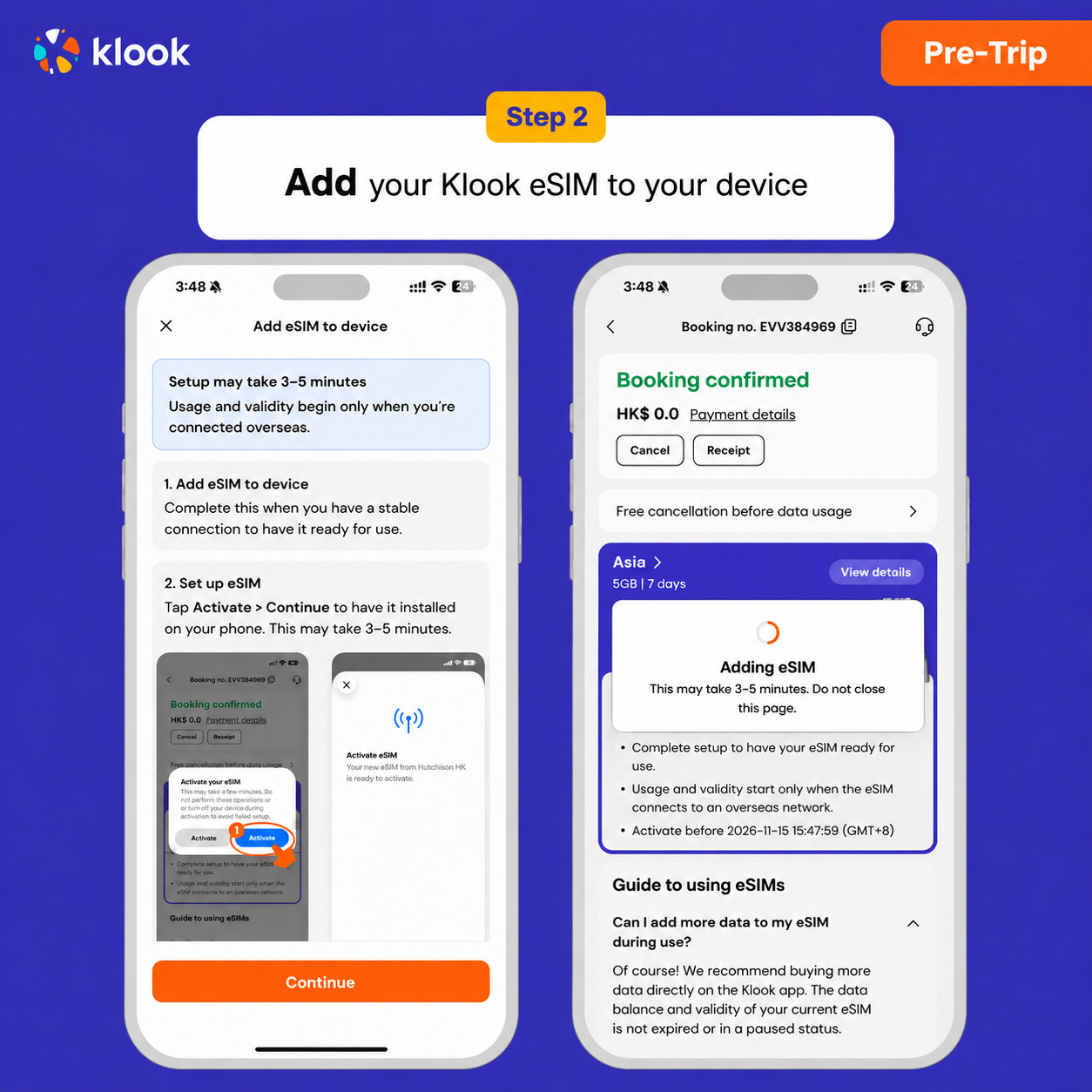
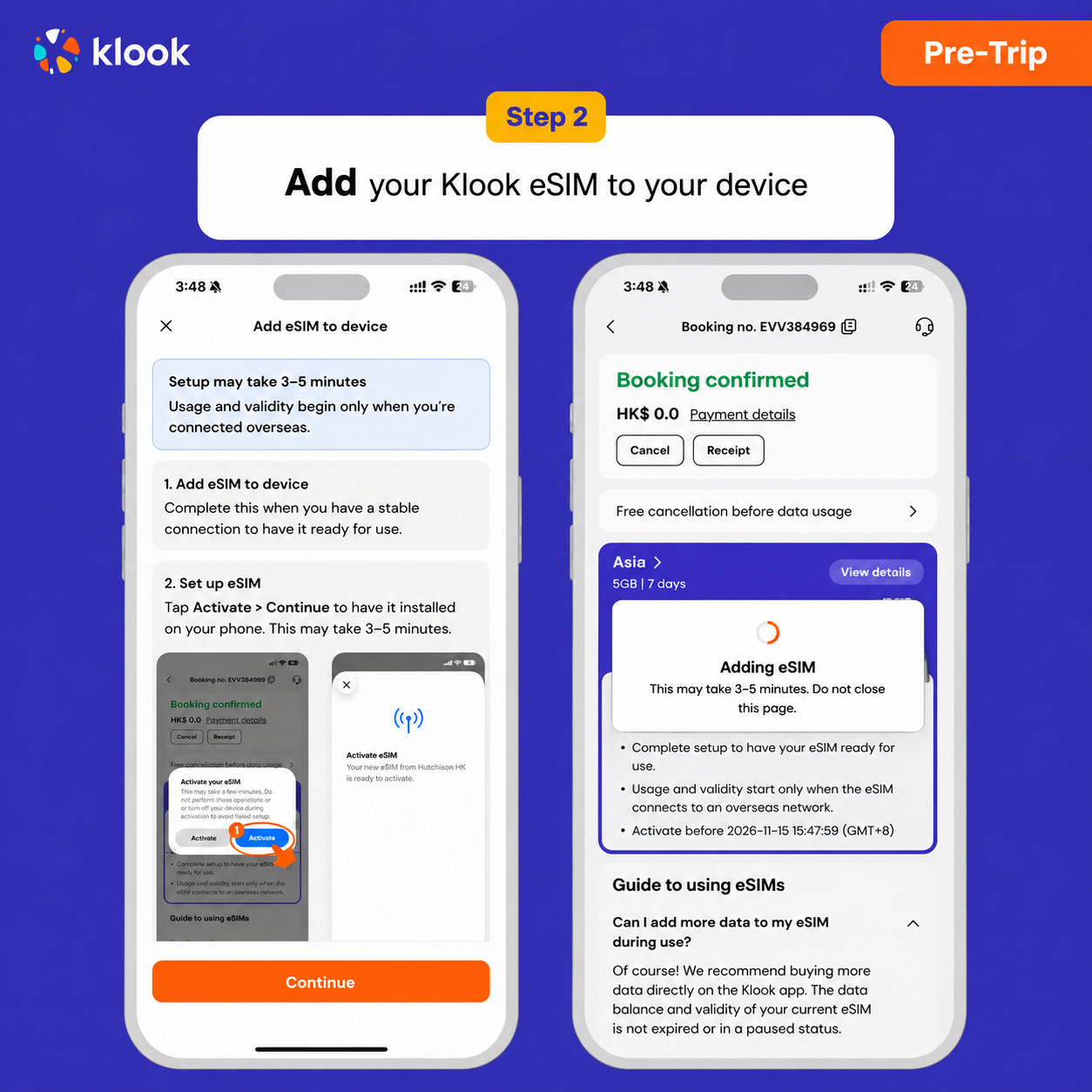
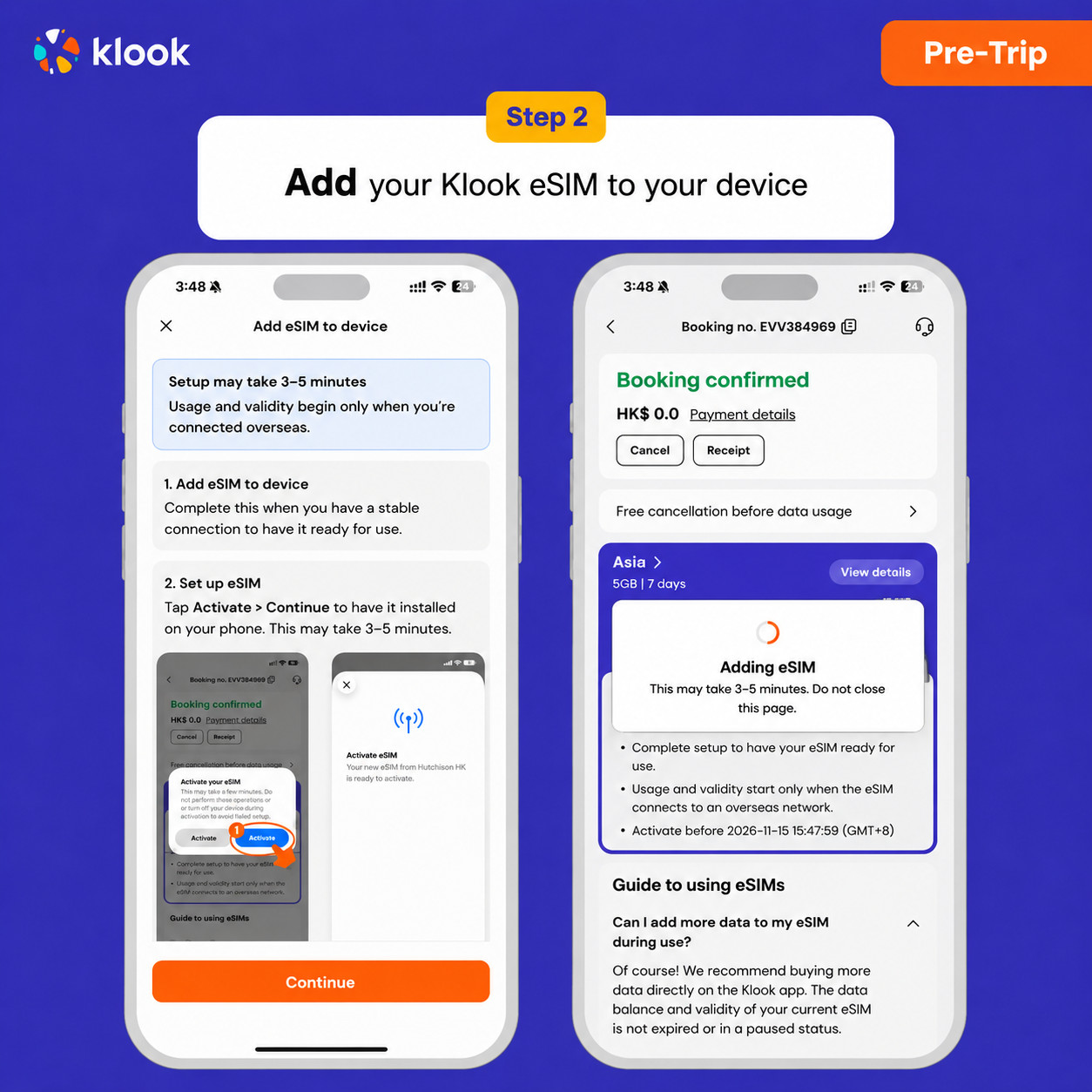
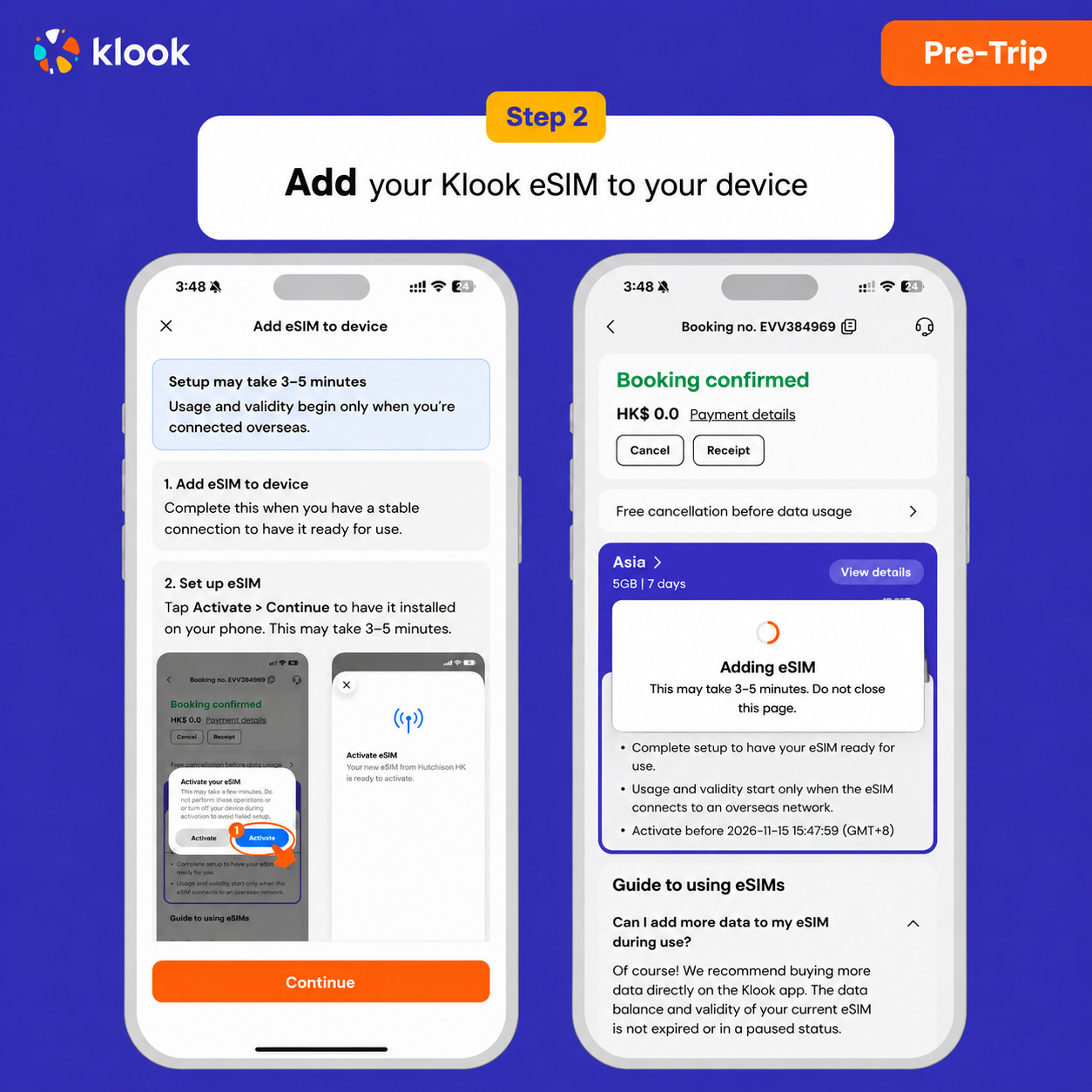
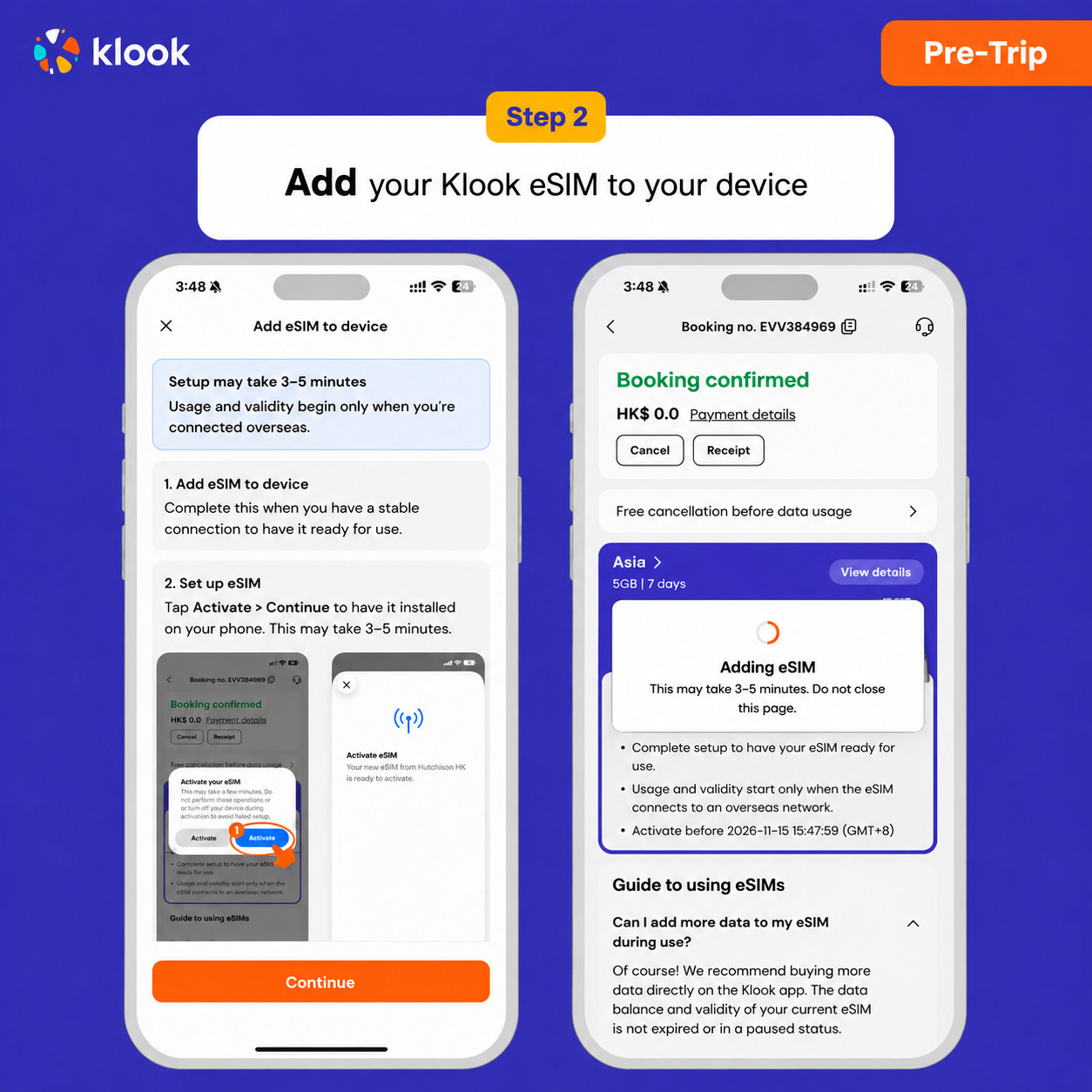
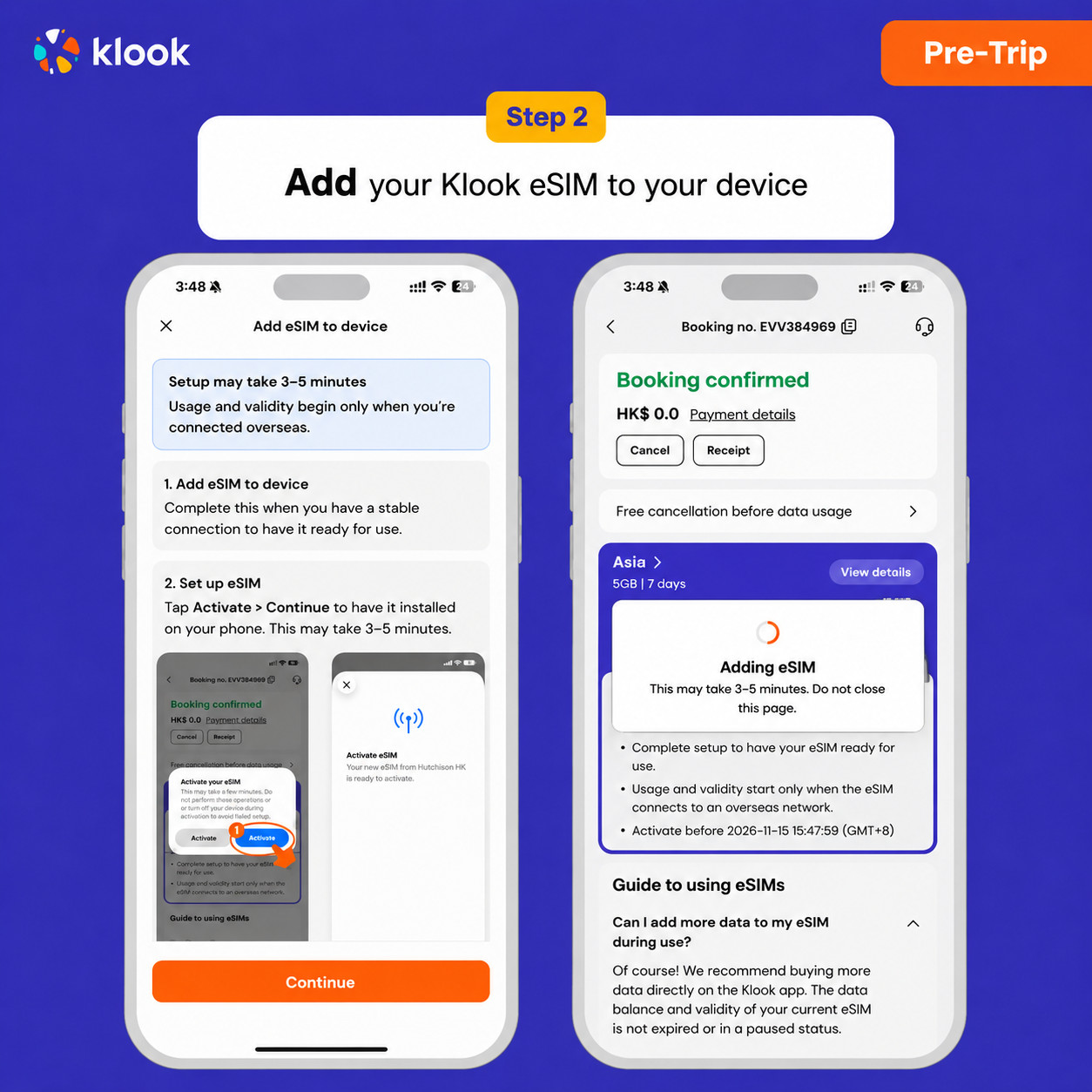
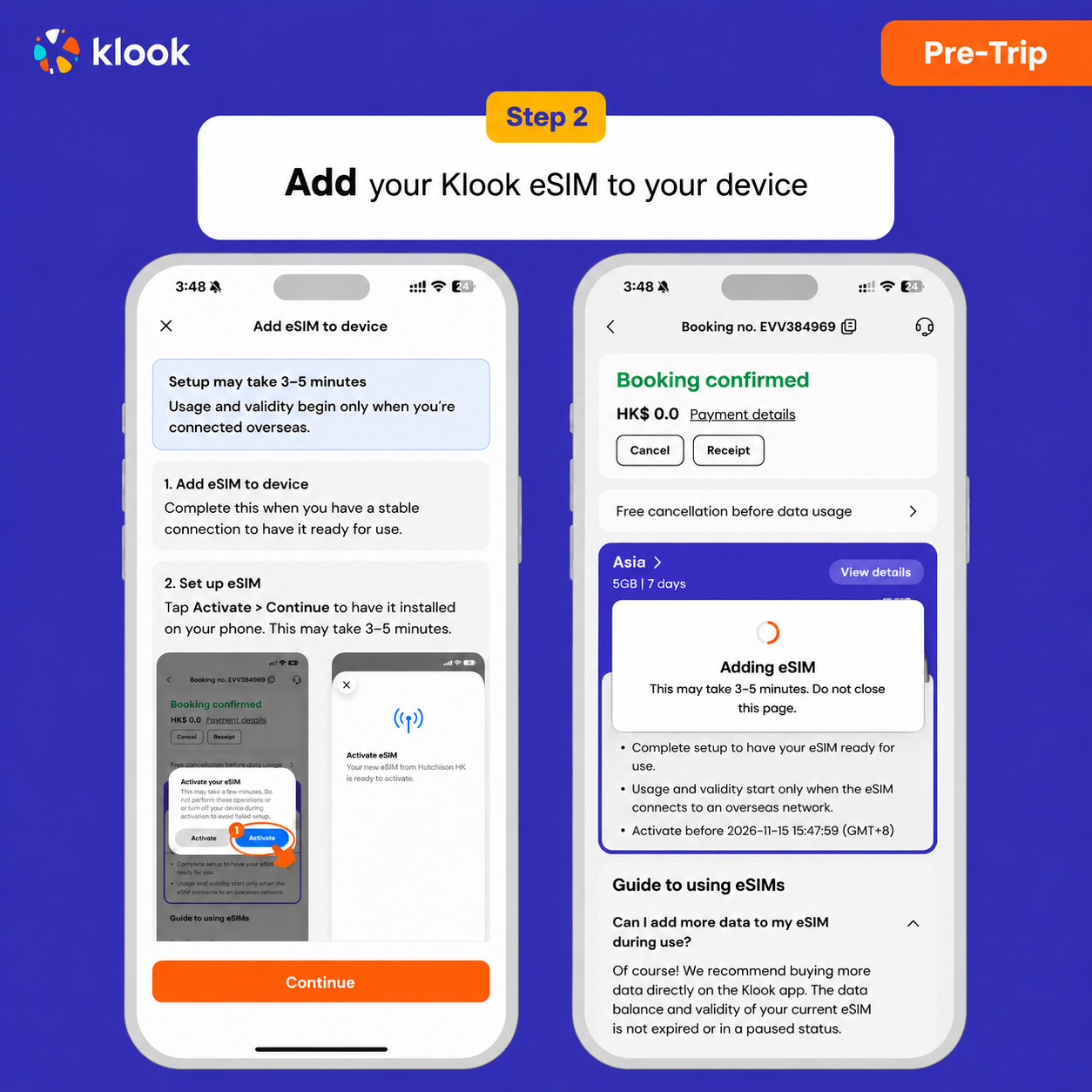
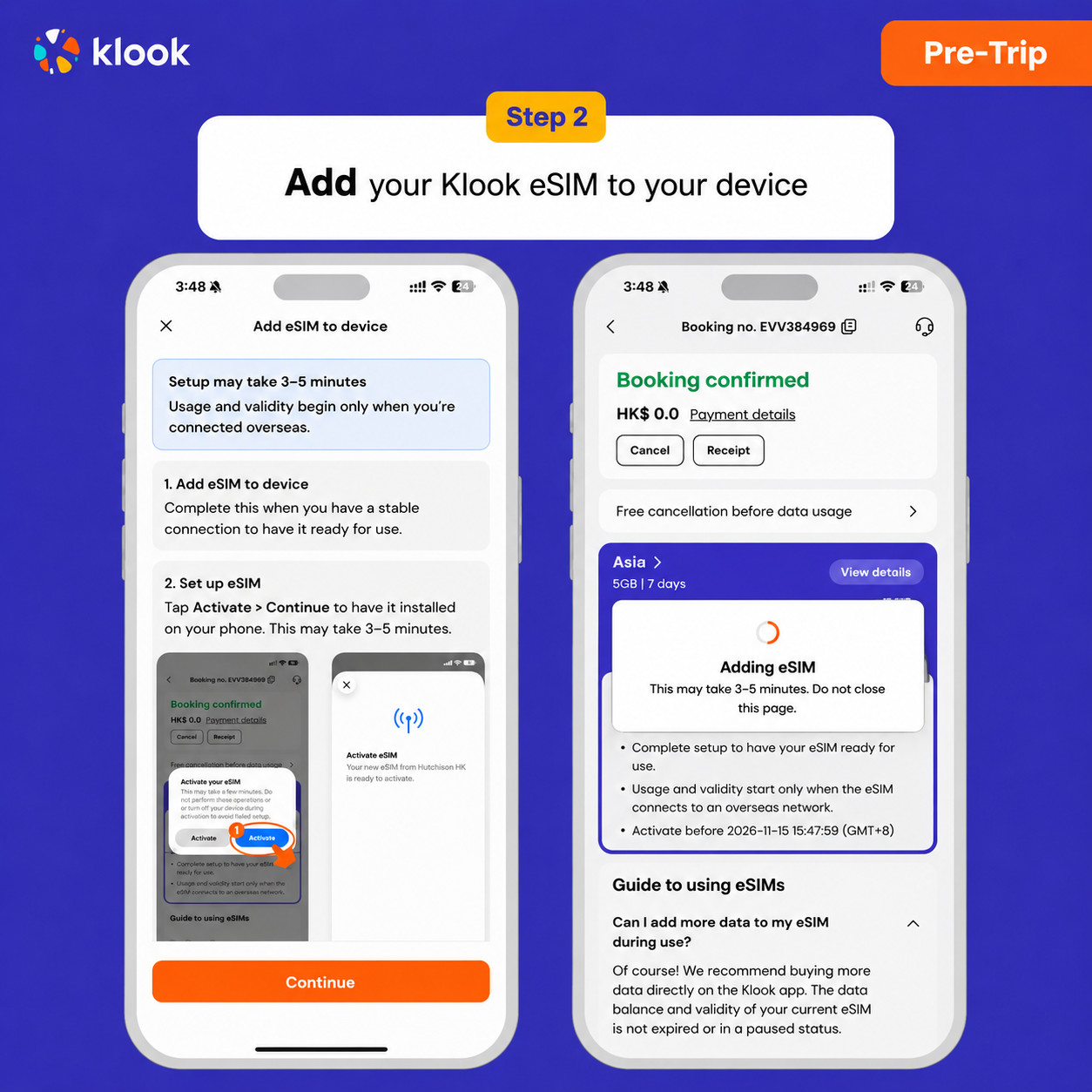
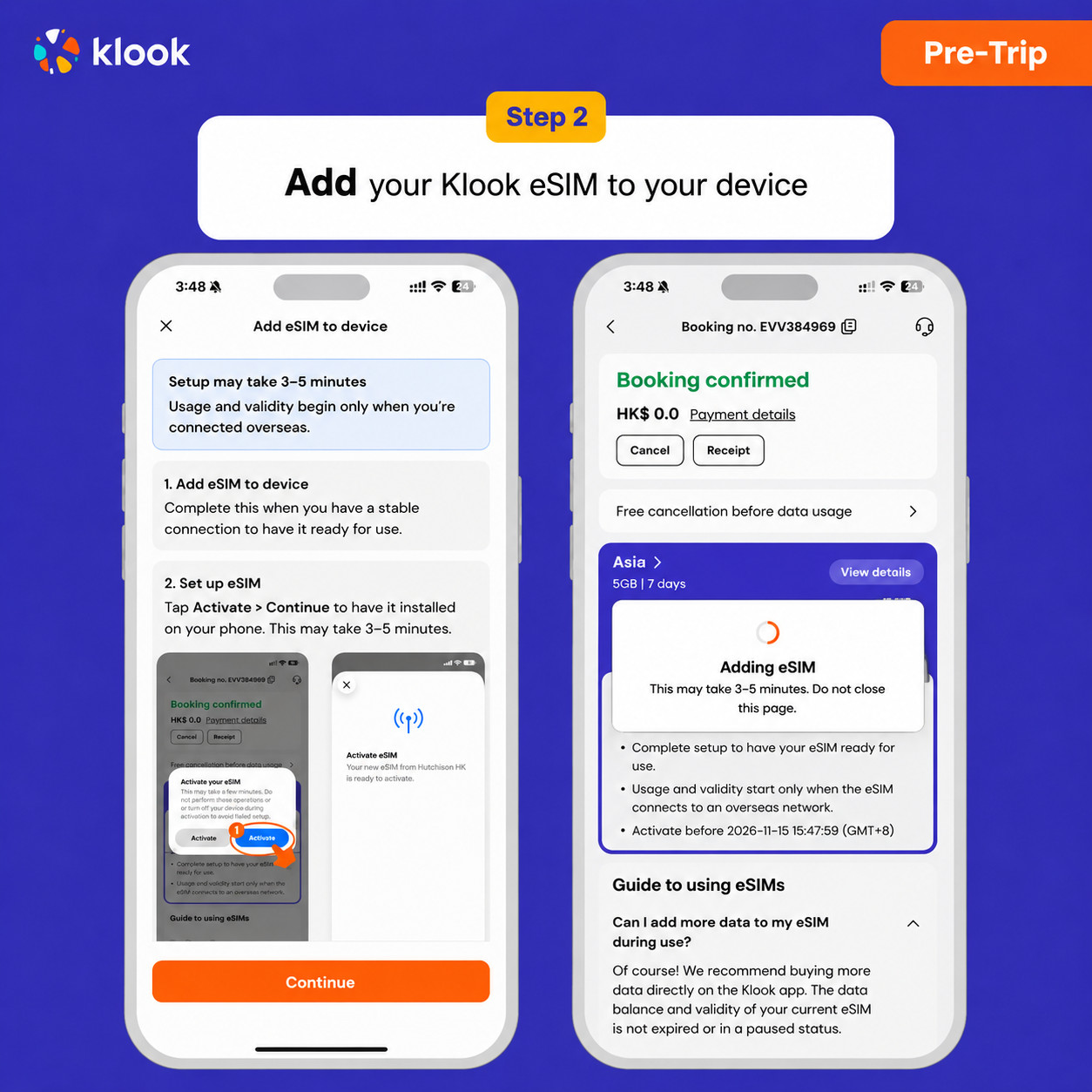
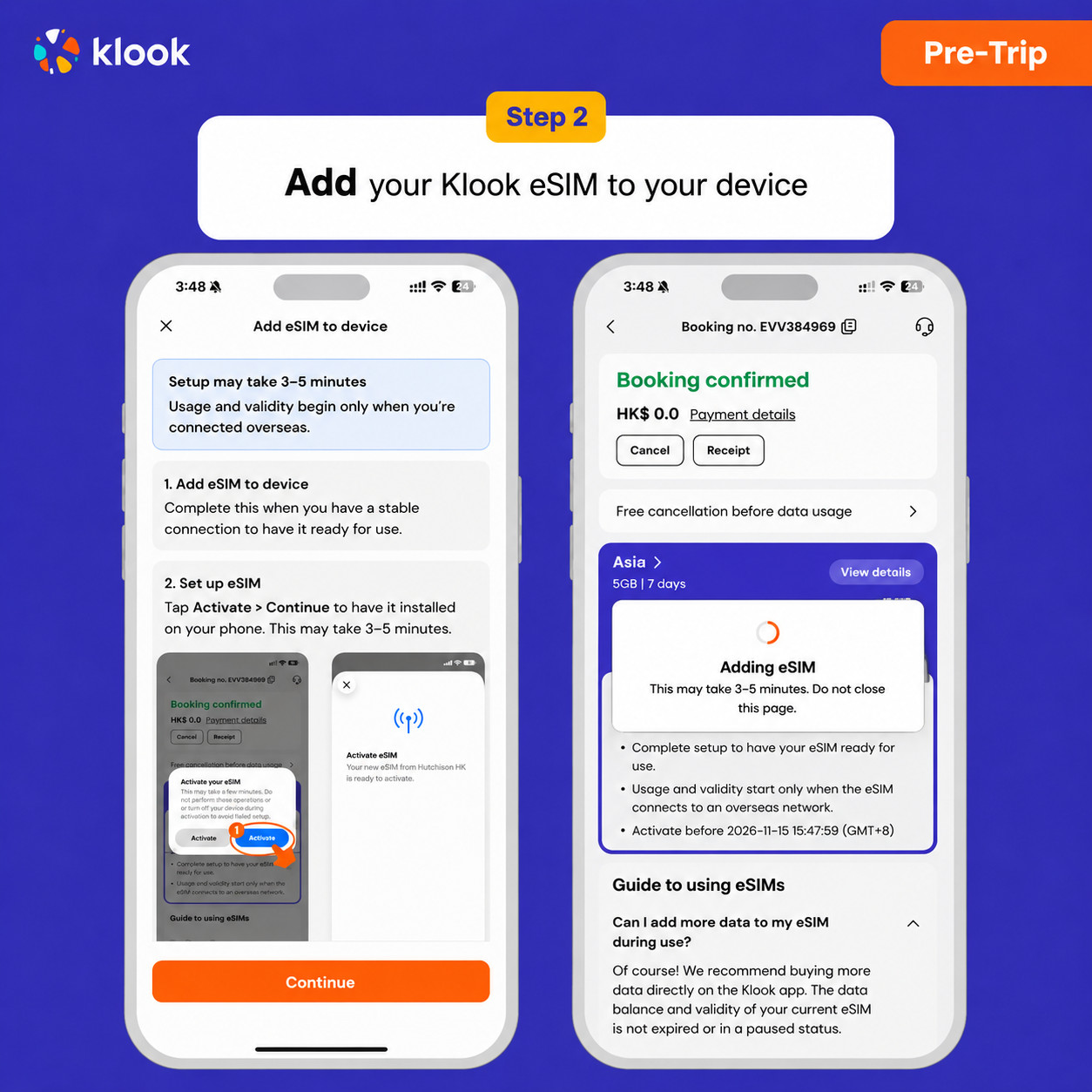
Click Add eSIM to device on your booking to start the installation. Don't worry, data and validity will only commence when you reach your destination

- Klook eSIM In-app activation
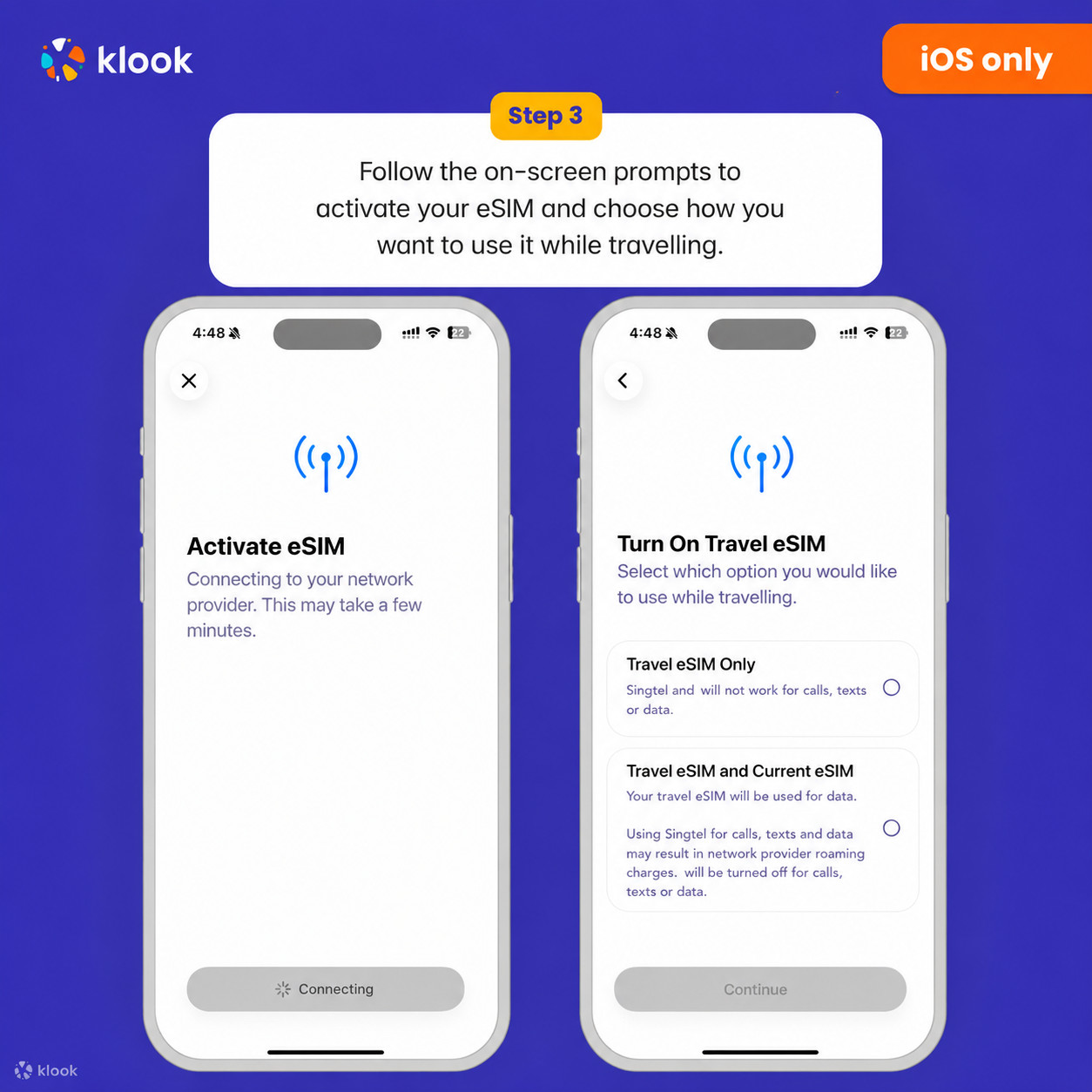
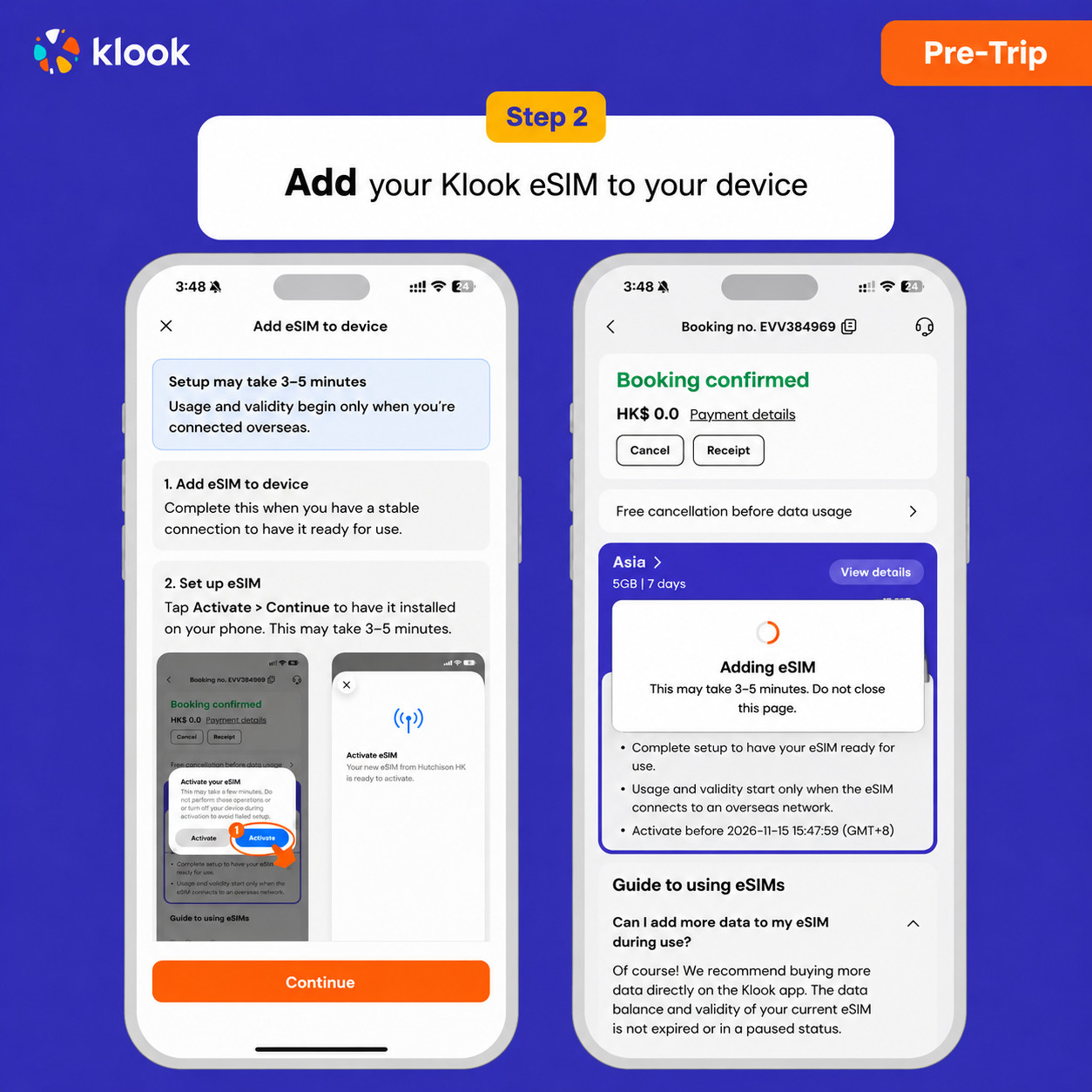
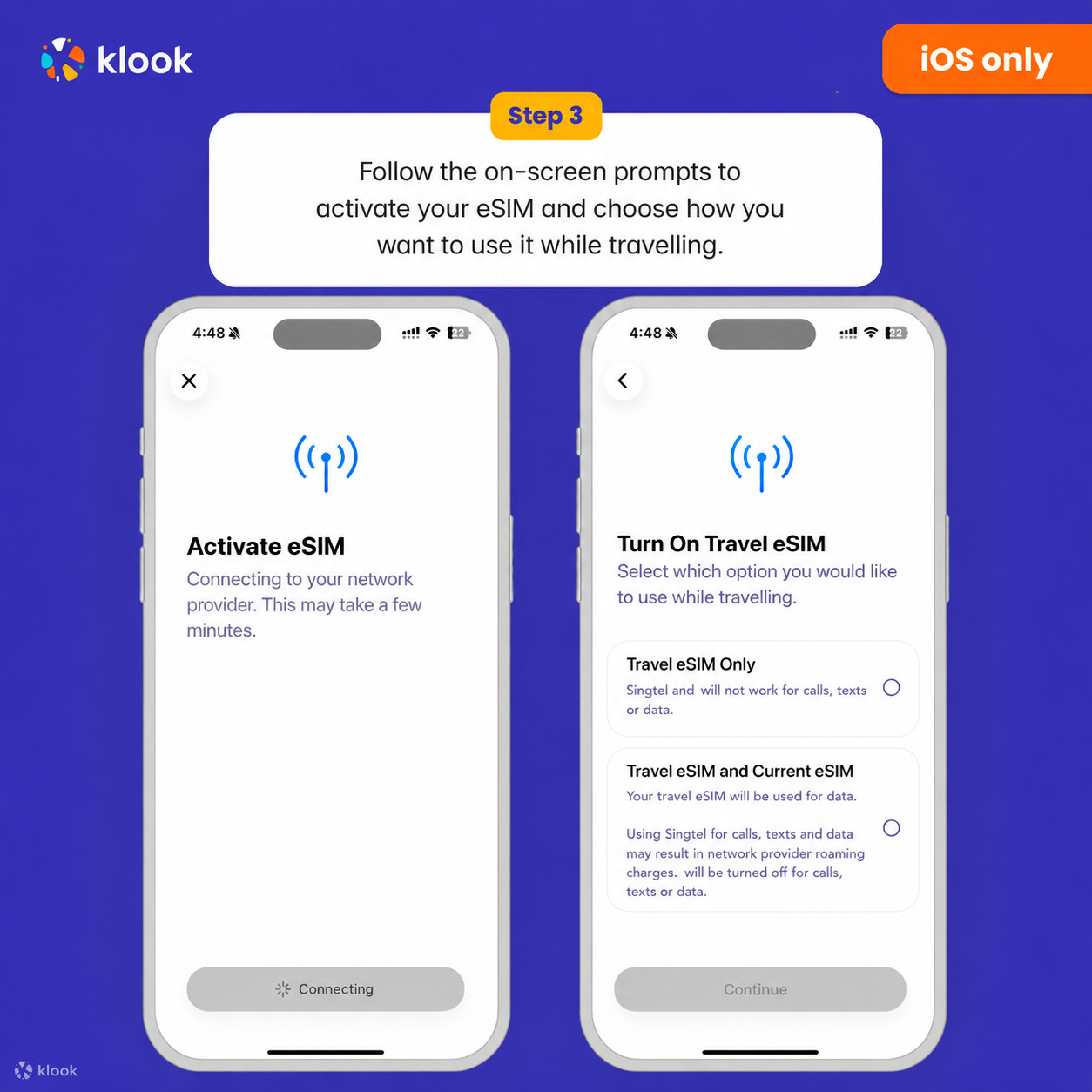
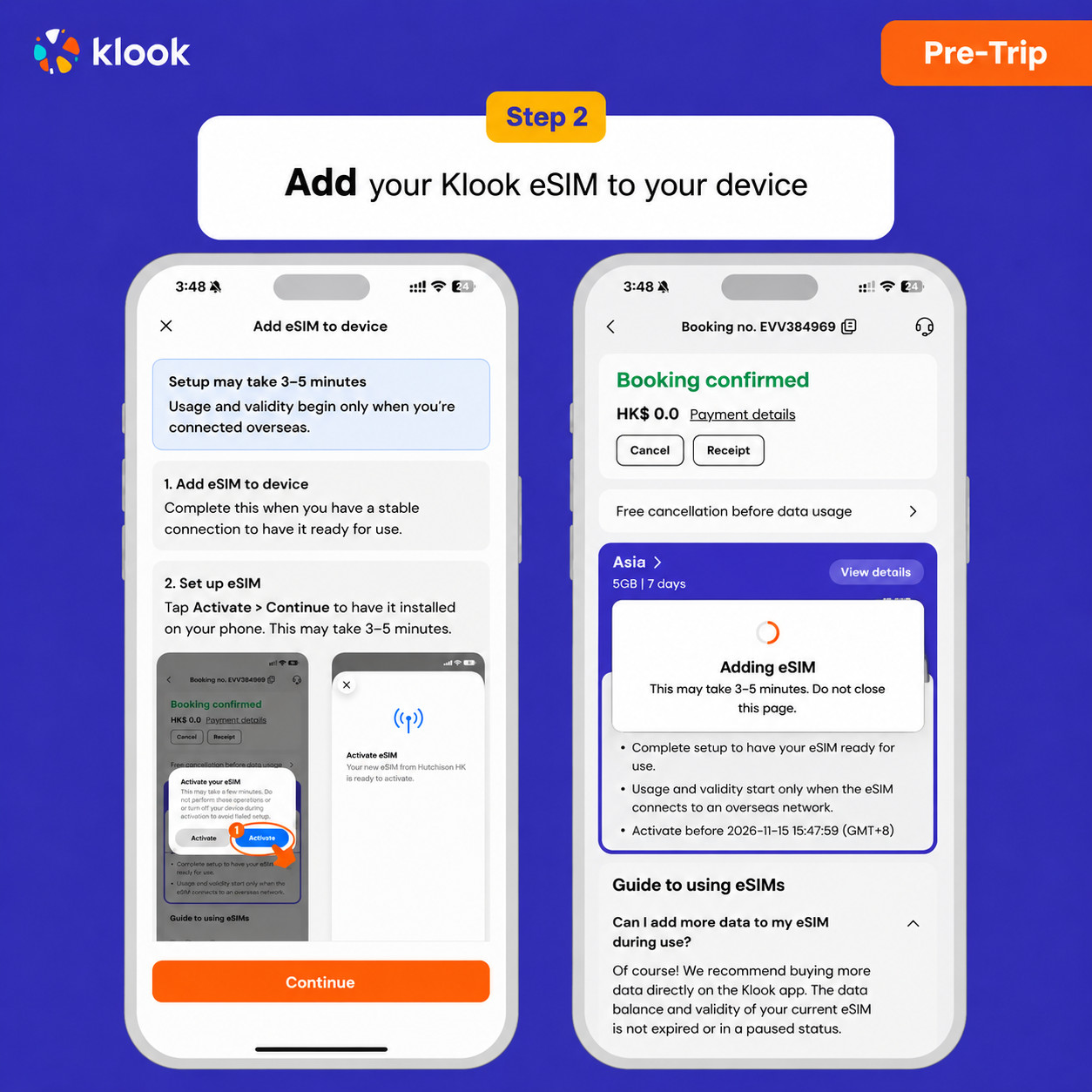
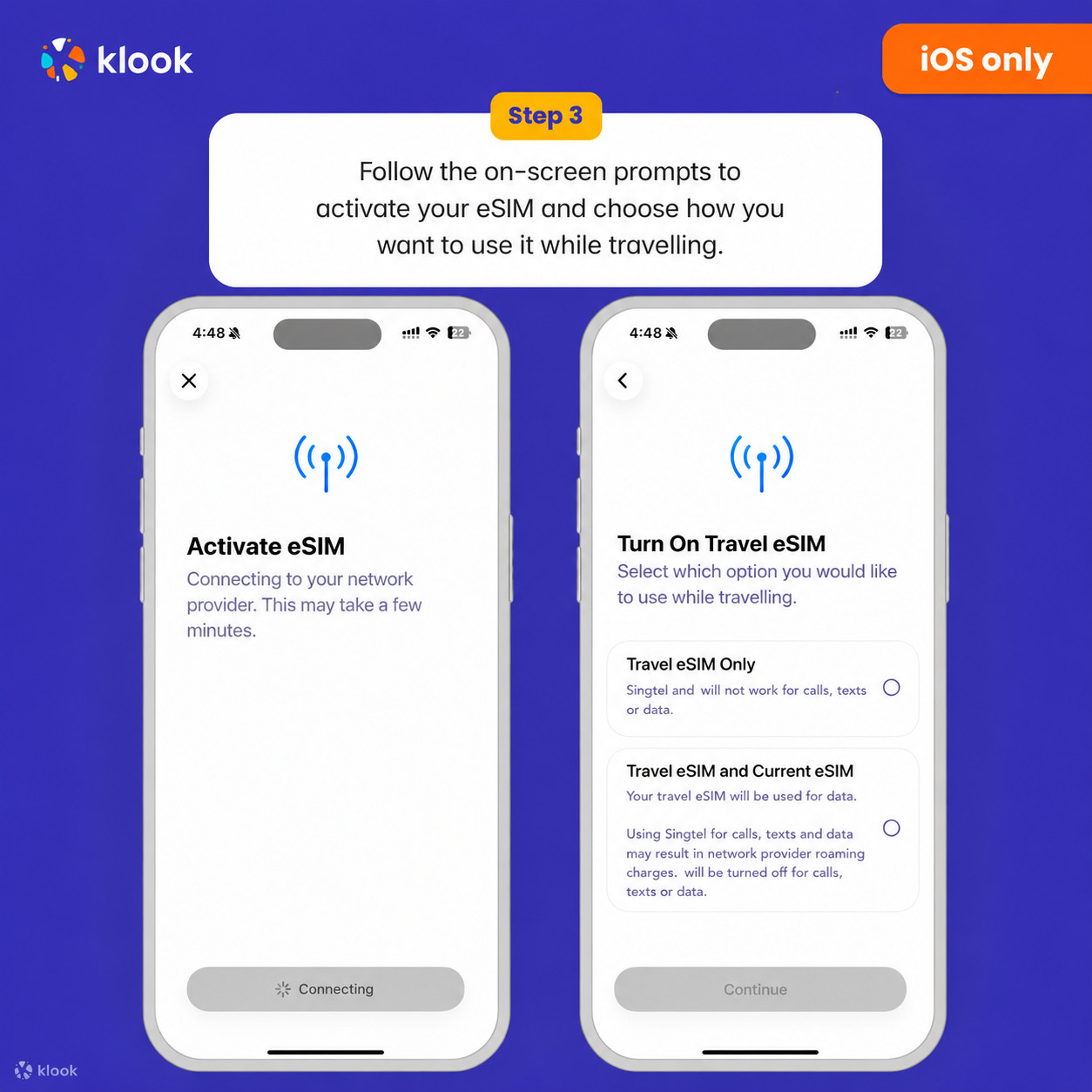
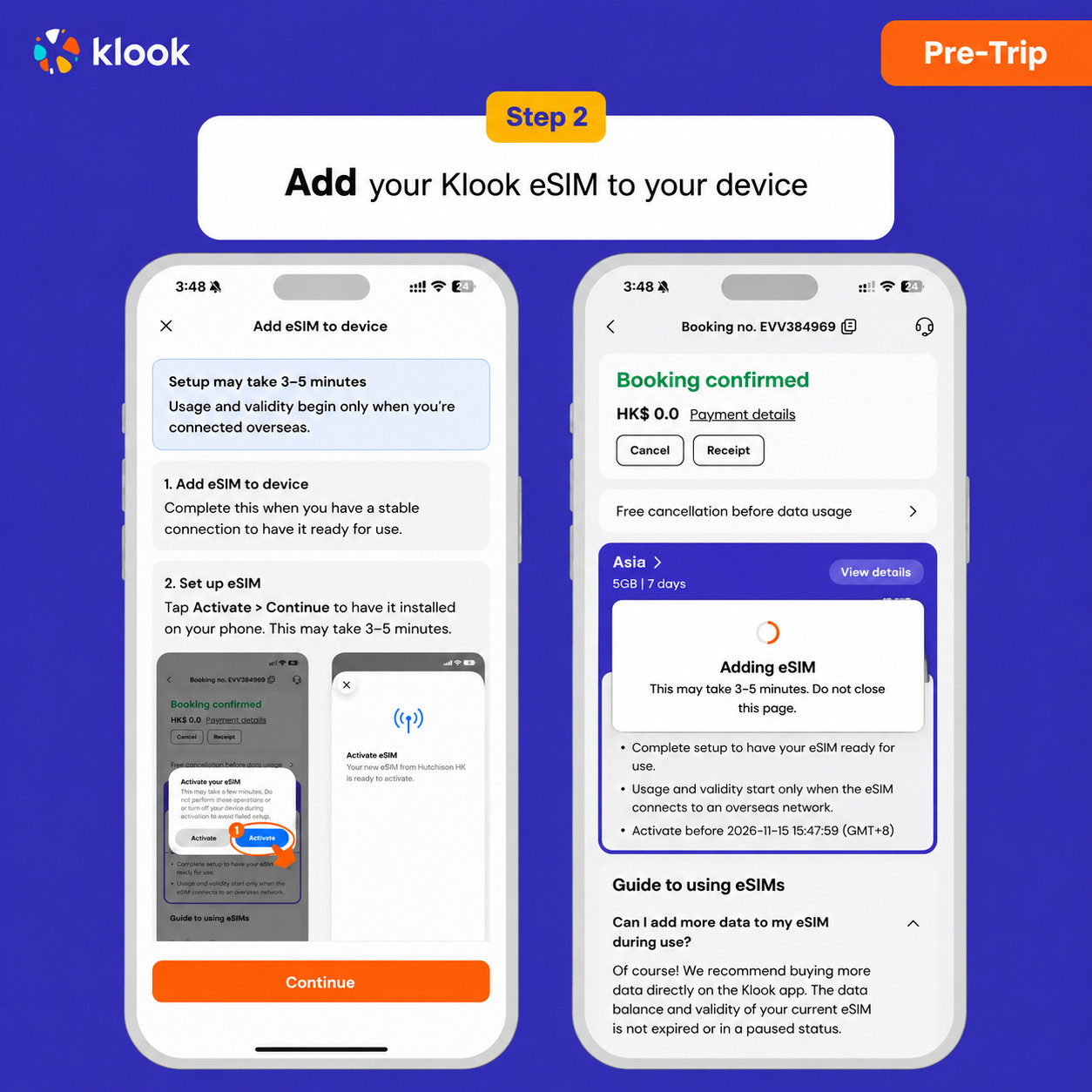
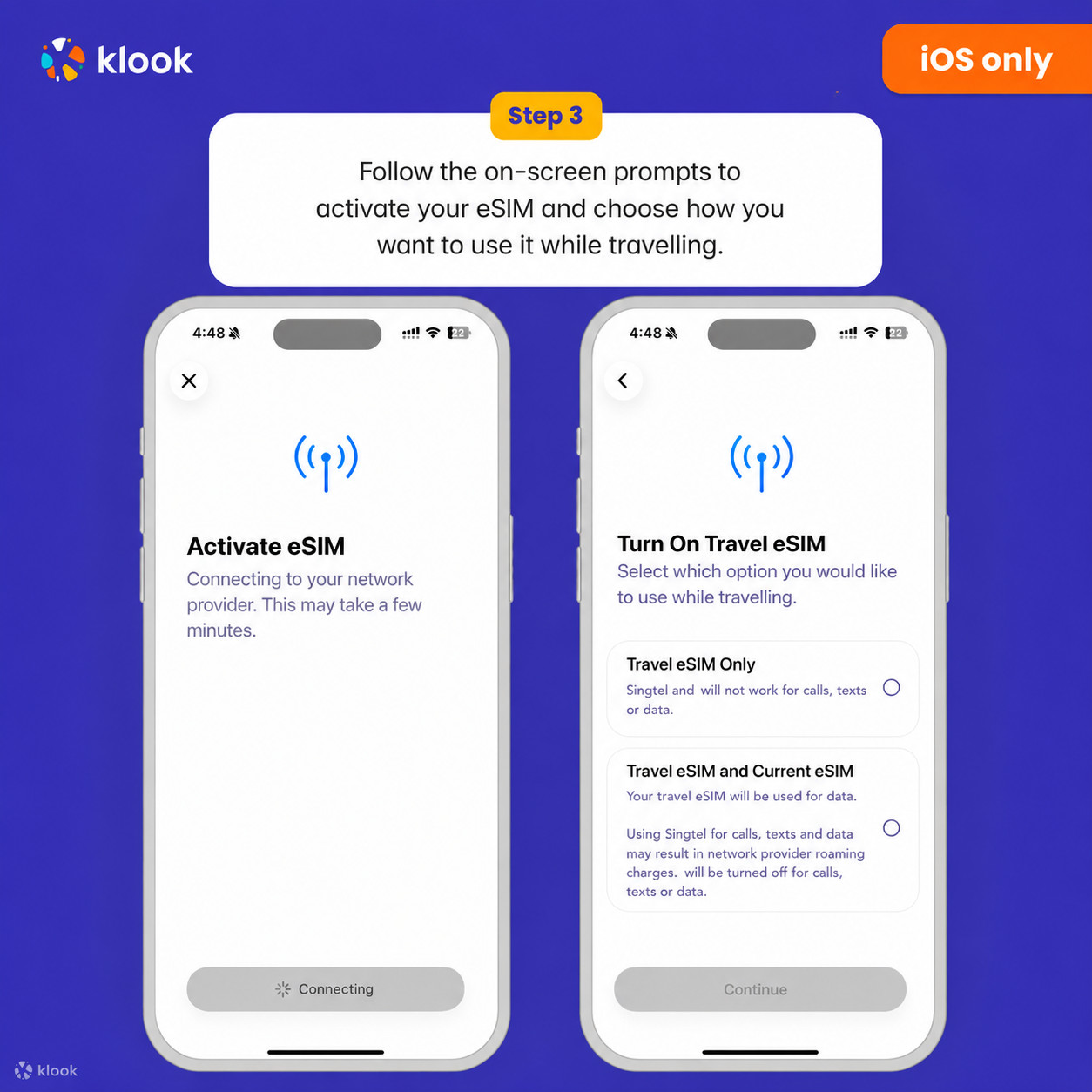
Installation of your eSIM will start automatically

- Klook eSIM iOS installation
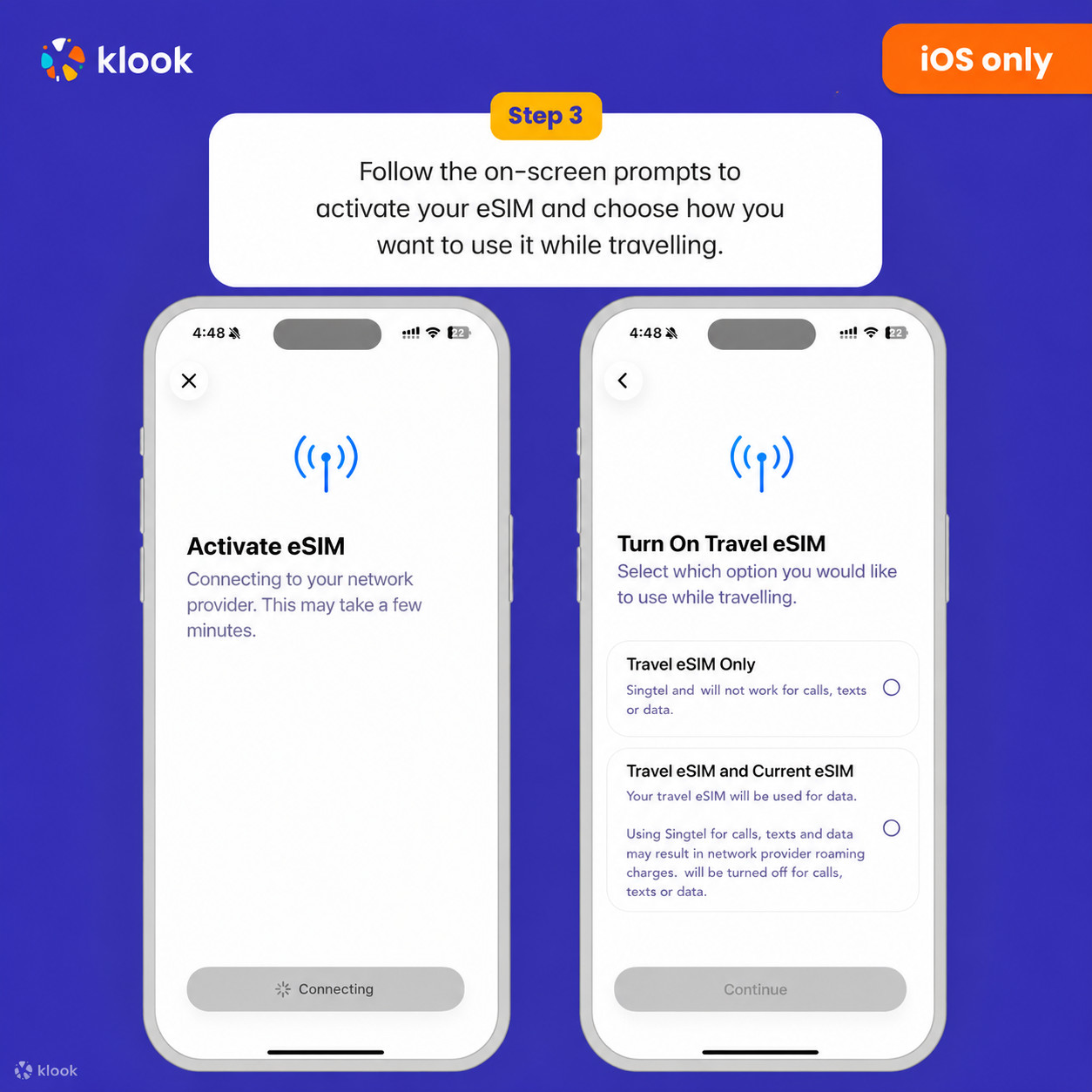
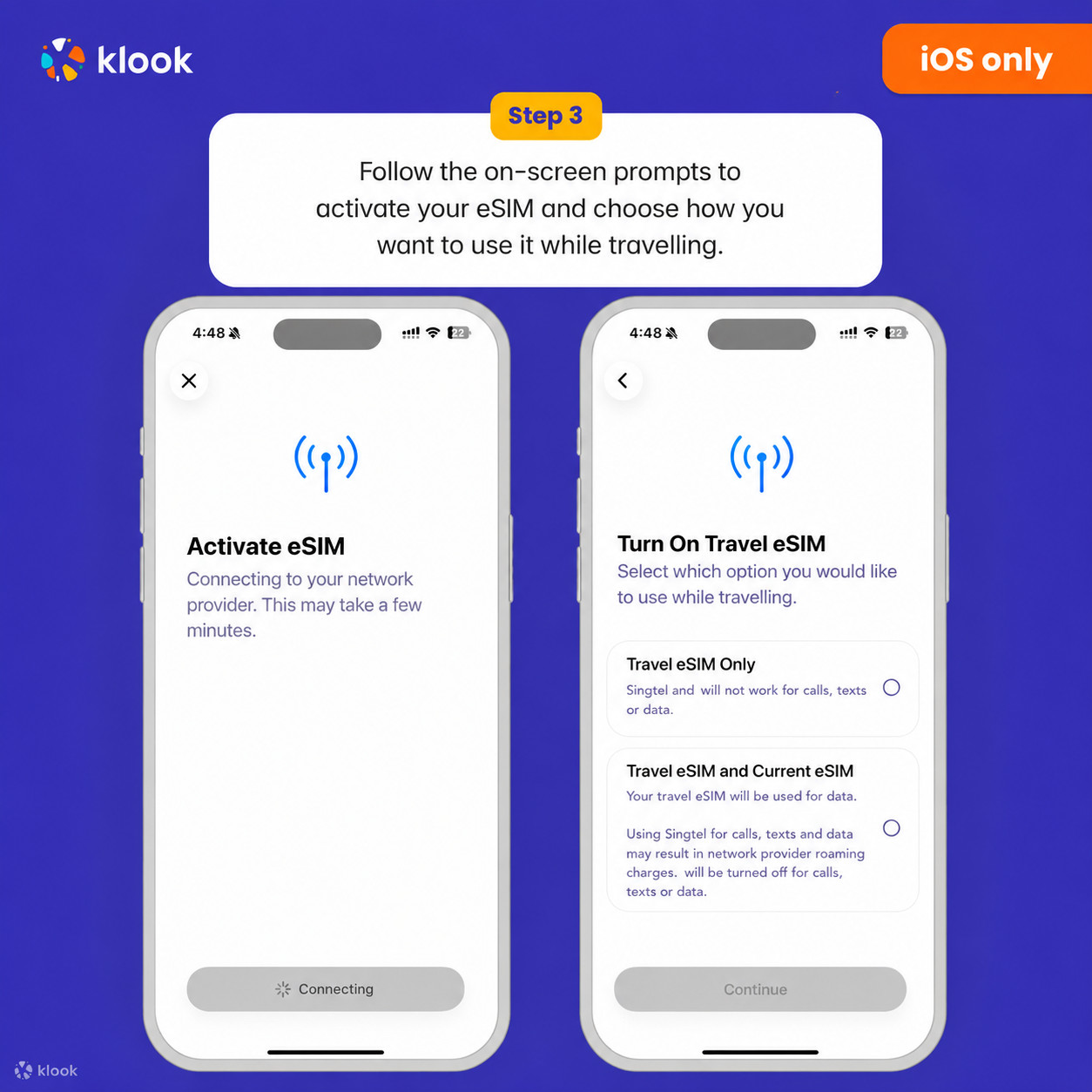
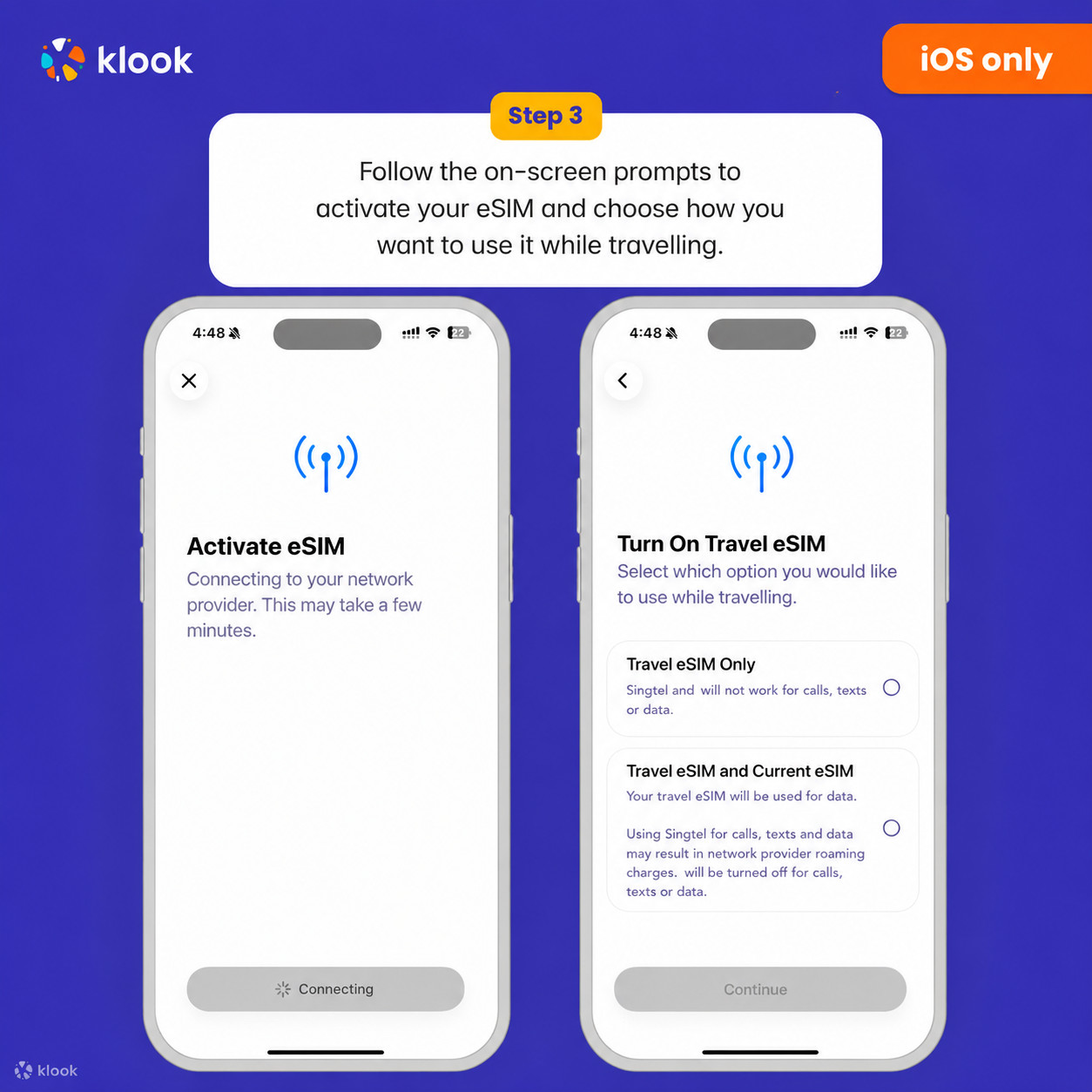
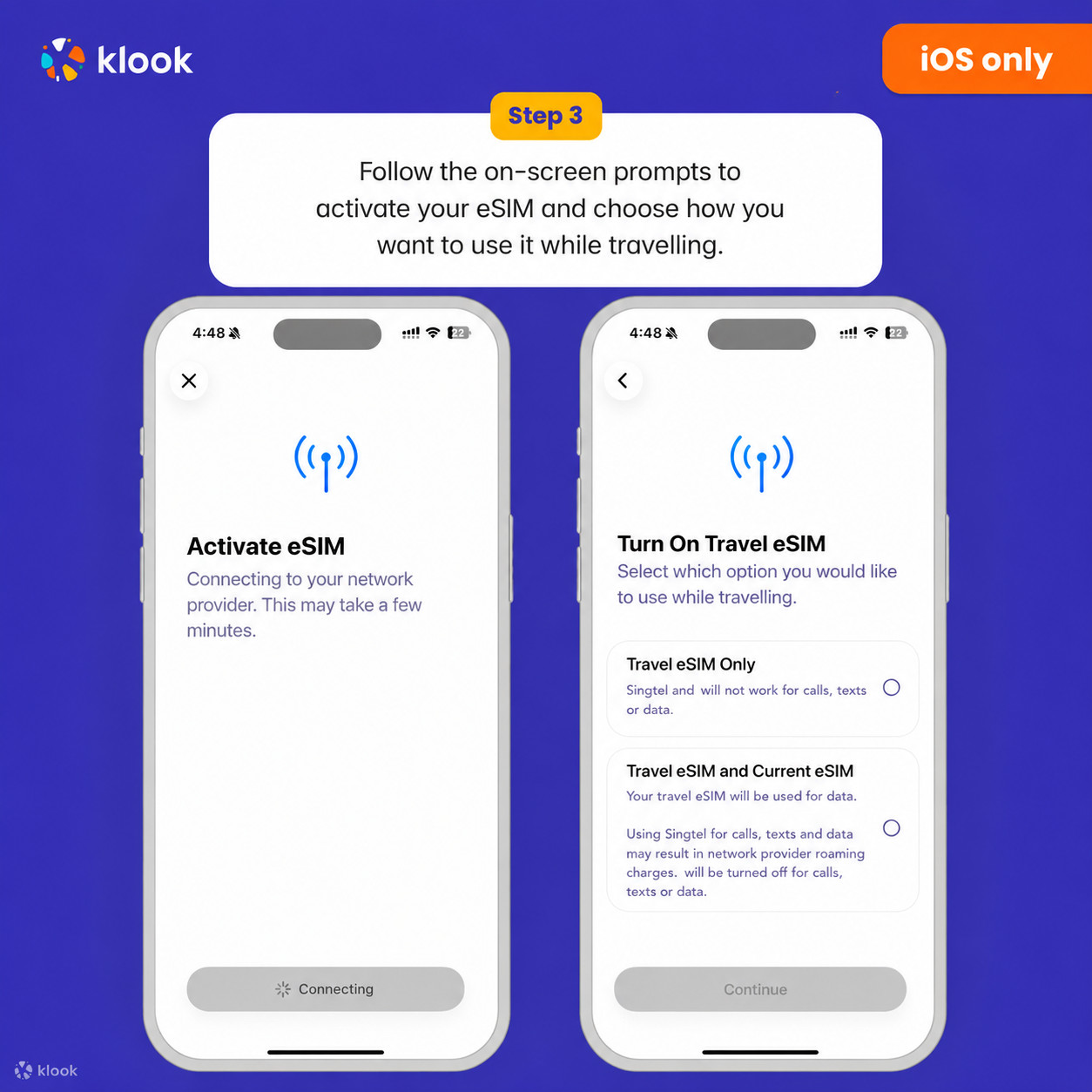
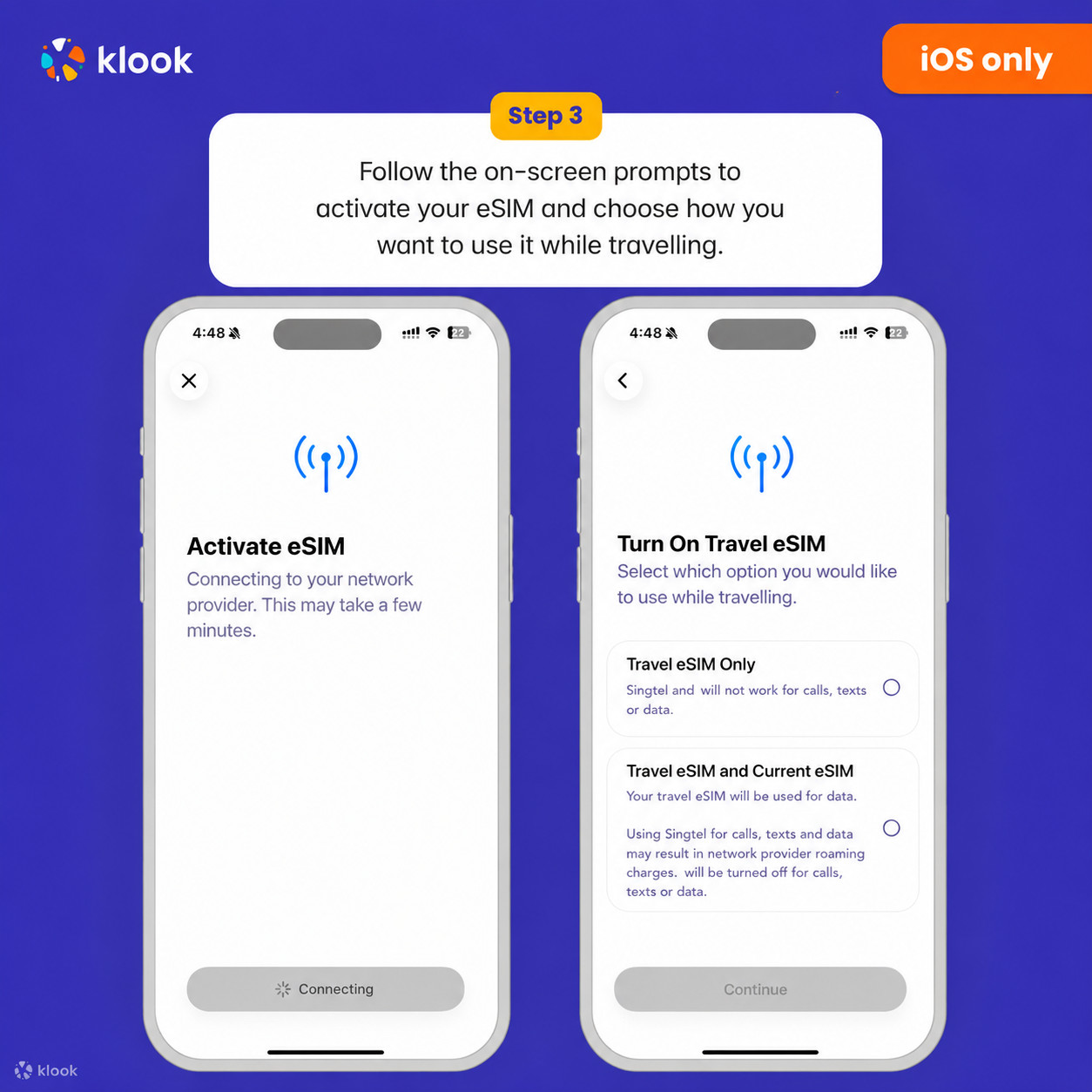
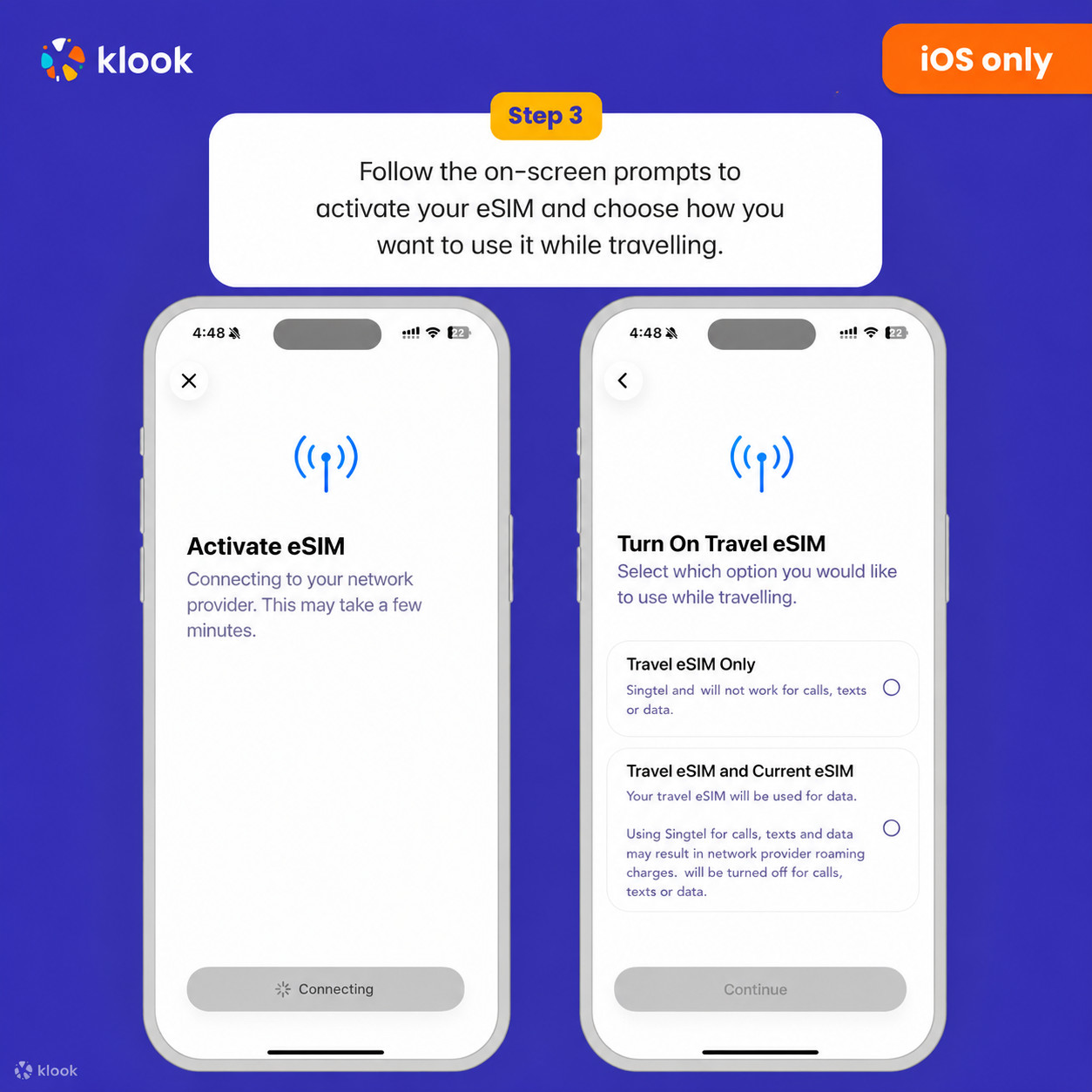
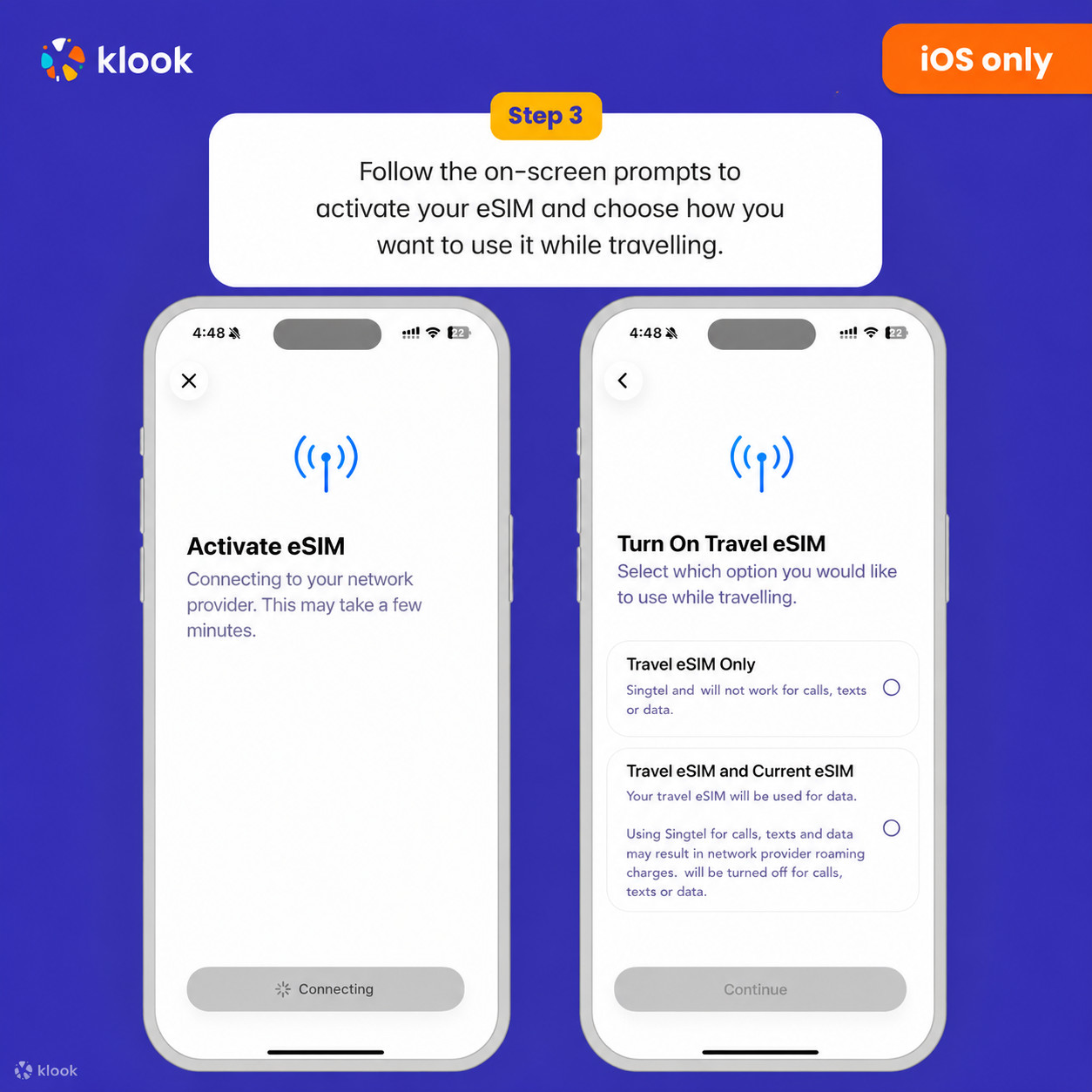
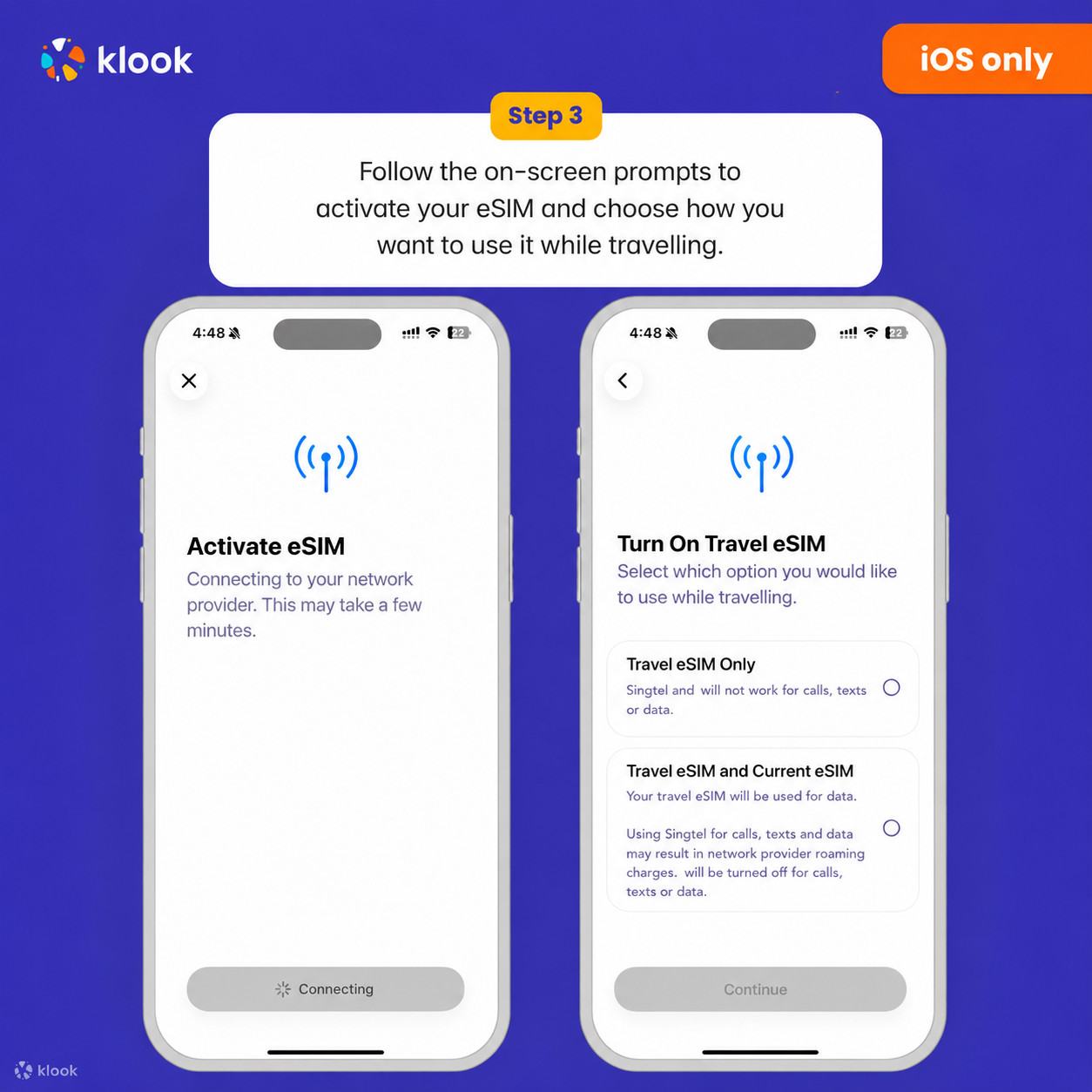
Set up your Klook eSIM for travel on iOS

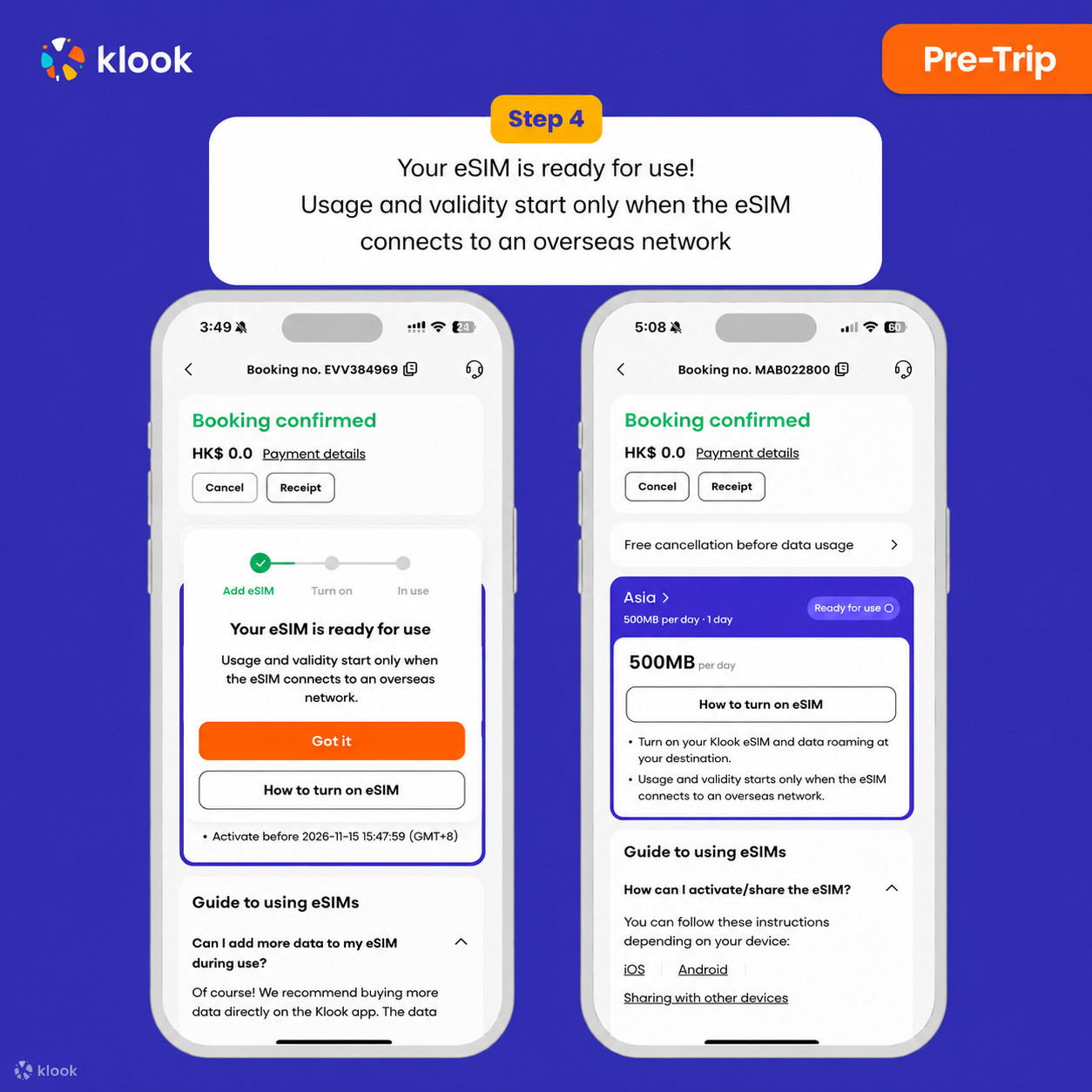
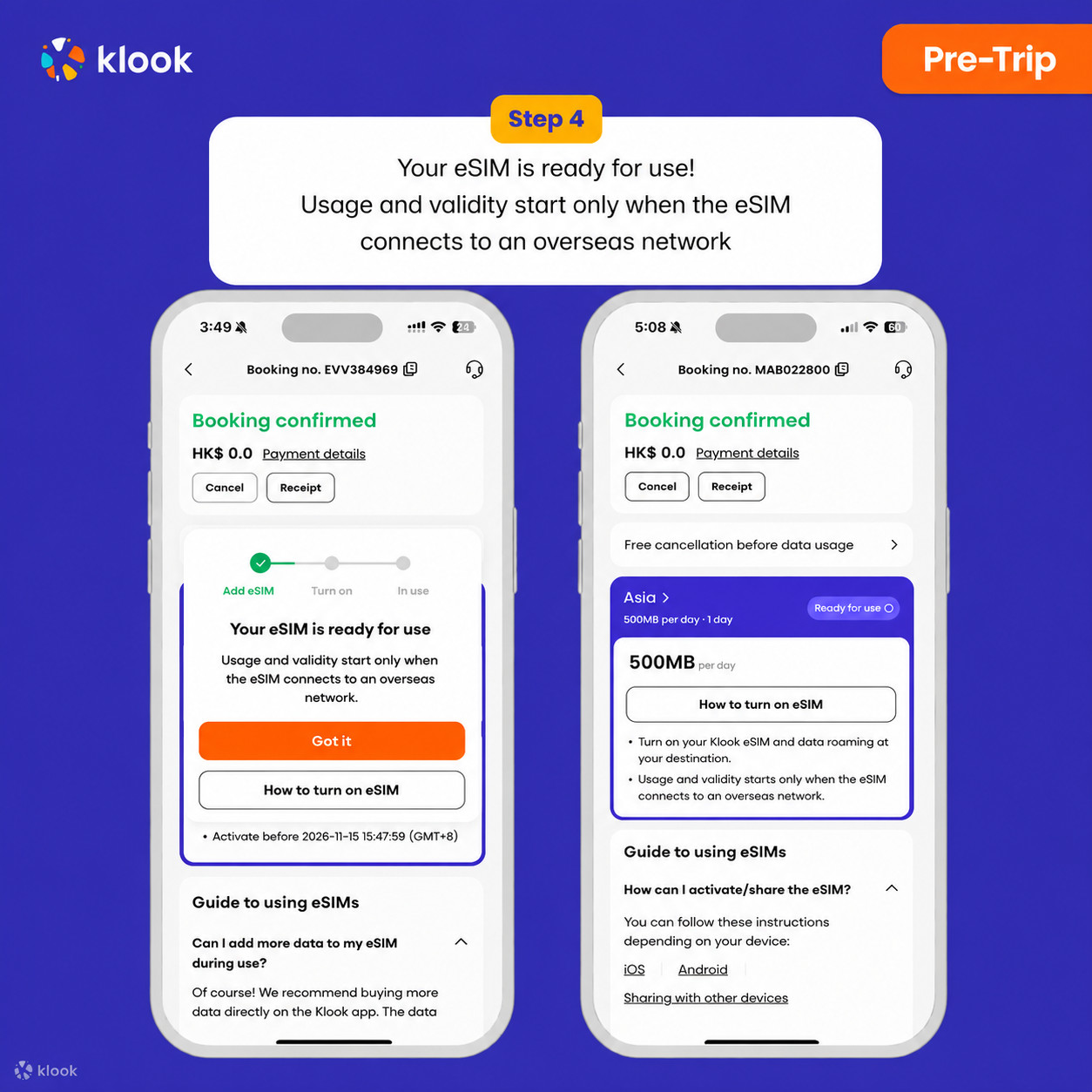
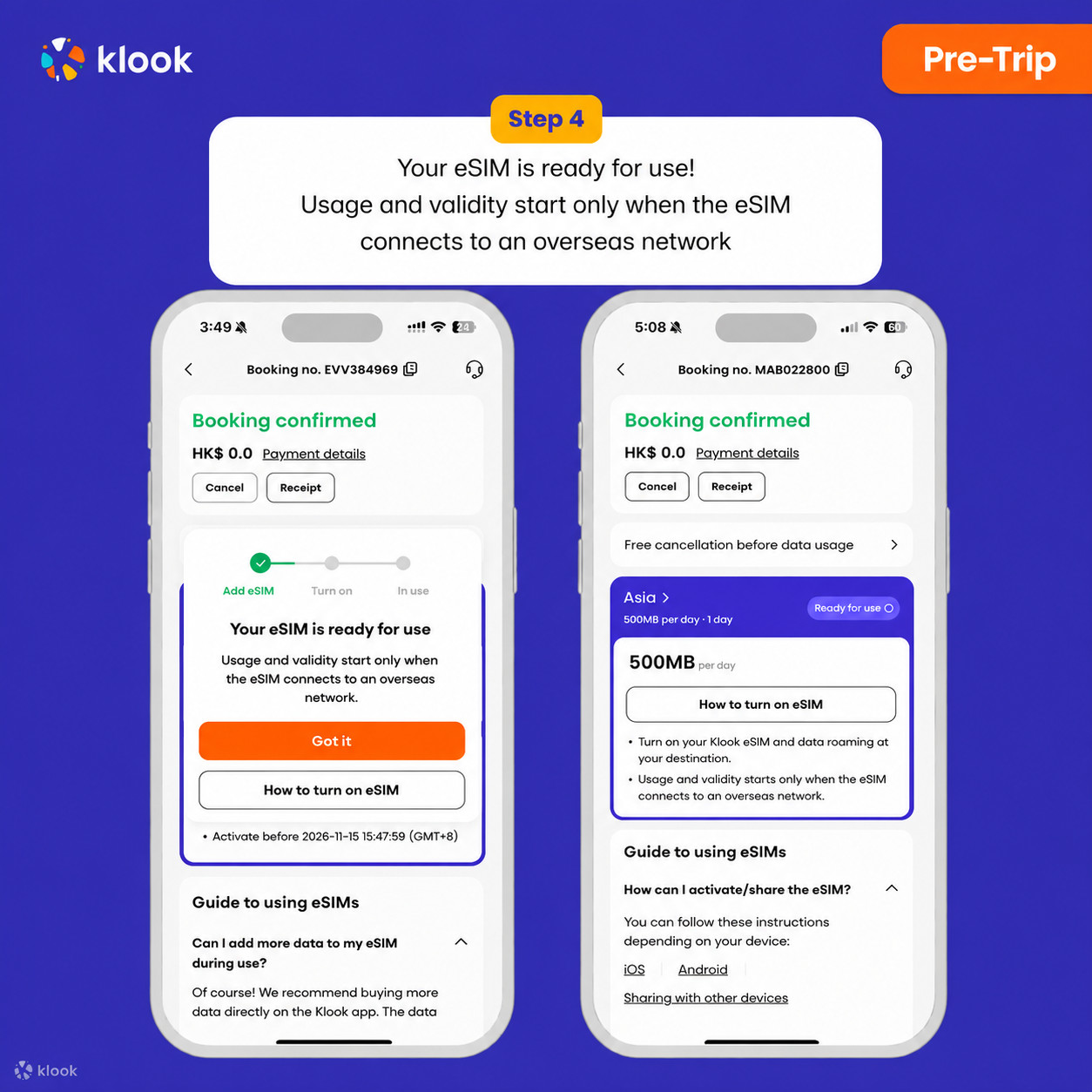
- Klook eSIM installed
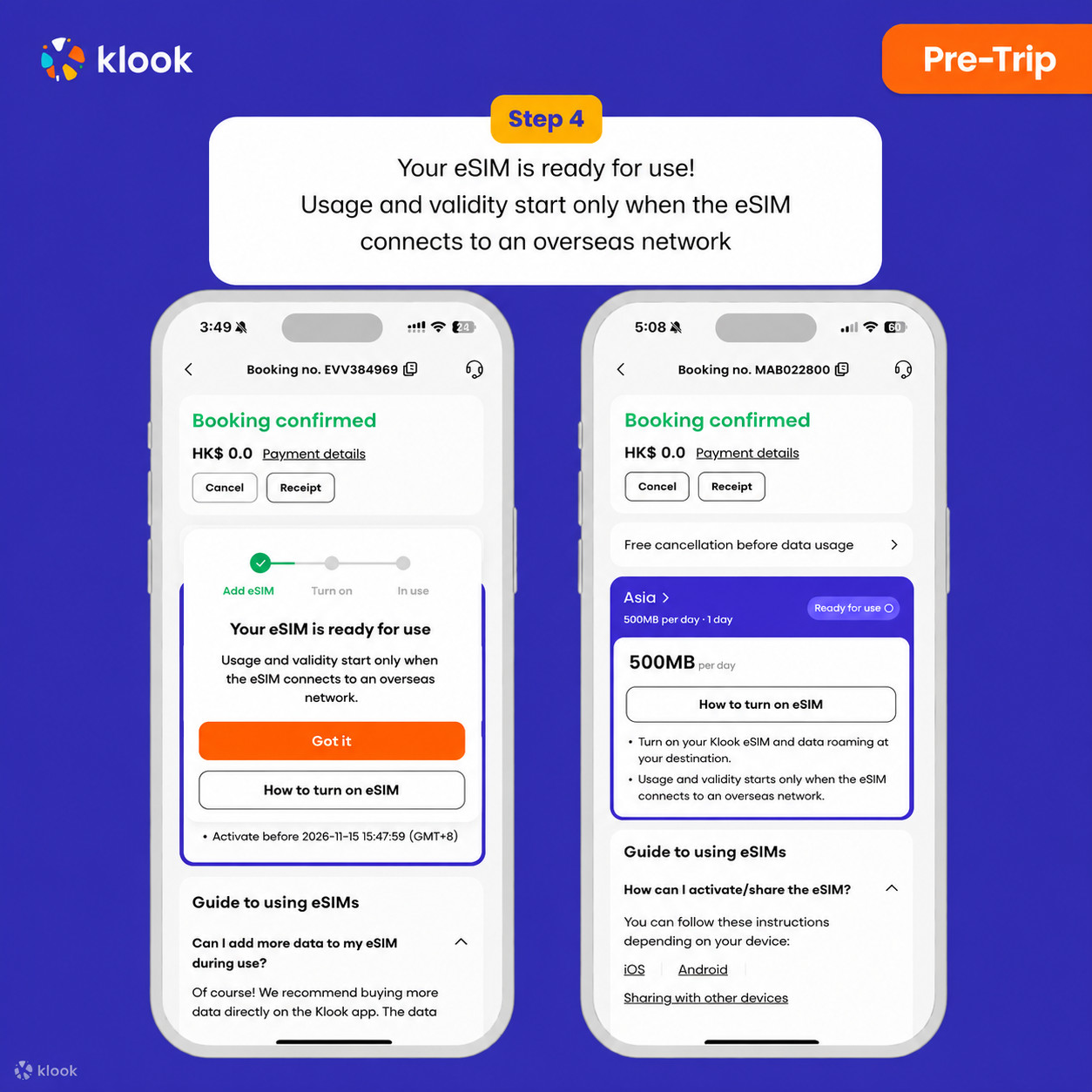
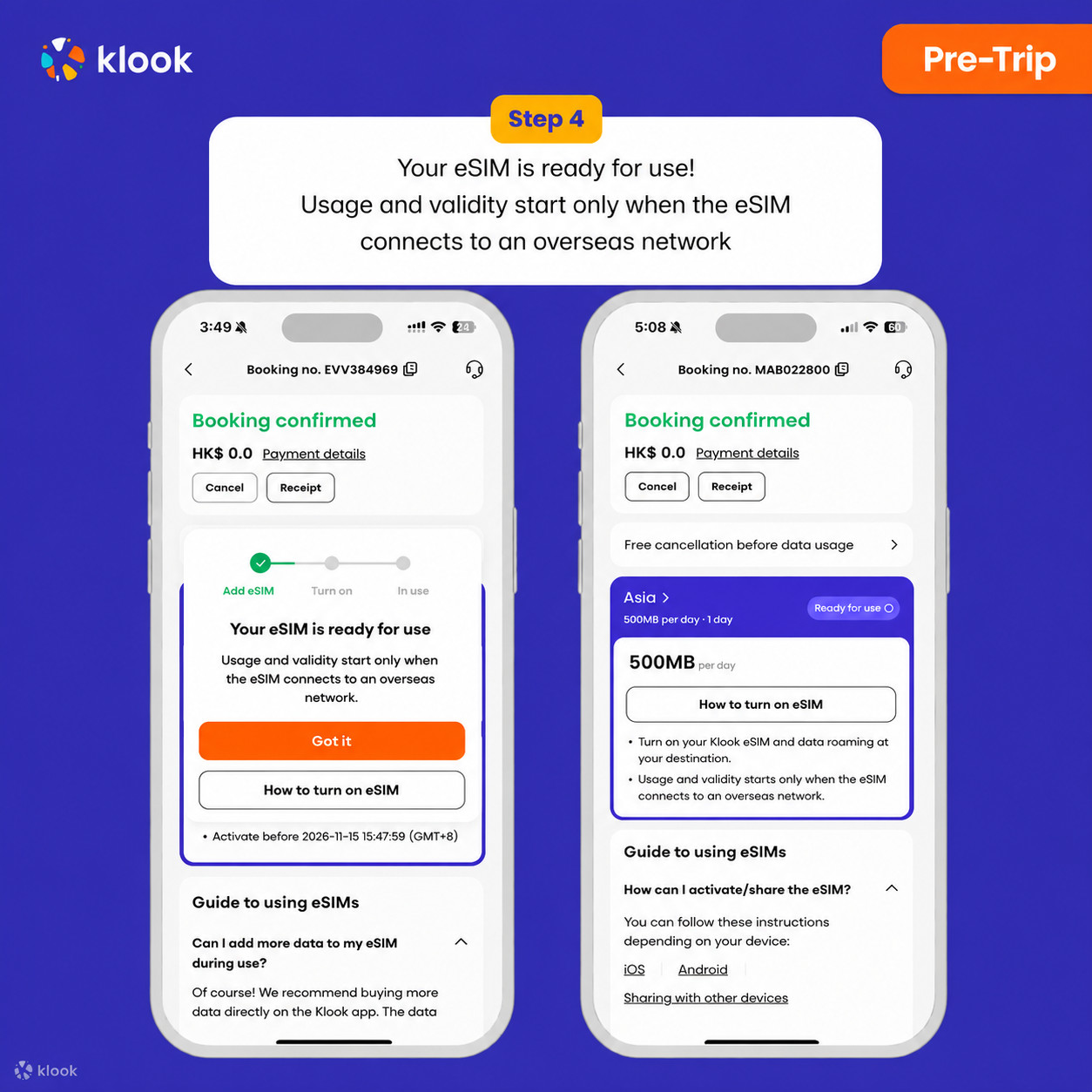
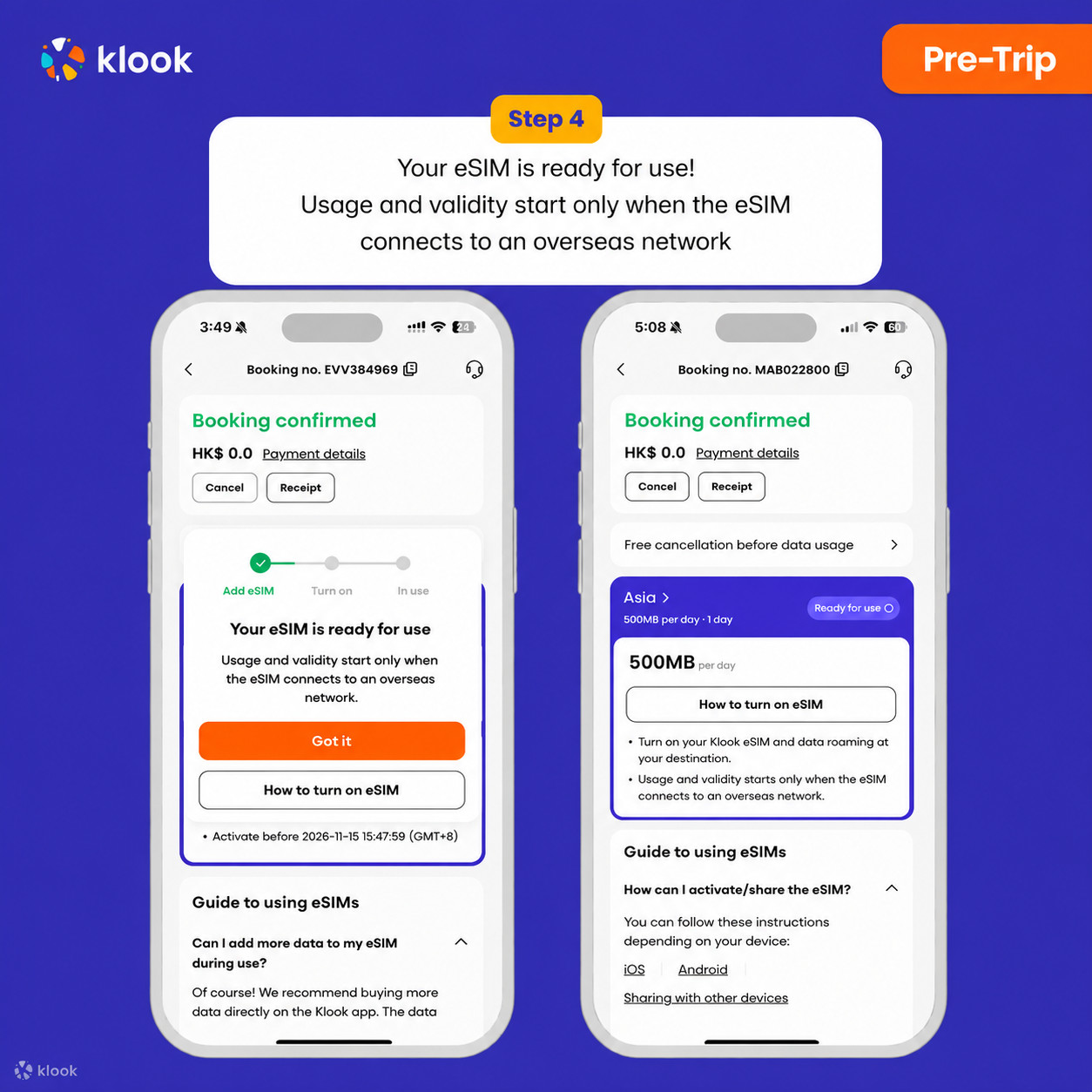
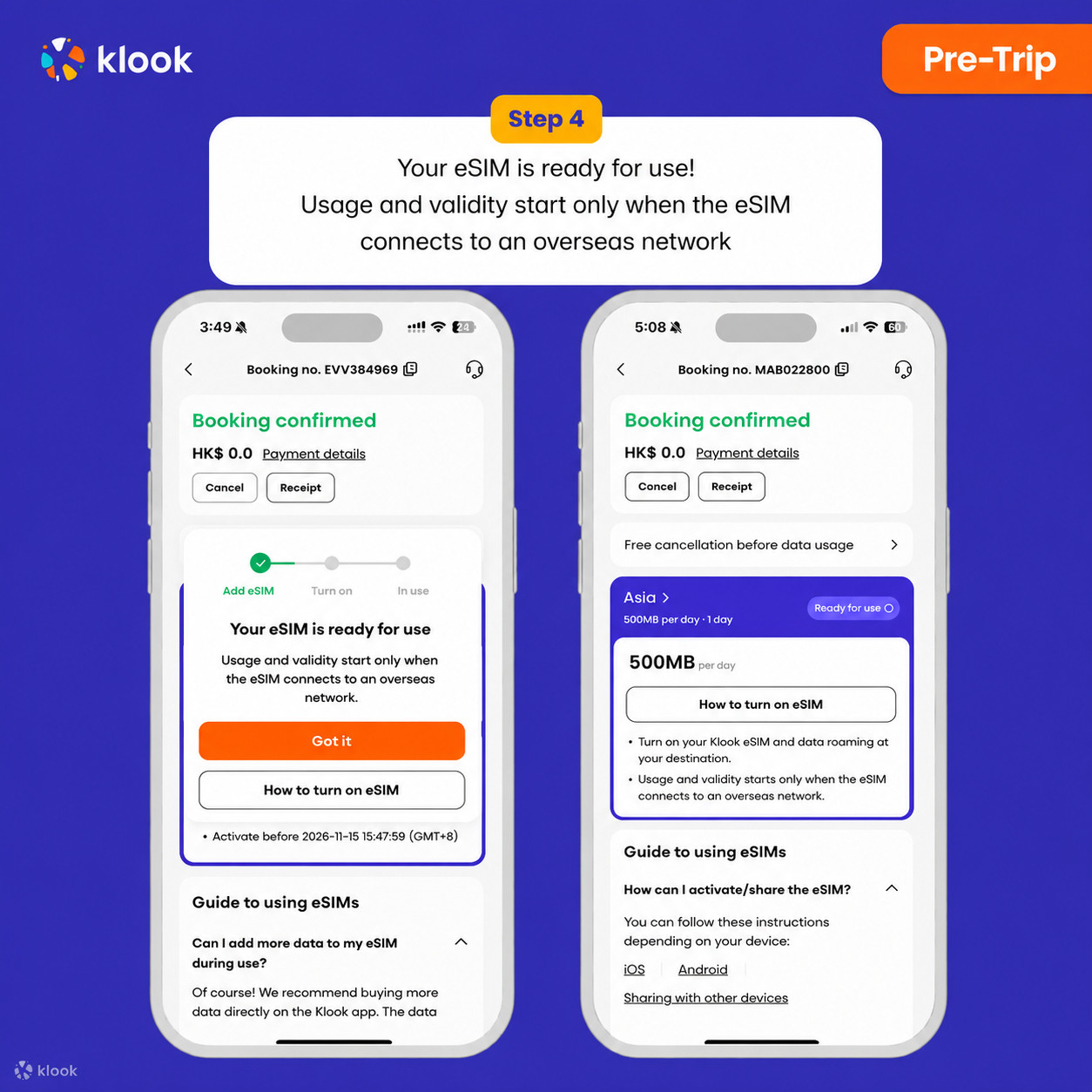
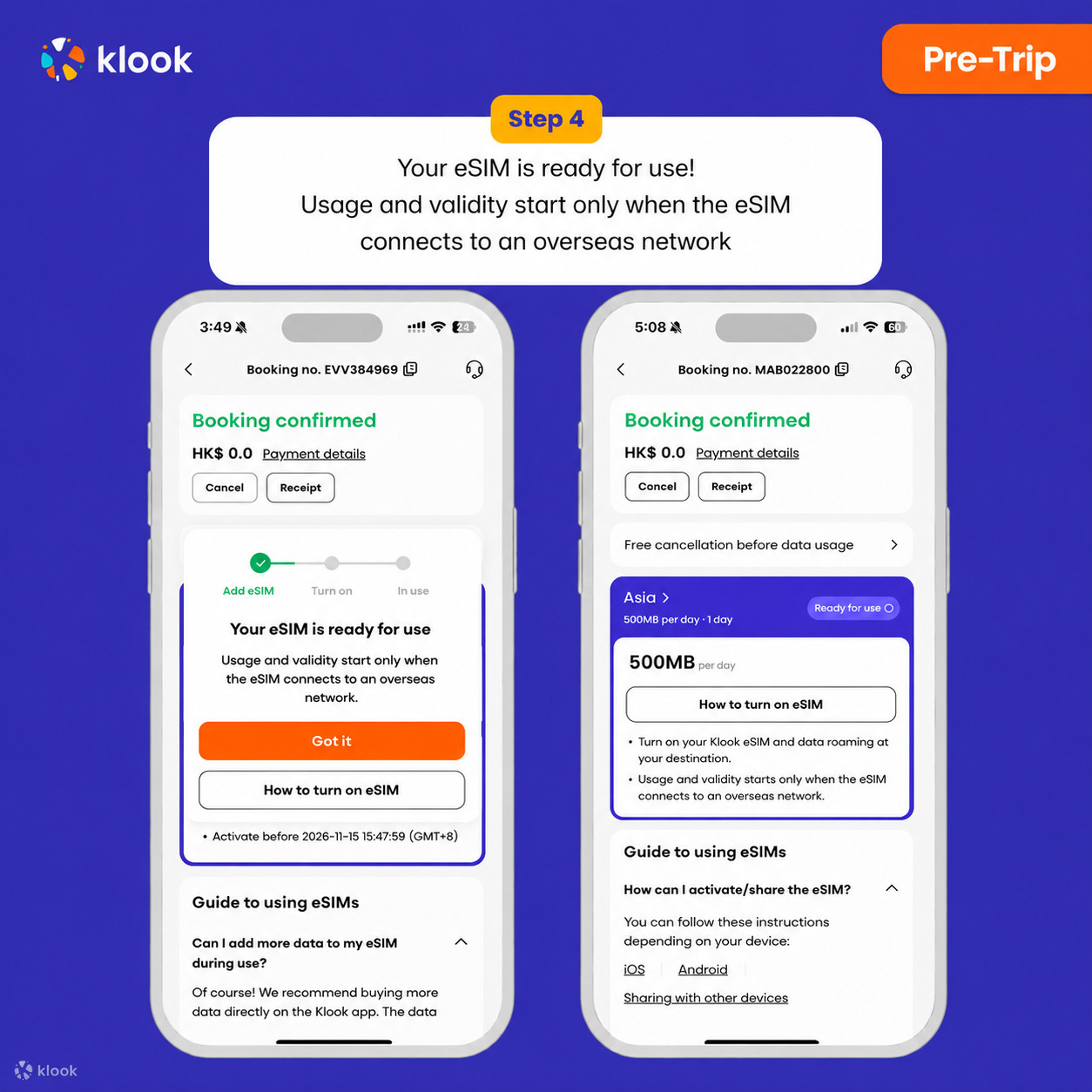
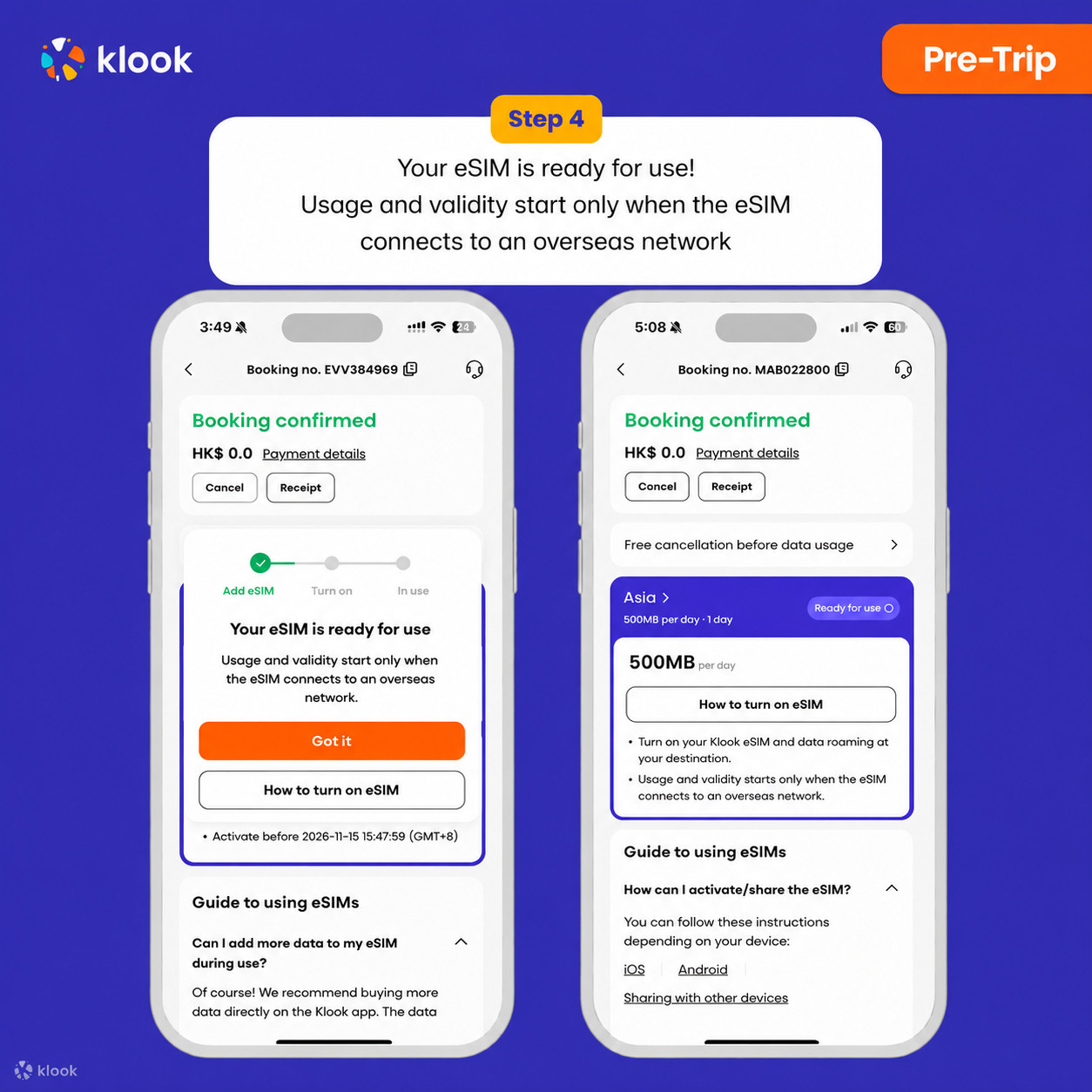
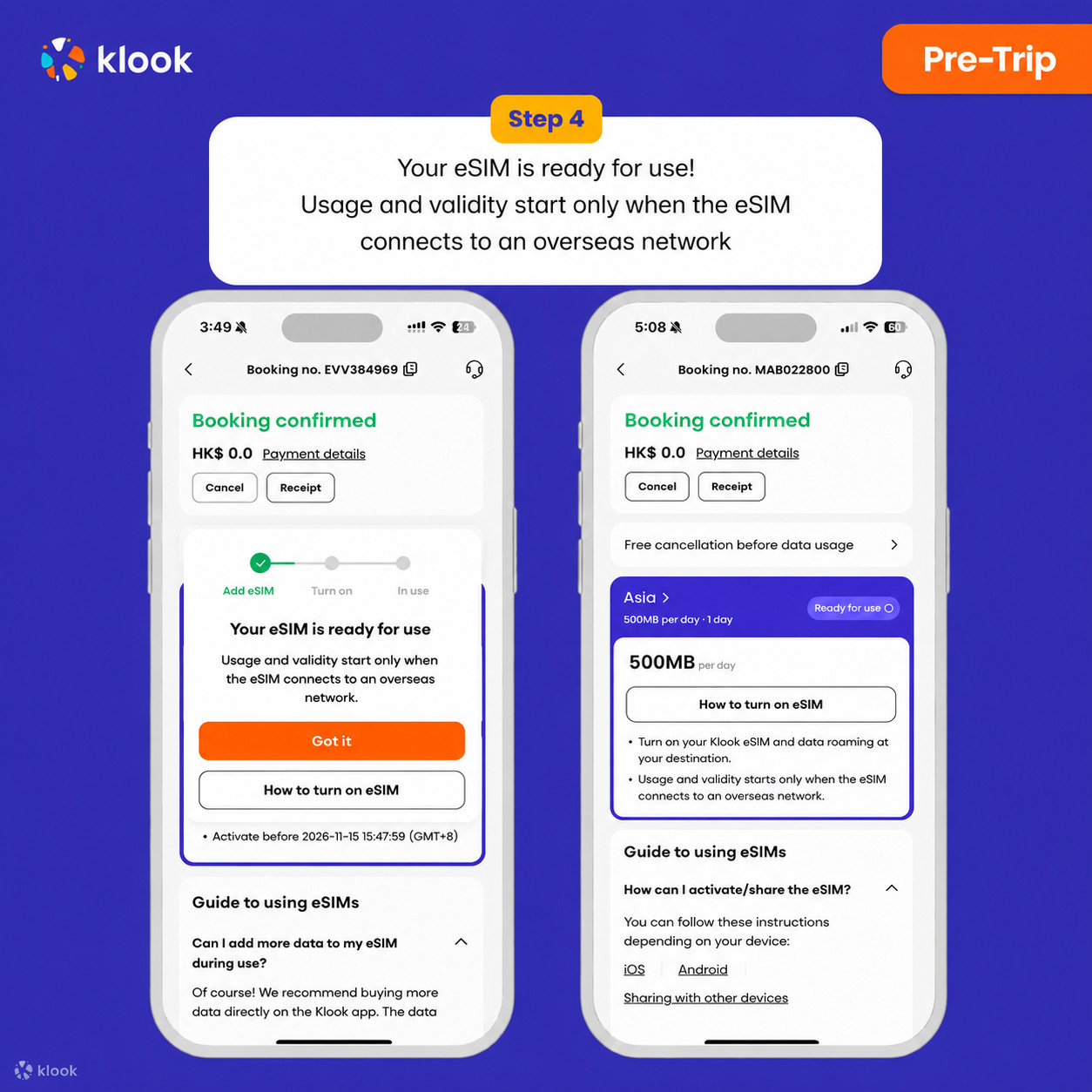
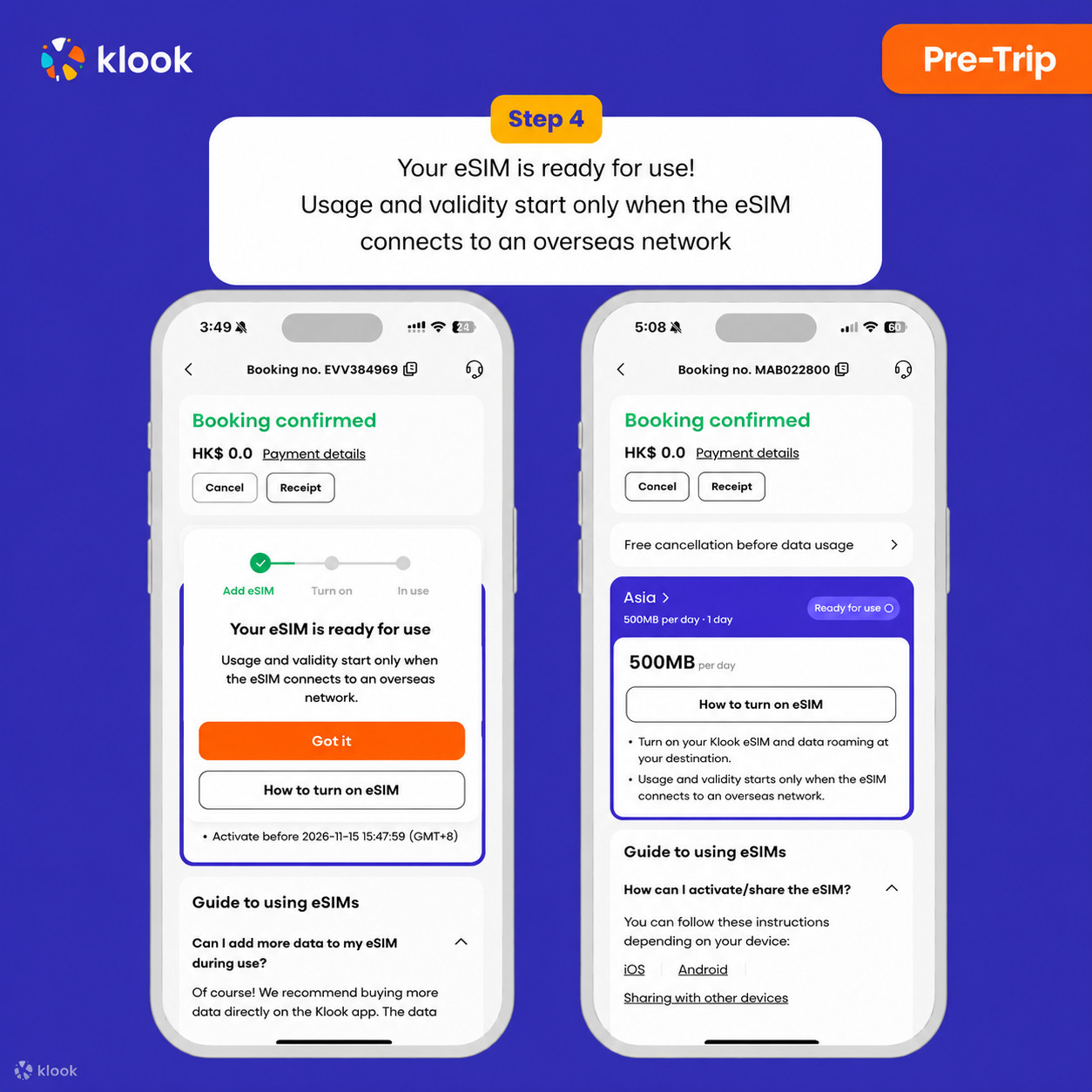
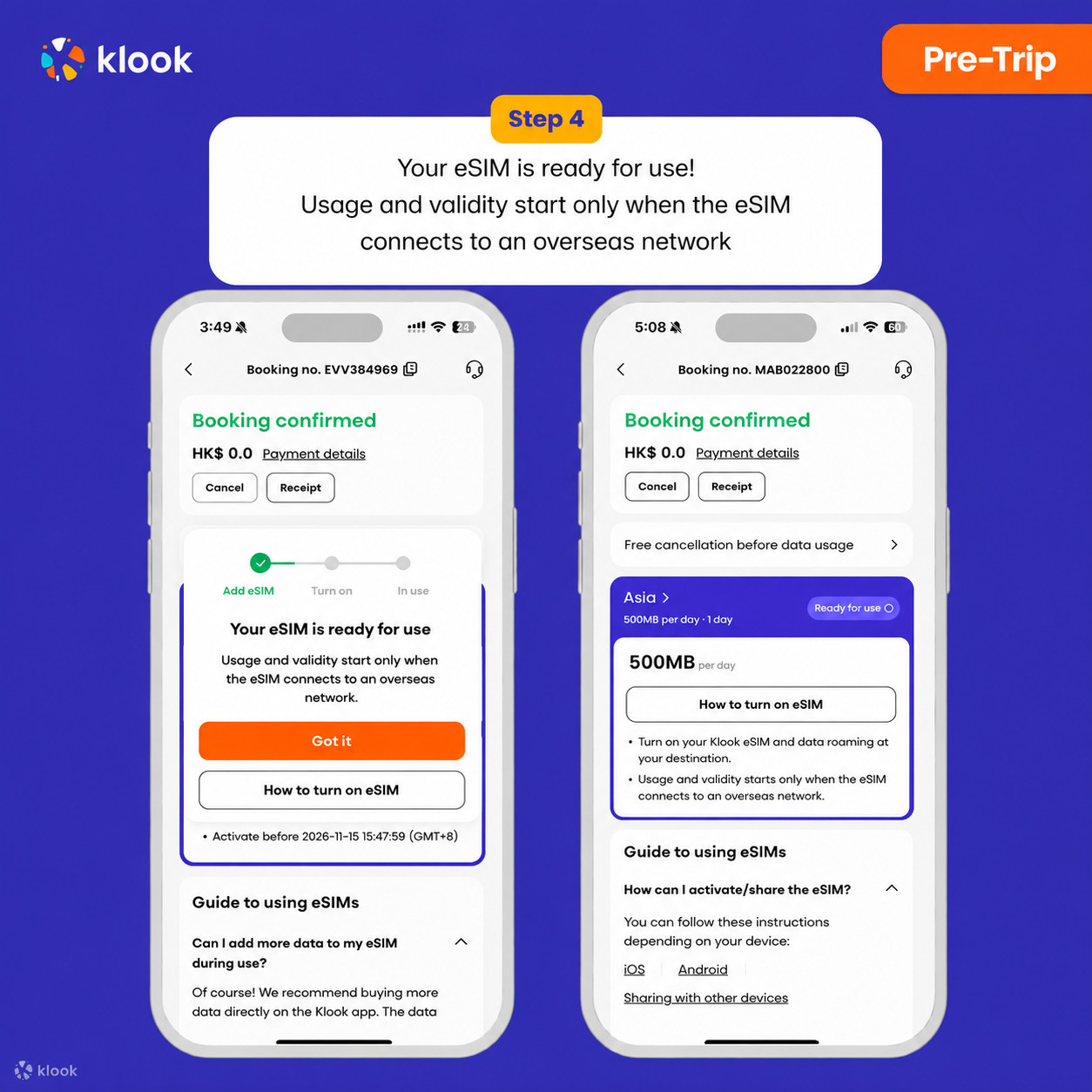
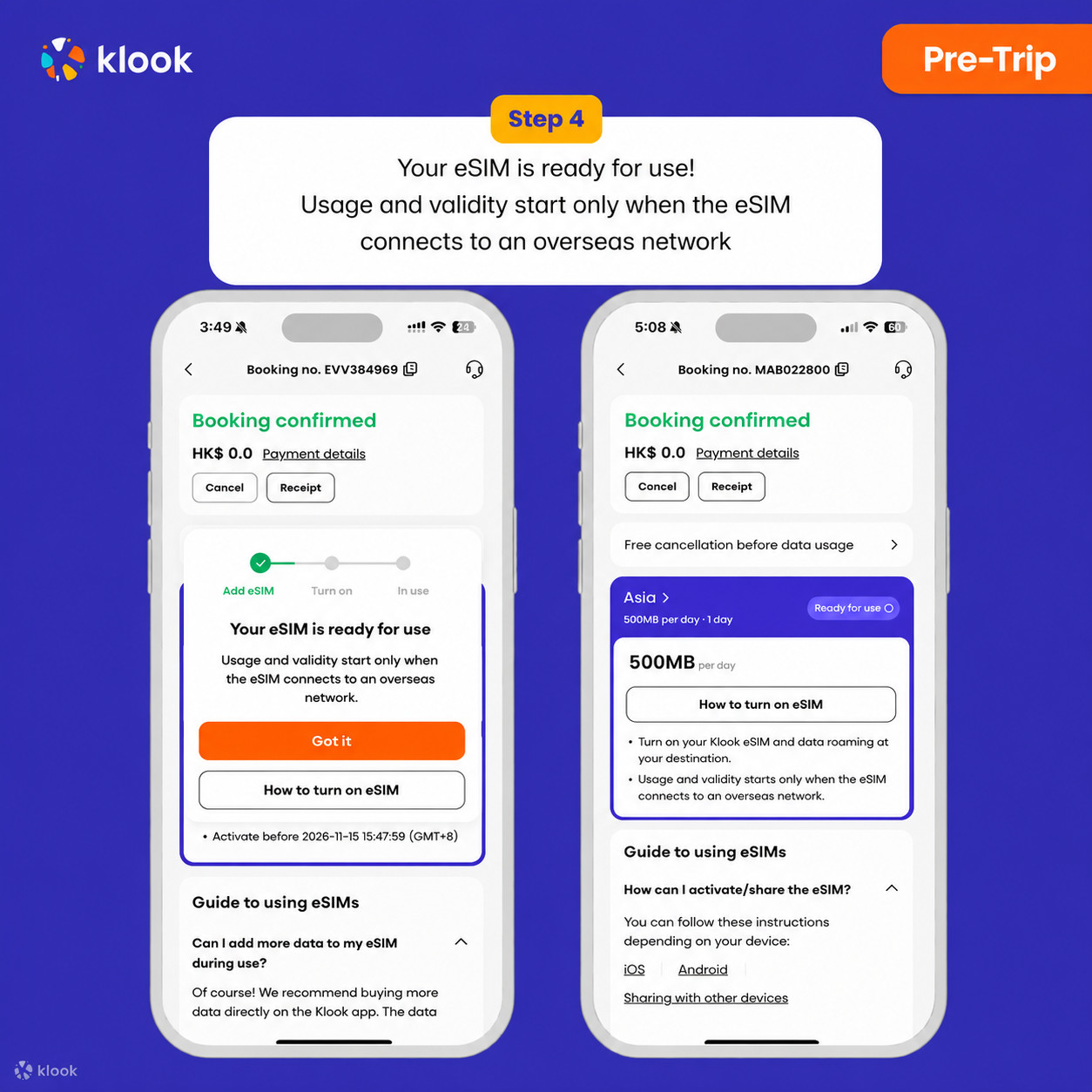
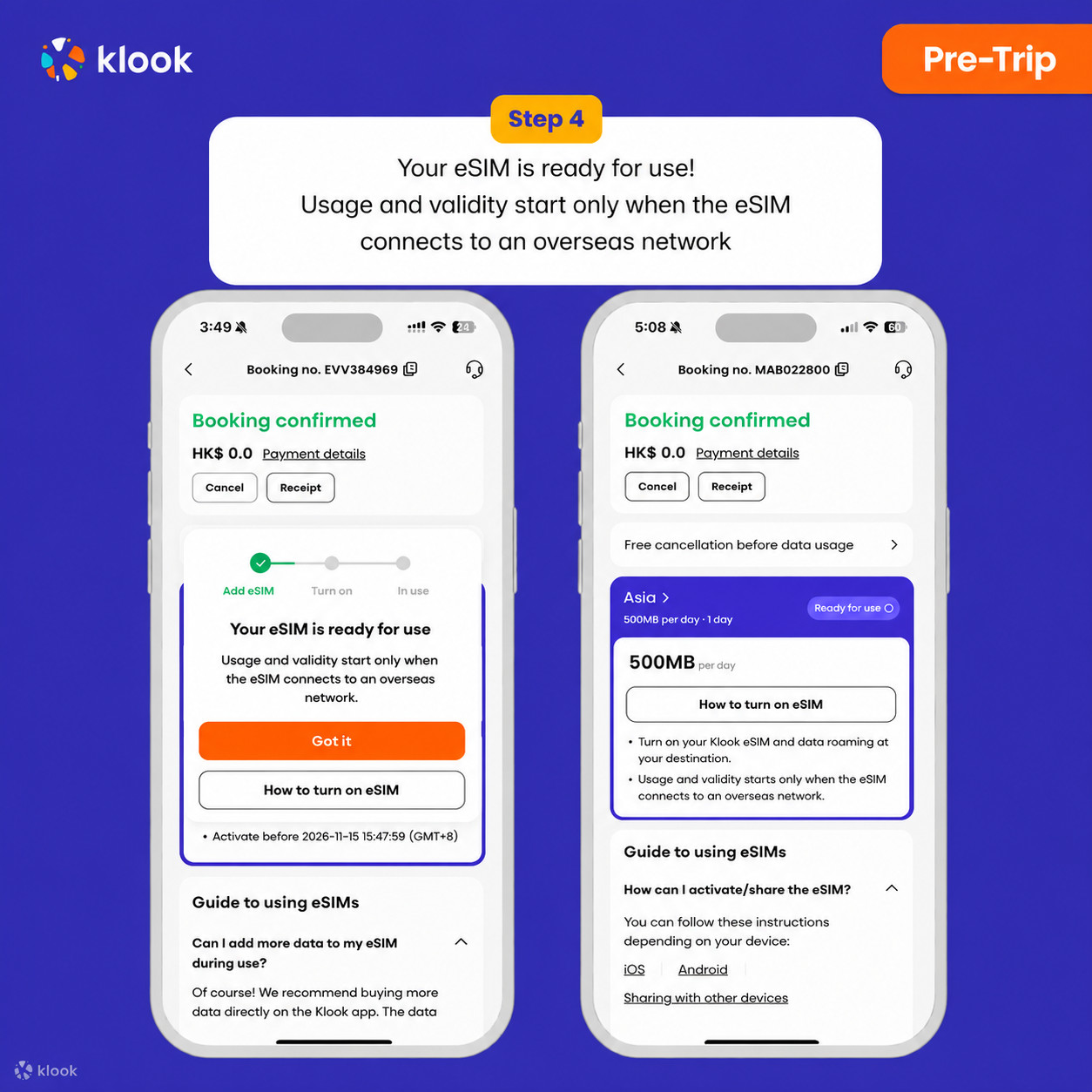
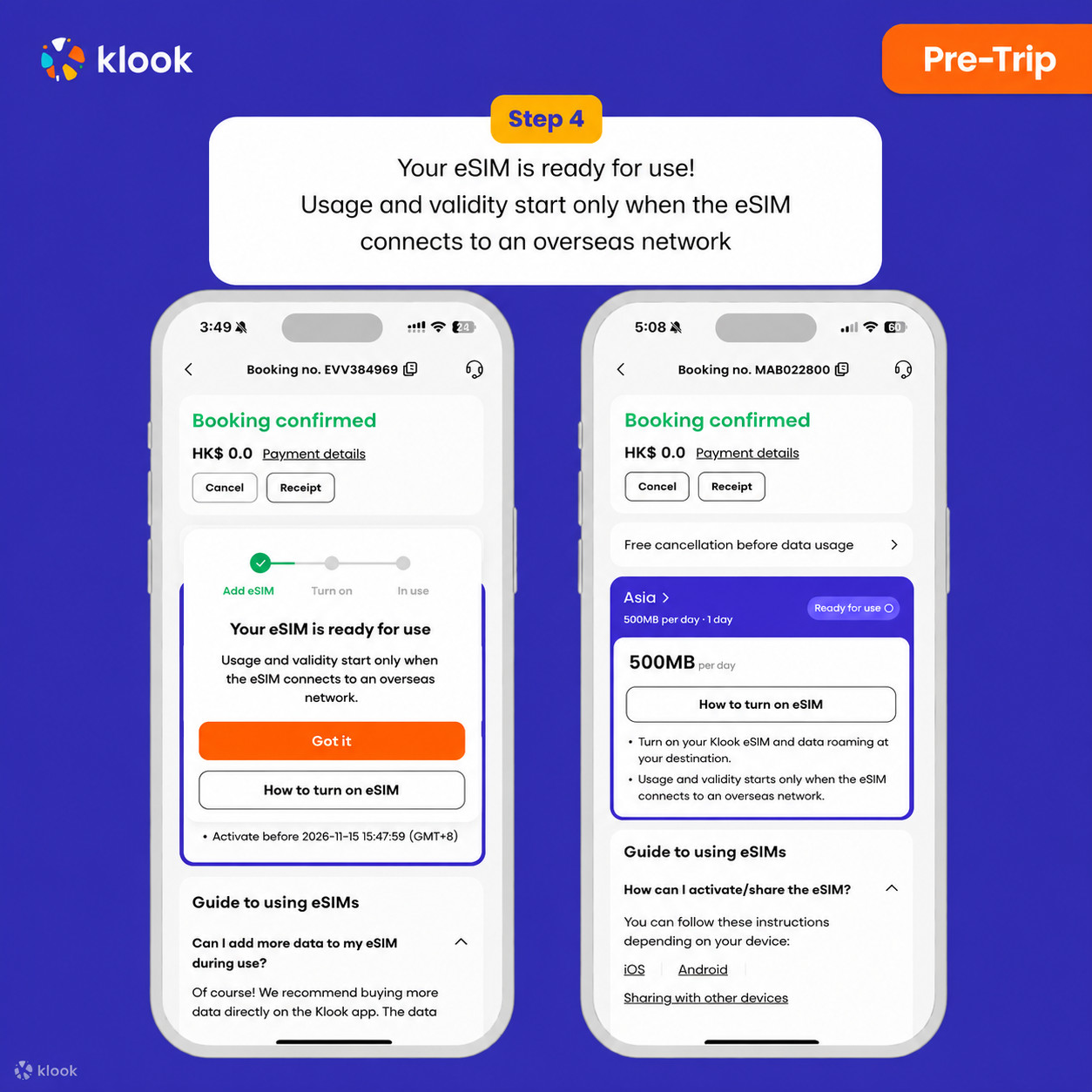
Your eSIM is ready for use! Usage and validity start only when the eSIM connects to an overseas network

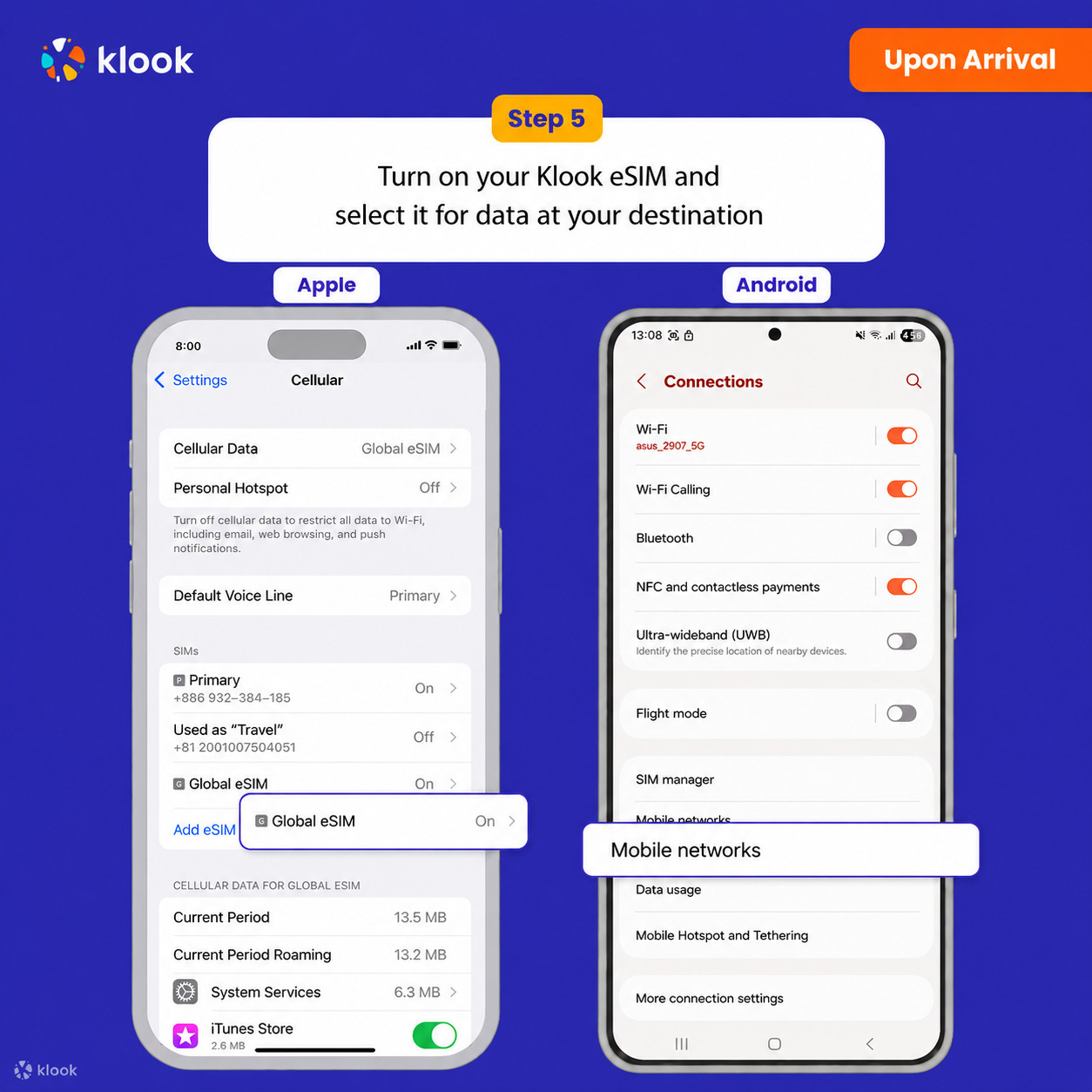
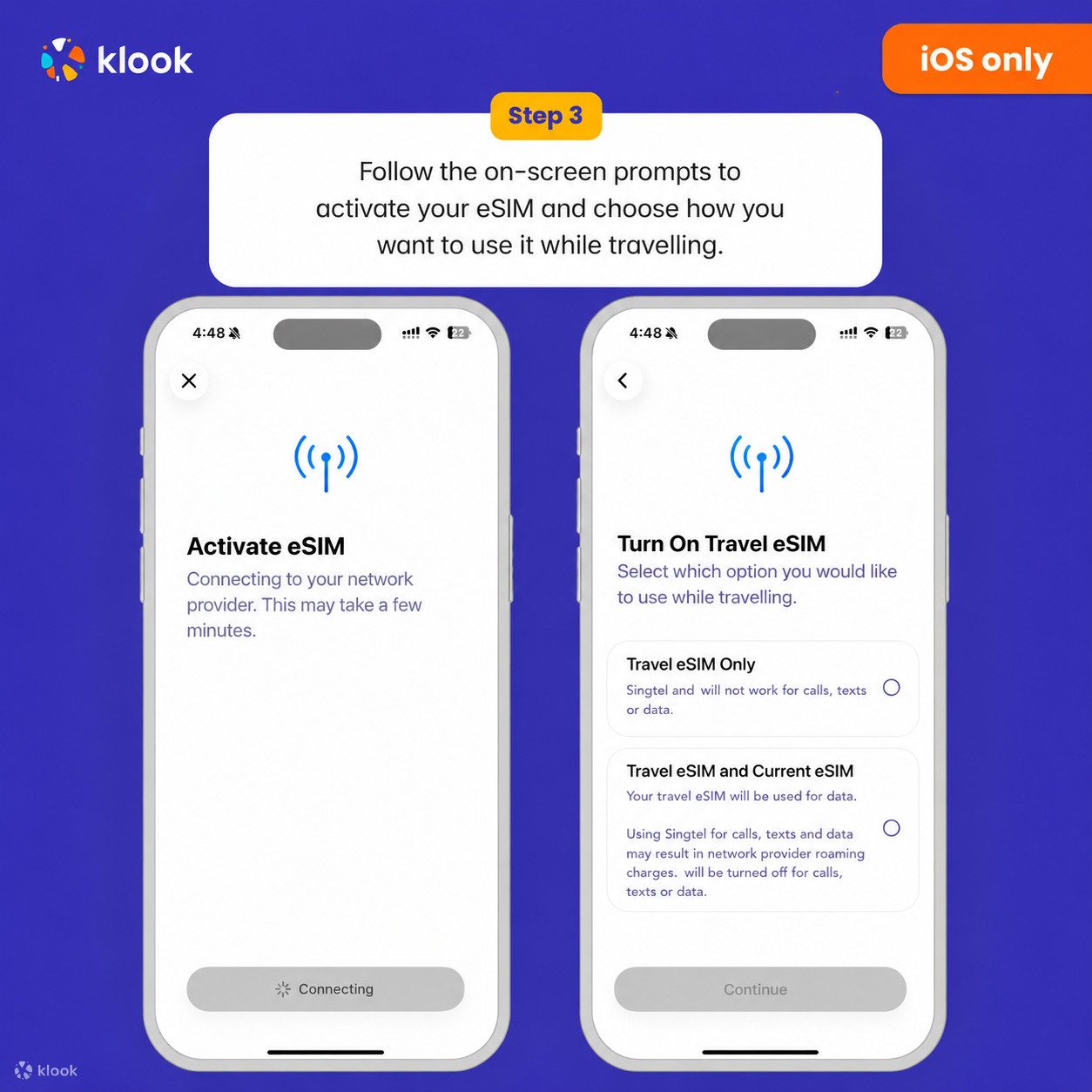
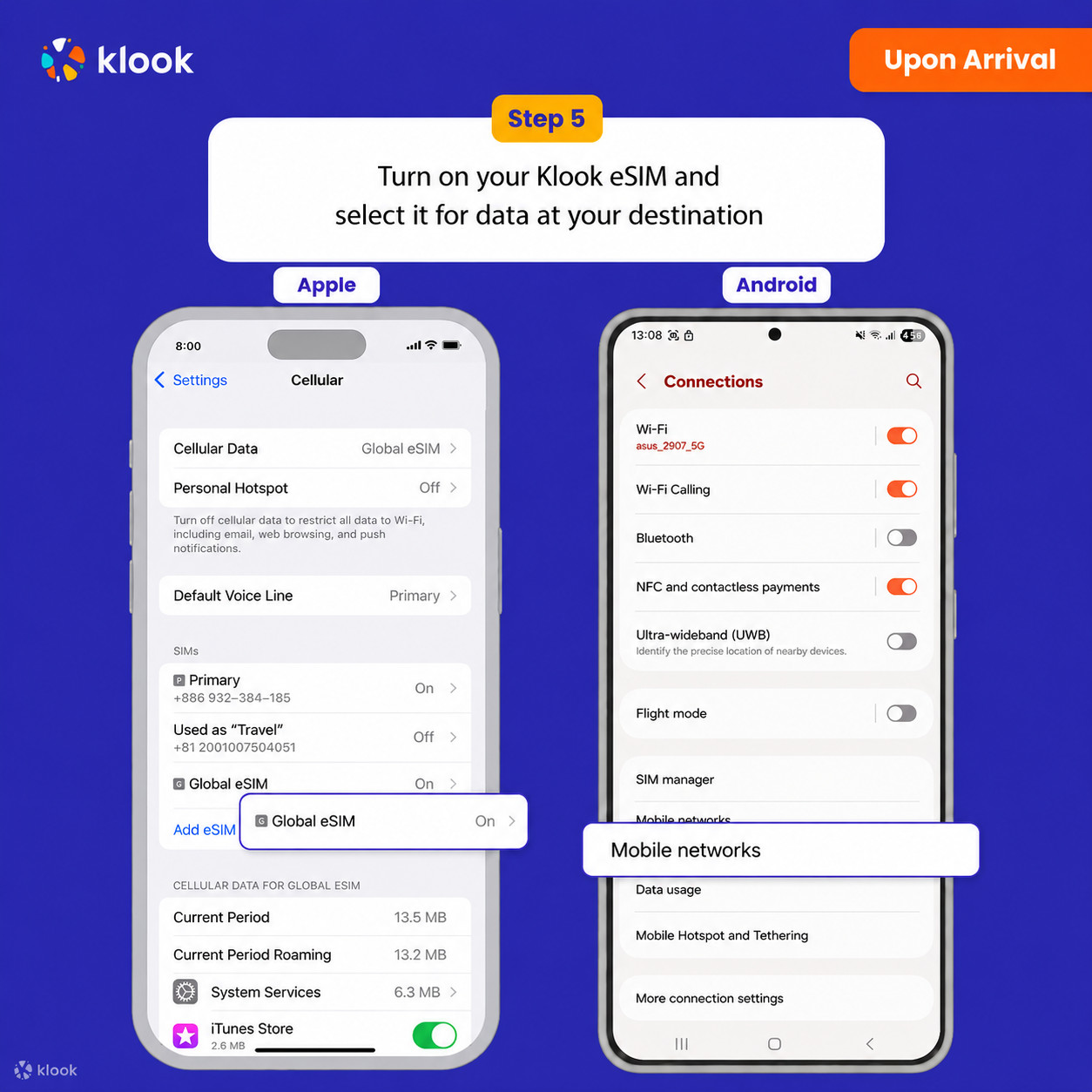
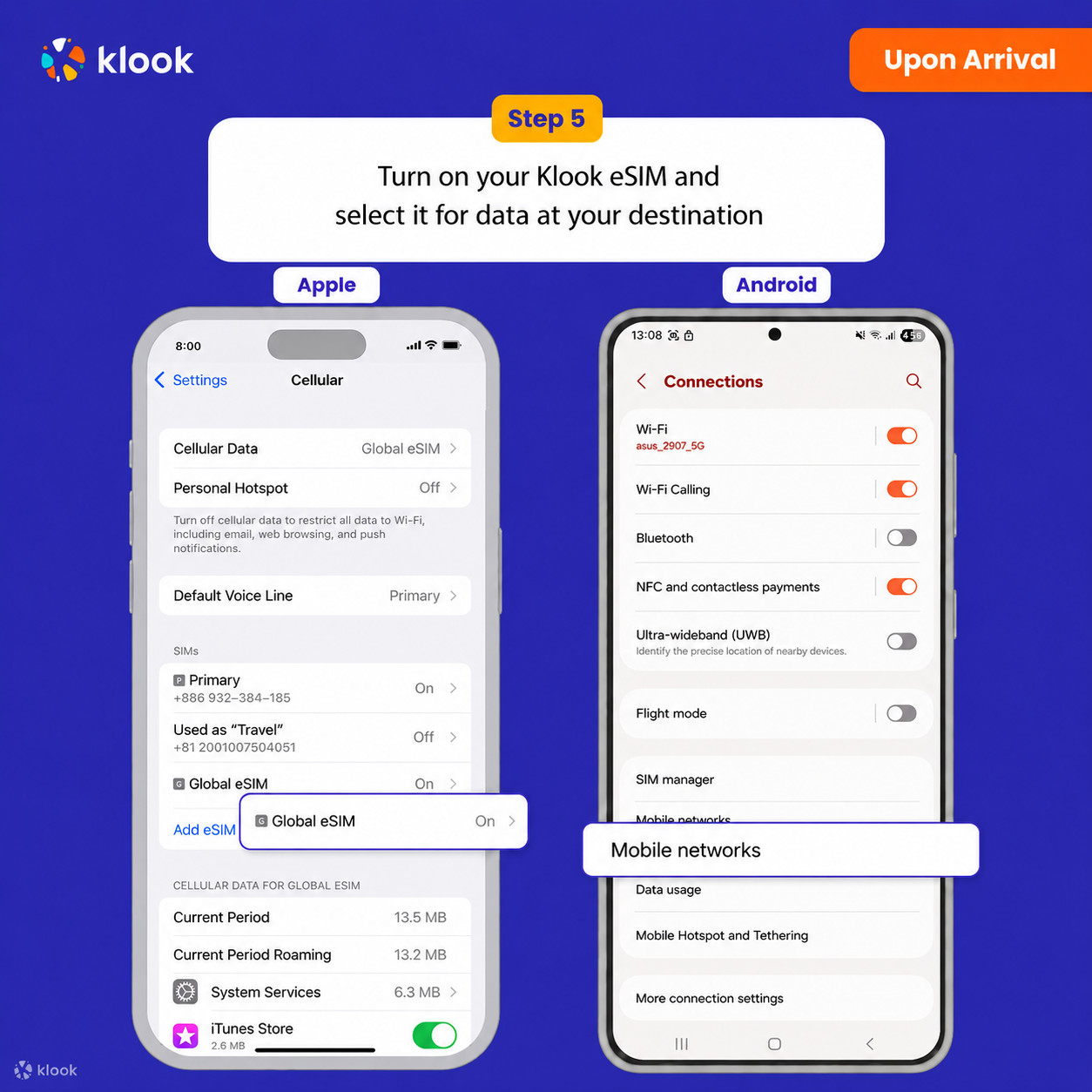
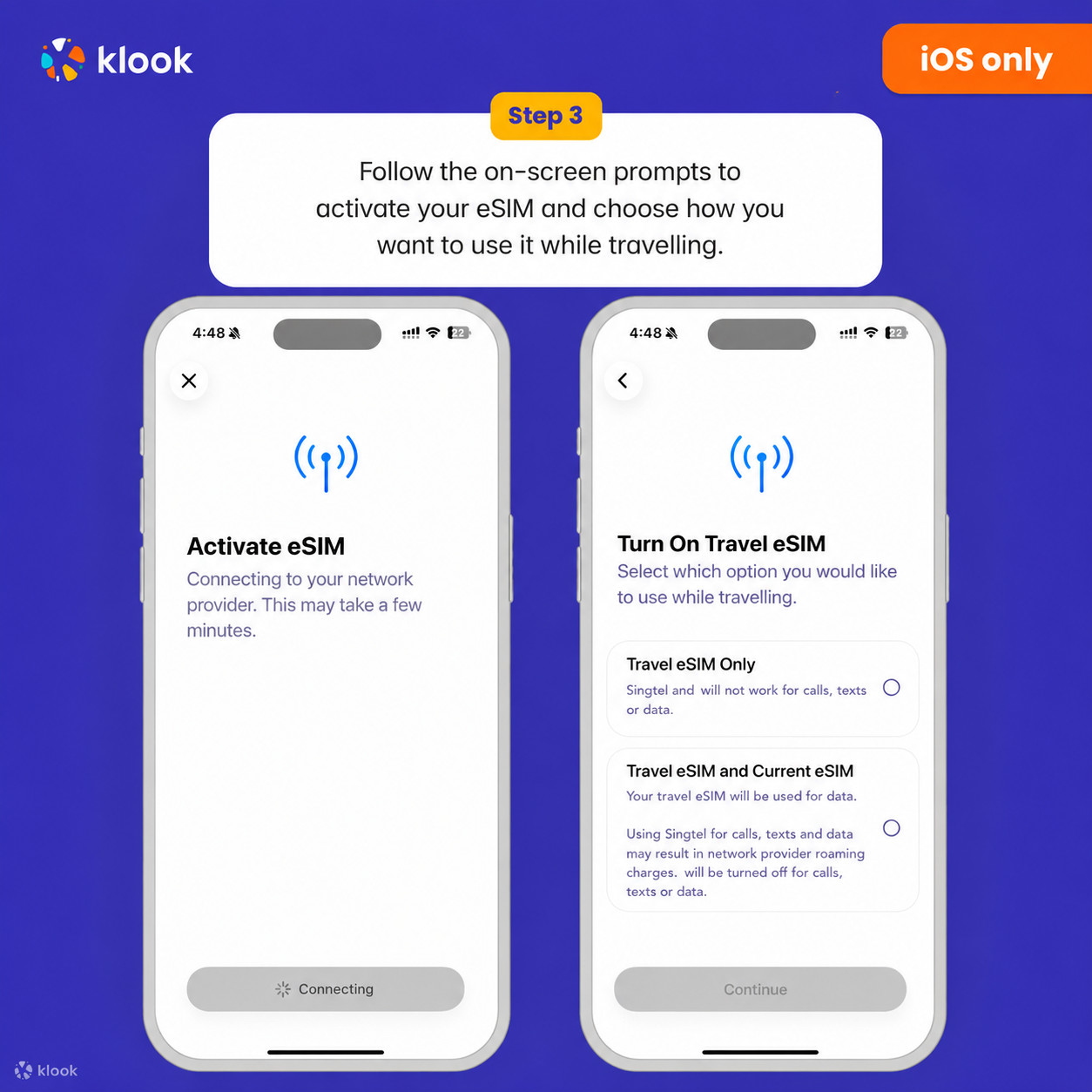
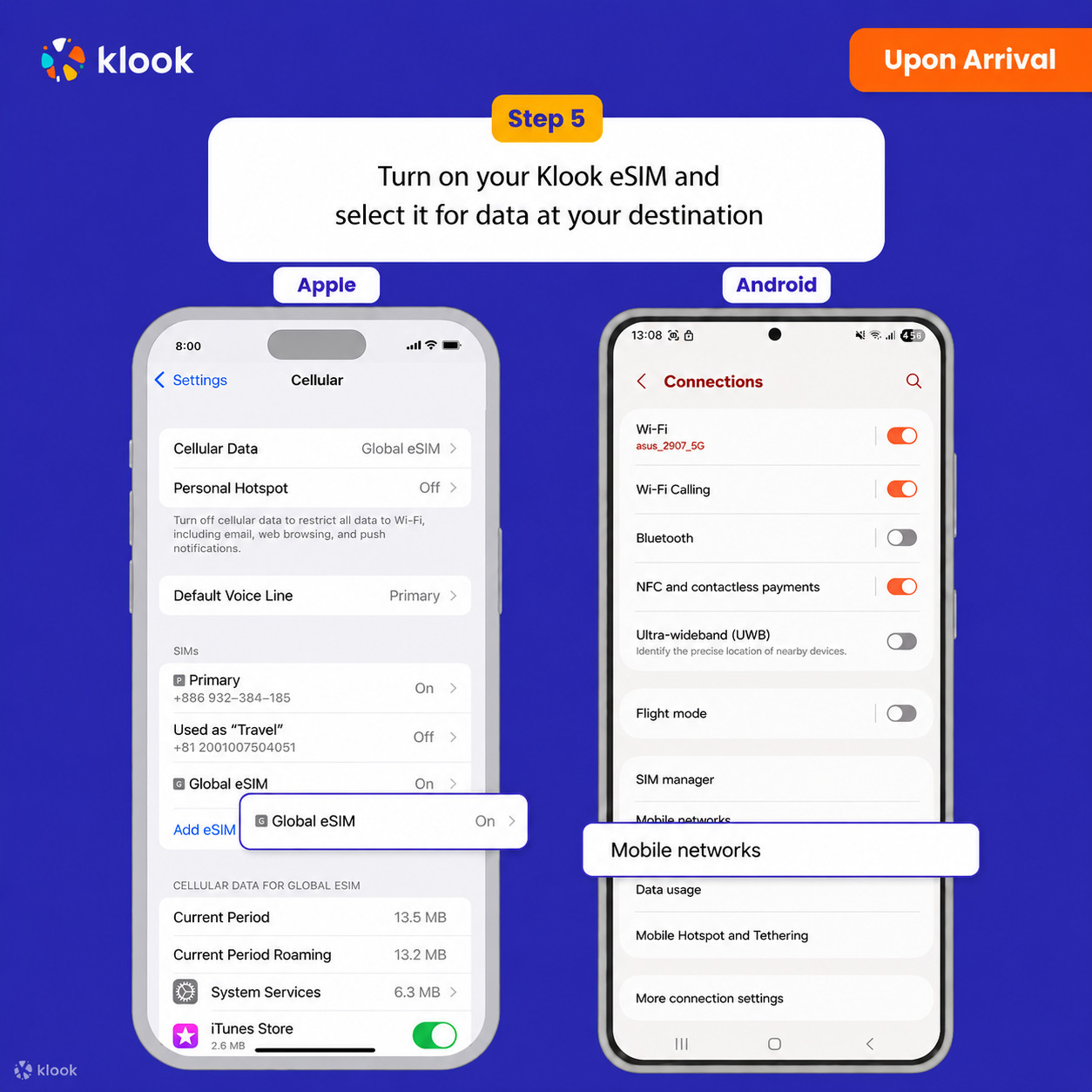
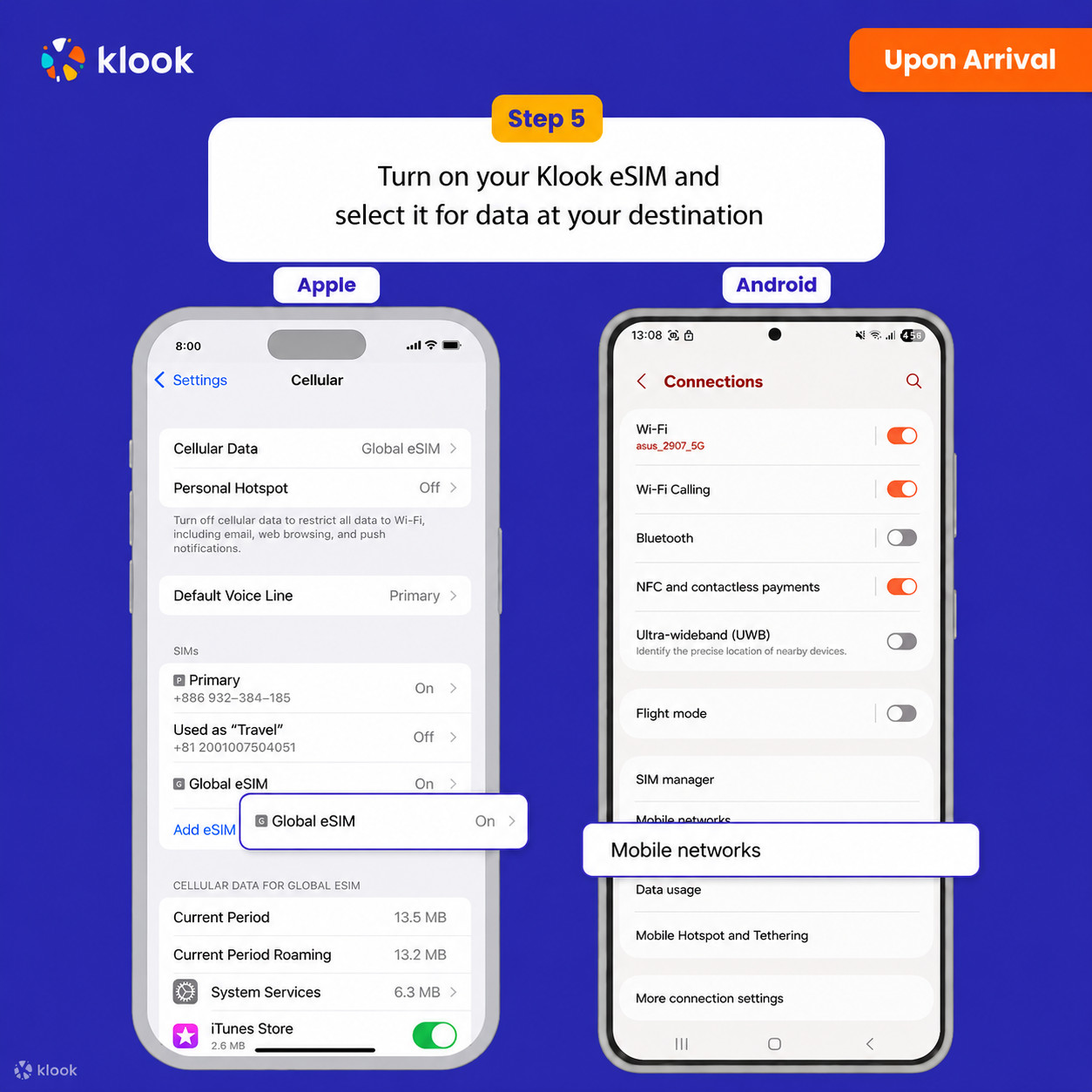
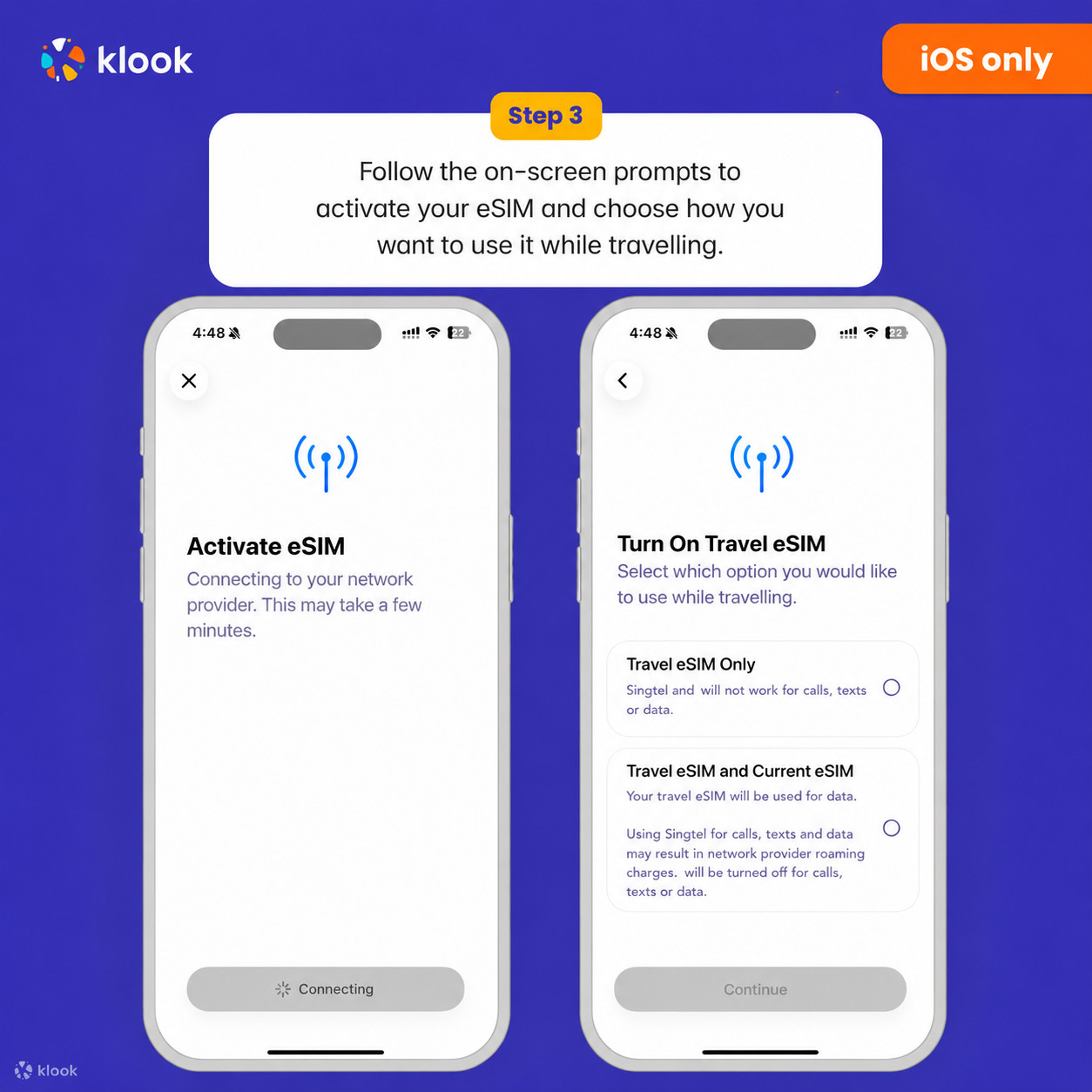
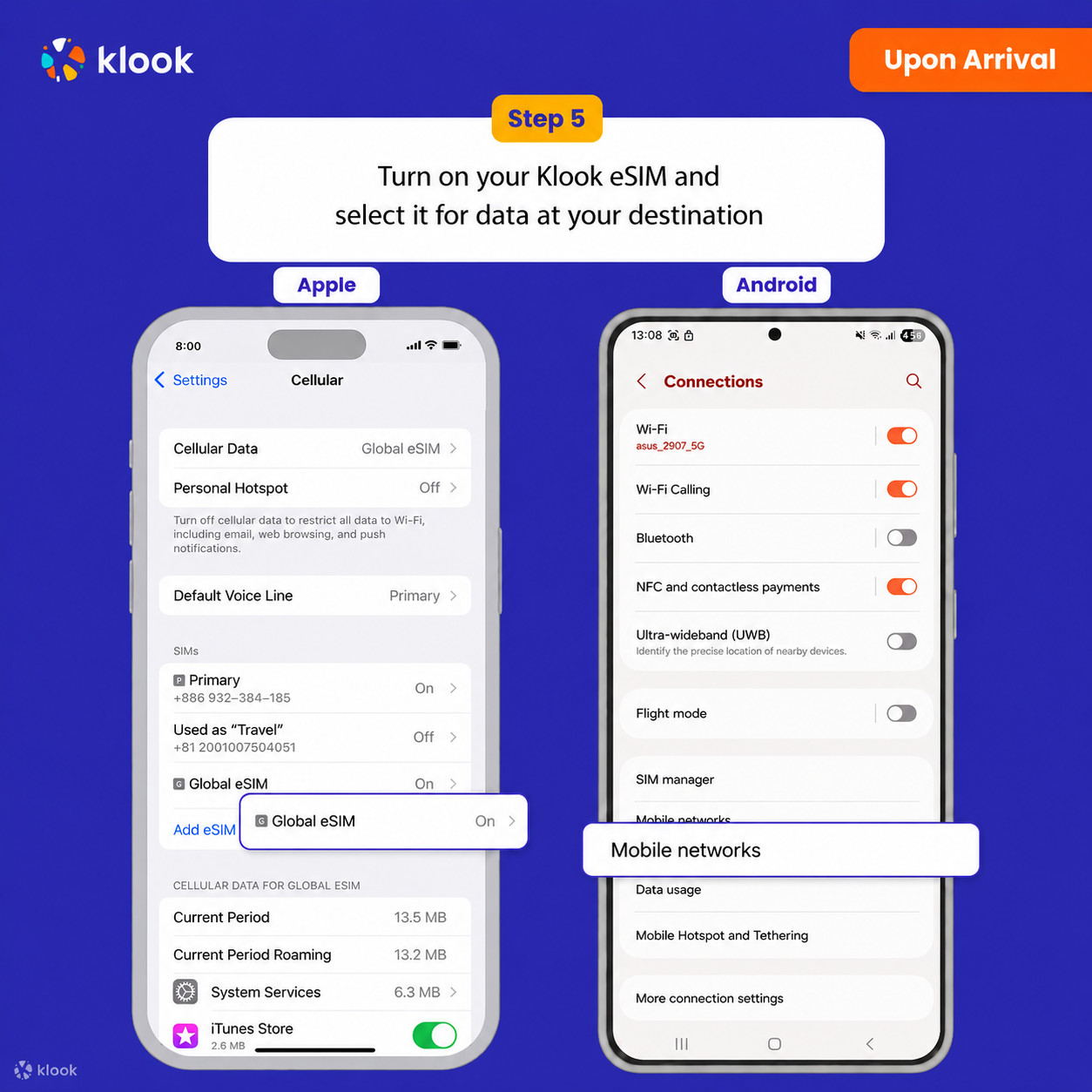
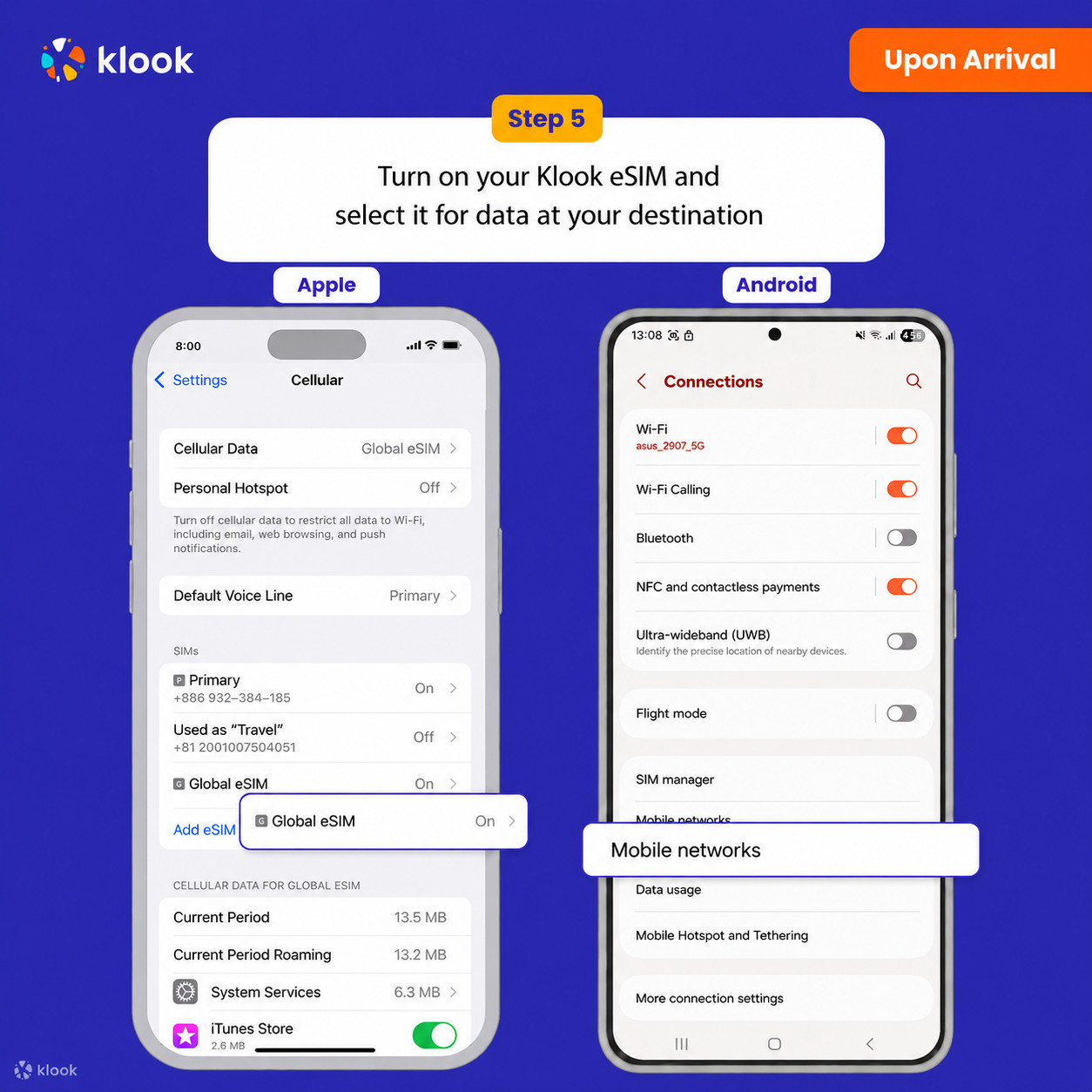
- Turn on Klook eSIM
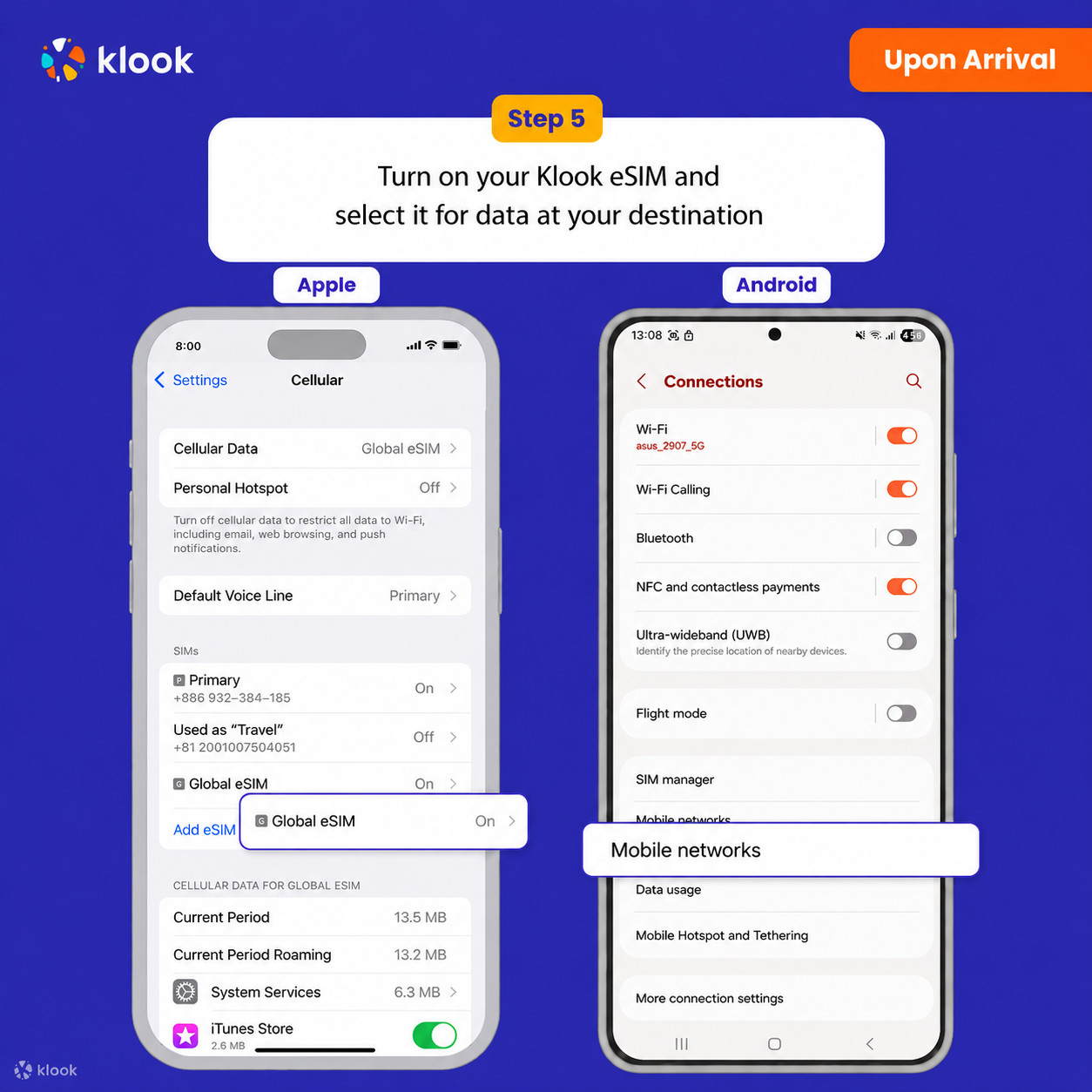
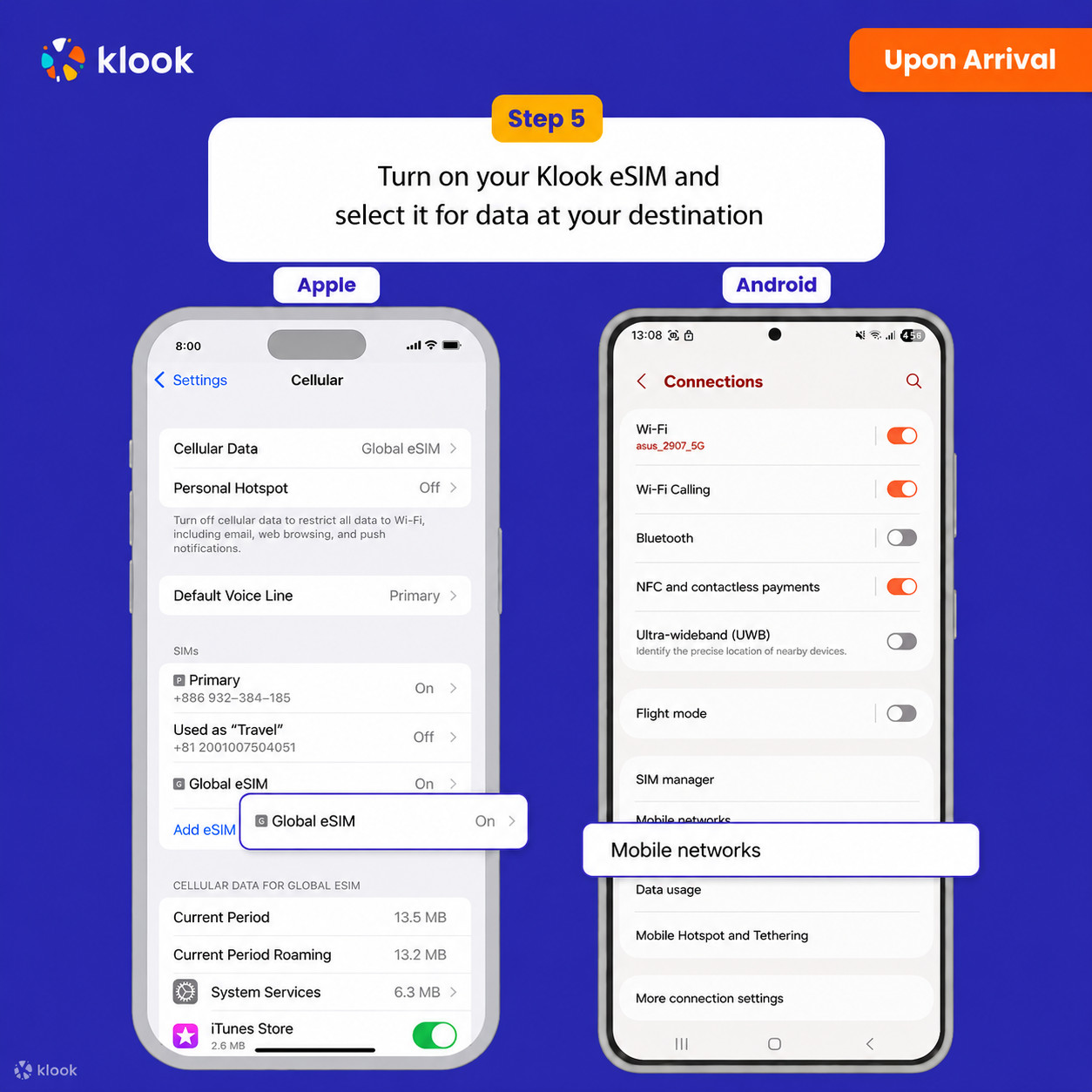
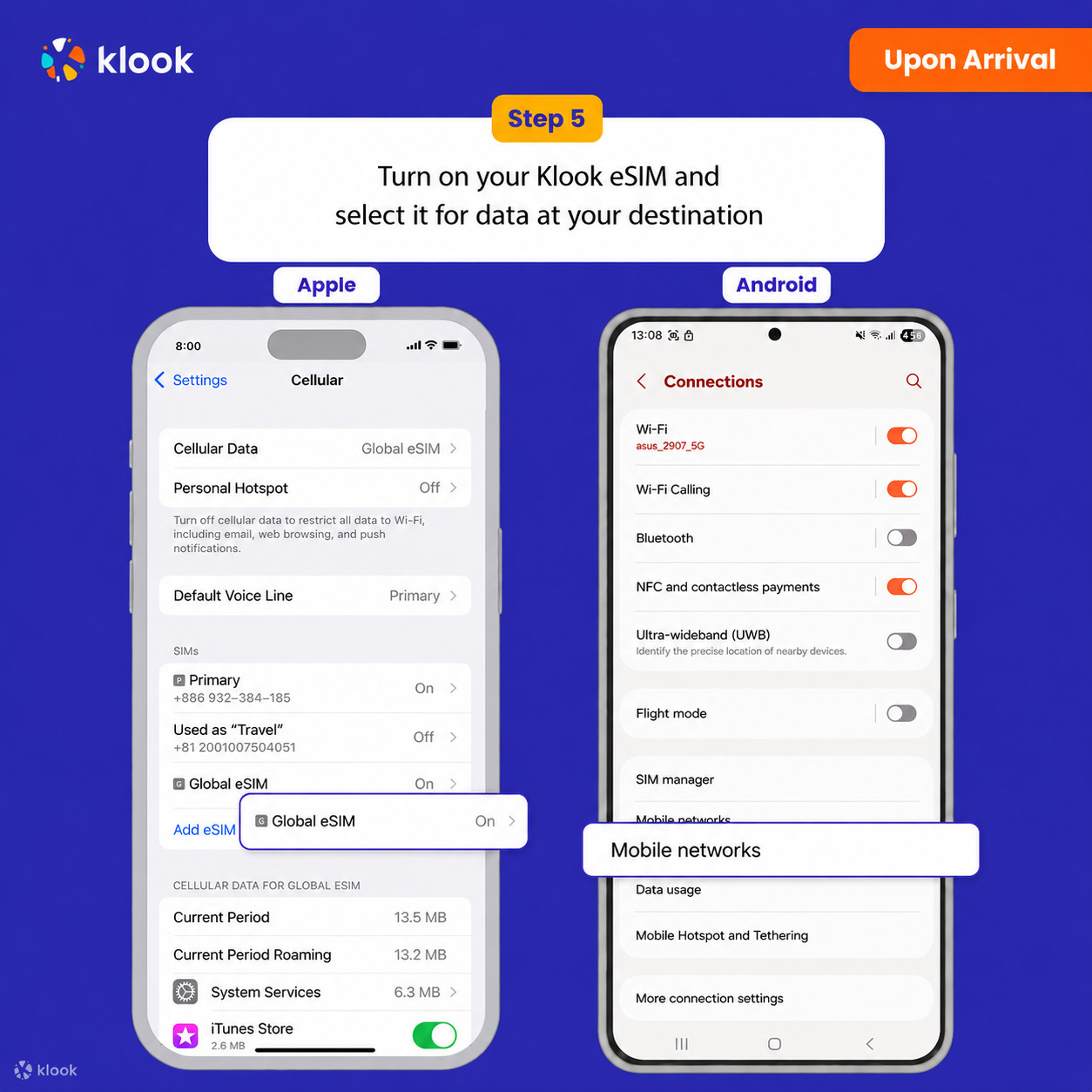
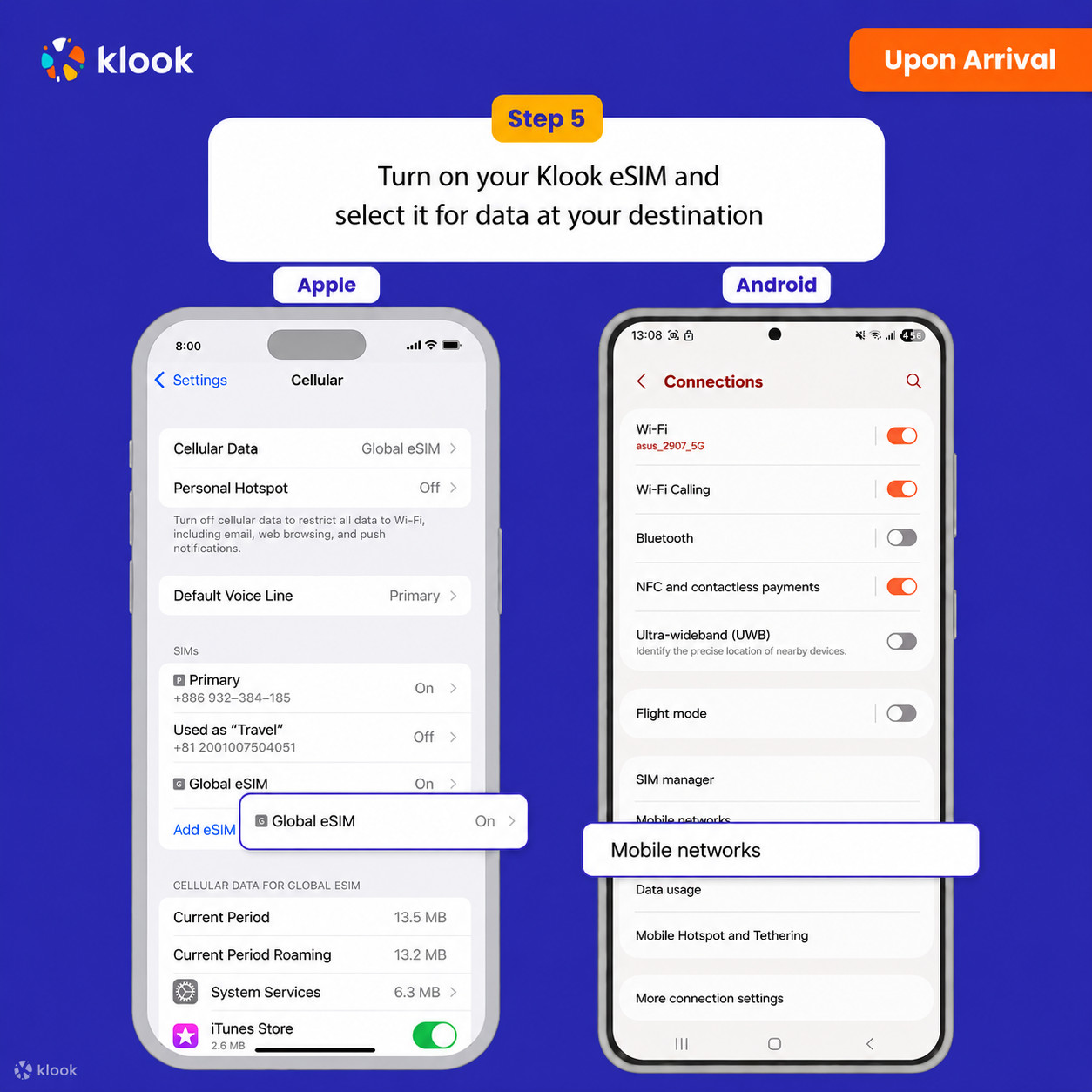
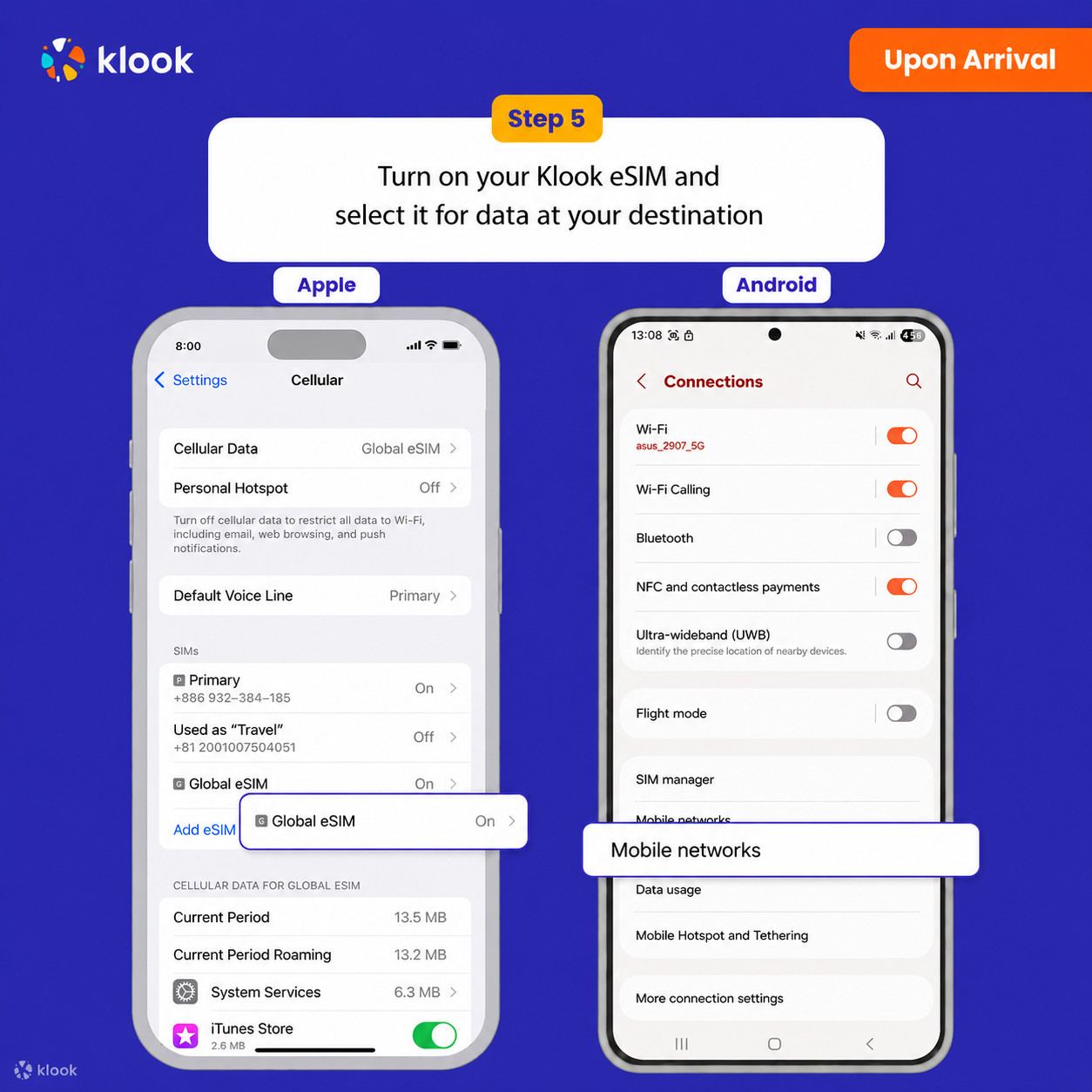
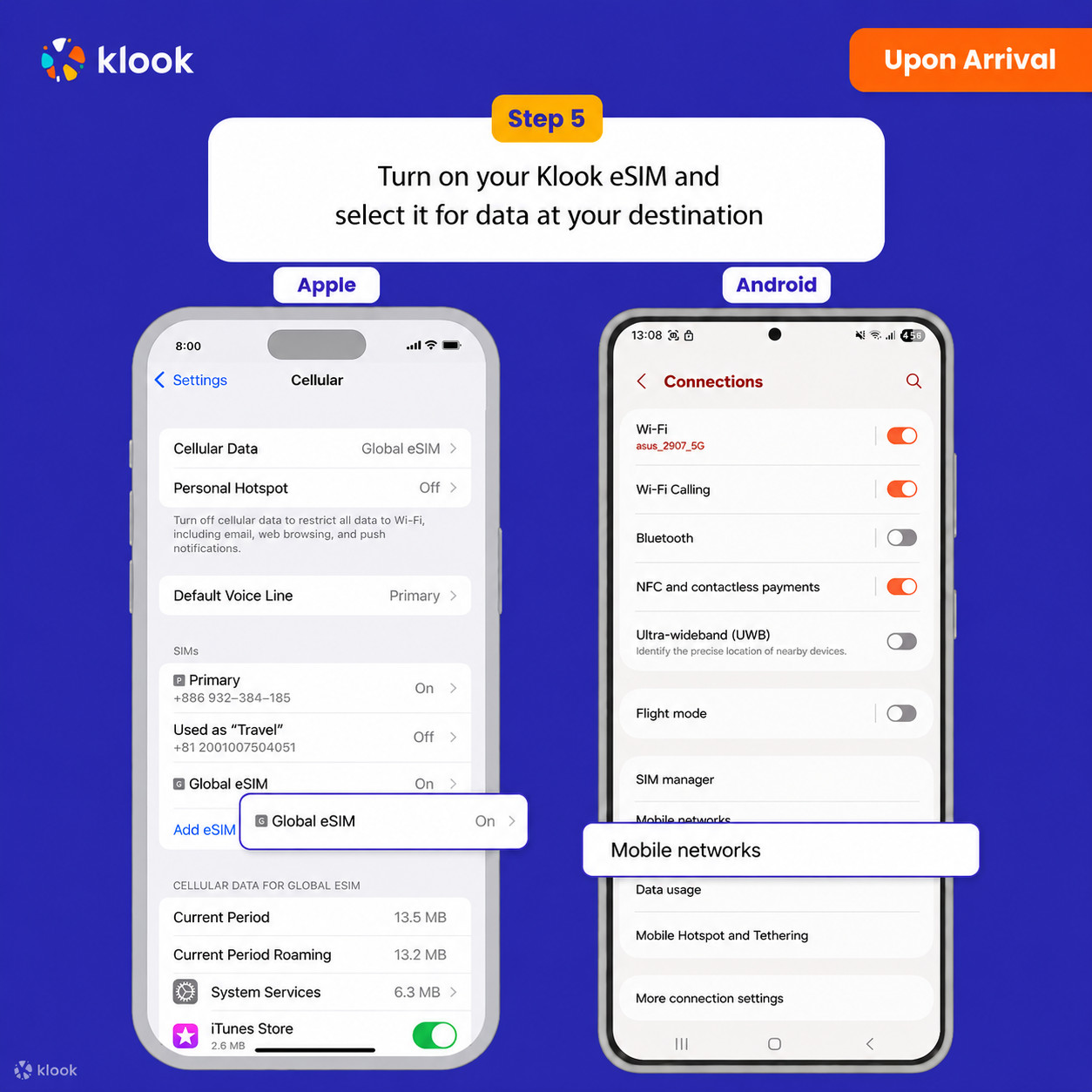
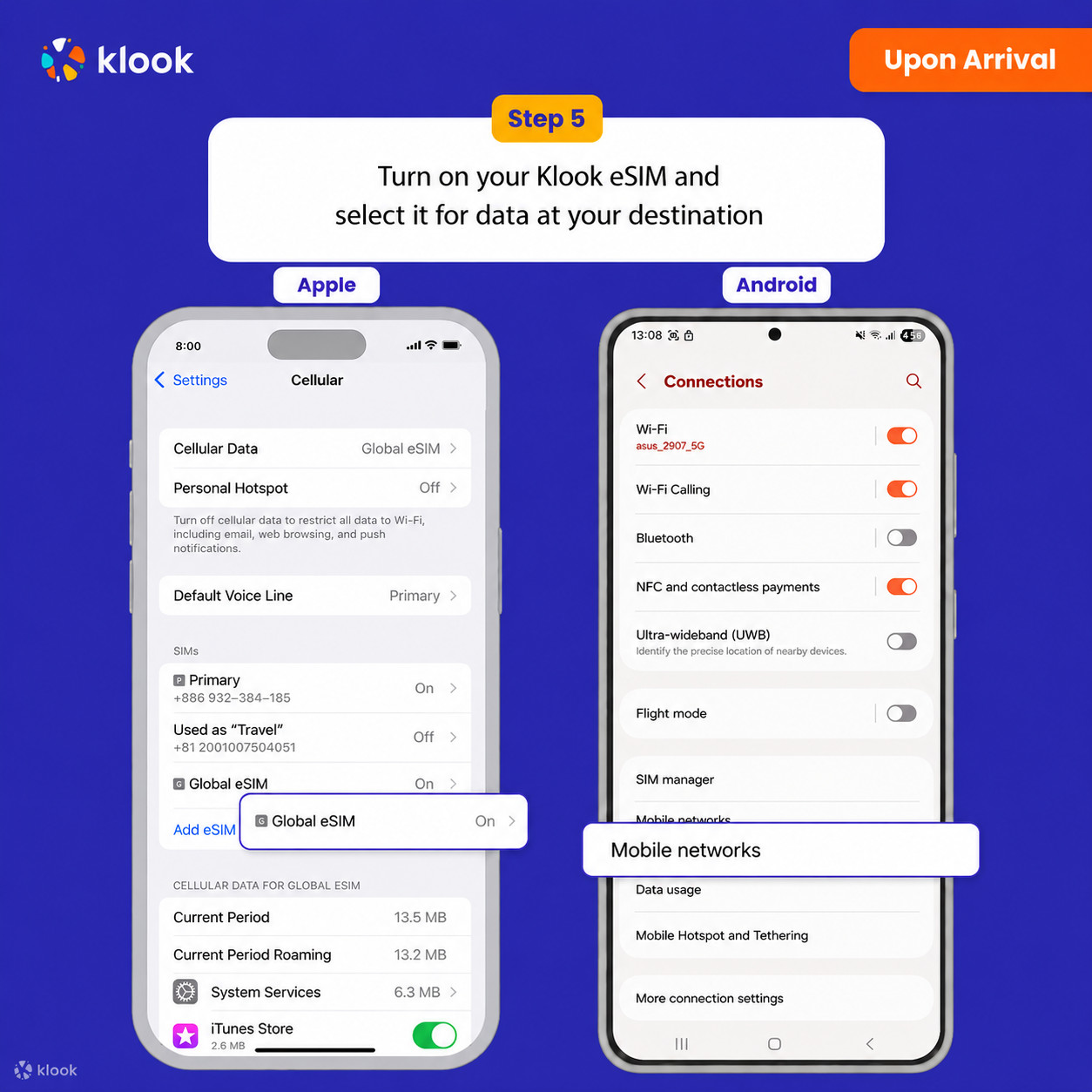
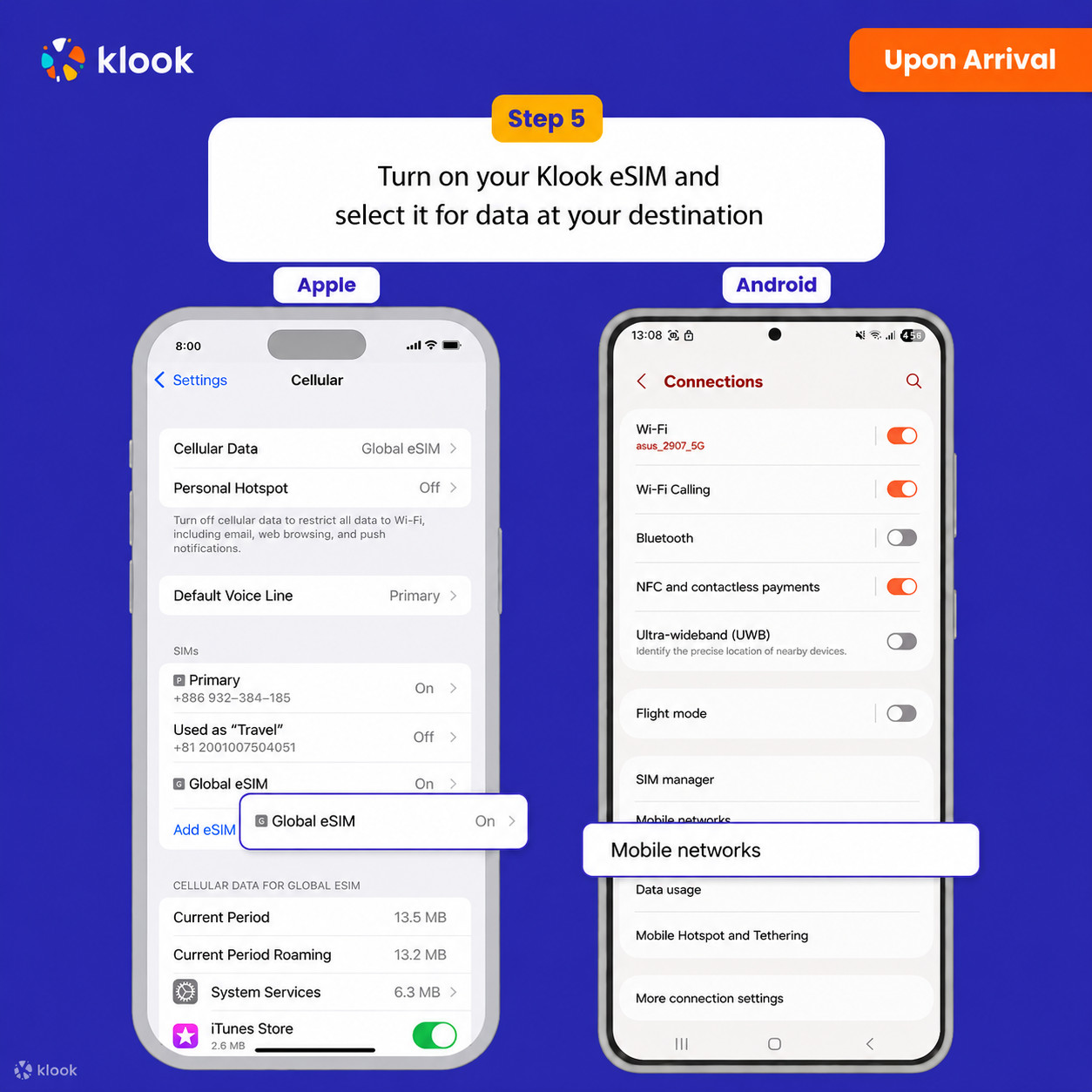
Turn on Klook eSIM and select Klook eSIM for mobile data

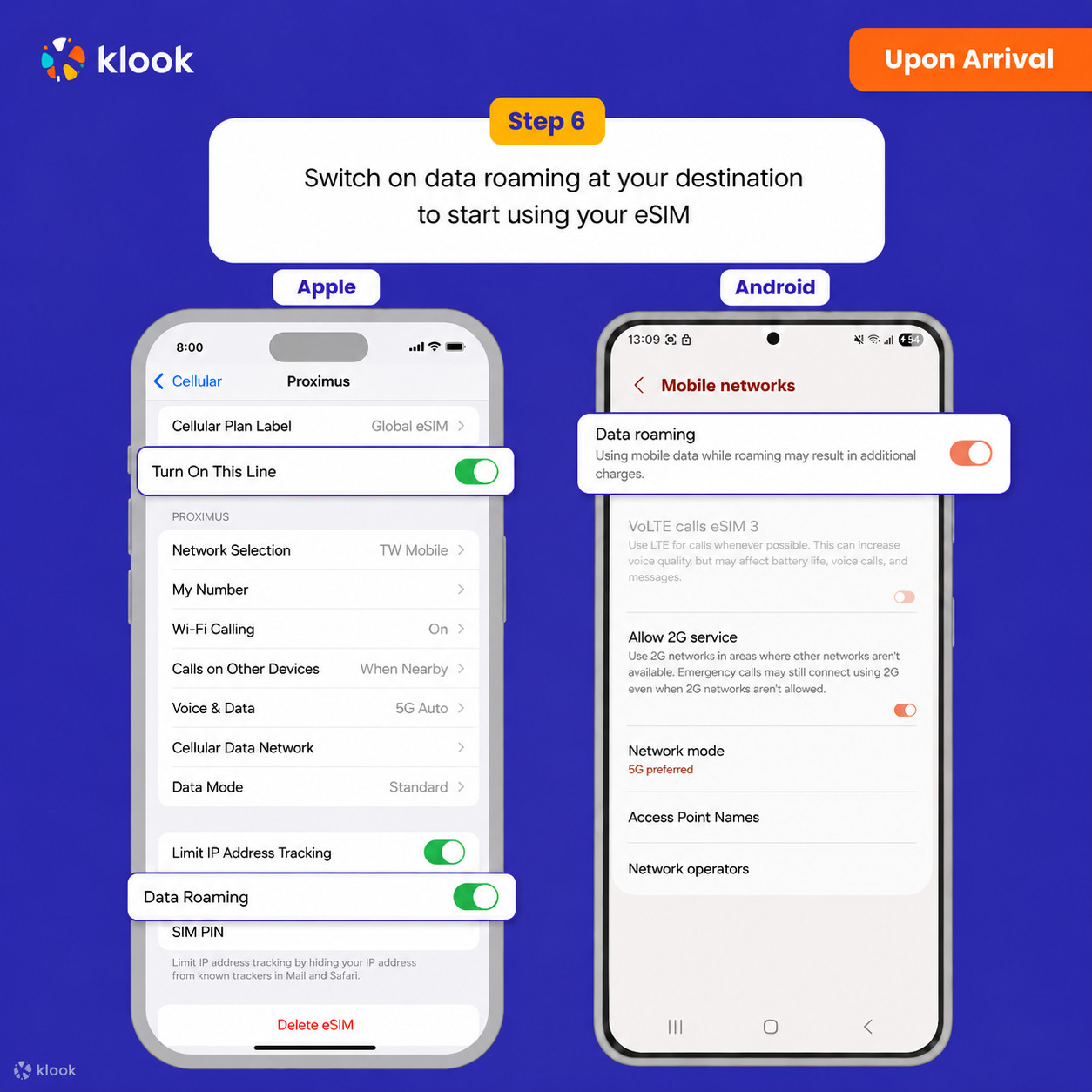
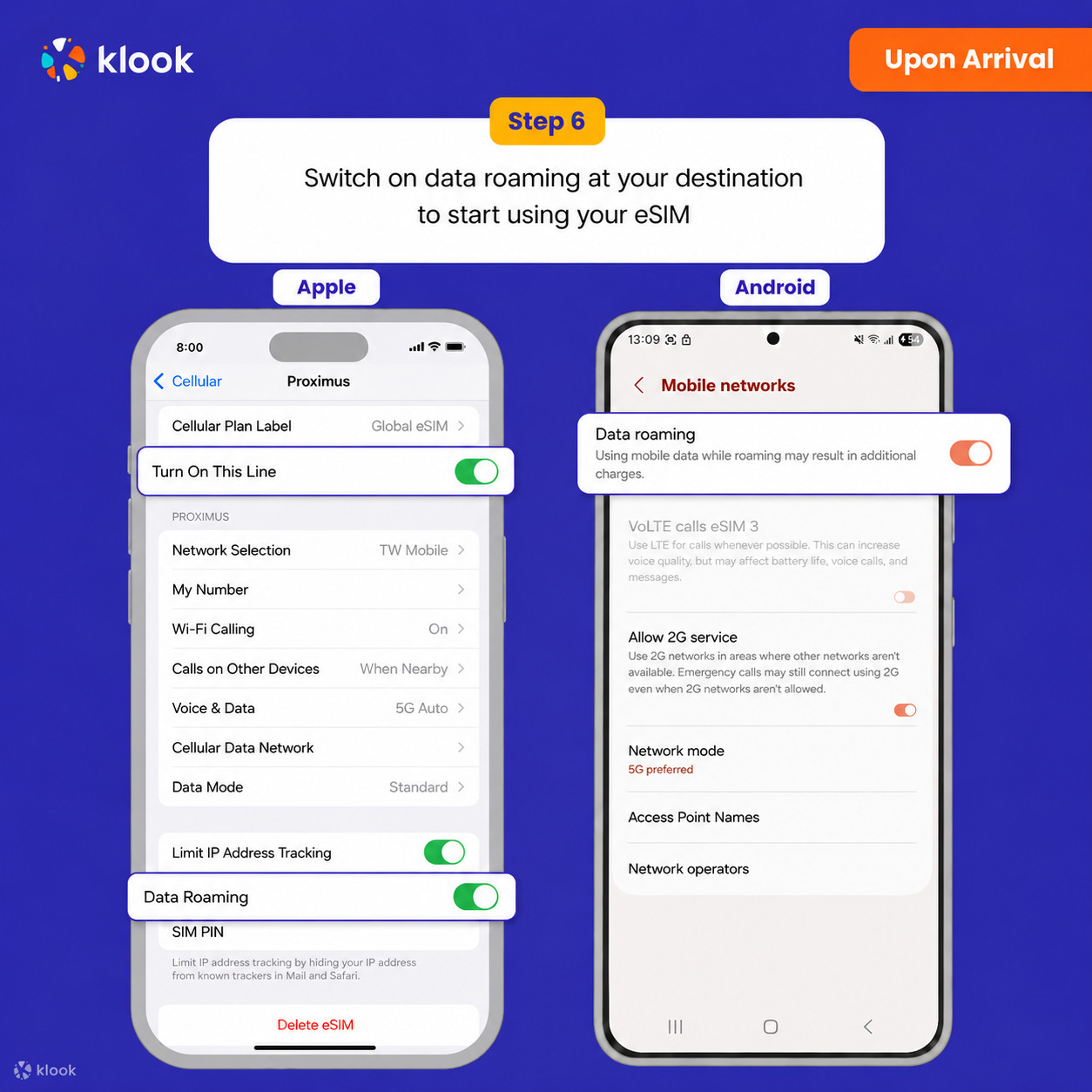
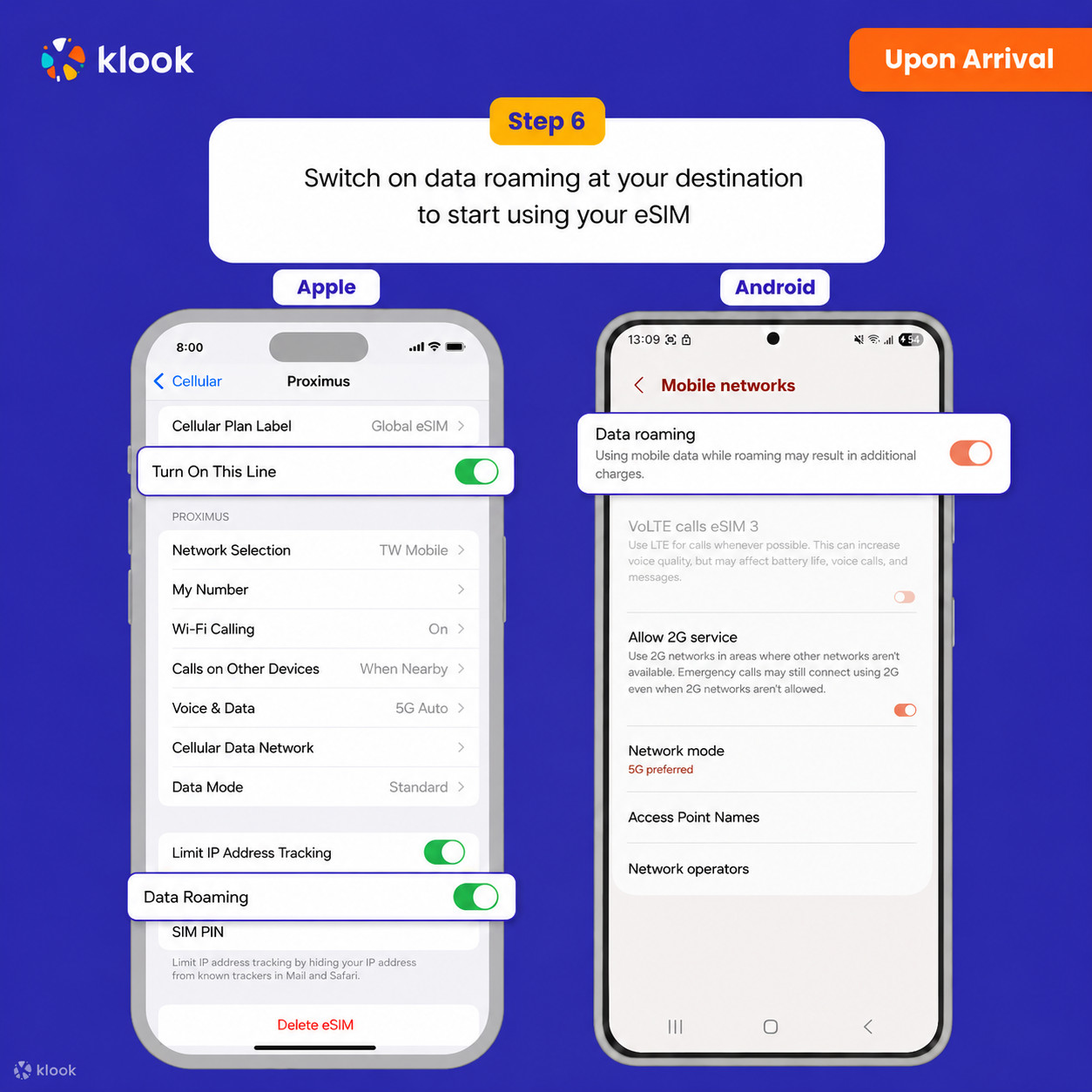
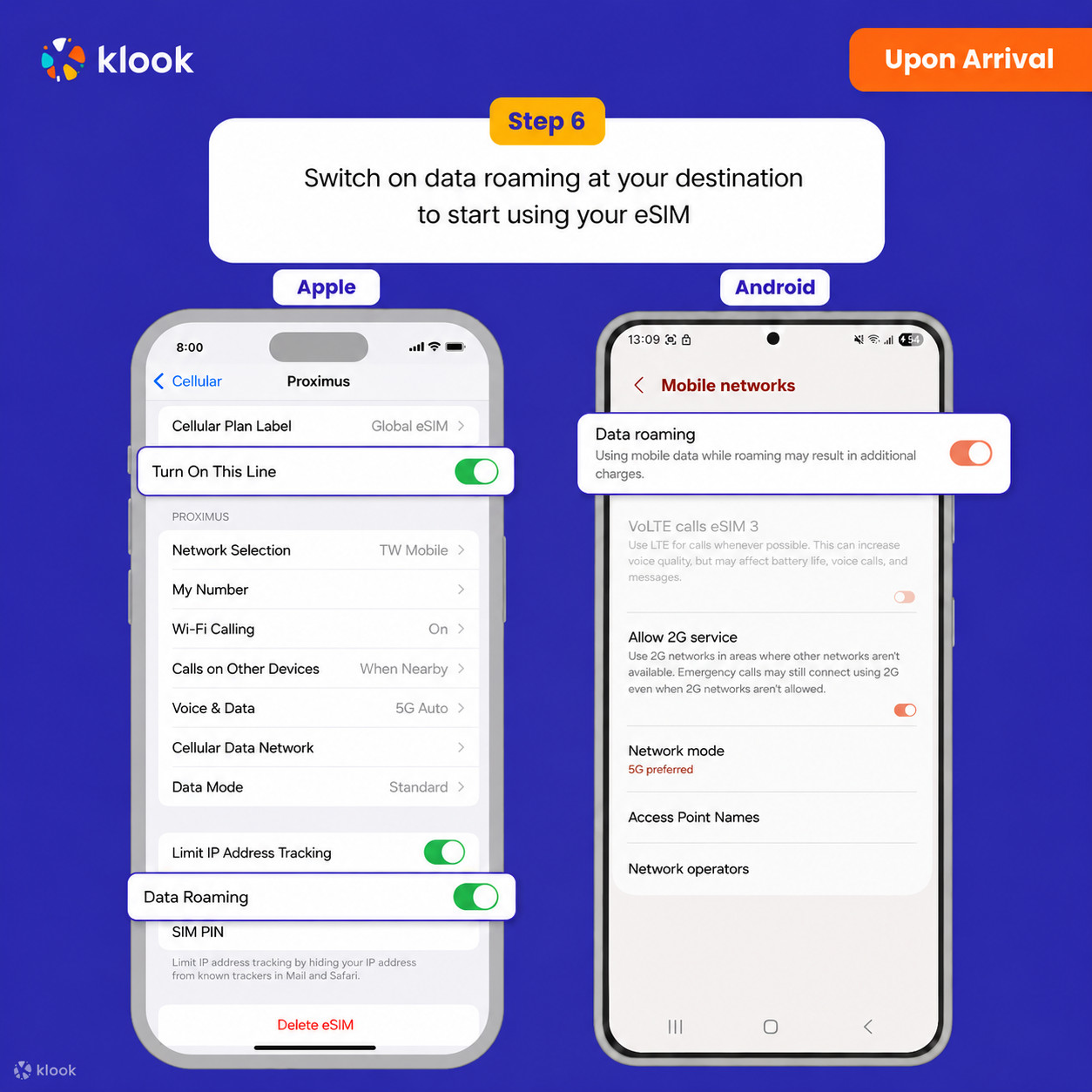
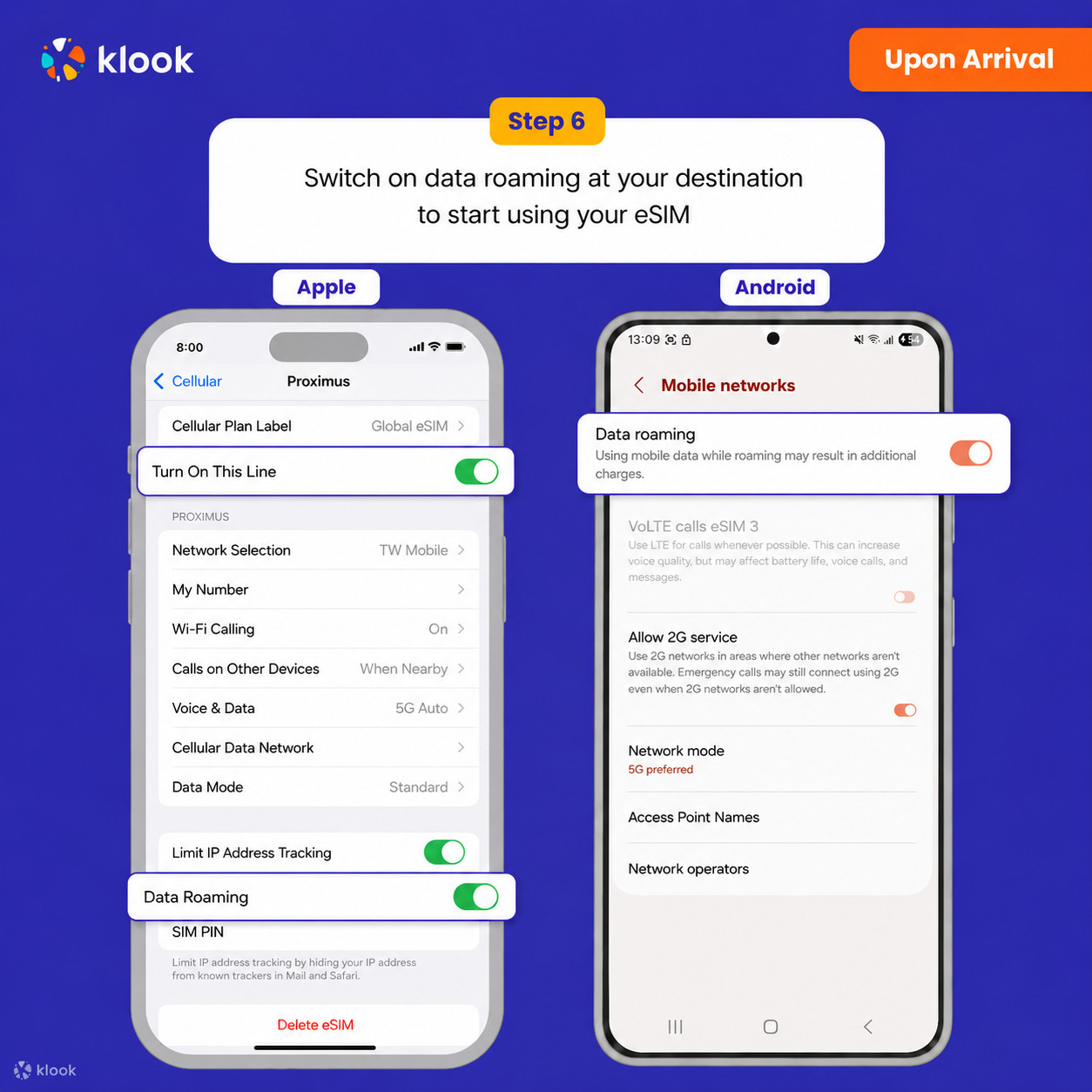
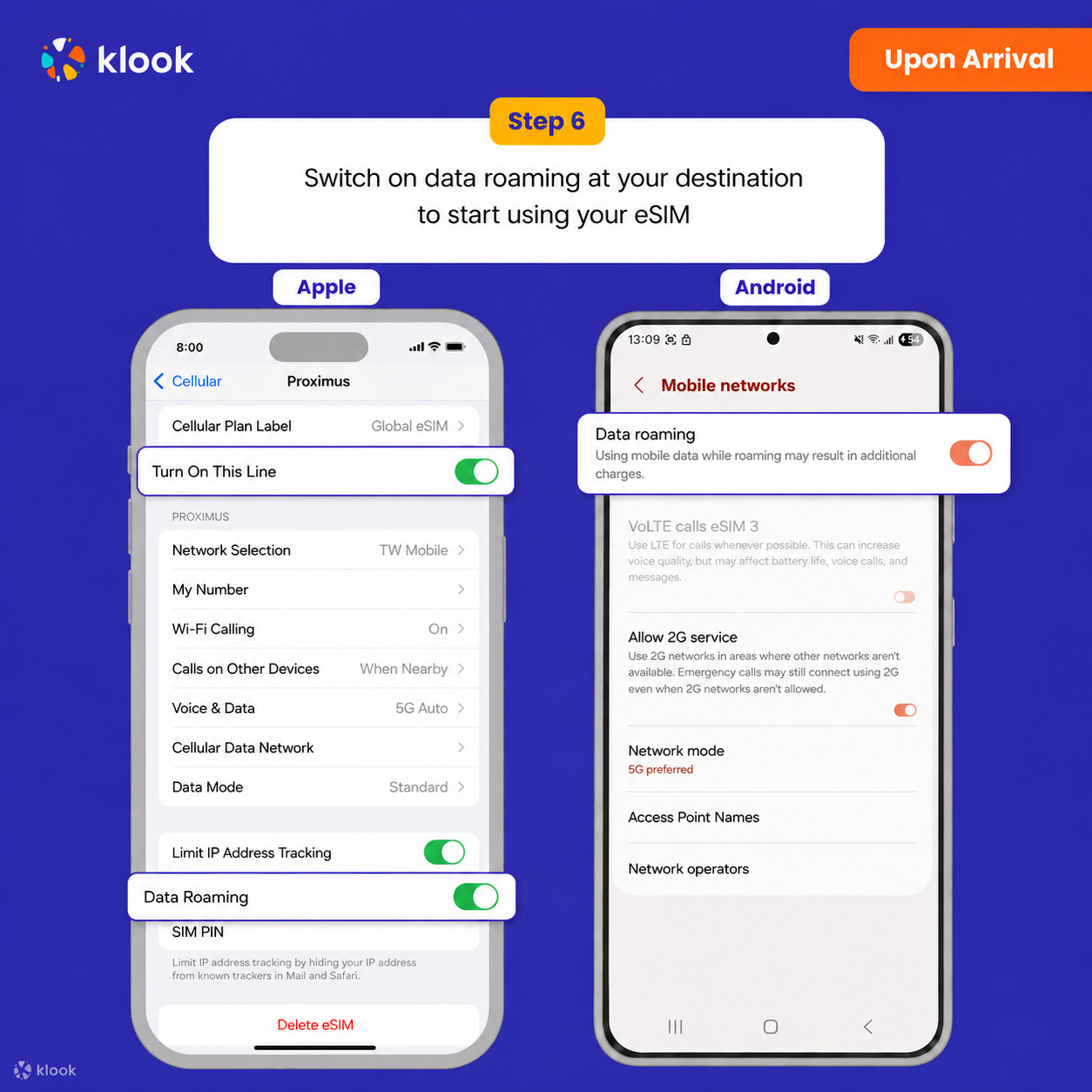
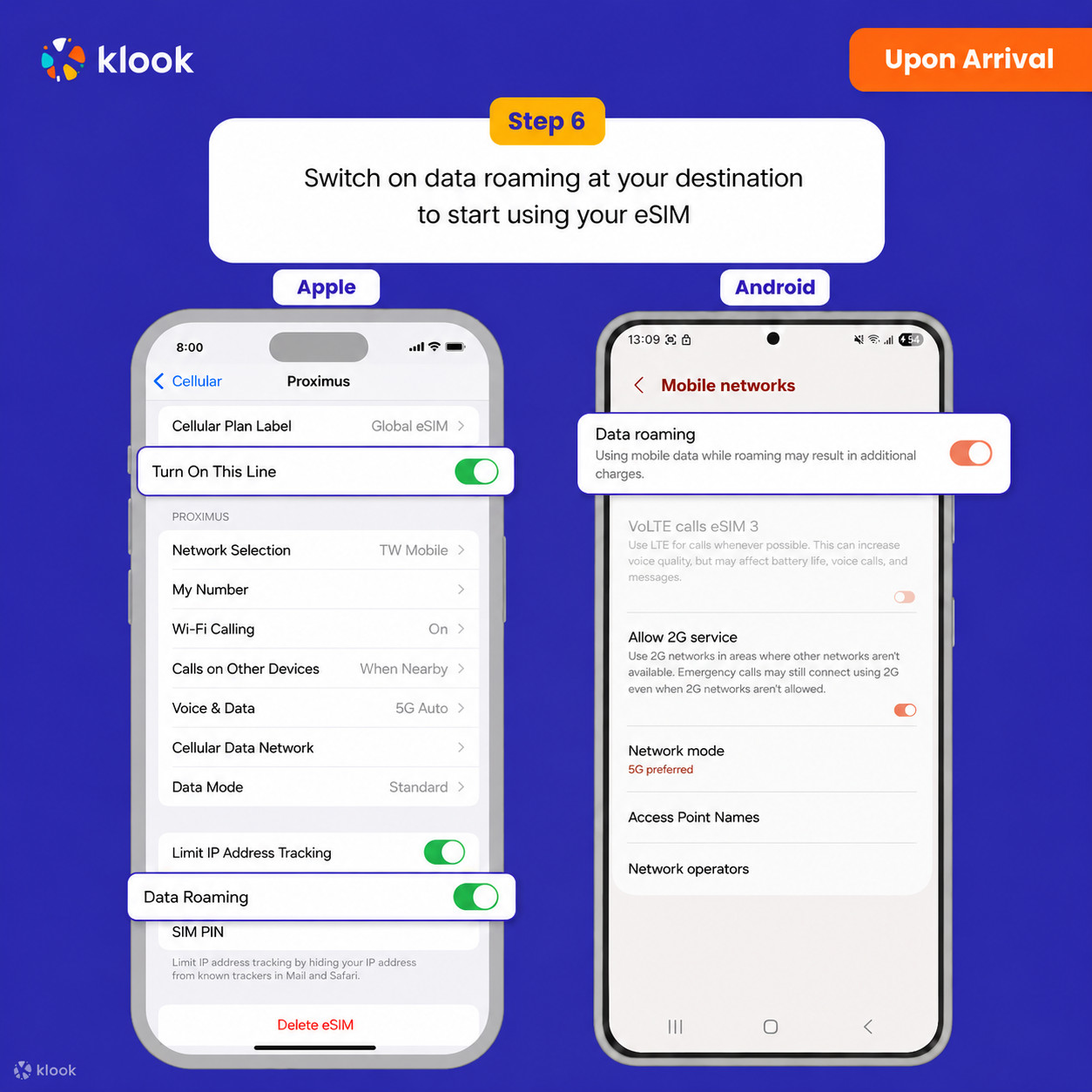
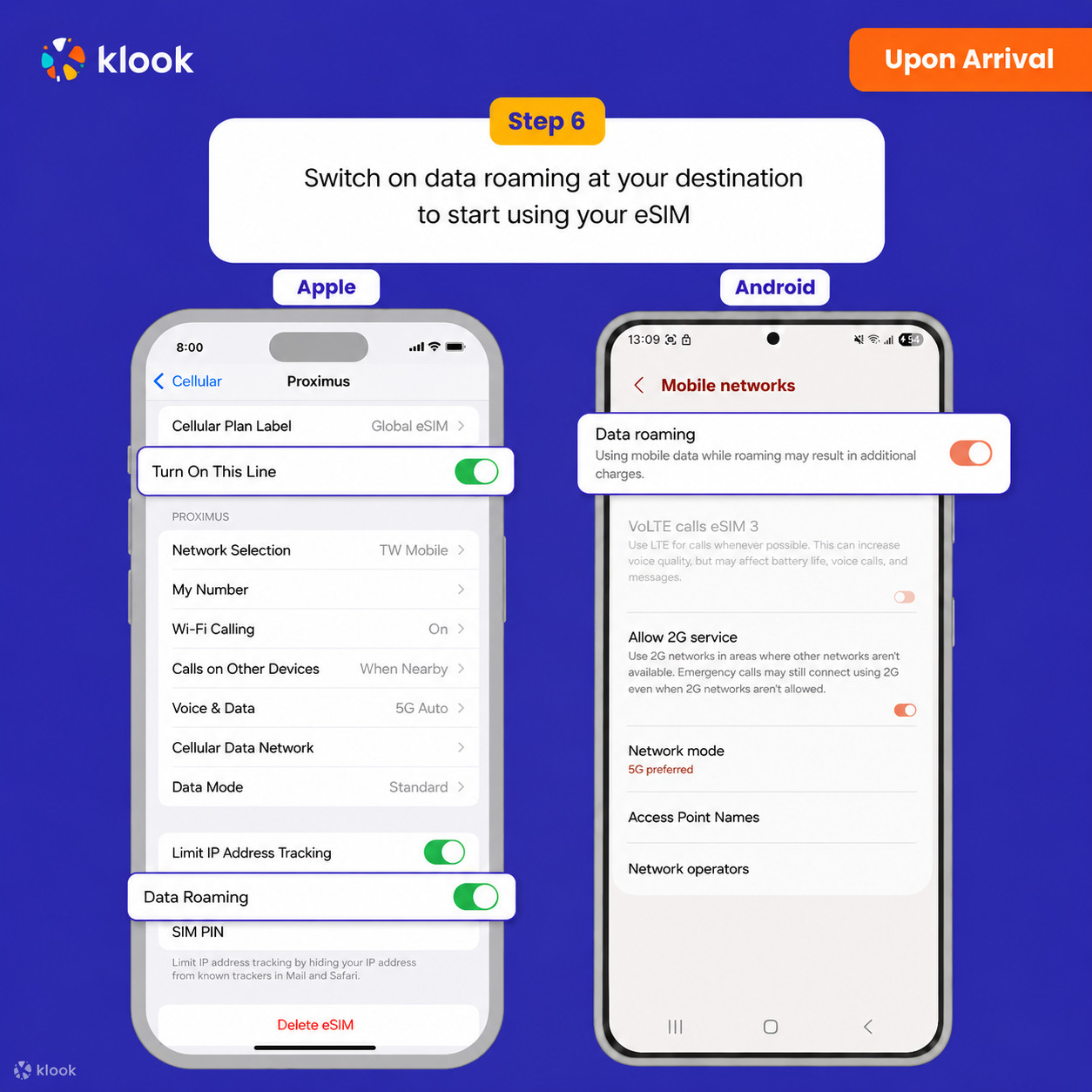
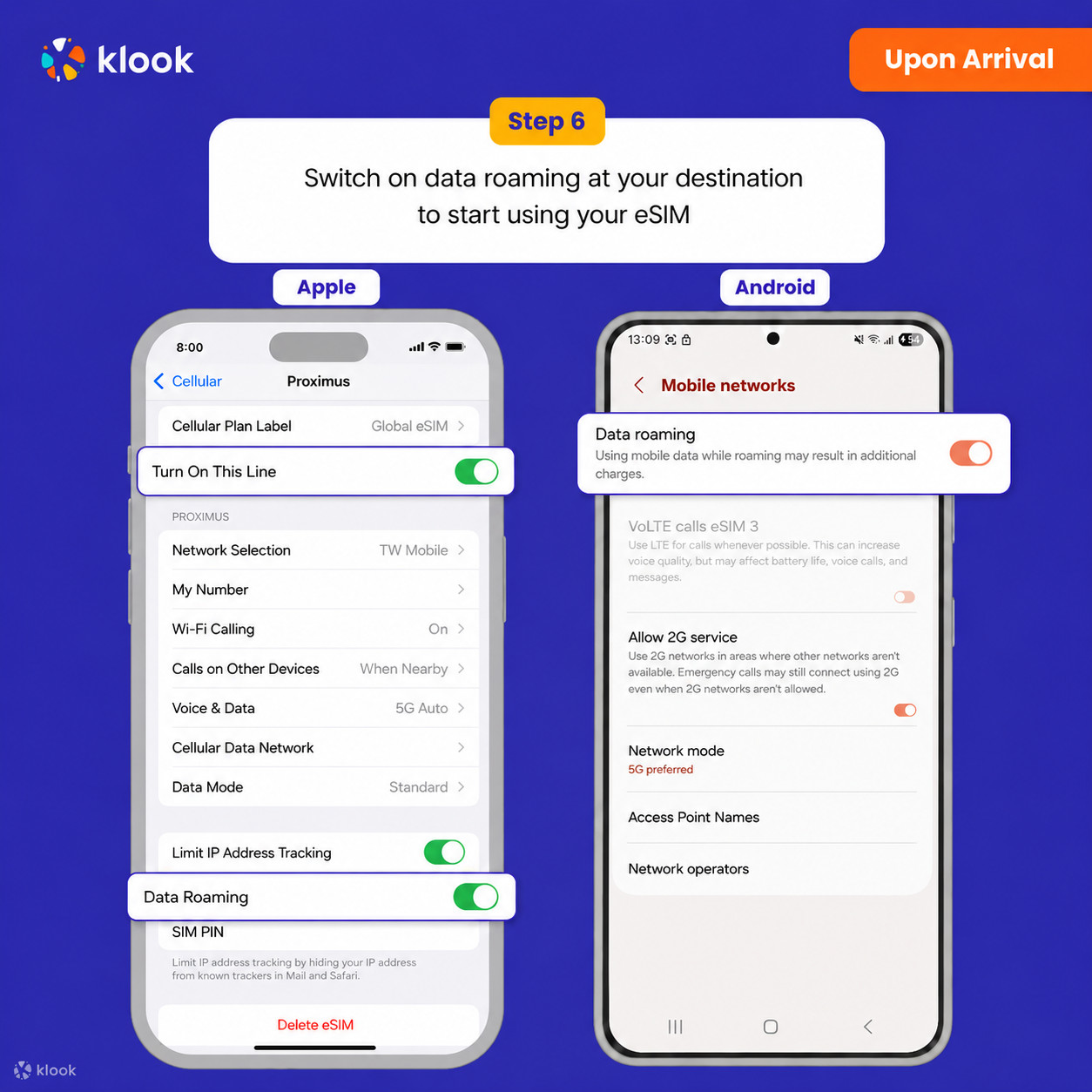
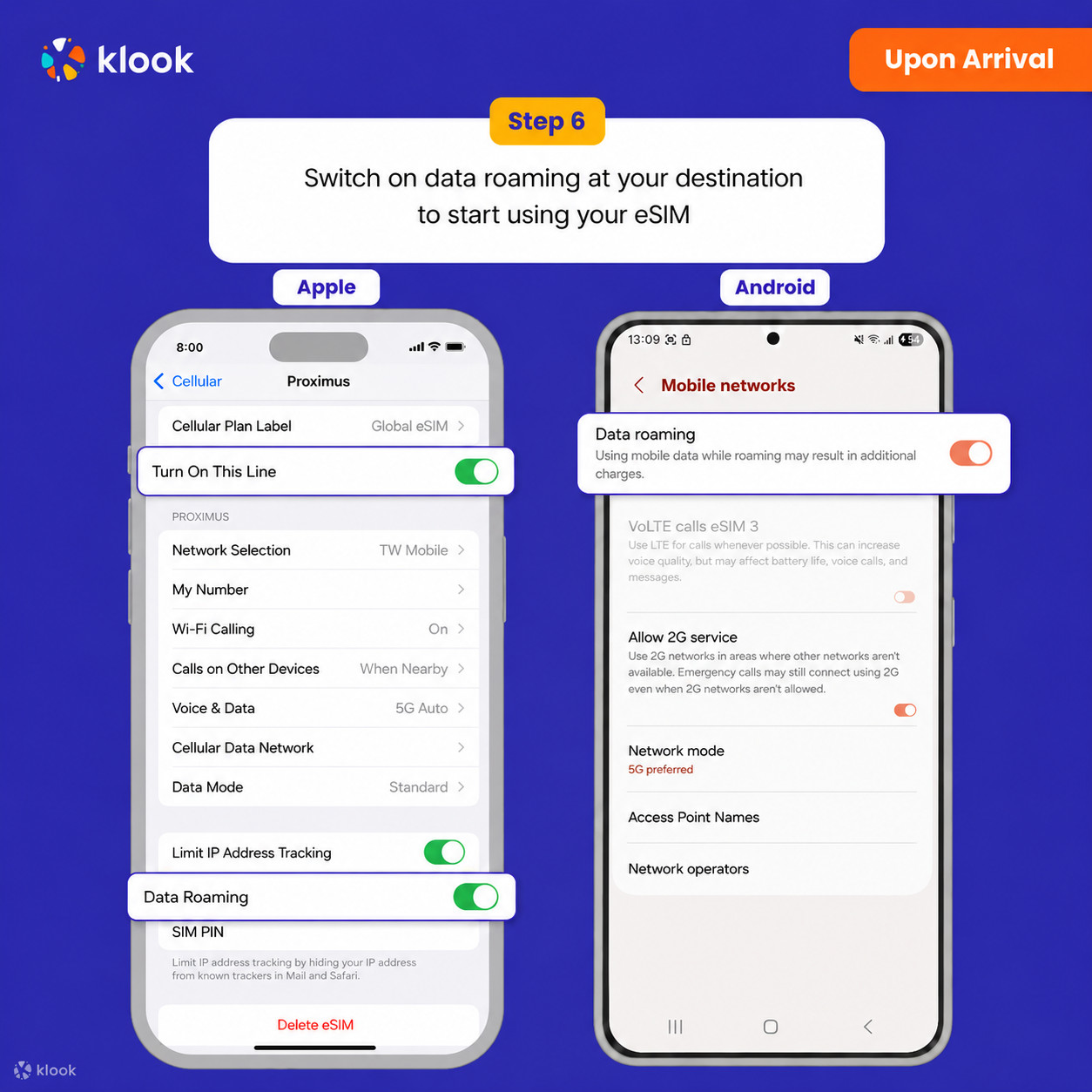
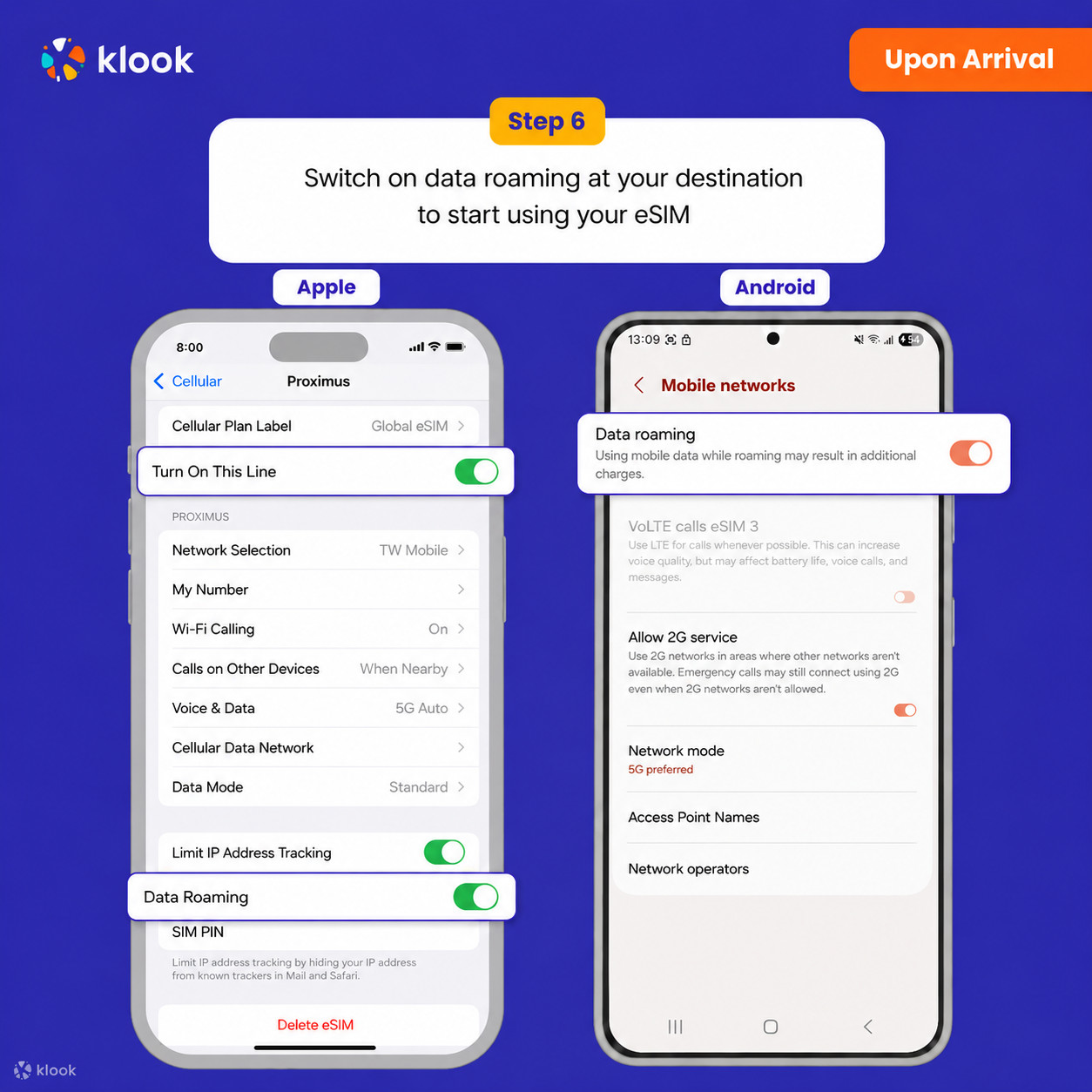
- Turn on Data roaming
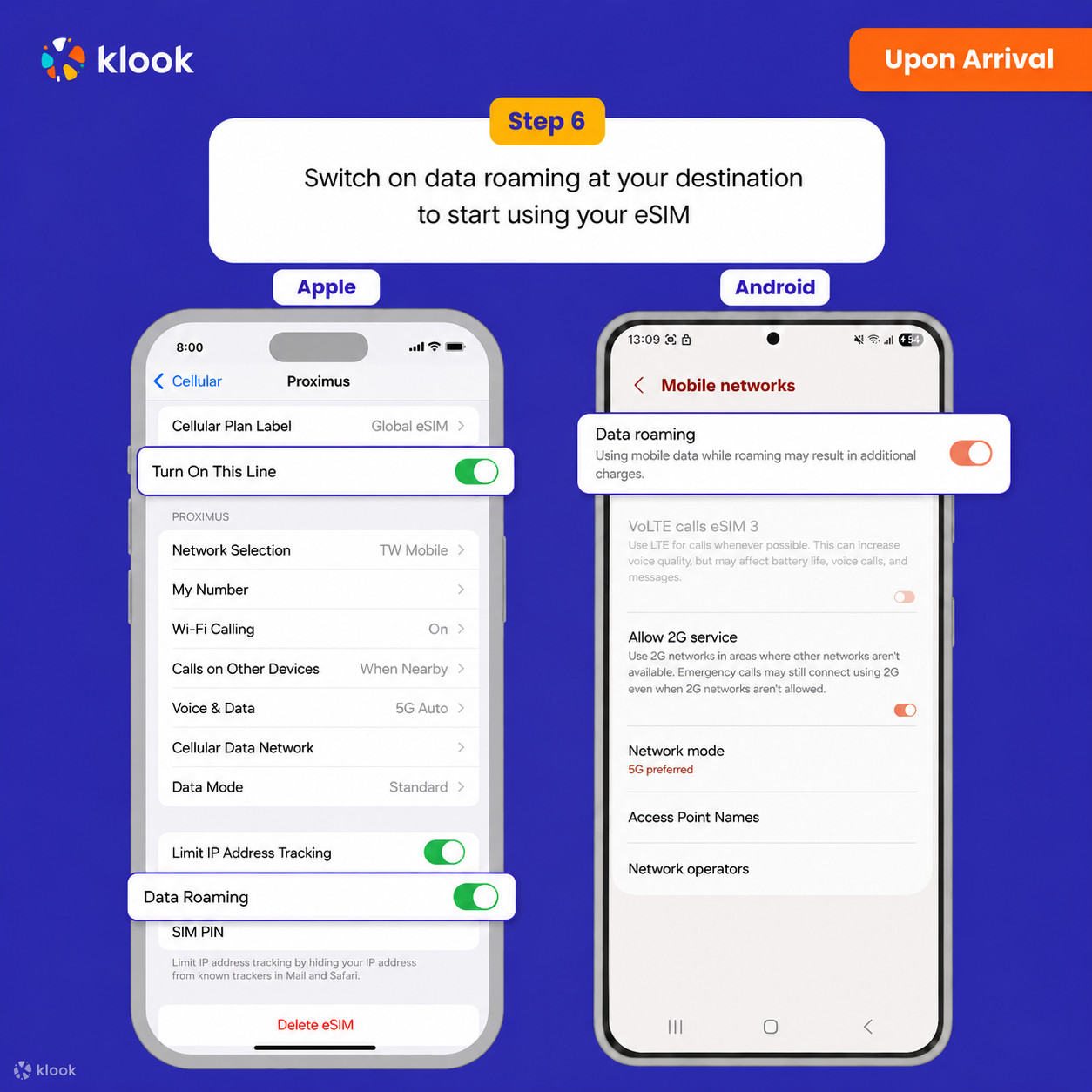
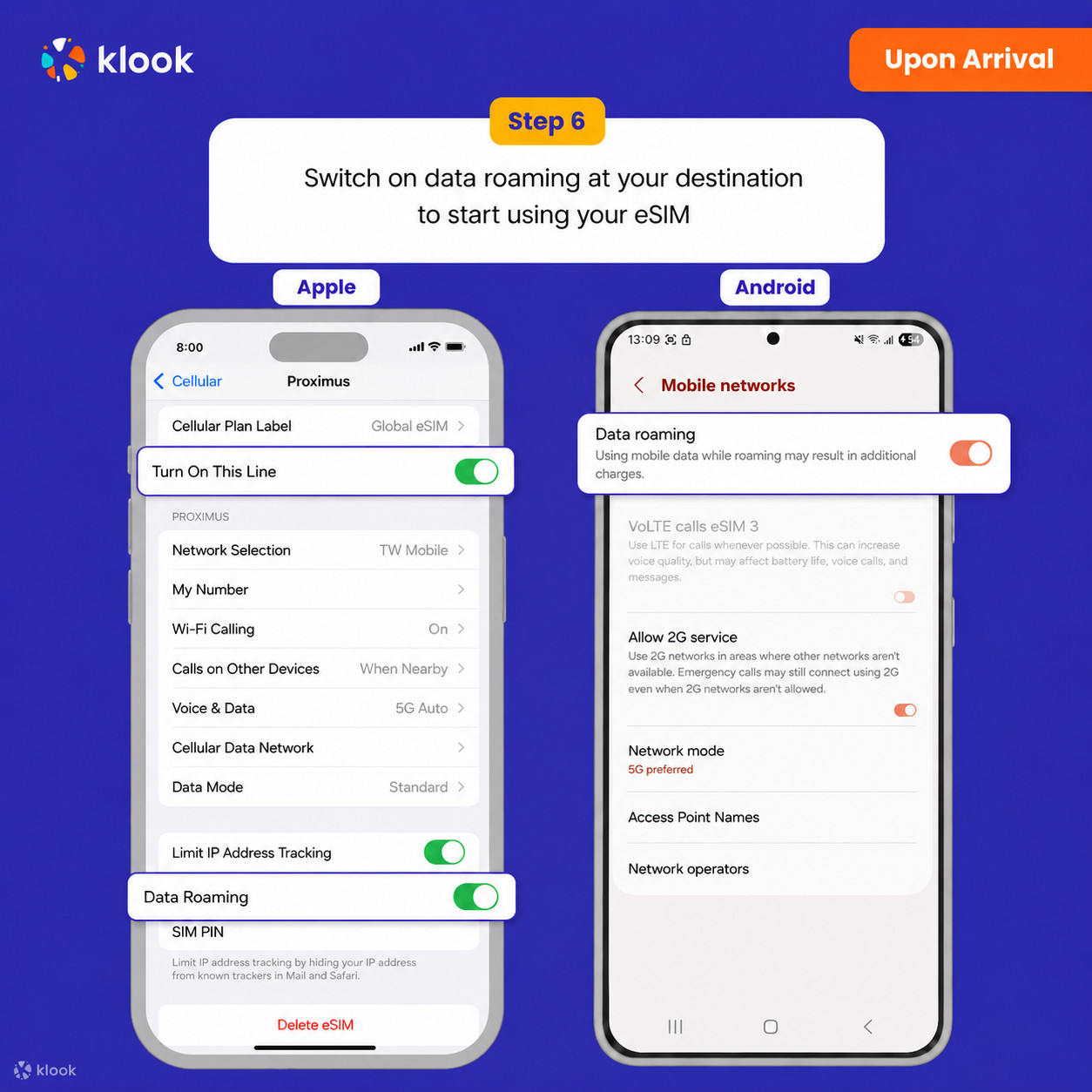
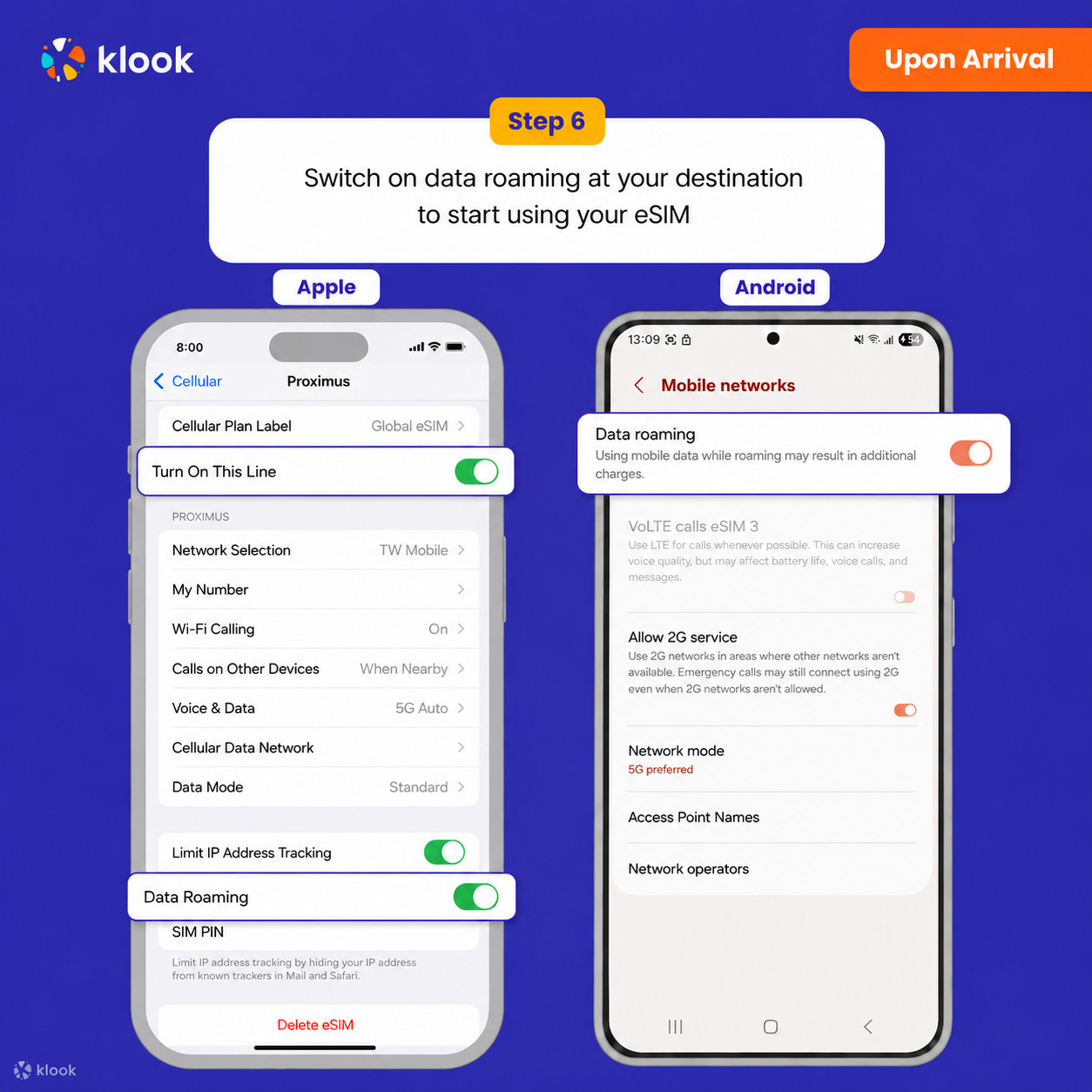
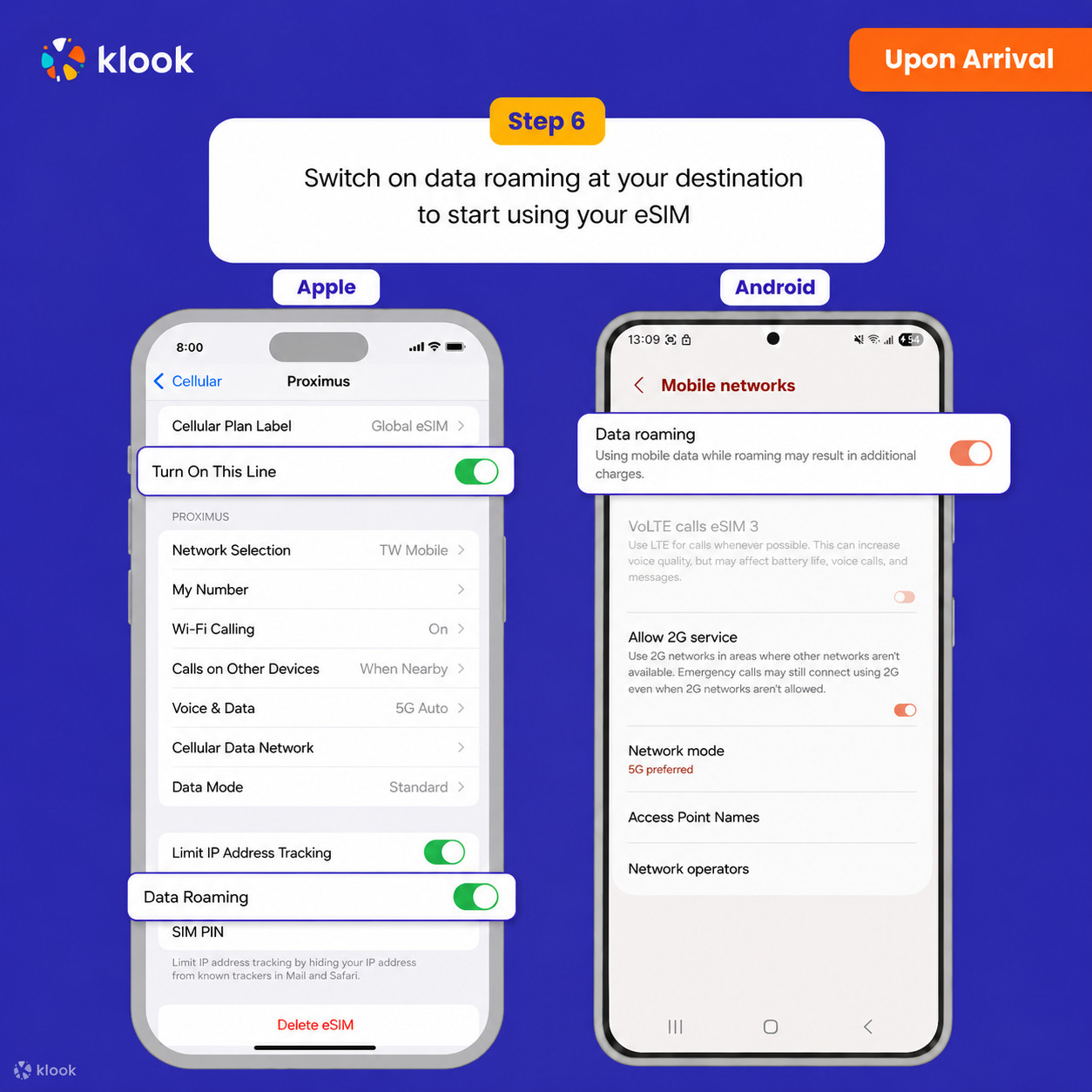
Switch on data roaming at your destination to start using your eSIM

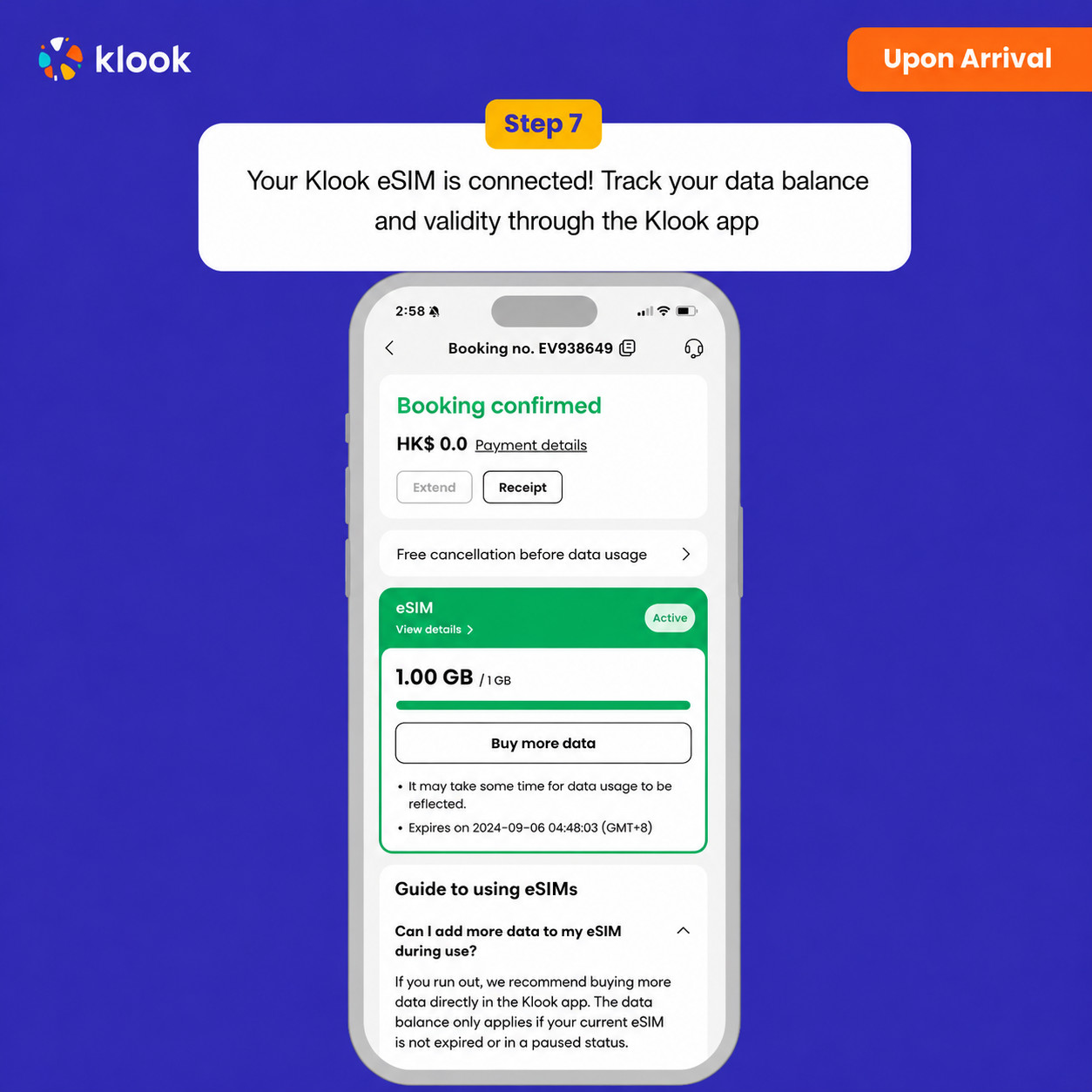
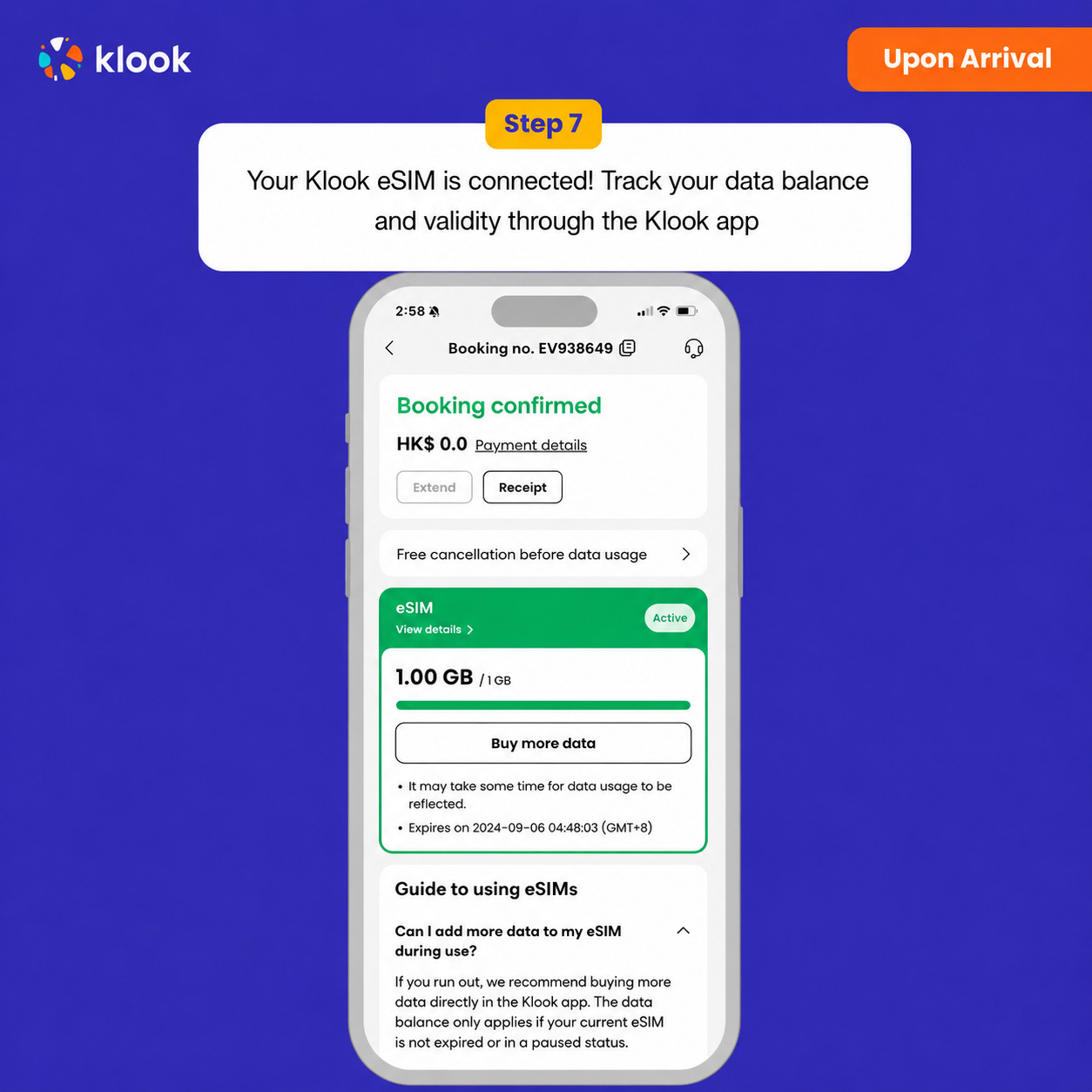
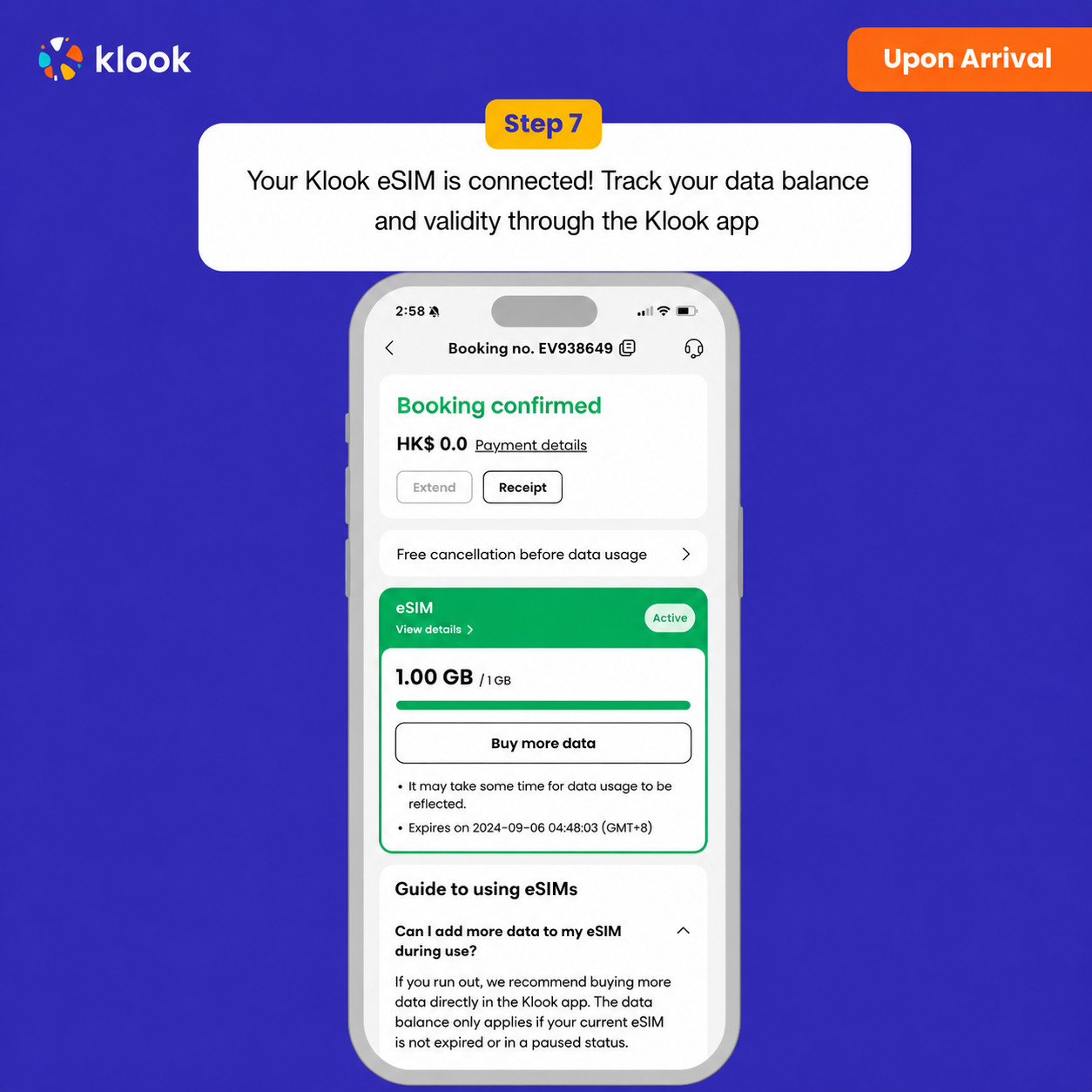
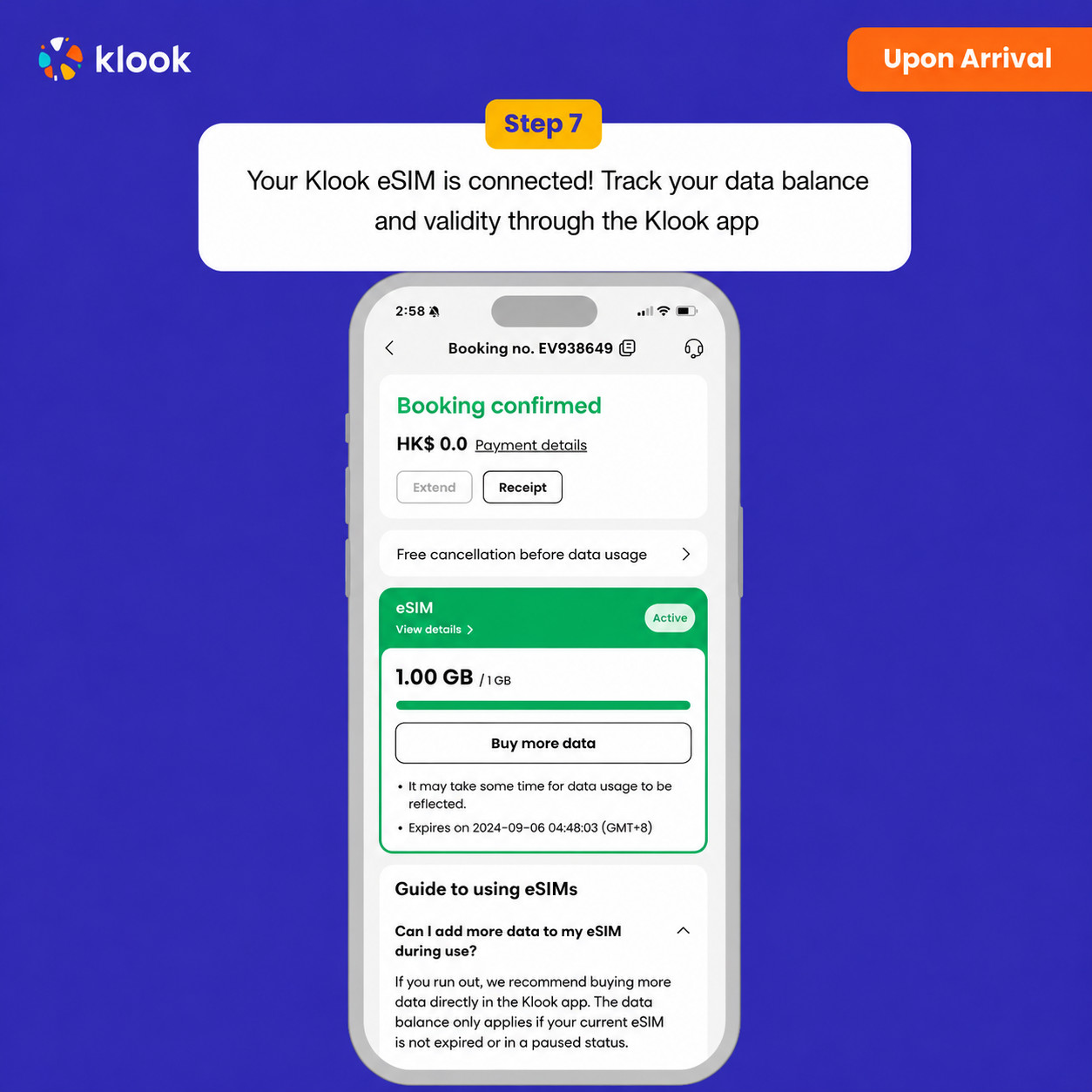
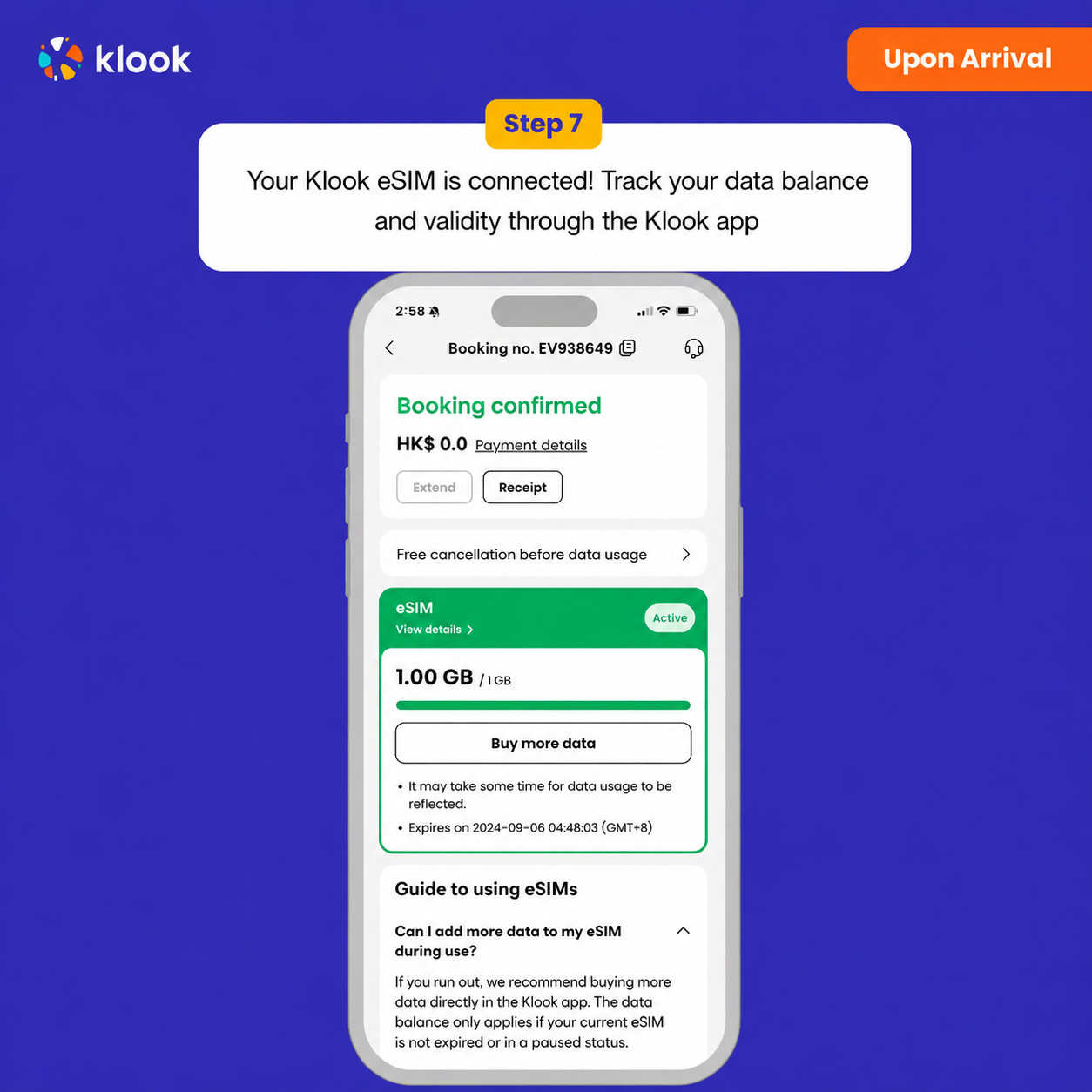
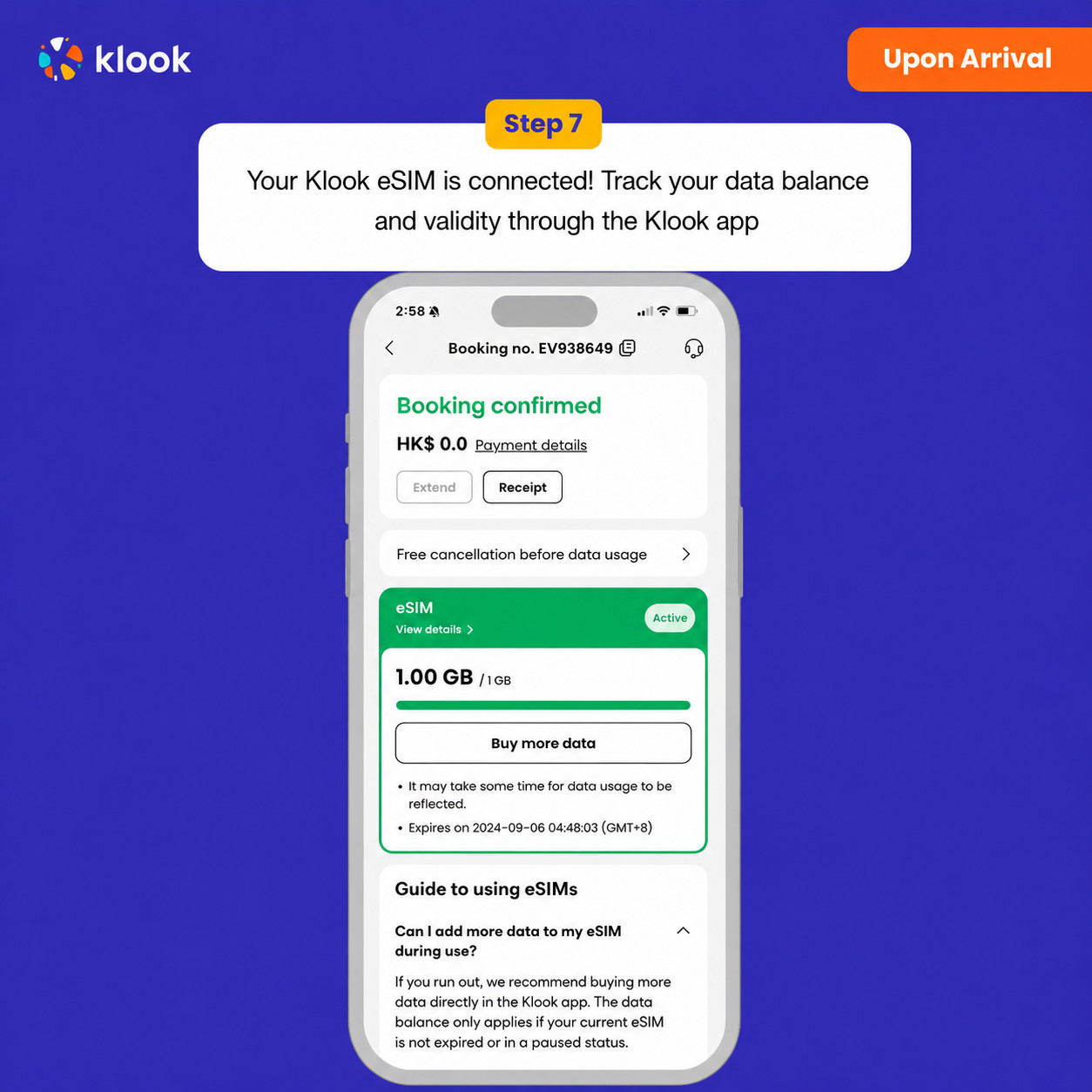
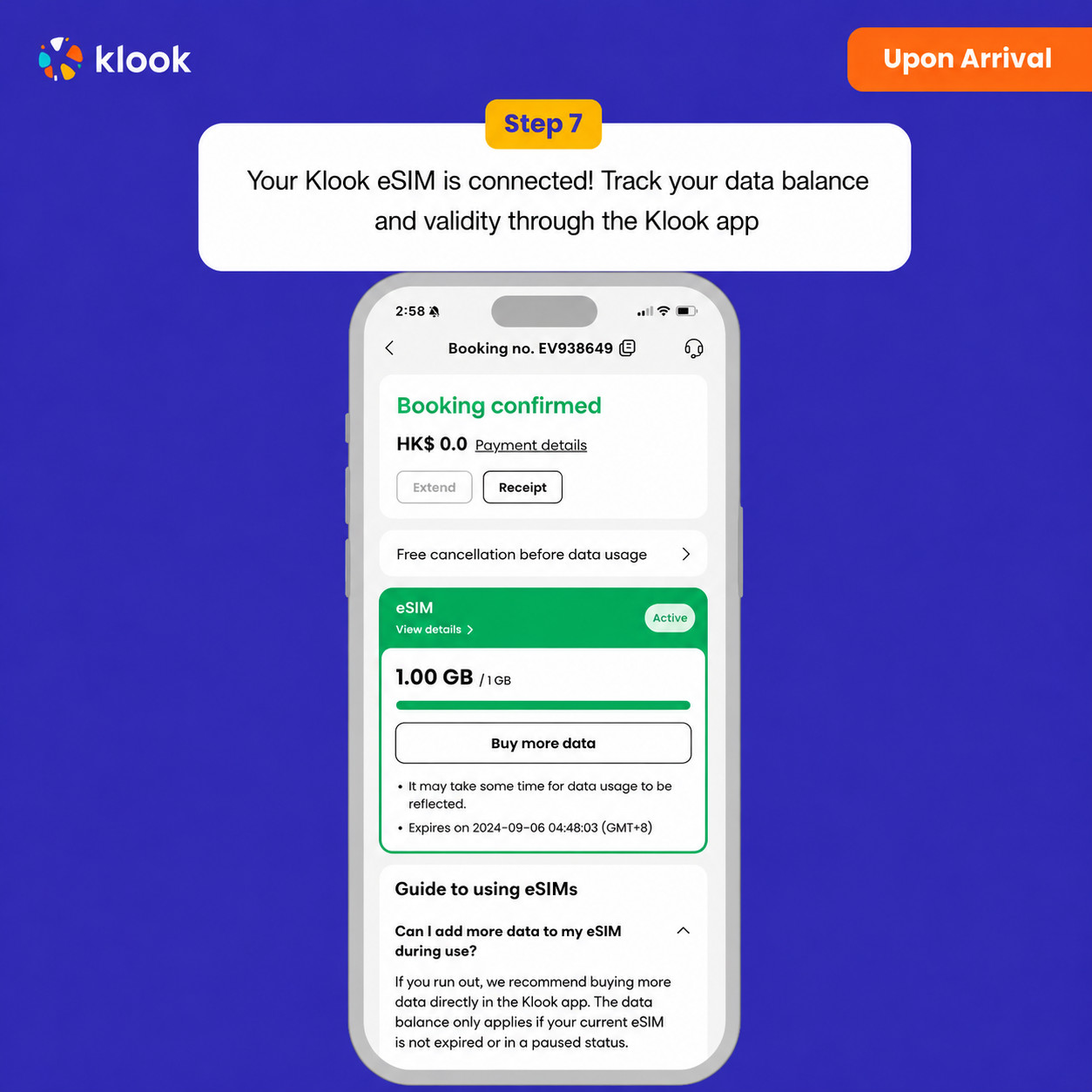
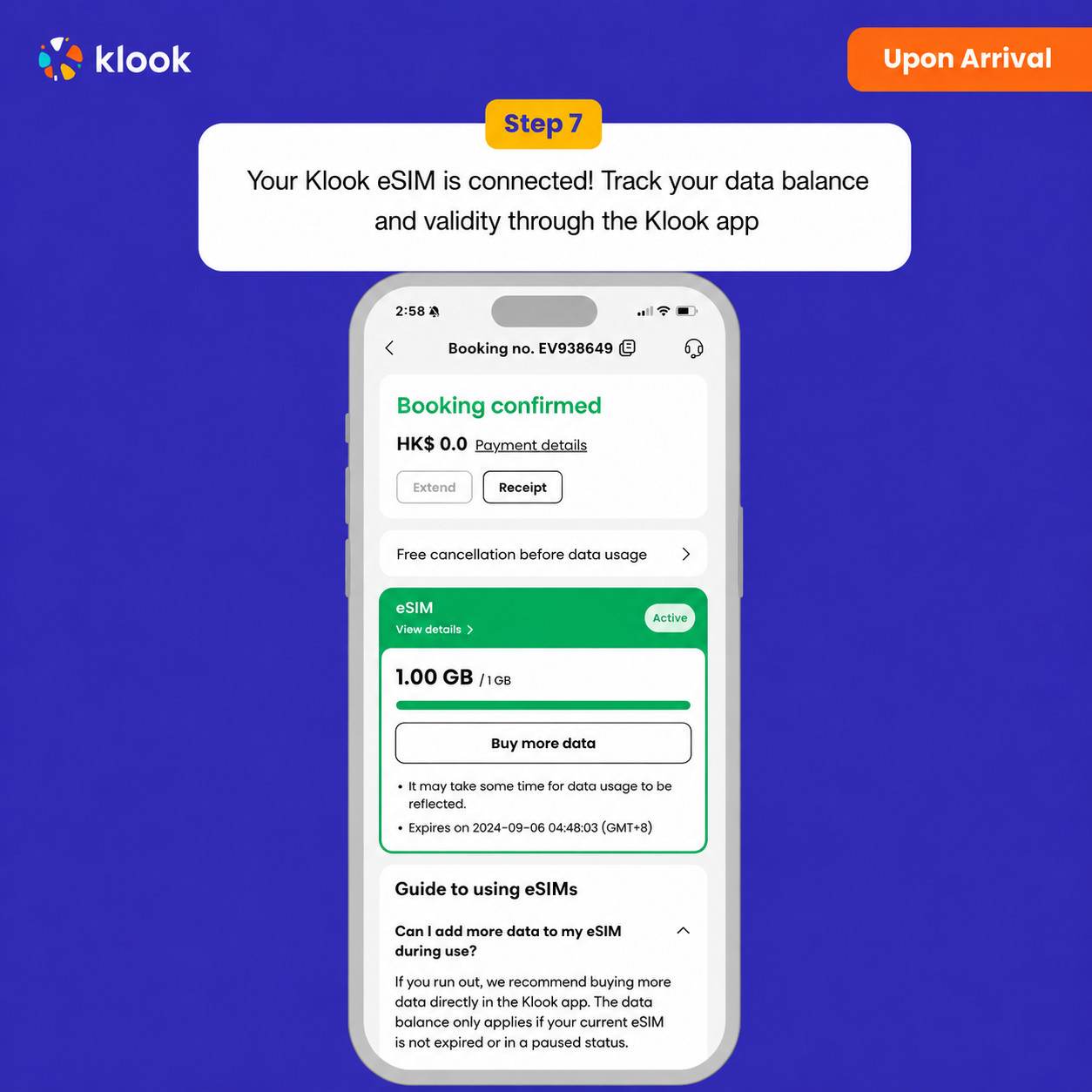
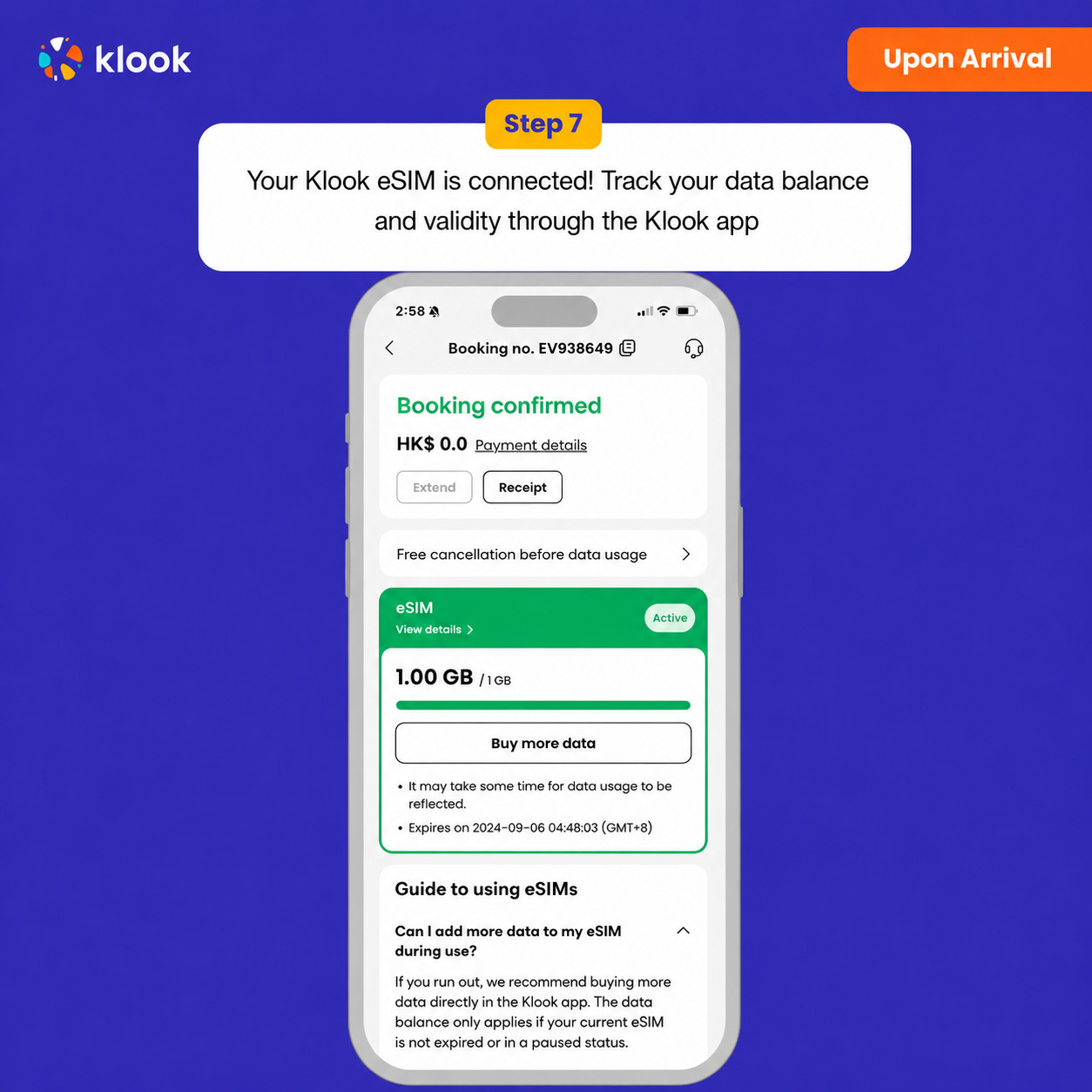
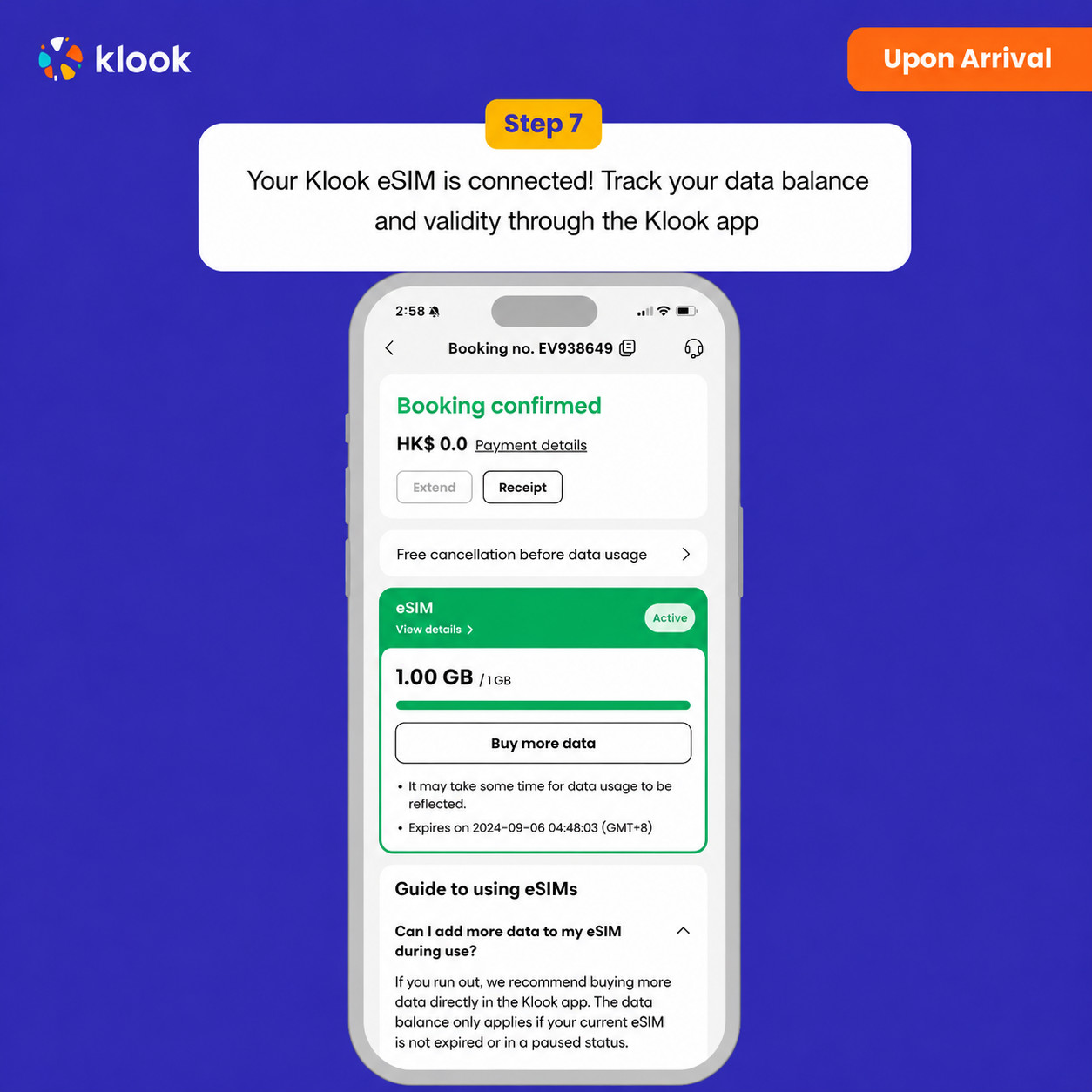
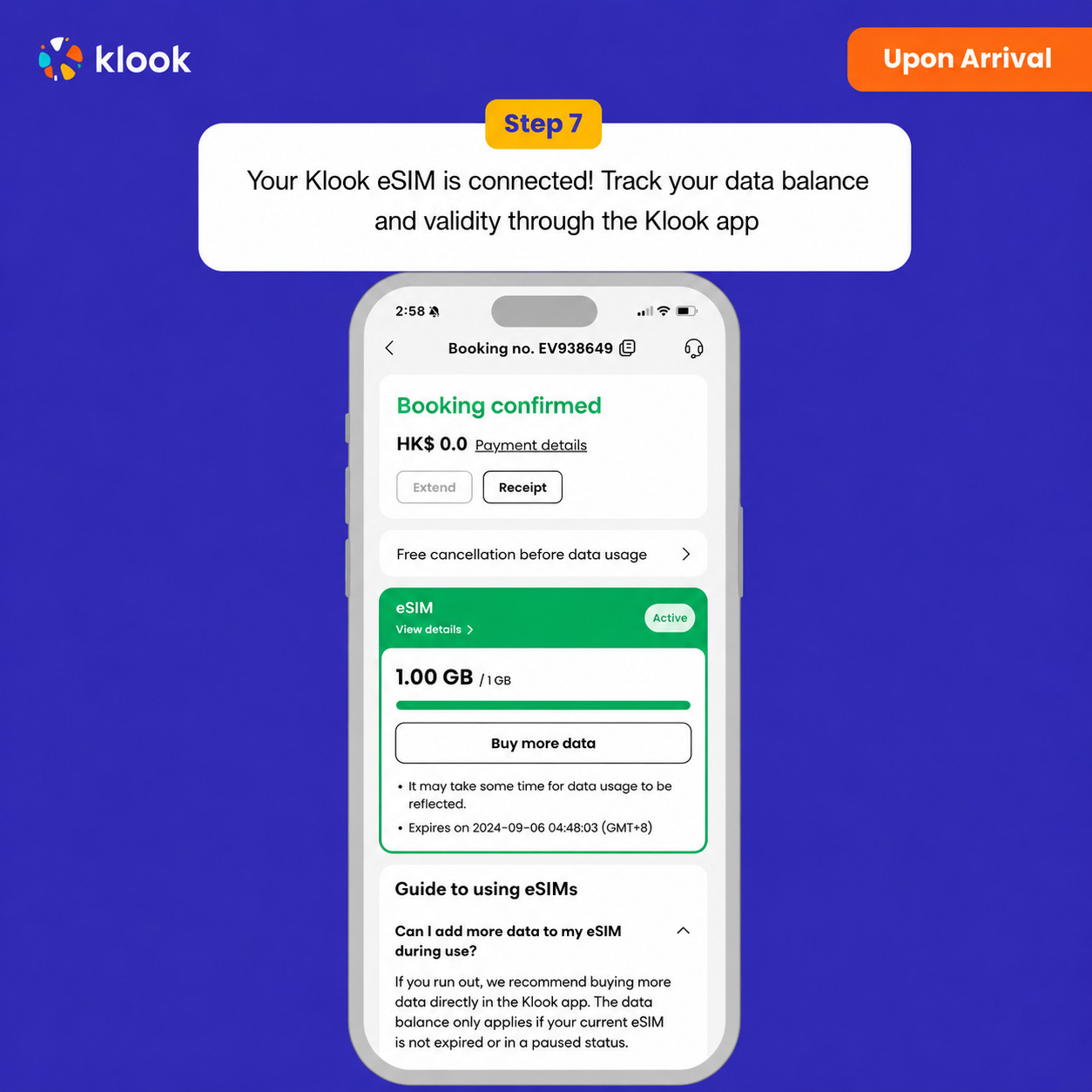
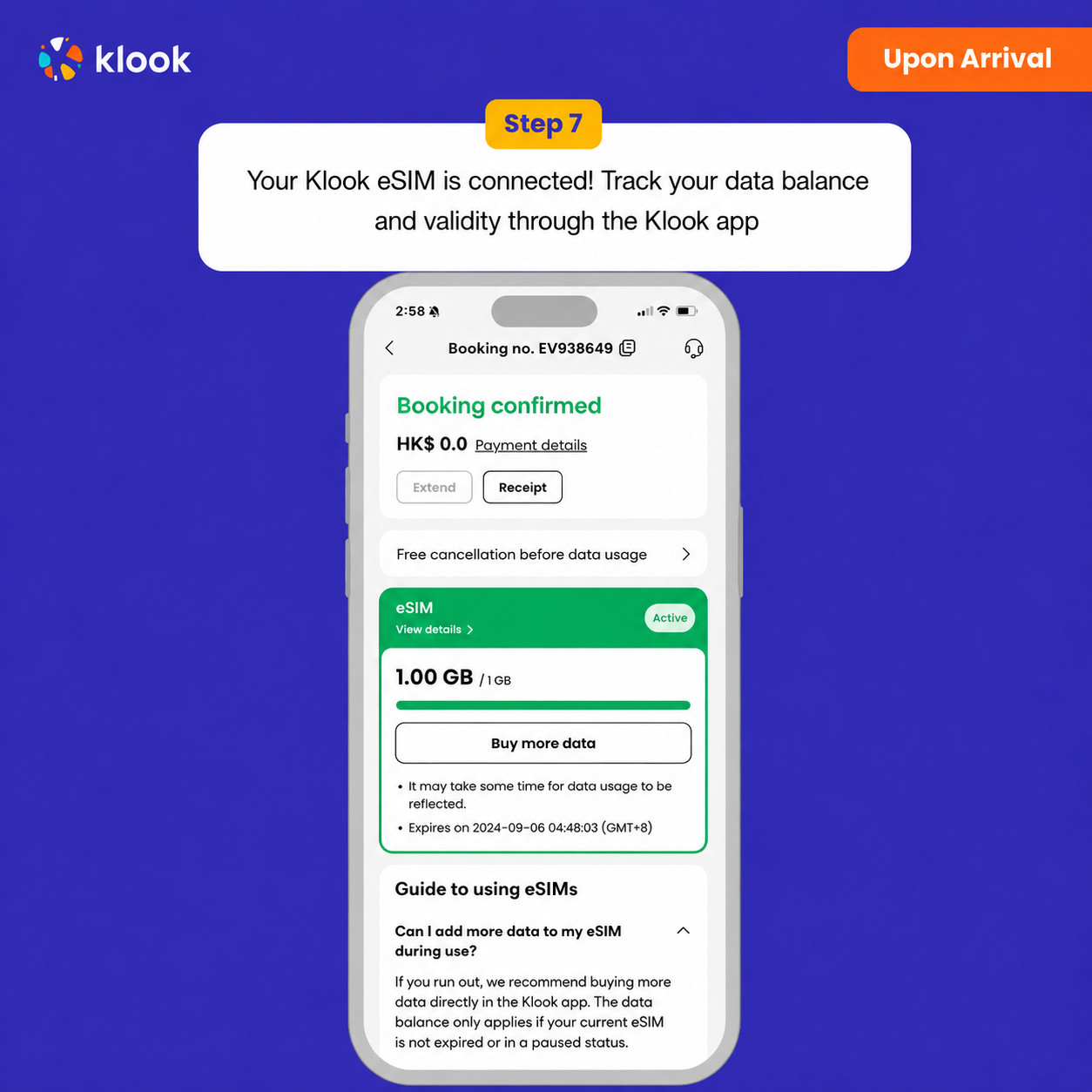
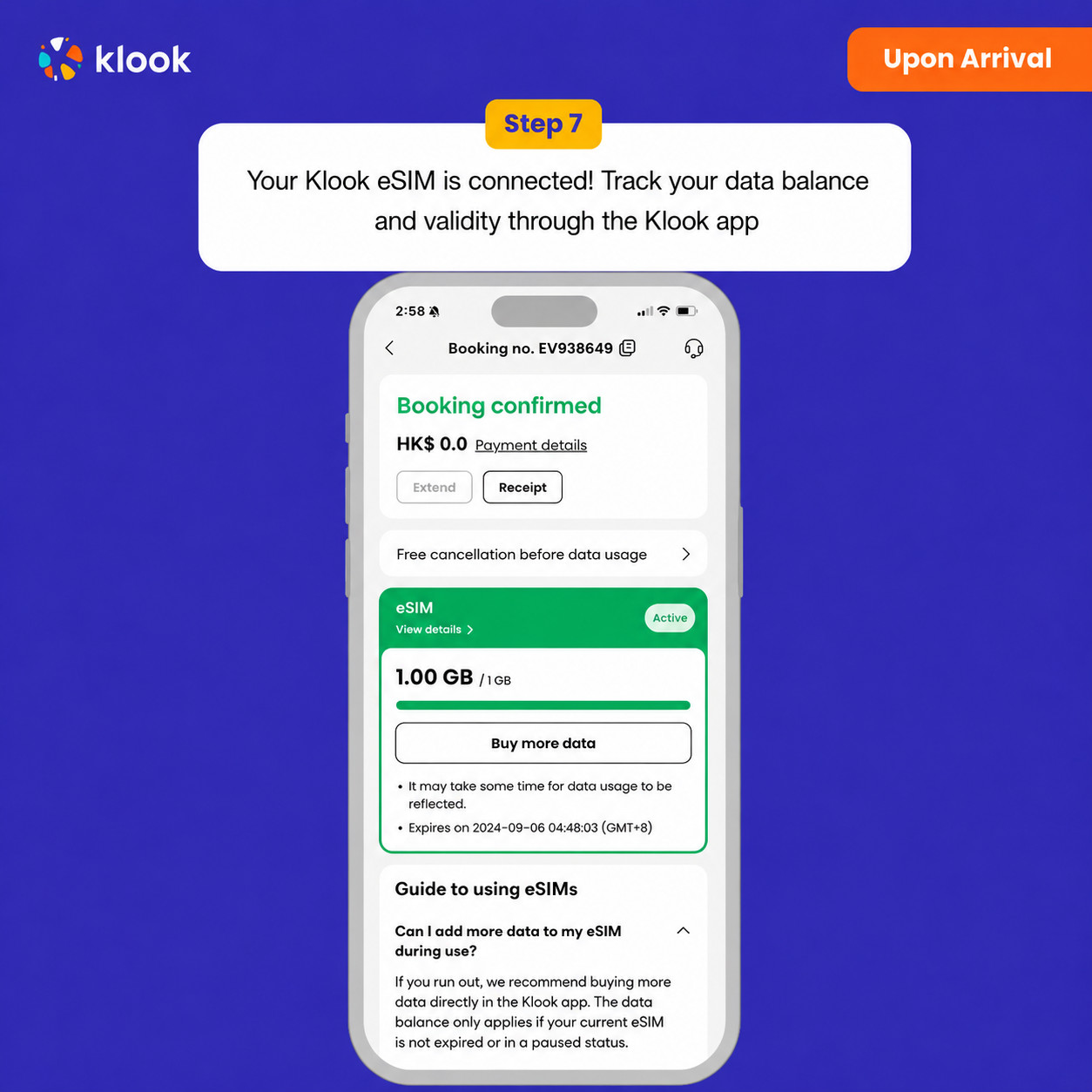
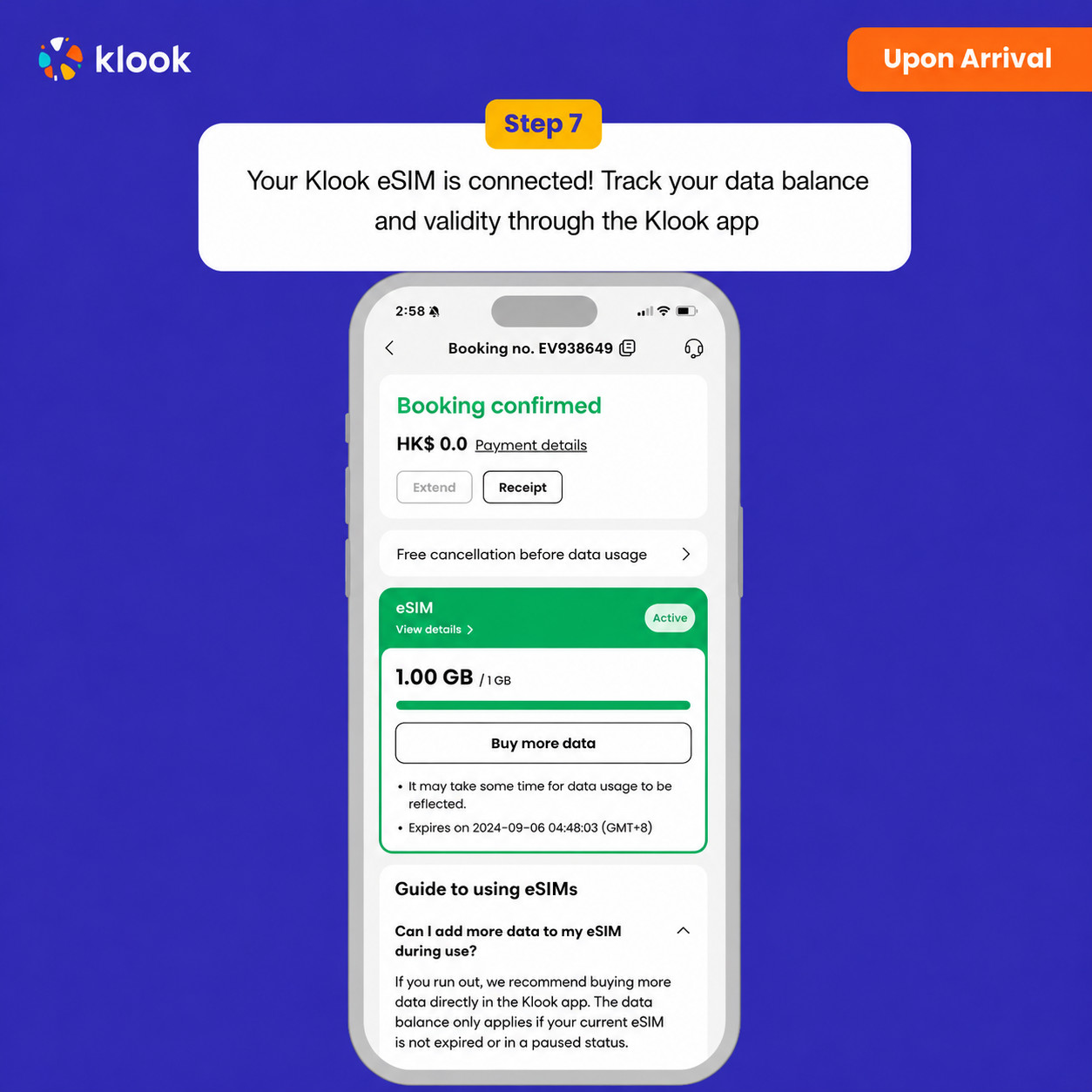
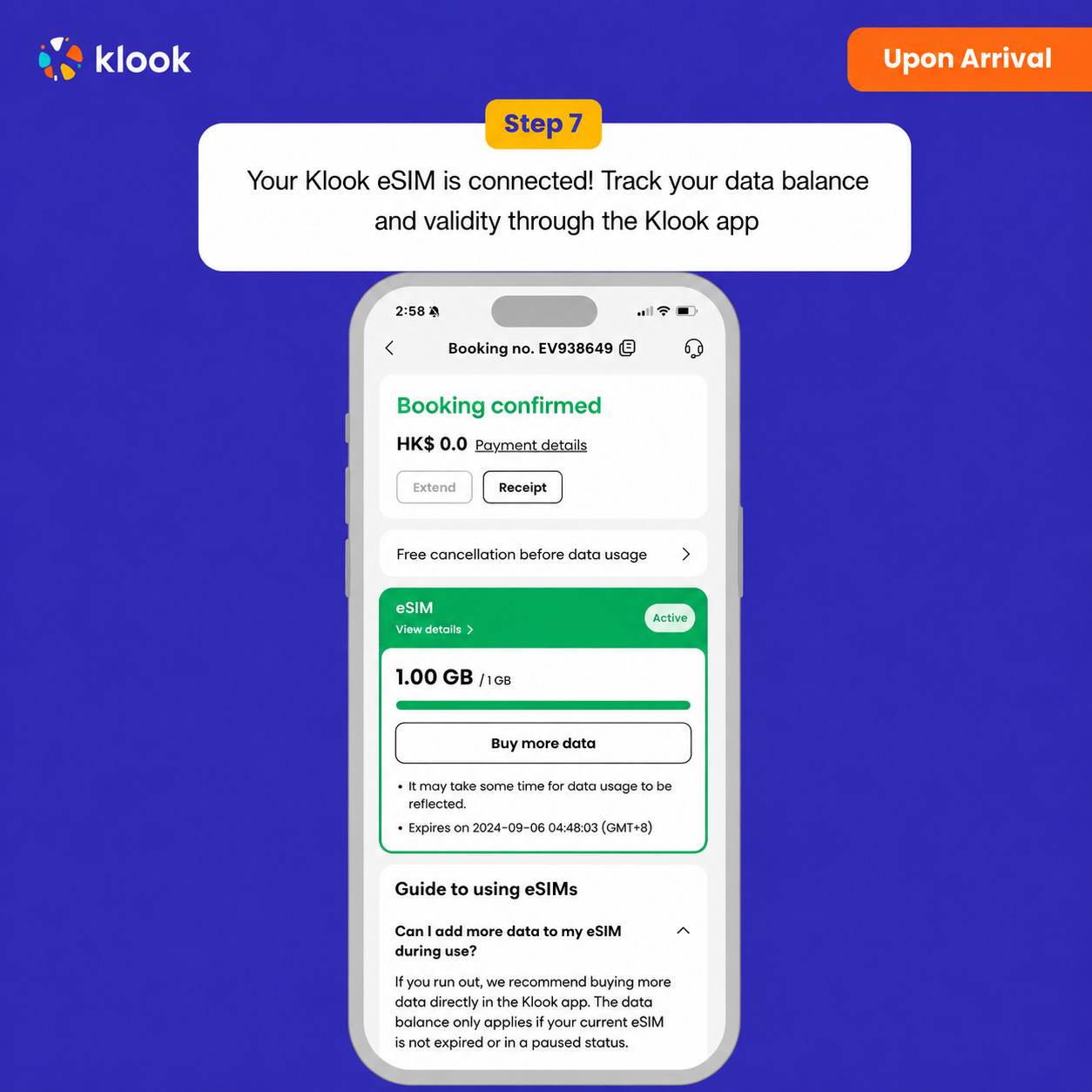
- Klook eSIM connected
Your klook esim is connected! Track your data balance and validity through the Klook app

ESIM-ni faollashtiring Android / iOS
- eSIM tarifingiz manzil mobil tarmog‘iga ulangan vaqtdan boshlab ishga tushadi. Masalan, 3 kunlik tarifni soat 10:00 da faollashtirsangiz, u 3 kundan so‘ng soat 10:00 da tugaydi.
Tasdiqlash siyosati
- Bir necha daqiqa ichida tasdiq olasiz. Agar tasdiqni ko‘rmasangiz, mijozlarni qo‘llab-quvvatlash xizmatimizga murojaat qiling.
Data in total · 11 days · 10GB · Data only
- Activate your Klook eSIM before travel
Activate your eSIM before travel

- Klook eSIM installation methods
Activate your eSIM via Klook in-app activation, scanning the QR code, or entering the SMDP+ details manually

- Klook eSIM In-app activation
Click Add eSIM to device on your booking to start the installation. Don't worry, data and validity will only commence when you reach your destination

- Klook eSIM In-app activation
Installation of your eSIM will start automatically

- Klook eSIM iOS installation
Set up your Klook eSIM for travel on iOS

- Klook eSIM installed
Your eSIM is ready for use! Usage and validity start only when the eSIM connects to an overseas network

- Turn on Klook eSIM
Turn on Klook eSIM and select Klook eSIM for mobile data

- Turn on Data roaming
Switch on data roaming at your destination to start using your eSIM

- Klook eSIM connected
Your klook esim is connected! Track your data balance and validity through the Klook app

ESIM-ni faollashtiring Android / iOS
- eSIM tarifingiz manzil mobil tarmog‘iga ulangan vaqtdan boshlab ishga tushadi. Masalan, 3 kunlik tarifni soat 10:00 da faollashtirsangiz, u 3 kundan so‘ng soat 10:00 da tugaydi.
Tasdiqlash siyosati
- Bir necha daqiqa ichida tasdiq olasiz. Agar tasdiqni ko‘rmasangiz, mijozlarni qo‘llab-quvvatlash xizmatimizga murojaat qiling.
Data in total · 15 days · 500MB · Data only
ESIM-ni faollashtiring Android / iOS
- eSIM tarifingiz manzil mobil tarmog‘iga ulangan vaqtdan boshlab ishga tushadi. Masalan, 3 kunlik tarifni soat 10:00 da faollashtirsangiz, u 3 kundan so‘ng soat 10:00 da tugaydi.
- Activate your Klook eSIM before travel
Activate your eSIM before travel

- Klook eSIM installation methods
Activate your eSIM via Klook in-app activation, scanning the QR code, or entering the SMDP+ details manually

- Klook eSIM In-app activation
Click Add eSIM to device on your booking to start the installation. Don't worry, data and validity will only commence when you reach your destination

- Klook eSIM In-app activation
Installation of your eSIM will start automatically

- Klook eSIM iOS installation
Set up your Klook eSIM for travel on iOS

- Klook eSIM installed
Your eSIM is ready for use! Usage and validity start only when the eSIM connects to an overseas network

- Turn on Klook eSIM
Turn on Klook eSIM and select Klook eSIM for mobile data

- Turn on Data roaming
Switch on data roaming at your destination to start using your eSIM

- Klook eSIM connected
Your klook esim is connected! Track your data balance and validity through the Klook app

Tasdiqlash siyosati
- Bir necha daqiqa ichida tasdiq olasiz. Agar tasdiqni ko‘rmasangiz, mijozlarni qo‘llab-quvvatlash xizmatimizga murojaat qiling.
Data in total · 15 days · 1GB · Data only
- Activate your Klook eSIM before travel
Activate your eSIM before travel

- Klook eSIM installation methods
Activate your eSIM via Klook in-app activation, scanning the QR code, or entering the SMDP+ details manually

- Klook eSIM In-app activation
Click Add eSIM to device on your booking to start the installation. Don't worry, data and validity will only commence when you reach your destination

- Klook eSIM In-app activation
Installation of your eSIM will start automatically

- Klook eSIM iOS installation
Set up your Klook eSIM for travel on iOS

- Klook eSIM installed
Your eSIM is ready for use! Usage and validity start only when the eSIM connects to an overseas network

- Turn on Klook eSIM
Turn on Klook eSIM and select Klook eSIM for mobile data

- Turn on Data roaming
Switch on data roaming at your destination to start using your eSIM

- Klook eSIM connected
Your klook esim is connected! Track your data balance and validity through the Klook app

ESIM-ni faollashtiring Android / iOS
- eSIM tarifingiz manzil mobil tarmog‘iga ulangan vaqtdan boshlab ishga tushadi. Masalan, 3 kunlik tarifni soat 10:00 da faollashtirsangiz, u 3 kundan so‘ng soat 10:00 da tugaydi.
Tasdiqlash siyosati
- Bir necha daqiqa ichida tasdiq olasiz. Agar tasdiqni ko‘rmasangiz, mijozlarni qo‘llab-quvvatlash xizmatimizga murojaat qiling.
Data in total · 15 days · 3GB · Data only
- Activate your Klook eSIM before travel
Activate your eSIM before travel

- Klook eSIM installation methods
Activate your eSIM via Klook in-app activation, scanning the QR code, or entering the SMDP+ details manually

- Klook eSIM In-app activation
Click Add eSIM to device on your booking to start the installation. Don't worry, data and validity will only commence when you reach your destination

- Klook eSIM In-app activation
Installation of your eSIM will start automatically

- Klook eSIM iOS installation
Set up your Klook eSIM for travel on iOS

- Klook eSIM installed
Your eSIM is ready for use! Usage and validity start only when the eSIM connects to an overseas network

- Turn on Klook eSIM
Turn on Klook eSIM and select Klook eSIM for mobile data

- Turn on Data roaming
Switch on data roaming at your destination to start using your eSIM

- Klook eSIM connected
Your klook esim is connected! Track your data balance and validity through the Klook app

ESIM-ni faollashtiring Android / iOS
- eSIM tarifingiz manzil mobil tarmog‘iga ulangan vaqtdan boshlab ishga tushadi. Masalan, 3 kunlik tarifni soat 10:00 da faollashtirsangiz, u 3 kundan so‘ng soat 10:00 da tugaydi.
Tasdiqlash siyosati
- Bir necha daqiqa ichida tasdiq olasiz. Agar tasdiqni ko‘rmasangiz, mijozlarni qo‘llab-quvvatlash xizmatimizga murojaat qiling.
Umumiy internet · 15 kun · 5GB · Faqat internet
ESIM-ni faollashtiring Android / iOS
- eSIM tarifingiz manzil mobil tarmog‘iga ulangan vaqtdan boshlab ishga tushadi. Masalan, 3 kunlik tarifni soat 10:00 da faollashtirsangiz, u 3 kundan so‘ng soat 10:00 da tugaydi.
- Activate your Klook eSIM before travel
Activate your eSIM before travel

- Klook eSIM installation methods
Activate your eSIM via Klook in-app activation, scanning the QR code, or entering the SMDP+ details manually

- Klook eSIM In-app activation
Click Add eSIM to device on your booking to start the installation. Don't worry, data and validity will only commence when you reach your destination

- Klook eSIM In-app activation
Installation of your eSIM will start automatically

- Klook eSIM iOS installation
Set up your Klook eSIM for travel on iOS

- Klook eSIM installed
Your eSIM is ready for use! Usage and validity start only when the eSIM connects to an overseas network

- Turn on Klook eSIM
Turn on Klook eSIM and select Klook eSIM for mobile data

- Turn on Data roaming
Switch on data roaming at your destination to start using your eSIM

- Klook eSIM connected
Your klook esim is connected! Track your data balance and validity through the Klook app

Tasdiqlash siyosati
- Bir necha daqiqa ichida tasdiq olasiz. Agar tasdiqni ko‘rmasangiz, mijozlarni qo‘llab-quvvatlash xizmatimizga murojaat qiling.
Umumiy internet · 15 kun · 10GB · Faqat internet
- Activate your Klook eSIM before travel
Activate your eSIM before travel

- Klook eSIM installation methods
Activate your eSIM via Klook in-app activation, scanning the QR code, or entering the SMDP+ details manually

- Klook eSIM In-app activation
Click Add eSIM to device on your booking to start the installation. Don't worry, data and validity will only commence when you reach your destination

- Klook eSIM In-app activation
Installation of your eSIM will start automatically

- Klook eSIM iOS installation
Set up your Klook eSIM for travel on iOS

- Klook eSIM installed
Your eSIM is ready for use! Usage and validity start only when the eSIM connects to an overseas network

- Turn on Klook eSIM
Turn on Klook eSIM and select Klook eSIM for mobile data

- Turn on Data roaming
Switch on data roaming at your destination to start using your eSIM

- Klook eSIM connected
Your klook esim is connected! Track your data balance and validity through the Klook app

ESIM-ni faollashtiring Android / iOS
- eSIM tarifingiz manzil mobil tarmog‘iga ulangan vaqtdan boshlab ishga tushadi. Masalan, 3 kunlik tarifni soat 10:00 da faollashtirsangiz, u 3 kundan so‘ng soat 10:00 da tugaydi.
Tasdiqlash siyosati
- Bir necha daqiqa ichida tasdiq olasiz. Agar tasdiqni ko‘rmasangiz, mijozlarni qo‘llab-quvvatlash xizmatimizga murojaat qiling.
Umumiy internet · 15 kun · 20GB · Faqat internet
ESIM-ni faollashtiring Android / iOS
- eSIM tarifingiz manzil mobil tarmog‘iga ulangan vaqtdan boshlab ishga tushadi. Masalan, 3 kunlik tarifni soat 10:00 da faollashtirsangiz, u 3 kundan so‘ng soat 10:00 da tugaydi.
- Activate your Klook eSIM before travel
Activate your eSIM before travel

- Klook eSIM installation methods
Activate your eSIM via Klook in-app activation, scanning the QR code, or entering the SMDP+ details manually

- Klook eSIM In-app activation
Click Add eSIM to device on your booking to start the installation. Don't worry, data and validity will only commence when you reach your destination

- Klook eSIM In-app activation
Installation of your eSIM will start automatically

- Klook eSIM iOS installation
Set up your Klook eSIM for travel on iOS

- Klook eSIM installed
Your eSIM is ready for use! Usage and validity start only when the eSIM connects to an overseas network

- Turn on Klook eSIM
Turn on Klook eSIM and select Klook eSIM for mobile data

- Turn on Data roaming
Switch on data roaming at your destination to start using your eSIM

- Klook eSIM connected
Your klook esim is connected! Track your data balance and validity through the Klook app

Tasdiqlash siyosati
- Bir necha daqiqa ichida tasdiq olasiz. Agar tasdiqni ko‘rmasangiz, mijozlarni qo‘llab-quvvatlash xizmatimizga murojaat qiling.
Data in total · 16 days · 500MB · Data only
- Activate your Klook eSIM before travel
Activate your eSIM before travel

- Klook eSIM installation methods
Activate your eSIM via Klook in-app activation, scanning the QR code, or entering the SMDP+ details manually

- Klook eSIM In-app activation
Click Add eSIM to device on your booking to start the installation. Don't worry, data and validity will only commence when you reach your destination

- Klook eSIM In-app activation
Installation of your eSIM will start automatically

- Klook eSIM iOS installation
Set up your Klook eSIM for travel on iOS

- Klook eSIM installed
Your eSIM is ready for use! Usage and validity start only when the eSIM connects to an overseas network

- Turn on Klook eSIM
Turn on Klook eSIM and select Klook eSIM for mobile data

- Turn on Data roaming
Switch on data roaming at your destination to start using your eSIM

- Klook eSIM connected
Your klook esim is connected! Track your data balance and validity through the Klook app

ESIM-ni faollashtiring Android / iOS
- eSIM tarifingiz manzil mobil tarmog‘iga ulangan vaqtdan boshlab ishga tushadi. Masalan, 3 kunlik tarifni soat 10:00 da faollashtirsangiz, u 3 kundan so‘ng soat 10:00 da tugaydi.
Tasdiqlash siyosati
- Bir necha daqiqa ichida tasdiq olasiz. Agar tasdiqni ko‘rmasangiz, mijozlarni qo‘llab-quvvatlash xizmatimizga murojaat qiling.
Data in total · 16 days · 1GB · Data only
- Activate your Klook eSIM before travel
Activate your eSIM before travel

- Klook eSIM installation methods
Activate your eSIM via Klook in-app activation, scanning the QR code, or entering the SMDP+ details manually

- Klook eSIM In-app activation
Click Add eSIM to device on your booking to start the installation. Don't worry, data and validity will only commence when you reach your destination

- Klook eSIM In-app activation
Installation of your eSIM will start automatically

- Klook eSIM iOS installation
Set up your Klook eSIM for travel on iOS

- Klook eSIM installed
Your eSIM is ready for use! Usage and validity start only when the eSIM connects to an overseas network

- Turn on Klook eSIM
Turn on Klook eSIM and select Klook eSIM for mobile data

- Turn on Data roaming
Switch on data roaming at your destination to start using your eSIM

- Klook eSIM connected
Your klook esim is connected! Track your data balance and validity through the Klook app

ESIM-ni faollashtiring Android / iOS
- eSIM tarifingiz manzil mobil tarmog‘iga ulangan vaqtdan boshlab ishga tushadi. Masalan, 3 kunlik tarifni soat 10:00 da faollashtirsangiz, u 3 kundan so‘ng soat 10:00 da tugaydi.
Tasdiqlash siyosati
- Bir necha daqiqa ichida tasdiq olasiz. Agar tasdiqni ko‘rmasangiz, mijozlarni qo‘llab-quvvatlash xizmatimizga murojaat qiling.
Data in total · 16 days · 3GB · Data only
ESIM-ni faollashtiring Android / iOS
- eSIM tarifingiz manzil mobil tarmog‘iga ulangan vaqtdan boshlab ishga tushadi. Masalan, 3 kunlik tarifni soat 10:00 da faollashtirsangiz, u 3 kundan so‘ng soat 10:00 da tugaydi.
- Activate your Klook eSIM before travel
Activate your eSIM before travel

- Klook eSIM installation methods
Activate your eSIM via Klook in-app activation, scanning the QR code, or entering the SMDP+ details manually

- Klook eSIM In-app activation
Click Add eSIM to device on your booking to start the installation. Don't worry, data and validity will only commence when you reach your destination

- Klook eSIM In-app activation
Installation of your eSIM will start automatically

- Klook eSIM iOS installation
Set up your Klook eSIM for travel on iOS

- Klook eSIM installed
Your eSIM is ready for use! Usage and validity start only when the eSIM connects to an overseas network

- Turn on Klook eSIM
Turn on Klook eSIM and select Klook eSIM for mobile data

- Turn on Data roaming
Switch on data roaming at your destination to start using your eSIM

- Klook eSIM connected
Your klook esim is connected! Track your data balance and validity through the Klook app

Tasdiqlash siyosati
- Bir necha daqiqa ichida tasdiq olasiz. Agar tasdiqni ko‘rmasangiz, mijozlarni qo‘llab-quvvatlash xizmatimizga murojaat qiling.
Data in total · 16 days · 5GB · Data only
- Activate your Klook eSIM before travel
Activate your eSIM before travel

- Klook eSIM installation methods
Activate your eSIM via Klook in-app activation, scanning the QR code, or entering the SMDP+ details manually

- Klook eSIM In-app activation
Click Add eSIM to device on your booking to start the installation. Don't worry, data and validity will only commence when you reach your destination

- Klook eSIM In-app activation
Installation of your eSIM will start automatically

- Klook eSIM iOS installation
Set up your Klook eSIM for travel on iOS

- Klook eSIM installed
Your eSIM is ready for use! Usage and validity start only when the eSIM connects to an overseas network

- Turn on Klook eSIM
Turn on Klook eSIM and select Klook eSIM for mobile data

- Turn on Data roaming
Switch on data roaming at your destination to start using your eSIM

- Klook eSIM connected
Your klook esim is connected! Track your data balance and validity through the Klook app

ESIM-ni faollashtiring Android / iOS
- eSIM tarifingiz manzil mobil tarmog‘iga ulangan vaqtdan boshlab ishga tushadi. Masalan, 3 kunlik tarifni soat 10:00 da faollashtirsangiz, u 3 kundan so‘ng soat 10:00 da tugaydi.
Tasdiqlash siyosati
- Bir necha daqiqa ichida tasdiq olasiz. Agar tasdiqni ko‘rmasangiz, mijozlarni qo‘llab-quvvatlash xizmatimizga murojaat qiling.
Data in total · 16 days · 10GB · Data only
ESIM-ni faollashtiring Android / iOS
- eSIM tarifingiz manzil mobil tarmog‘iga ulangan vaqtdan boshlab ishga tushadi. Masalan, 3 kunlik tarifni soat 10:00 da faollashtirsangiz, u 3 kundan so‘ng soat 10:00 da tugaydi.
- Activate your Klook eSIM before travel
Activate your eSIM before travel

- Klook eSIM installation methods
Activate your eSIM via Klook in-app activation, scanning the QR code, or entering the SMDP+ details manually

- Klook eSIM In-app activation
Click Add eSIM to device on your booking to start the installation. Don't worry, data and validity will only commence when you reach your destination

- Klook eSIM In-app activation
Installation of your eSIM will start automatically

- Klook eSIM iOS installation
Set up your Klook eSIM for travel on iOS

- Klook eSIM installed
Your eSIM is ready for use! Usage and validity start only when the eSIM connects to an overseas network

- Turn on Klook eSIM
Turn on Klook eSIM and select Klook eSIM for mobile data

- Turn on Data roaming
Switch on data roaming at your destination to start using your eSIM

- Klook eSIM connected
Your klook esim is connected! Track your data balance and validity through the Klook app

Tasdiqlash siyosati
- Bir necha daqiqa ichida tasdiq olasiz. Agar tasdiqni ko‘rmasangiz, mijozlarni qo‘llab-quvvatlash xizmatimizga murojaat qiling.
Data in total · 16 days · 20GB · Data only
ESIM-ni faollashtiring Android / iOS
- eSIM tarifingiz manzil mobil tarmog‘iga ulangan vaqtdan boshlab ishga tushadi. Masalan, 3 kunlik tarifni soat 10:00 da faollashtirsangiz, u 3 kundan so‘ng soat 10:00 da tugaydi.
- Activate your Klook eSIM before travel
Activate your eSIM before travel

- Klook eSIM installation methods
Activate your eSIM via Klook in-app activation, scanning the QR code, or entering the SMDP+ details manually

- Klook eSIM In-app activation
Click Add eSIM to device on your booking to start the installation. Don't worry, data and validity will only commence when you reach your destination

- Klook eSIM In-app activation
Installation of your eSIM will start automatically

- Klook eSIM iOS installation
Set up your Klook eSIM for travel on iOS

- Klook eSIM installed
Your eSIM is ready for use! Usage and validity start only when the eSIM connects to an overseas network

- Turn on Klook eSIM
Turn on Klook eSIM and select Klook eSIM for mobile data

- Turn on Data roaming
Switch on data roaming at your destination to start using your eSIM

- Klook eSIM connected
Your klook esim is connected! Track your data balance and validity through the Klook app

Tasdiqlash siyosati
- Bir necha daqiqa ichida tasdiq olasiz. Agar tasdiqni ko‘rmasangiz, mijozlarni qo‘llab-quvvatlash xizmatimizga murojaat qiling.
Data in total · 16 days · 50GB · Data only
ESIM-ni faollashtiring Android / iOS
- eSIM tarifingiz manzil mobil tarmog‘iga ulangan vaqtdan boshlab ishga tushadi. Masalan, 3 kunlik tarifni soat 10:00 da faollashtirsangiz, u 3 kundan so‘ng soat 10:00 da tugaydi.
- Activate your Klook eSIM before travel
Activate your eSIM before travel

- Klook eSIM installation methods
Activate your eSIM via Klook in-app activation, scanning the QR code, or entering the SMDP+ details manually

- Klook eSIM In-app activation
Click Add eSIM to device on your booking to start the installation. Don't worry, data and validity will only commence when you reach your destination

- Klook eSIM In-app activation
Installation of your eSIM will start automatically

- Klook eSIM iOS installation
Set up your Klook eSIM for travel on iOS

- Klook eSIM installed
Your eSIM is ready for use! Usage and validity start only when the eSIM connects to an overseas network

- Turn on Klook eSIM
Turn on Klook eSIM and select Klook eSIM for mobile data

- Turn on Data roaming
Switch on data roaming at your destination to start using your eSIM

- Klook eSIM connected
Your klook esim is connected! Track your data balance and validity through the Klook app

Tasdiqlash siyosati
- Bir necha daqiqa ichida tasdiq olasiz. Agar tasdiqni ko‘rmasangiz, mijozlarni qo‘llab-quvvatlash xizmatimizga murojaat qiling.
Yuqoridagi mavjud variantlardan tanlang
O'xshash ekskursiyalar
Avtobus turi
Avtobus turi
Boku UNESCO Gobustan va Loy vulqonlari to‘liq kunlik ekskursiyasi
Avtobus turi
Bakı Gobustan və Abşeron bo‘ylab qo‘llab-quvvatlovchi bilan to‘liq kunlik tajriba
Avtobus turi